Enhancements to Team Learning and Development Workspace for Managers
Use Team Learning and Development Workspace for Managers to:
- Identify direct reports who are progressing—or not progressing—toward their highest-priority development objective during the evaluation period.
- See whether completed voluntary learning aligns with a direct report’s development objectives, based on recorded learning outcomes or an inferred skill connection when outcomes aren’t available.
- Review outreach drafts for individual direct reports or groups and send them only through an explicit manager action.
The Skills Development by Skill and Skills Development by Direct panels have been replaced with the following:
- Directs’ progress on development objectives
- Managers can see which direct reports are and aren't making progress on assigned development skills over a 90-day window.
- The panel prioritizes who to show, limits the default list to top rows, supports Show all, and gives delivered email actions to:
- Nudge people with no progress
- Recognize people making progress
- Directs’ learning alignment with development objectives
- Managers can see whether completed noncompliance learning by directs is and isn't aligned with their development objectives over the same 90-day window.
- The panel includes learning context (such as name, date, outcomes, or inferred outcomes), supports expanded views, and provides delivered email actions to:
- Ask about misaligned learning
- Recognize aligned learning
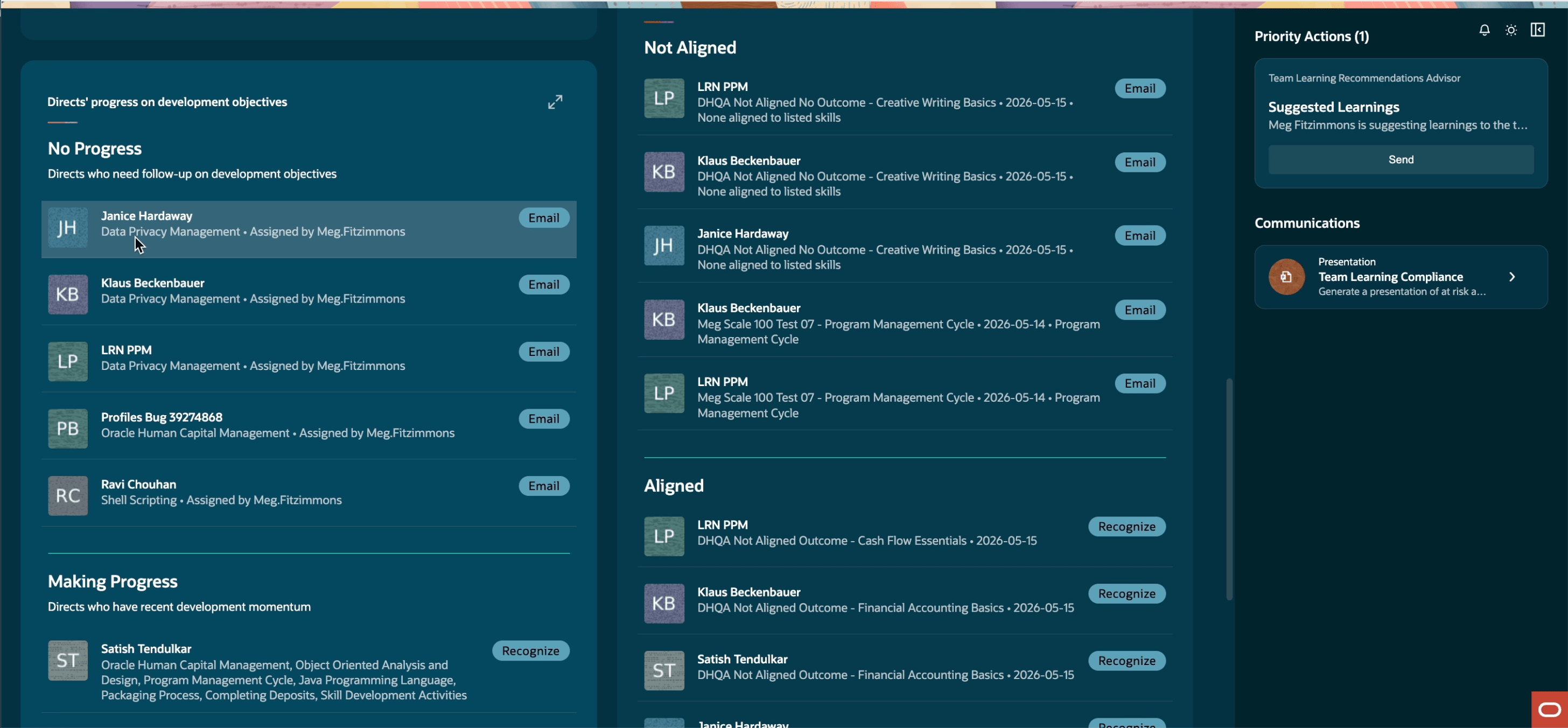
Directs progress on development objectives and learning alignment
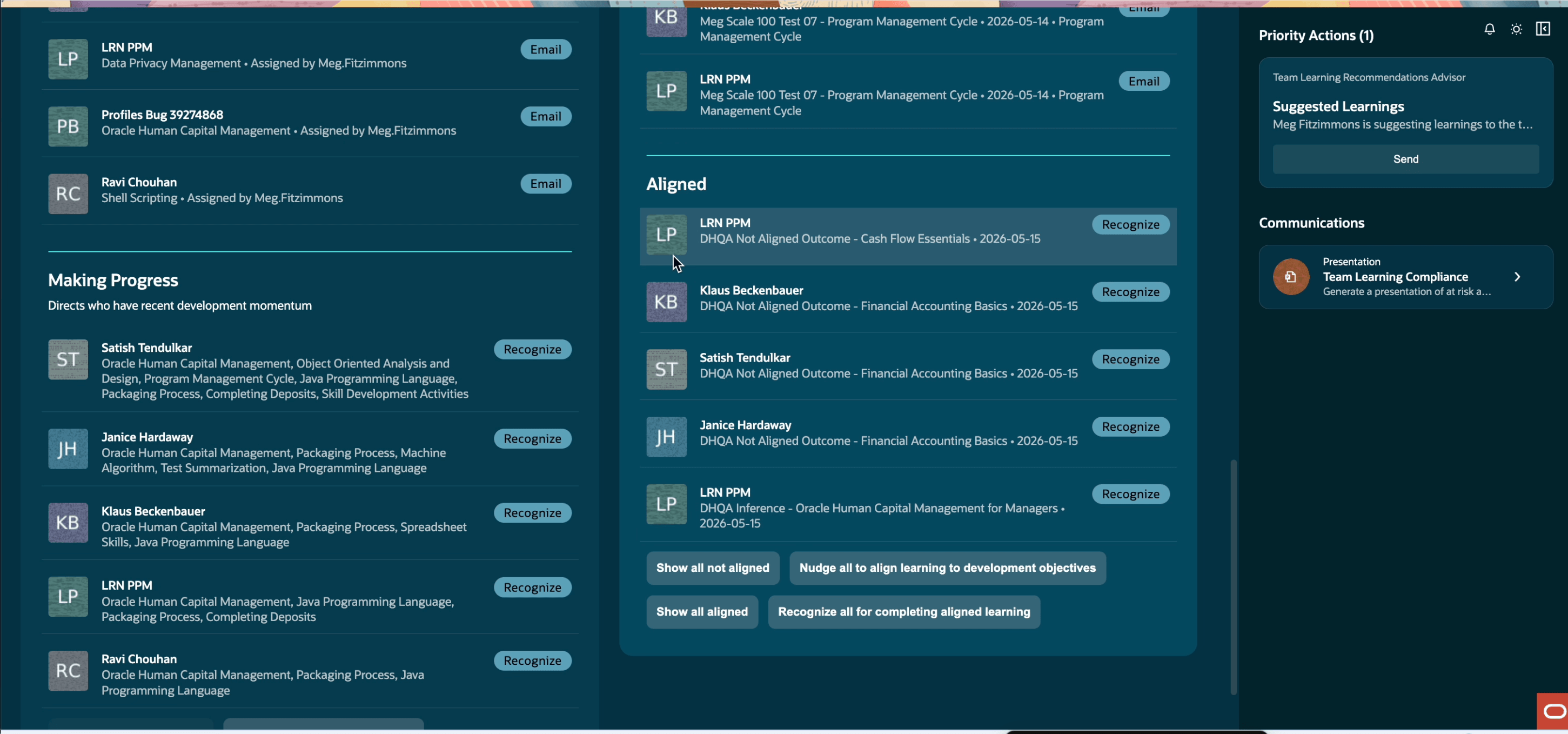
Delivered actions such as to show all aligned and nudge people
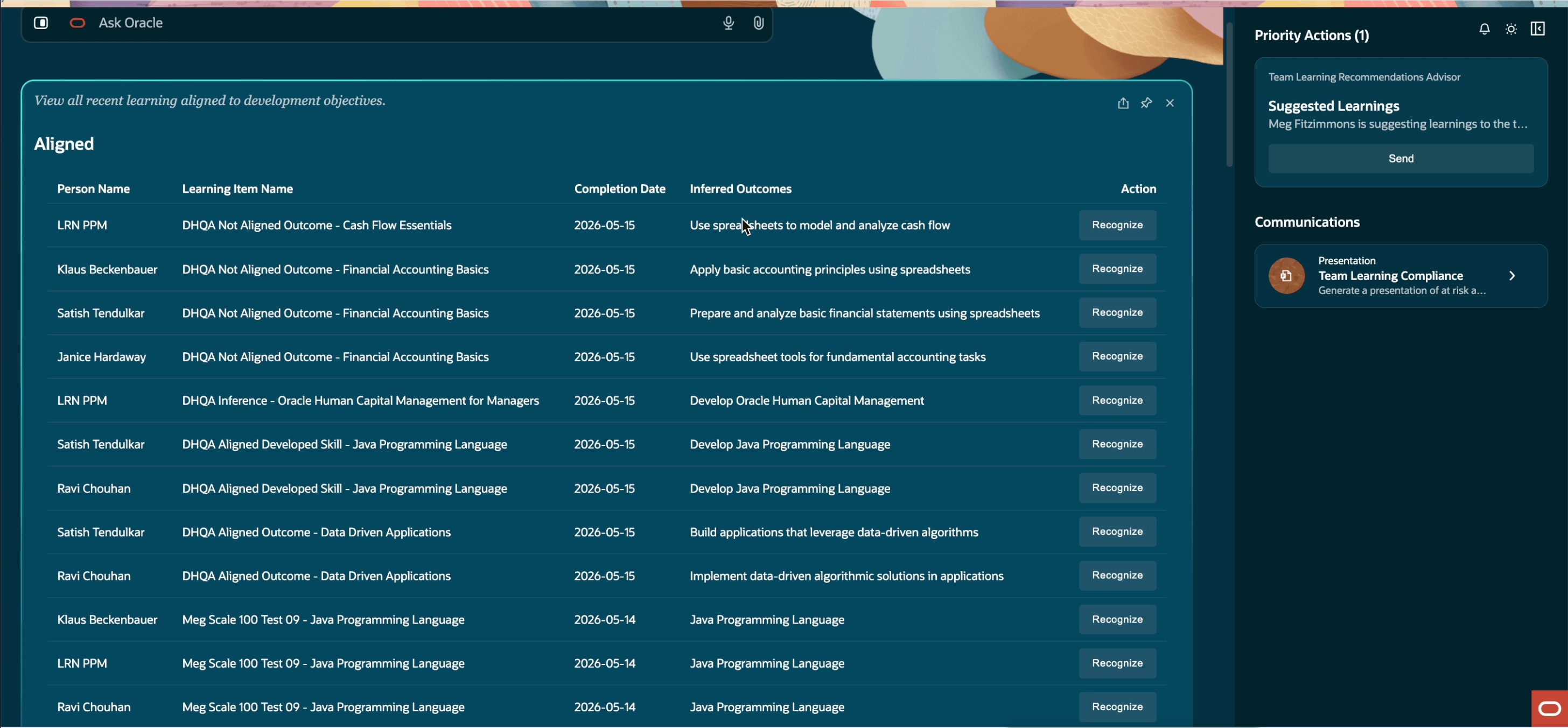
Show all aligned with supporting evidence
Try it out
- Go to the HCM UI shell: https://<environment>/hcmUI/faces/FuseWelcome. Or, if users access the application from another shell FSCM UI, create a custom menu entry using this deep link: https://<environment>/hcmUI/redwoodAI/ora_hcm_learning_team_learning_and_development_workspace_for_managers.
- From My Team > Quick Actions > Show More, open Team Learning and Development Workspace.
- Review progress and learning-alignment insights for your directs.
- Review the supporting skill or learning evidence, then edit and send an outreach draft when follow-up is appropriate.
Managers can use the Team Learning and Development Workspace to understand whether their directs are progressing on development objectives and whether voluntary learning supports those objectives. The workspace brings together evidence from skill activity and qualifying learning completions, helping managers focus development conversations and follow-up actions. The evaluation window defaults to 90 days and can be configured at the customer prompt level.
Steps to enable and configure
You don't need to do anything to enable this feature.
Access requirements
Managers with appropriate learning manager permissions, and AI Agent Studio access will see this agentic app in AI Agent Studio. They can also access the agent directly using the My Team > Learning > Team Learning and Development Workspace quick action.
This duty role and privilege are delivered in the Line Manager abstract role. You need to add them to your corresponding custom roles.
| Role Name | Role Code | Role Description |
|---|---|---|
| Learning and Development Agents Duty | ORA_DR_WLF_LEARN_DEV_AGENTS_DUTY | Grants access to the learning and development agents, such as description and summary. |
| Privilege Name | Privilege Code | Privilege Description |
|---|---|---|
| Access Team Learning and Development Workspace | WLF_ACCESS_TEAM_LEARNING_DEVELOPMENT_WORKSPACE | Enables the quick action in My Team to access this agentic app. It's also delivered with the Line Manager abstract role. |