Agentic Course Designer
Turn a course request and approved source materials into a self-paced agentic course using Agentic Course Designer in Agentic Learning Course Workspace. When you start authoring, the workspace creates a draft self-paced learning and keeps your course context, generated work, and next recommended action available throughout the process. Access this workspace from AI Agent Studio.
This feature requires the Learning Connect SKU to be licensed.
Here’s how you can create and refine an agentic course:
- Start a new course or resume one you previously created. The course list shows the title, progress, source materials, status, and available actions for each course.
- Describe the course you want to create in Ask Oracle. The workspace captures or infers setup details, asks follow-up questions when needed, and shows the current setup and next step.
- Attach approved source materials, including PDF, Microsoft PowerPoint, document, and transcript files. The workspace shows when each source is ready to use for course generation.
- Generate and refine an editable course structure with modules, lessons, sections, and applicable assessments. Refine the overall structure or individual course components through Ask Oracle.
- Generate or refresh learner-facing content, knowledge checks, assessment rules, feedback, and remediation details based on the course structure and source materials.
- Build and preview the complete course before activation. Continue refining and previewing as needed, and then activate the self-paced learning when it's ready for learners.
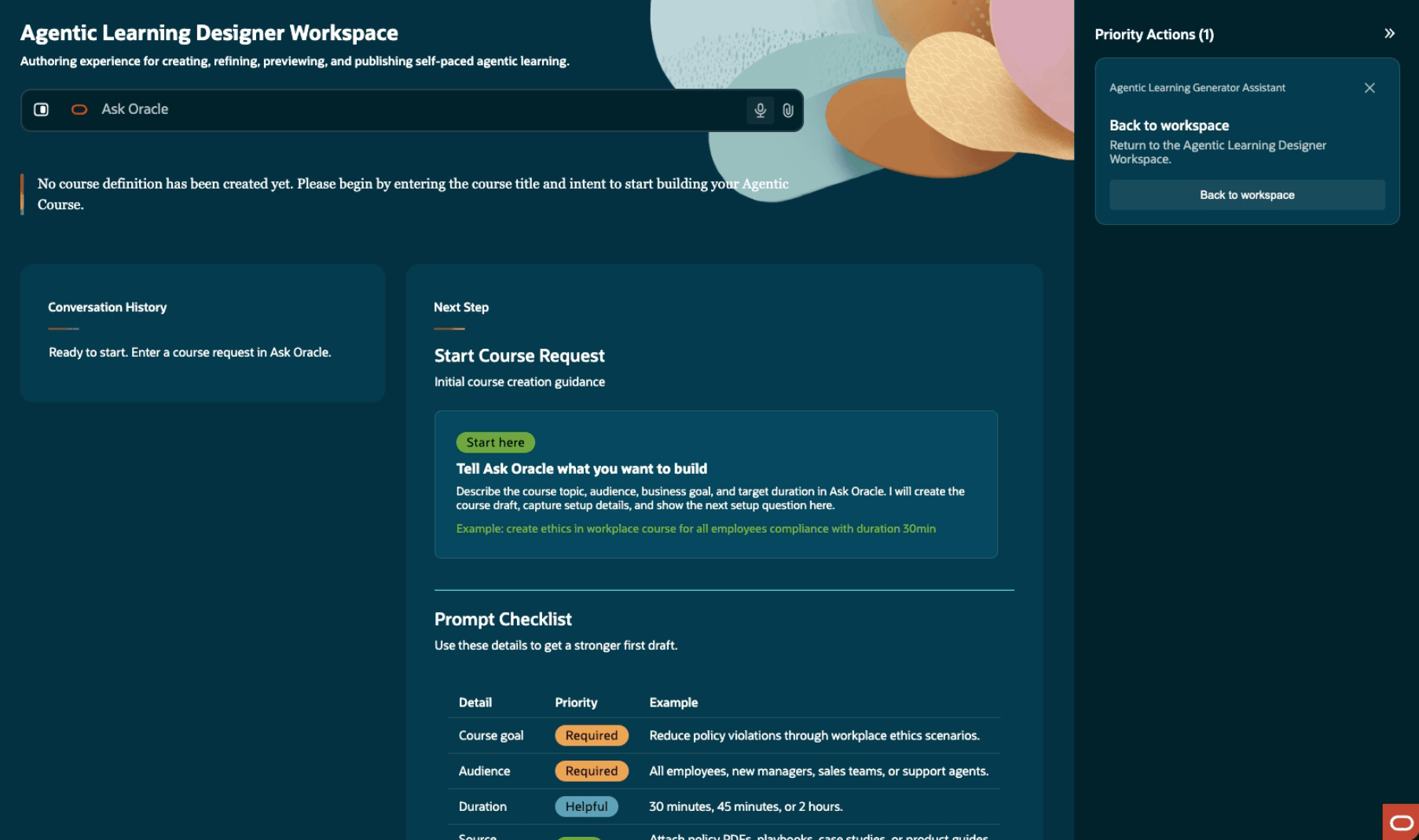
Agentic Learning Designer Workspace Where You Can Start Designing an Agentic Course or Resume Designing a Previoiusly-Created Course
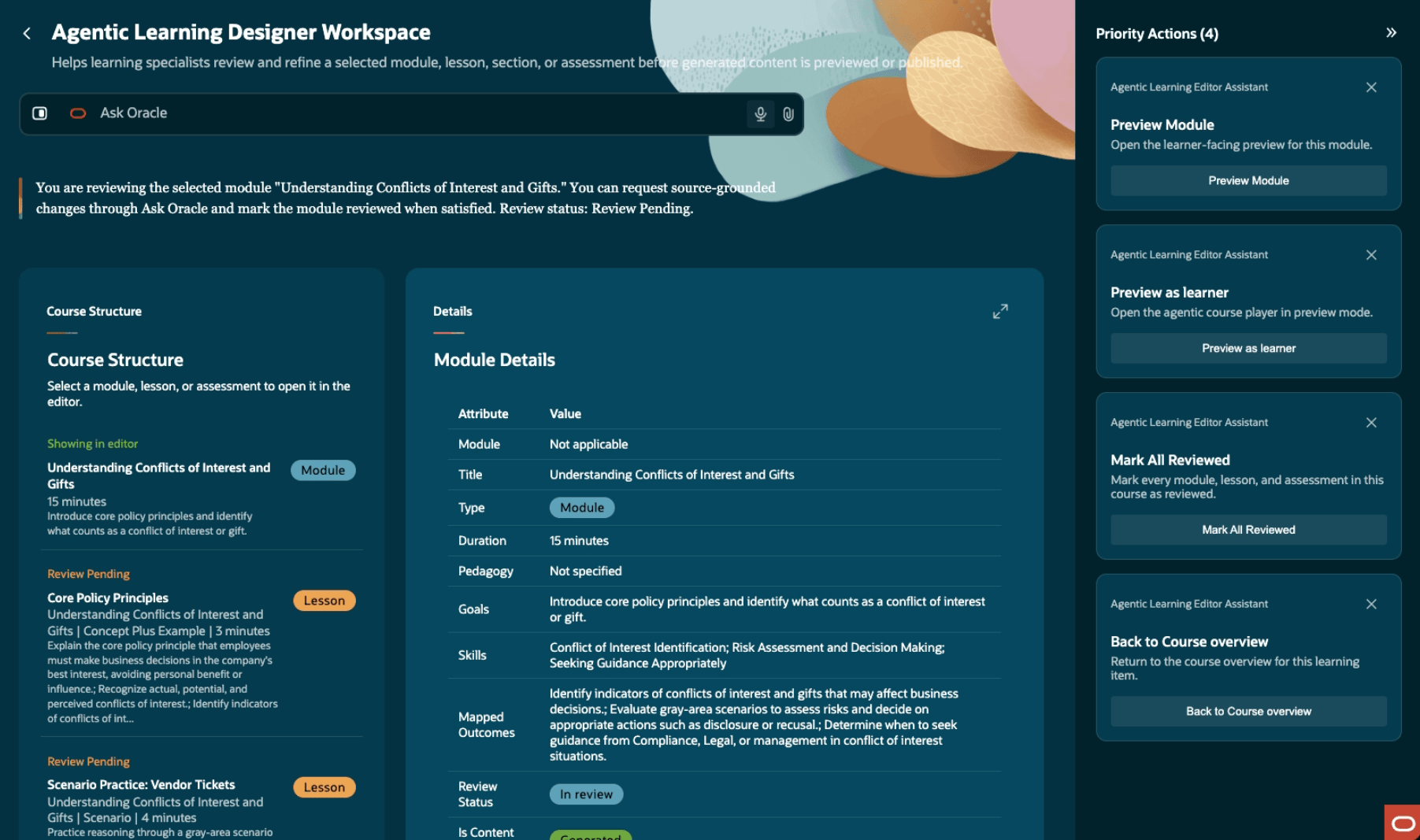
Review the Generated Course Structure and Refine a Module, Lesson, Section, or Assessment before Generating Learner-Facing Content
Business benefit: Help learning teams deliver consistent, high-quality learning experiences with less authoring effort.
Steps to enable and configure
You don't need to do anything to enable this feature.
Tips and considerations
- This feature requires the Learning Connect SKU to be licensed.
- Agentic Learning Course Workspace shows only your agentic courses created using Agentic Course Designer, not courses created by other learning specialists.
- Supported source materials include PDF, Microsoft PowerPoint, document, and transcript files. Ask Oracle attachment file type and size limits apply.
- The current agentic course structure supports modules, lessons, sections, and course-level assessments where applicable.
- Building and previewing a course doesn't activate the self-paced learning. It remains in Draft status until you explicitly activate it.
- Editing an active agentic course can affect in-progress learner attempts. Review the learner impact before making changes to an active course.
Key resources
- How do I explore and use published AI agents and applications in Oracle Fusion Cloud Applications?
- How do I use AI Agent Studio?
- Introducing agentic courses
- Release 26D What's New feature: Agentic Course Player
Access requirements
Learning specialists who create or update agentic courses need this privilege:
| Name | Code | Description |
|---|---|---|
| Access Learning Instructional Designer | WLF_ACCESS_LEARNING_INSTRUCTIONAL_DESIGNER_PRIV | Allows the user to access the instructional designer application. |