Agentic Course Player
Launch an assigned or self-enrolled self-paced agentic course from the enrollment details page. The course opens in Agentic Course Player, where you're guided through the required course content, practice, and assessments. Oracle Learning tracks your progress, assessment outcomes, and learning record throughout the course.
As you progress through the course, you can:
- Follow the required modules, lessons, and sections while seeing what you've completed and what you need to do next.
- Complete practice exercises and get feedback before moving to formal knowledge checks or assessments.
- Answer diagnostic, knowledge-check, and final-assessment questions one at a time. See available feedback and results as the player evaluates your responses and applies its completion rules.
- Get credit for completed content or complete targeted remediation when required by the course. The required course sequence remains visible until you complete all required activities.
- Pause an active attempt and resume where you left off without losing submitted responses, assessment results, feedback, or remediation status.
- Ask questions about the course material without affecting your assessment scores, progress, remediation, or completion status.
- Review completed attempts in read-only mode, including the course sequence, your responses, scores, feedback, and final outcome. Navigate freely and ask questions without changing the completed attempt.
- View your final attempt outcome in Oracle Learning and access available post-completion actions, such as certificates or ratings.
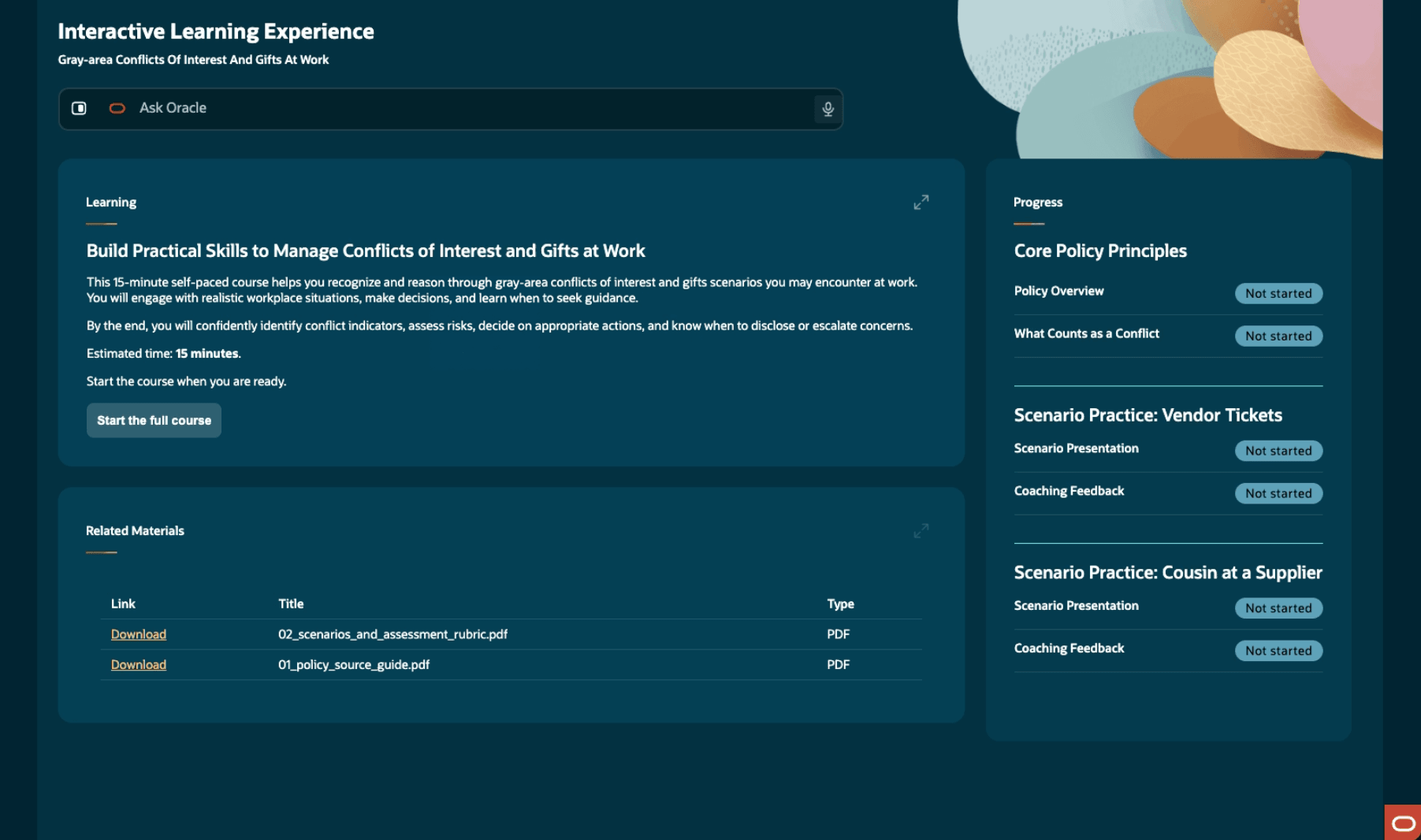
Agentic Course Launched from Oracle Learning with Clear Progress and Next-Step Guidance
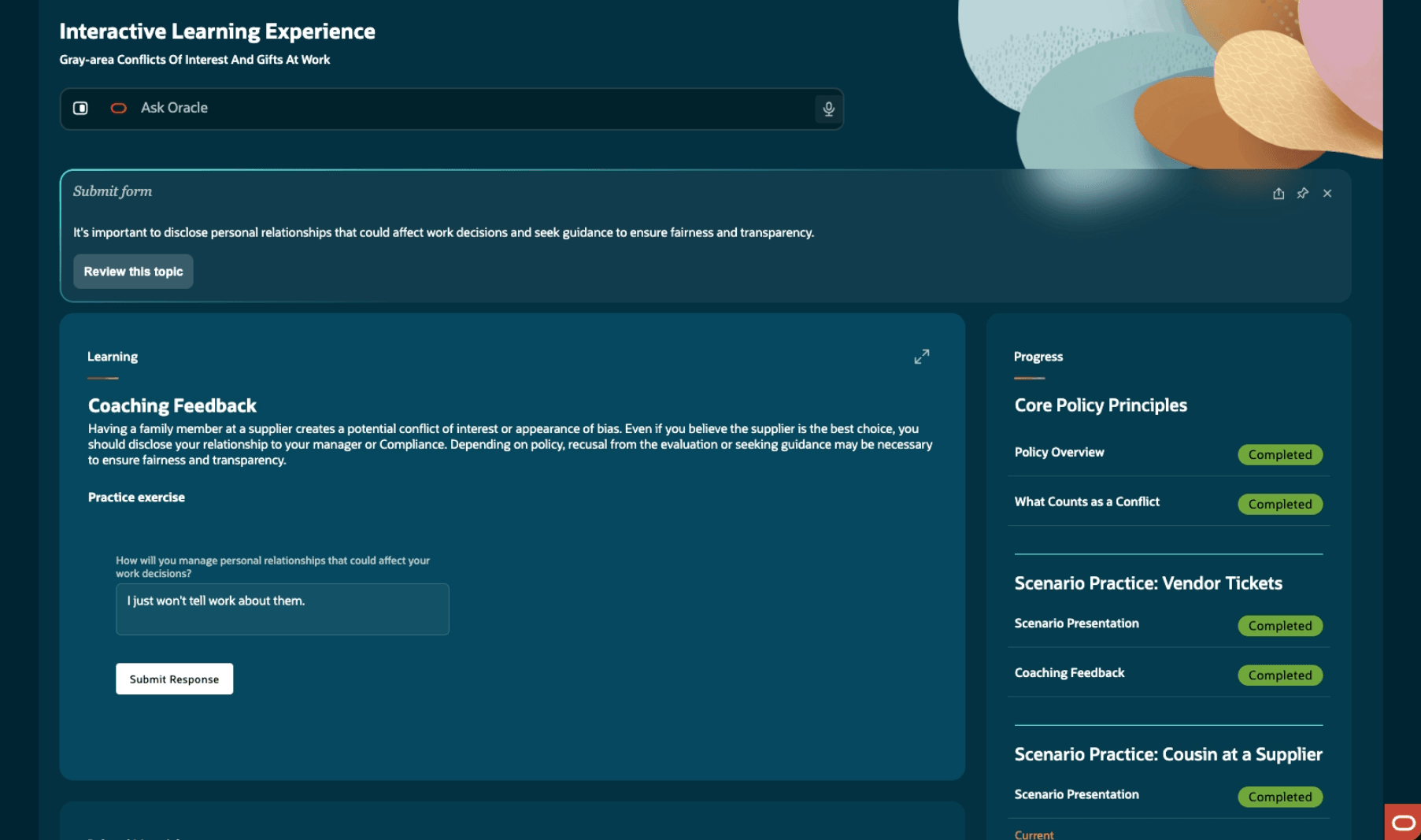
Guided Practice, Knowledge Checks, Feedback, and Remediation Help Learners Demonstrate Understanding
Business benefit: Help learners build and demonstrate knowledge through guided, interactive learning while maintaining consistent progress, completion, and outcome records in Oracle Learning.
Steps to enable and configure
You don't need to do anything to enable this feature.
Tips and considerations
- Agentic courses currently support policy-based and product knowledge training. They don't support external labs, live app access, sandboxes, simulations, or other external activities.
- During an active attempt, learners follow the required course sequence. They can repeat content or skip credited content only when course rules allow it. When reviewing a completed attempt, learners can navigate freely.
- Learners can ask questions about the course material without affecting assessment scores, required progression, remediation, or the final outcome.
- Oracle Learning manages retry eligibility, transcript completion, certificates, ratings, and other learning assignment actions.
- The agentic course content associated with the self-paced learning is locked. To update the course, use Agentic Learning Designer Workspace. You can't replace the content association directly on the self-paced learning.the course evaluates your response
Key resources
- How do I use AI Agent Studio?
- Introducing agentic courses
- Release 26D What's New feature: Agentic Learning Designer Workspace
Access requirements
Learners need common Oracle Learning access provided by this duty role:
| Name | Code | Description |
|---|---|---|
| Access Learning Common Components | ORA_WLF_LEARNING_COMMON | Access common learning components. |