Learning Objectives and Ideal Learner Details
Help learners understand what the learning offers and whether it's right for them by adding learning objective and ideal learner details. Add these details to courses, learning events, learning paths, and self-paced learning manually, or generate them with Oracle AI.
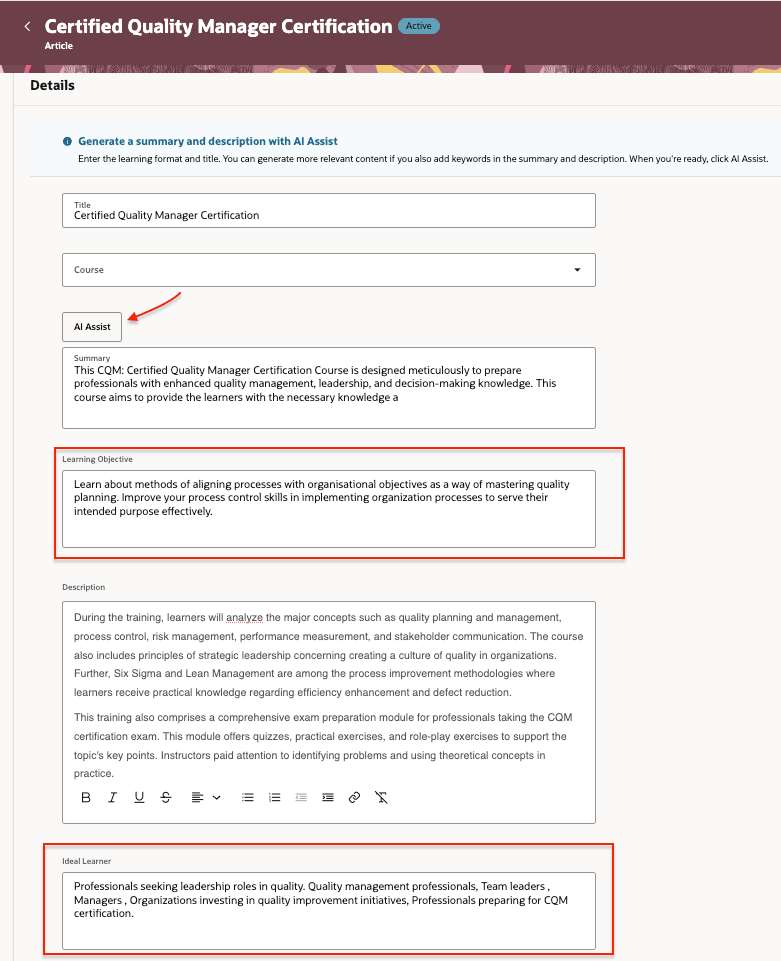
Self-Paced Learning Configuration Showing the AI Assist Button and Learning Objective and Ideal Learner on self-paced learning create/edit page
Learners can view Learning Objective and Ideal Learner on the learning item details page when the fields are configured as visible and have values. These fields are supported for courses, learning events, learning paths, and self-paced learning.
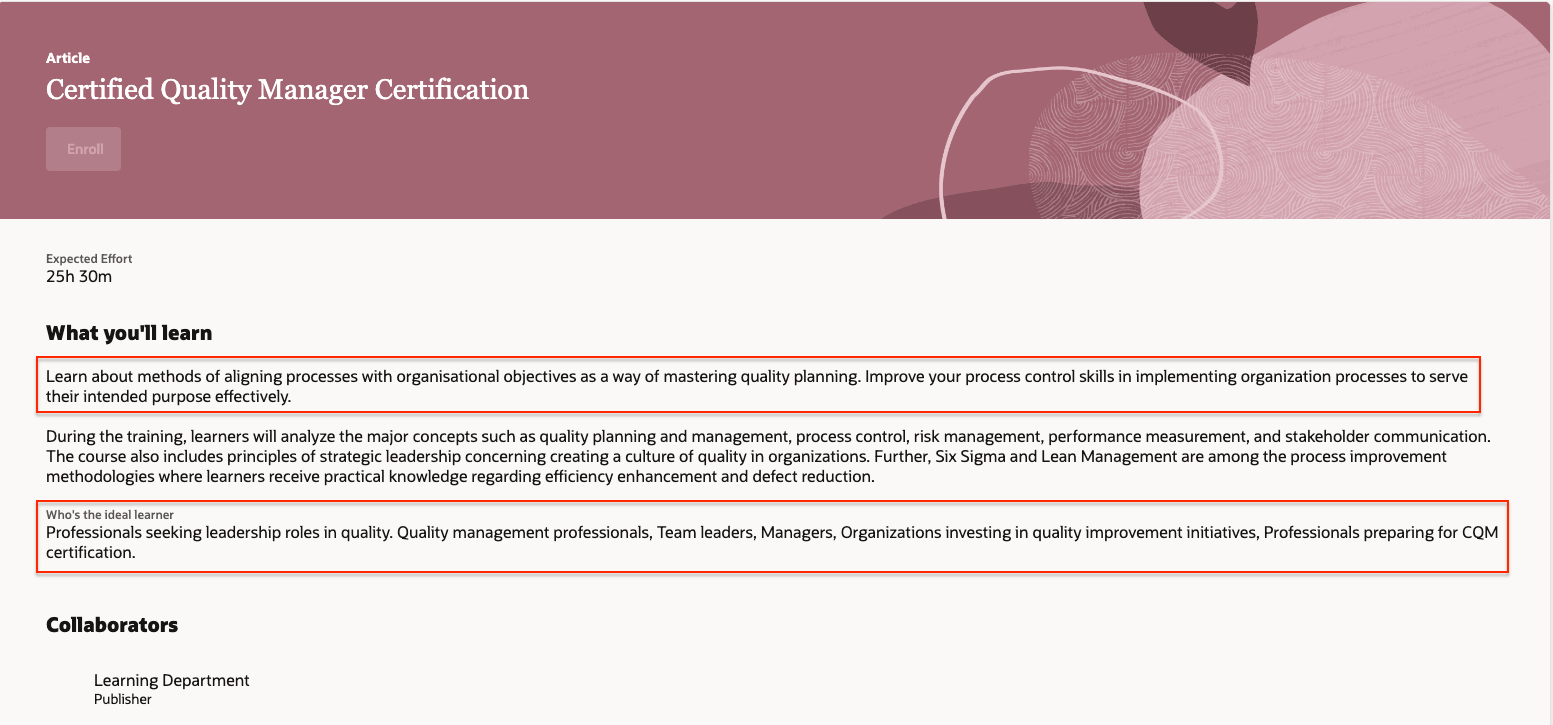
Self-Service Learning Details Page Showing the Learning Objective and Ideal Learner Information
The Learning Description Enrichment process is enhanced to generate proposed values for Learning Objective and Ideal Learner in bulk. The output spreadsheet includes new columns for existing and proposed values, and specialists can accept or reject generated values.
The Learning Catalog Translation process is also enhanced to generate translated values for Learning Objective and Ideal Learner for selected learning items and languages.
.
The Learning Catalog Translation process is also enhanced to generate translated values for Learning Objective and Ideal Learner for selected learning items and languages
Business benefit: Improve learning discovery by providing learners and AI-powered search with more meaningful information about each learning. Reduce the effort required to create and maintain this information by extending existing AI-assisted generation, enrichment, and translation capabilities
Steps to enable and configure
You don't need to do anything to enable this feature.
Tips and considerations
- You can update Learning Objective and Ideal Learner values only for learning that you create and edit on Redwood pages in Oracle Learning. For provider-managed learning, only providers can update these fields.
- Learning Objective and Ideal Learner fields are optional and visible by default.
- You can use Visual Builder business rules to hide these fields or make them required.
- To personalize administrator create and read-only pages, configure business rules for the learningItemObjective and learningItemIdealLearner fields in the appropriate page sections for each learning type.
- To personalize the self-service learning details page, configure the showIdealLearner and showLearningObjective page properties.
Key resources
Learning Catalog Administration