Collect Feedback Using Flexible Feedback Questionnaires for Employee Events
You can associate reusable feedback questionnaires with employee events and collect structured participant feedback after an event begins. Event organizers can select an existing questionnaire or create ad-hoc questions or both. You can choose whether responses are anonymous, distribute feedback requests to participants, and review submitted responses directly from the event.
Use this feature to:
- Create or select text response, single-choice, multiple-choice, and rating-scale questions.
- Arrange questions, preview the questionnaire, and configure anonymous feedback when appropriate.
- Collect feedback from eligible registered employees after an event starts.
- Review feedback completions and submitted responses, and download responses for analysis.
Try it out
- Open a posted or completed event and add or select questions, configure response options and anonymity as needed and preview the questionnaire.
- After the event starts, select Collect Feedback to notify eligible registered employees.
Note: If you switch questionnaires after adding additional individual ad-hoc questions, these ad-hoc questions won't be saved.
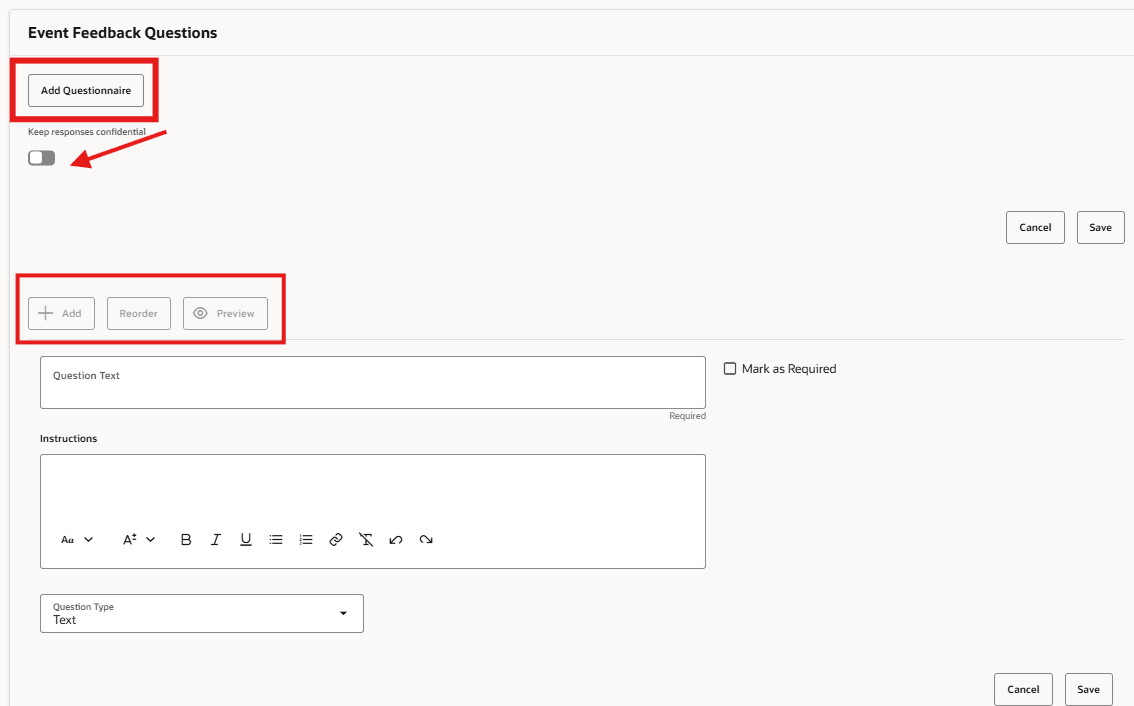
Event questionnaires and questions
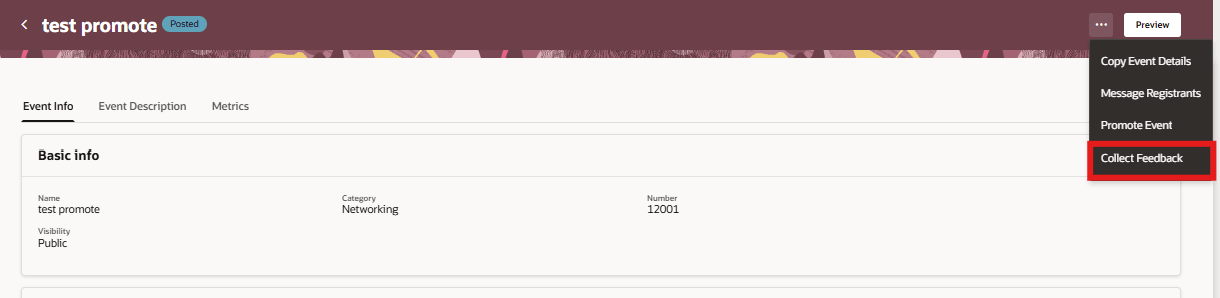
Collect Feedback
As participants submit responses, organizers can access the new Feedback tab from the event to monitor response activity and review collected feedback. Participants can submit feedback only once for each event questionnaire. After a response is submitted, additional submissions aren't allowed for that questionnaire, helping preserve response integrity.
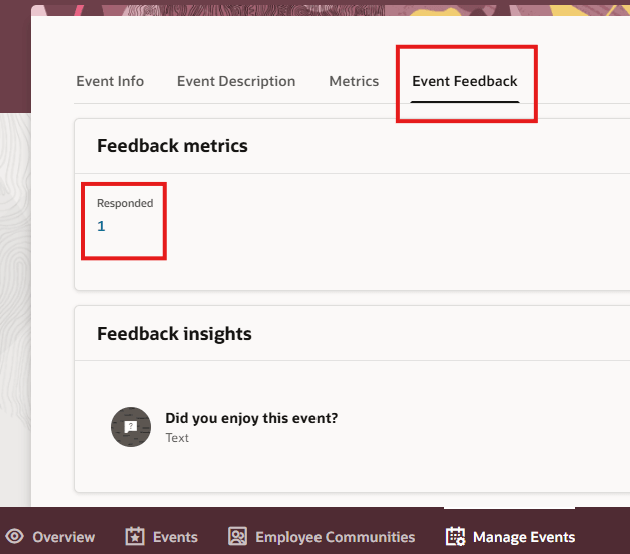
Event Feedback Tab
Business benefit: Improves employee event effectiveness by enabling organizations to collect and analyze structured participant feedback, helping identify what works, uncover improvement opportunities, and continuously enhance future events and engagement.
Steps to enable and configure
You don't need to do anything to enable this feature.
Tips and considerations
- Feedback questionnaires become available only after the event has started.
- Only registered participants can submit event feedback.
- Participants can submit one response for each event questionnaire.
- Anonymous feedback can be enabled when configuring the questionnaire.
- The Feedback tab becomes available after feedback collection has been initiated.
Access requirements
Users need the Event Admin role and the following access requirements:
- ORA_HCM_HCO_EMP_EVENTS_QSTN_RESPONSE_SUMMARY