Manage Post-Event Resources for Employee Events
After an employee event begins, event managers can create post-event resources in a central location and share them with event registrants. Attendees can return to the event to review documents, links, and other useful resources.
Event managers can use this feature to:
- Upload files and keep post-event materials with the event.
- Add URLs alongside uploaded files so related resources are available together.
- Update or remove existing attachments when event resources change.
- Share event resources with registrants who can then open or download available materials from the event.
- Use uploaded content to generate a transcript, summary and FAQ responses for post-event follow-up.
These capabilities extend the value of an event beyond the live session by keeping important information easy to find and revisit.
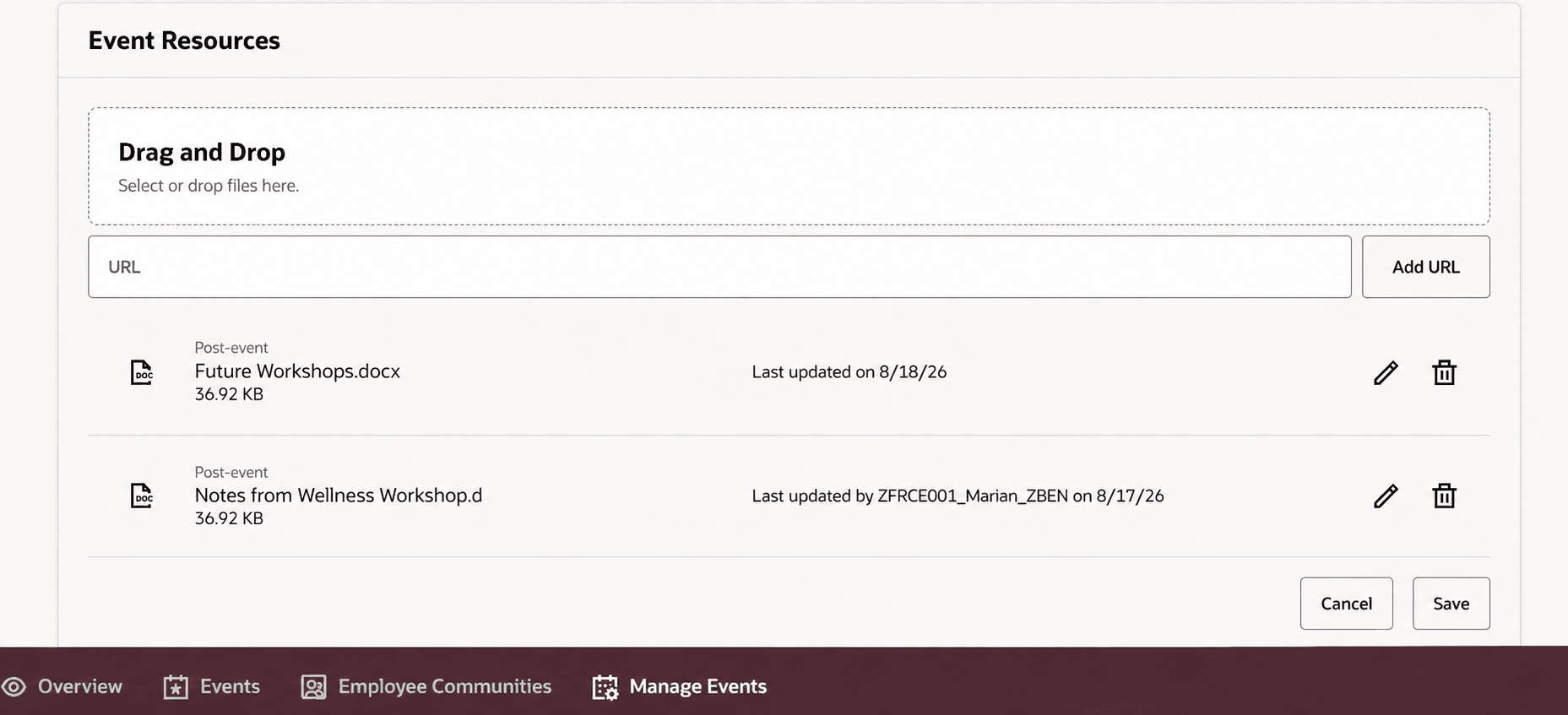
Event resources
Business benefit: Centralized post-event resources help teams distribute consistent follow-up materials and preserve useful event information. Generated transcripts, summaries, and FAQ responses give registrants more ways to revisit key content.
Steps to enable and configure
- Go to Setup and Maintenance > Tasks > Search > Manage Administrator Profile Values.
- Set the site profile value to Y for the ORA_HCM_COMM_EVT_ATTACH_EXTS profile option.
Access requirements
The ORA_HCM_COMM_EVT_ATTACH_EXTS profile option is needed to restrict file types.