View Person Number and Context Link in Side Card
Users reviewing candidates and job applications can view the person number for internal candidates in the side card and open related recruiting records directly from contextual links. This reduces the need to search separately for requisitions, talent pools, and recruiting events.
Users reviewing candidates can:
- View the Person Number in internal candidate profile side cards across candidate pools, recruiting events, search results, and prospects.
- View the Person Number in job application details side card for internal candidates.
- Select a requisition name in a job application or prospect side card to open the related requisition.
- Select a candidate pool or recruiting event name to open its details.
Try it out
- Open an internal candidate profile or job application.
- View the candidate’s Person Number.
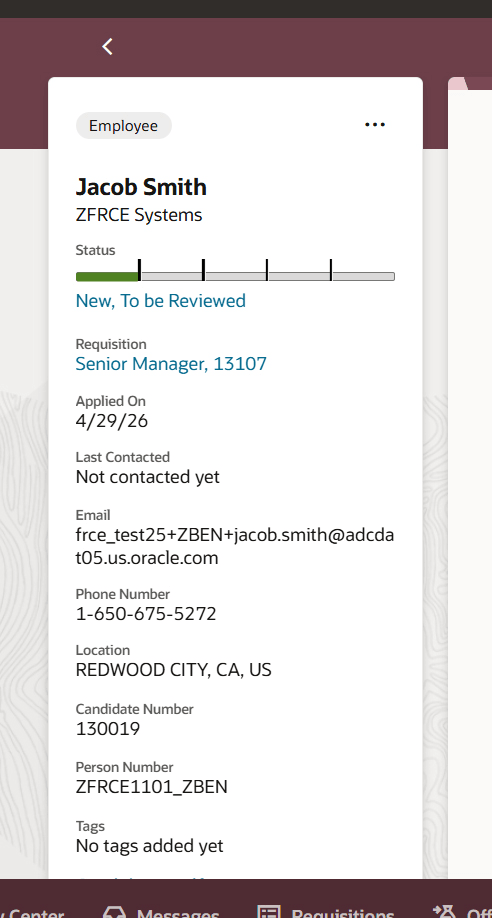
Side card in a job application
Business benefit: This enhancement improves recruiters efficiency by making key identifiers easier to find and by shortening the path to related recruiting records. Recruiters can confirm identity faster, move between connected records with fewer clicks, and spend less time searching for the right requisition, pool, or event.
Steps to enable and configure
Optional: Use Visual Builder Studio to define conditions to hide the Person Number.