View Major Name in Job Application List Filter
Job application list users can filter by Major using a list of values (LOV) rather than free-form text. The filter displays the selected major name, making it easier to identify the value used to narrow results.
Use View major name in job application list filter to:
- Select a Major value from the lookup when filtering job application lists.
- Identify the selected Major filter value by its displayed name instead of the previously displayed code.
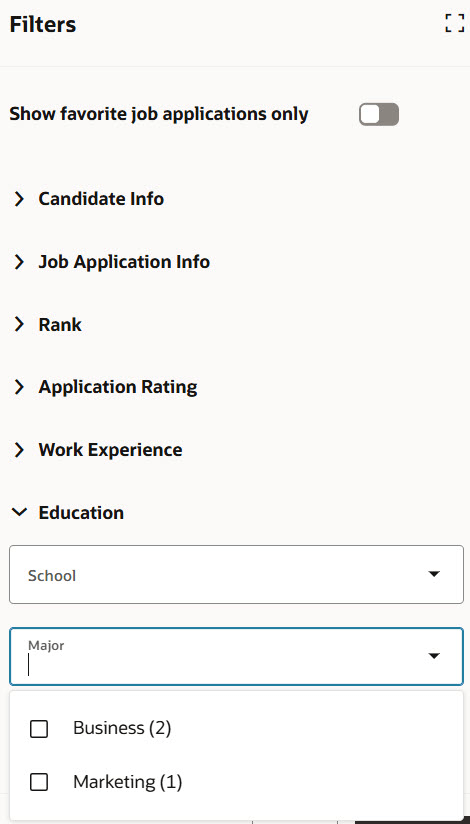
Major filter on the Filters panel
Business benefit: This enhancement improves the search experience for recruiting users by displaying meaningful Major names in search suggestions instead of internal code values. Users can more easily identify and select the correct majors when searching candidates and job applications, reducing confusion, improving search accuracy, and increasing efficiency during candidate sourcing and evaluation.
Steps to enable and configure
You don't need to do anything to enable this feature.
Tips and considerations
After your environment is upgraded to 26D, the job application index will be rebuilt. Until the rebuild is complete, the Major filter might not return expected results. Previously saved searches that include the Major field might also display an error asking users to clear the filter. These behaviors are temporary; the filter and saved searches work normally after the index rebuild completes.