Review hiring questions and candidate recommendations in Hiring Workspace for Store Managers
Retail hiring managers can use Hiring Workspace to ask natural-language questions about their recruiting work and receive an outcome that organizes relevant Recruiting information. Outcomes can surface hiring risks, suggested follow-up actions, and candidate recommendations together with the information used to support them.
Hiring Workspace is a decision-support capability. It doesn't independently make the final employment or hiring decision. The hiring manager reviews the information presented, may change the candidate selection, and remains responsible for applying the organization’s hiring criteria, established process, and required approvals before deciding what action to take.
Use Hiring Workspace to:
- Identify owned requisitions that need attention, job application rebalancing opportunities, candidate-supply gaps, and interview or offer blockers.
- Prioritize hiring work, such as upcoming interviews, missing feedback, applications awaiting review, and candidate pipelines that may need attention.
- Review active job applications using job-related Recruiting information. For candidate recommendations, review the candidates and the supporting rationale before deciding who to consider or advance.
- Ask questions that span requisitions, applications, candidates, interviews, and offers, in addition to the three seeded outcome experiences.
Review recommendations before taking action
When an outcome includes candidate recommendations, use the outcome as a starting point for your review:
- Review the candidates presented in the outcome selected for your consideration.
- Review the supporting rationale and the information presented for each recommendation.
- Use your judgment and your organization's hiring process to decide whether the information is appropriate and complete for the decision at hand.
The outcome helps you organize information and identify items for review. It doesn't replace recruiter or hiring-manager judgment, required approvals, or the organization's established hiring process.
Try it out
- Ask, “Where is hiring off track?” to review Recruiting Pipeline Health.
- Ask, “What requires my attention today?” to receive a Store Manager Hiring Daily Brief.
- Ask, “Who should I review first for each requisition?” to view Multi-Requisition Candidate Screening.
- For a candidate-screening outcome, review the suggested candidates and the rationale, and adjust the selection if needed before taking action.
- Enter another hiring question to receive a tailored outcome based on relevant information.
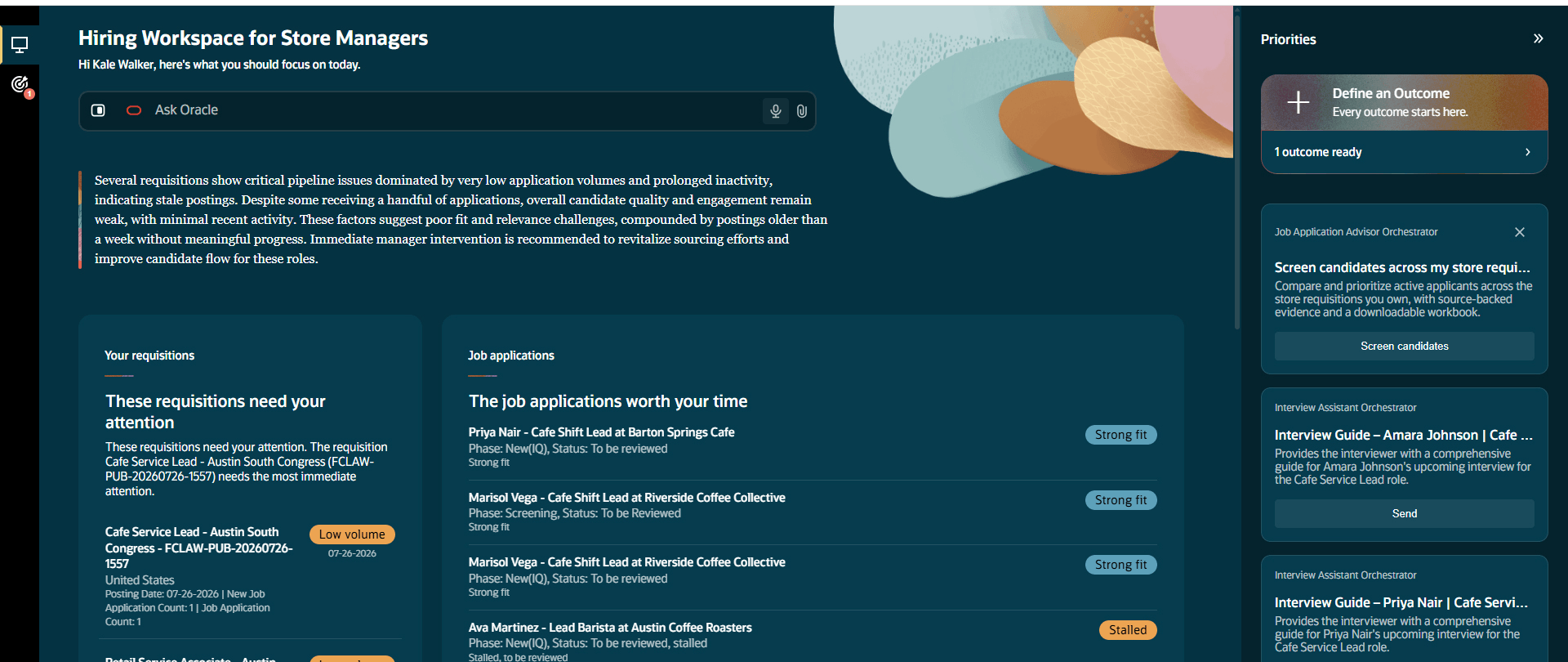
Hiring Workspace for Store Managers
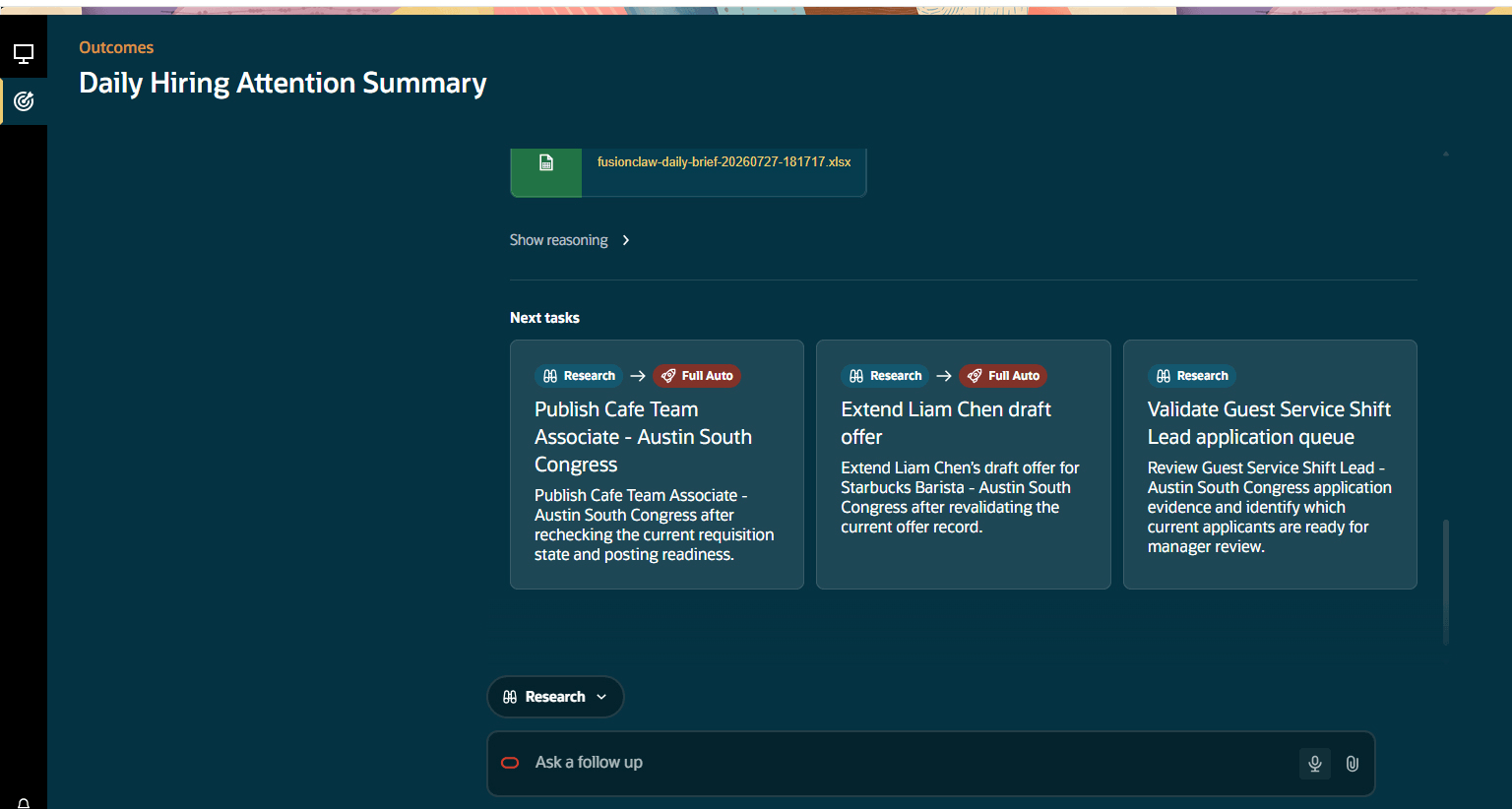
Outcome for daily hiring attention summary
Hiring Workspace helps retail hiring managers find and organize relevant recruiting information more efficiently. It can help them identify hiring process issues, organize recruiting work, review relevant candidate information, and understand the information supporting an outcome. Recruiters and hiring managers remain responsible for reviewing recommendations and making final hiring decisions.
Steps to enable and configure
Grant privileges to users. See the Access Requirements section.
Key resources
This feature uses Oracle Fusion Claw, a governed and agentic runtime capability for enterprise execution. Learn more about Fusion Claw.
Access requirements
Grant these privileges:
- Communicate Job Offer (IRC_COMMUNICATE_JOB_OFFER_PRIV)
- Add Candidate to Job Requisition (IRC_ADD_CANDIDATE_TO_JOB_REQUISITION)
Ensure these privileges are assigned to your Hiring Manager role:
- Move Candidate Job Applications (IRC_MOVE_CANDIDATE_JOB_APPLICATIONS_PRIV)
- Manage Job Requisition Interview Schedule (IRC_MANAGE_JOB_REQUISITION_INTERVIEW_SCHEDULE)
- Post Job Requisition to Company Career Site (IRC_POST_JOB_REQUISITION_PRIV)
See How can I give users access to AI agents and agentic applications and Access Requirements for AI Agent Studio.