Redwood: Make Requested Feedback Share Options Read-Only and Configure Page Properties with New Contexts
On the Request Feedback page, HR can use Visual Builder Studio to configure Share Options page properties. The page properties can make Share Feedback with Employee, Share Feedback with Manager, and Share Feedback with Me read-only to work alongside existing page properties that set default share options.
HR can apply page properties based on worker person number, primary-assignment job, location, department, business unit, position, feedback type, or feedback template.
Help organizations apply consistent feedback-sharing policies across worker and feedback contexts. This reduces unintended changes to configured share-option defaults.
Steps to enable and configure
Leverage the Visual Builder Studio to expose your applications. To learn more about extending your application using Visual Builder, visit Oracle Help Center > your apps service area of interest > Books > Configuration and Extension.
- Open the Request Feedback page and access Visual Builder Studio Express Mode.
- Under Share Options, configure the relevant read-only page properties: Make Share Feedback with Employee Checkbox Read-only, Make Share Feedback with Manager Checkbox Read-only, and Make Share Feedback with Me Checkbox Read-only.
- Set a property to True to make its checkbox read-only, or False to allow editing. Use the supported worker and feedback parameters to apply the property by context.
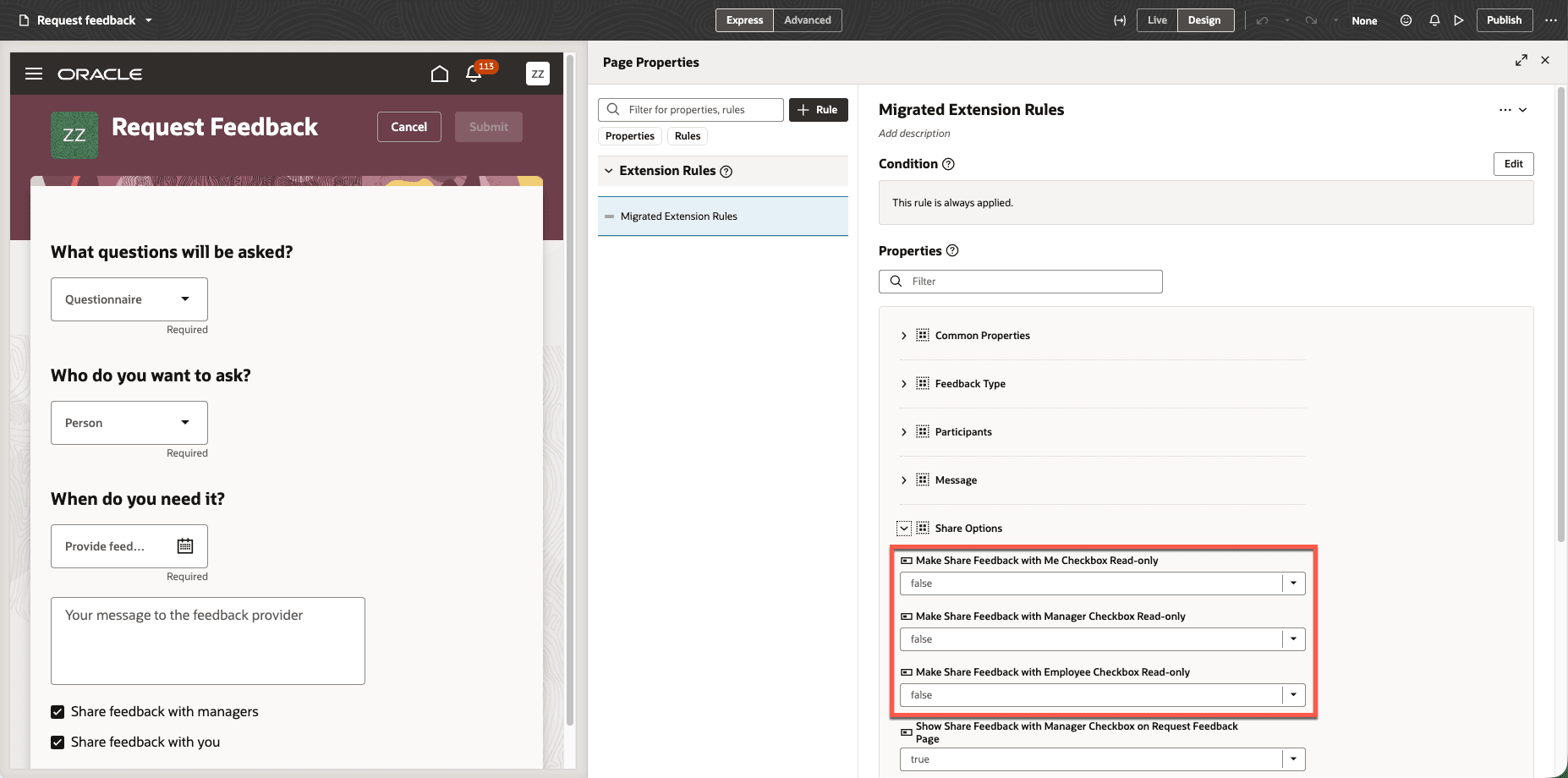
Make requested feedback share options read-only
Tips and considerations
- Each read-only page property defaults to False.
- When a checkbox is read-only, users can see its default setting but can't change it.
Key resources
For more details on extensibility, see Extending Redwood Applications for HCM and SCM Using Visual Builder Studio.