Hide Manager Names for Auto-Submitted Approval Tasks in Document Progress
When an approval task is configured to automatically submit after the preceding task is completed, the manager name isn't displayed for that approval task in the Document progress drawer.
This behavior applies from both the manager Evaluate Performance page and the employee's Performance Spotlight page.
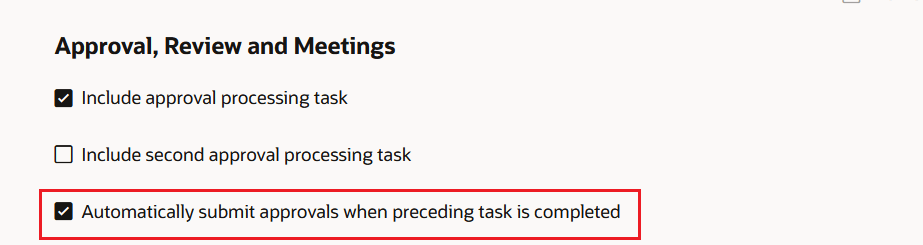
Enable approval setting in Process Flow
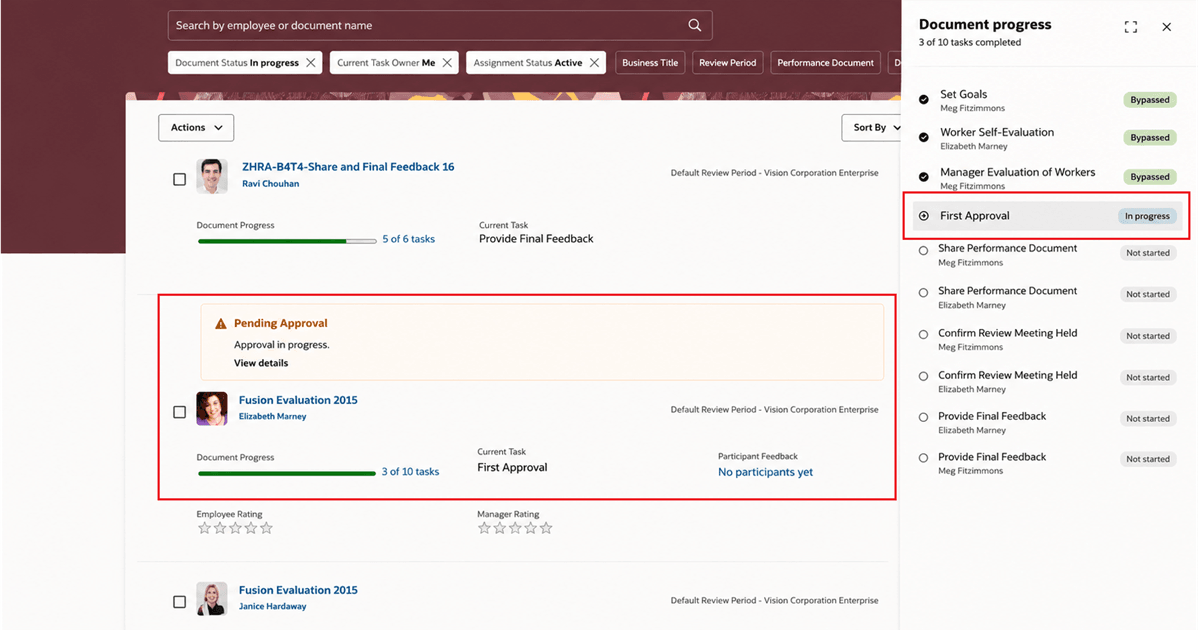
Manager Name Doesn't Display for Approval Task
Reduce confusion in Document progress by showing an approval task without an associated manager name when no manager action is required.
Steps to enable and configure
- In the performance-document process flow, enable Automatically submit approvals when preceding task is completed for the approval task.
Tips and considerations
- The manager name is hidden only for approval tasks that are configured to automatically submit.
Key resources
- For a listing of all profile options for the recreated pages across HCM, see the following document in My Oracle Support: