Add Task Description to Library Goal Task
HR specialists can now enter a task description for a library goal task. The task description provides an explanation of the task when users add a performance library goal to a worker's goal plan or a development library goal to a development plan.
When the task section is enabled for the library goal details page in Visual Builder Studio, HR specialists can see the task description with the task name and other task-related fields.
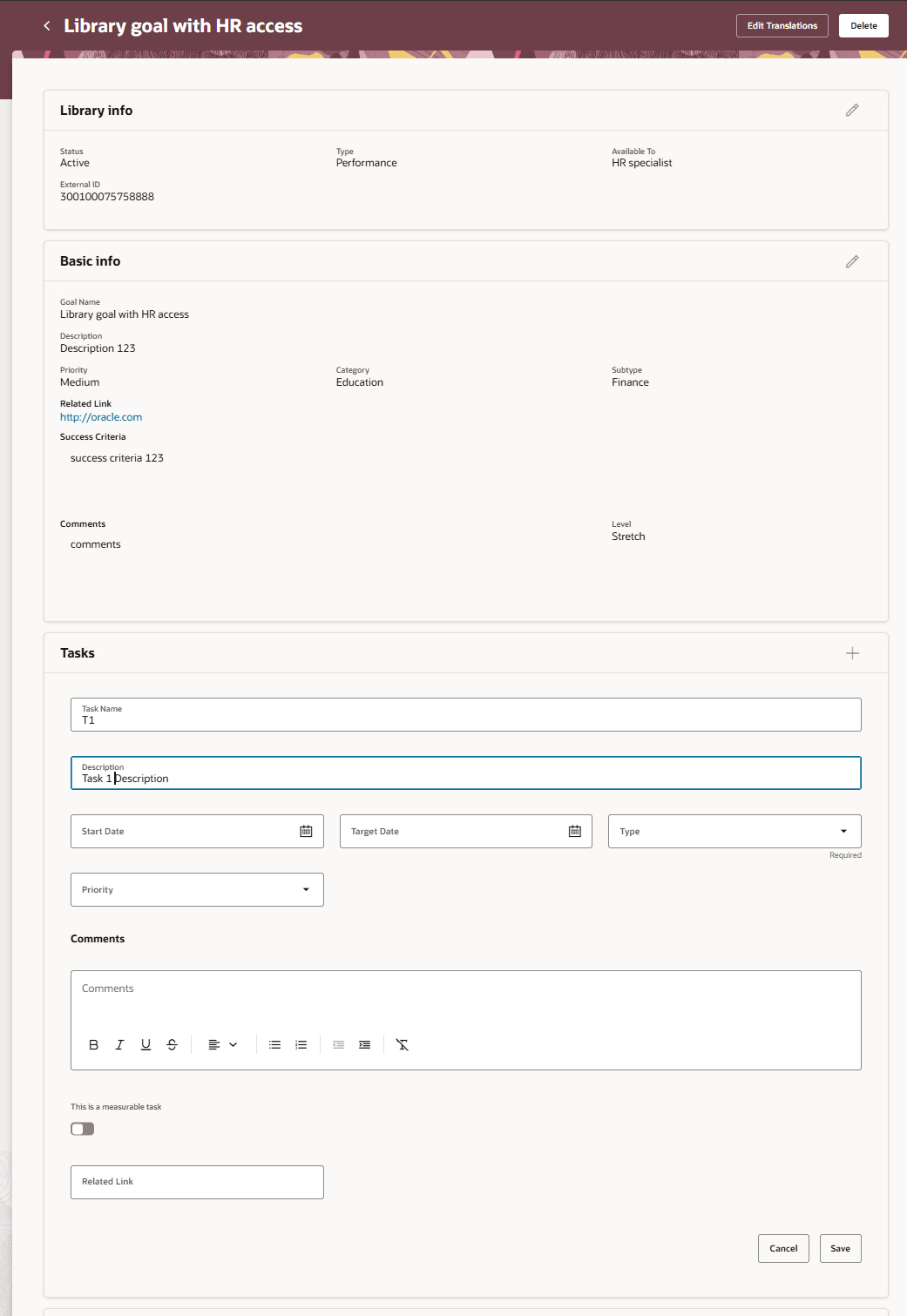
Task description of a performance library goal
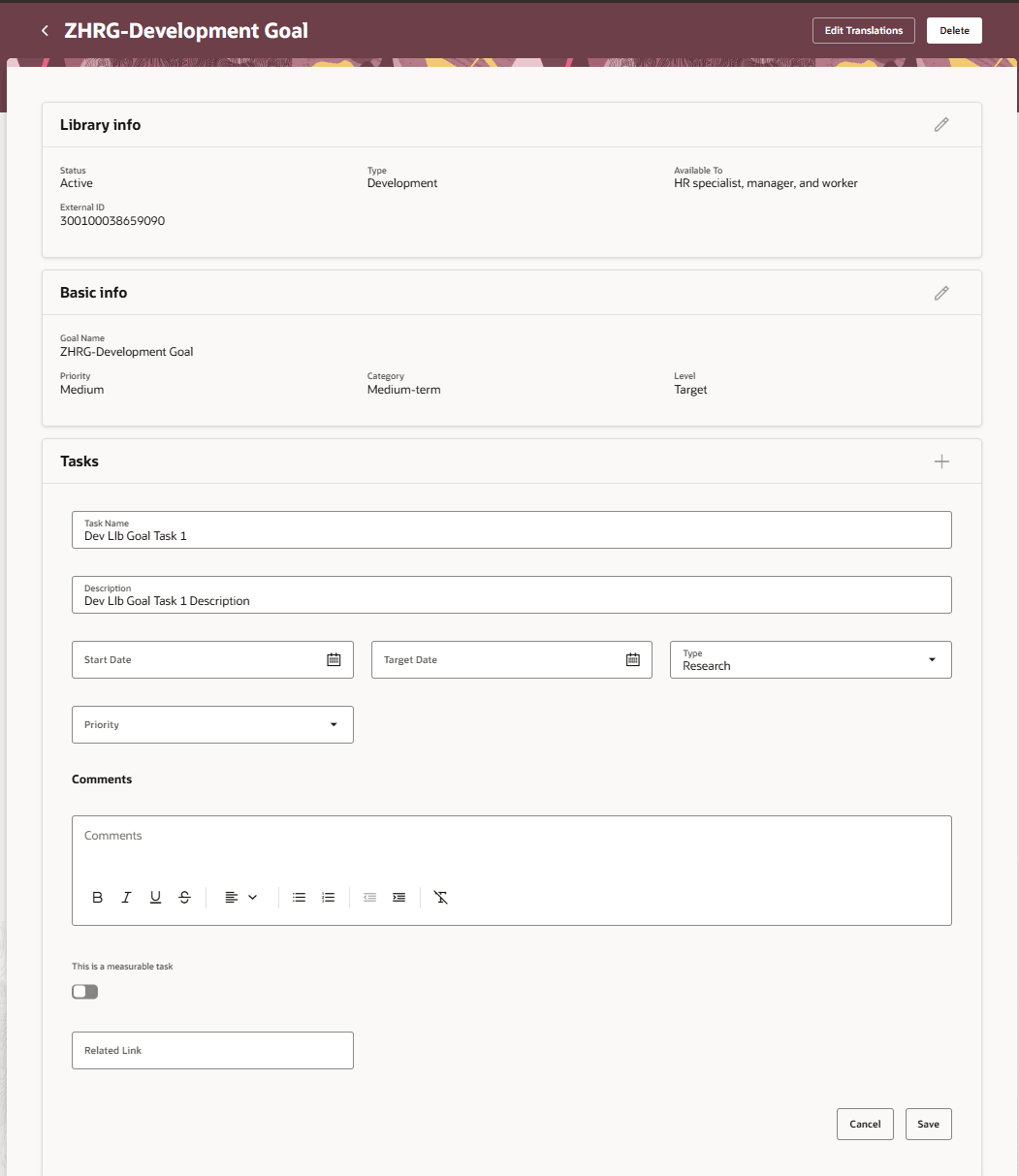
Task description of a development library goal
The task description can also be configured in business rules so that it's hidden or read-only when the task section is enabled.
The task description appears with other task attributes when a library goal with a task description is added to a goal plan configuration, mass assignment, or employee goal plan.
This enhancement helps organizations provide clearer task context when performance library goals are added to goal plans, goal plan configurations, or mass assignments and when development library goals are added to development plans.
Steps to enable and configure
Enable the task section for the library goal details page in Visual Builder Studio using the Show Tasks Section page property. For more information on how to do this, see How do I control the display of a UI element in Visual Builder Studio?.
Key resources
For more information on extending Redwood pages in HCM, refer to this guide on the Oracle Help Center: