Redwood: View Talent Ratings in a Talent Review Drawer
Use View Talent Ratings in a Talent Review drawer to:
- Review an employee's Talent Ratings without navigating to a separate page.
- Compare employee information while preparing for or conducting a Talent Review.
- Use the existing security privilege to display an editable or read-only panel.
- Preserve the existing no-access behavior when a user isn't authorized to view an employee's ratings.
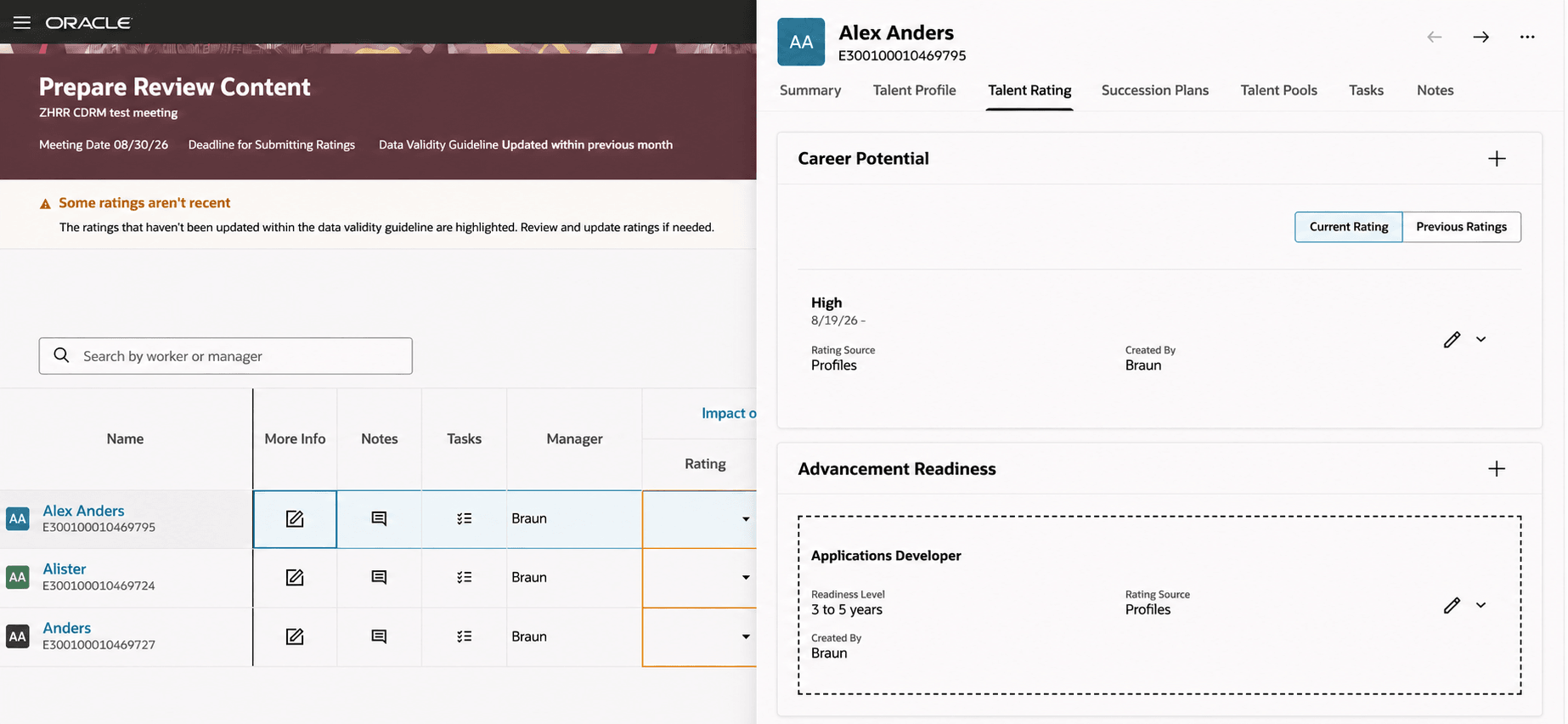
Talent Rating for employee displayed in Talent Review
Try it out
- Open the relevant Talent Review page.
- Select the action that displays the employee's Talent Ratings.
- Review the ratings in the drawer and take available actions based on access.
Managers and administrators can view an employee's Talent Ratings in a side panel from the current Talent Review page. The component keeps the review context available while presenting the employee's rating information.
Steps to enable and configure
You don't need to do anything to enable this feature.
Access requirements
Existing Talent Ratings authority checks determine whether the drawer is editable, read-only, or unavailable.