Manage Career Preferences Consistently Across Talent Profile and Opportunity Marketplace
The Career Preferences section in Profiles is modified to support new attributes and multi-select values for a few existing attributes. All existing and new career preferences section will use this new section template. This change will enable users to streamline career and work preferences management from both Talent Profile and Opportunity Marketplace using a common data model. Existing workers’ career and work preferences information is preserved through migration.
- New preference attributes are added to the career preferences section including organizations, types of jobs, business units and workplace type.
- Existing attributes such as job functions, job families, and preferred region are now multi select attributes.
- Within the preferred region, select a location to view available worksites, or select a worksite to populate its associated location. It will also support multi-select values.
- Manage career preferences using shared preferences data across Opportunity Marketplace and Talent Profile. This is made possible through a new Preferences subscriber on the Career Preferences section.
- Preserve existing career preferences data through the upgrade migration process.
Try it out
- Go to My Client Groups > Profile Types > Person. Open the Career Preferences section to view the modified career preference attributes in Content Section Properties.
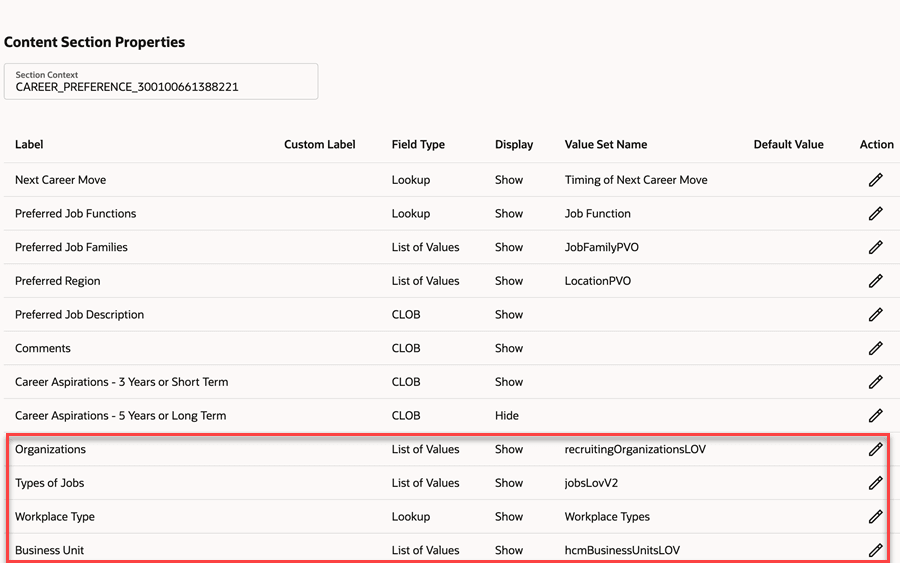
Career Preferences in Person Profile
- Open Me > Skills and Qualifications and view the Career Preferences section.
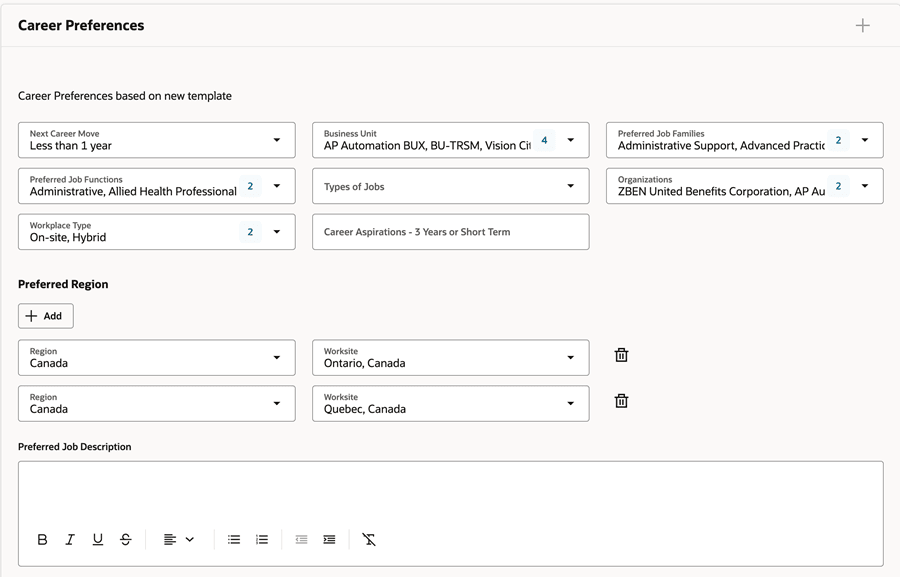
Career Preferences in Talent Profile
- Select a location to view the applicable worksites. Select a worksite to populate the associated location.
- Select multiple values for job functions and job families.
- Go to Opportunity Marketplace > Update Interests, modify job functions and see they are reflected in Me > Skills and Qualifications: Career Preferences.
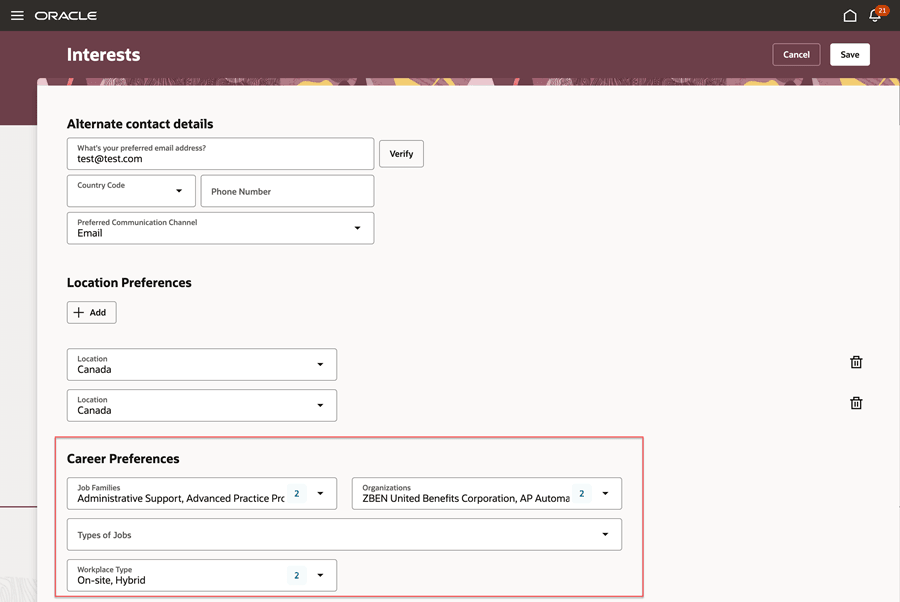
Career Preferences in Opportunity Marketplace
A shared preference model reduces duplicate preference data across Career Development, Opportunity Marketplace, and Oracle Grow. Automated migration preserves existing preference information while helping organizations transition to the consolidated experience.
Steps to enable and configure
You don't need to do anything to enable this feature.
Tips and considerations
You must complete or cancel any in-progress approval transactions for the Career Preferences section before running this upgrade.
Key resources
Refer to the 26D What’s New feature, Configure the Worksite Field for Location Preferences.
Access requirements
Profile administrators need existing access to manage profile templates and preferences.