Workforce Schedule Enhancements for Schedulers
Schedule managers can now correct historical schedules within a configured number of past schedule periods. Workforce Schedules make edit actions available only for eligible past periods.
Schedule import notifications sent to schedule managers now identify schedule periods that are published when the import process completes.
When a schedule manager transfers an on-call worker to an open shift with a partial duration match, now there is an option to split the shift after the transfer. The worker is assigned for the matching duration, and the remaining portion of the original open shift can remain open. For full-duration matches, the split action is unavailable.
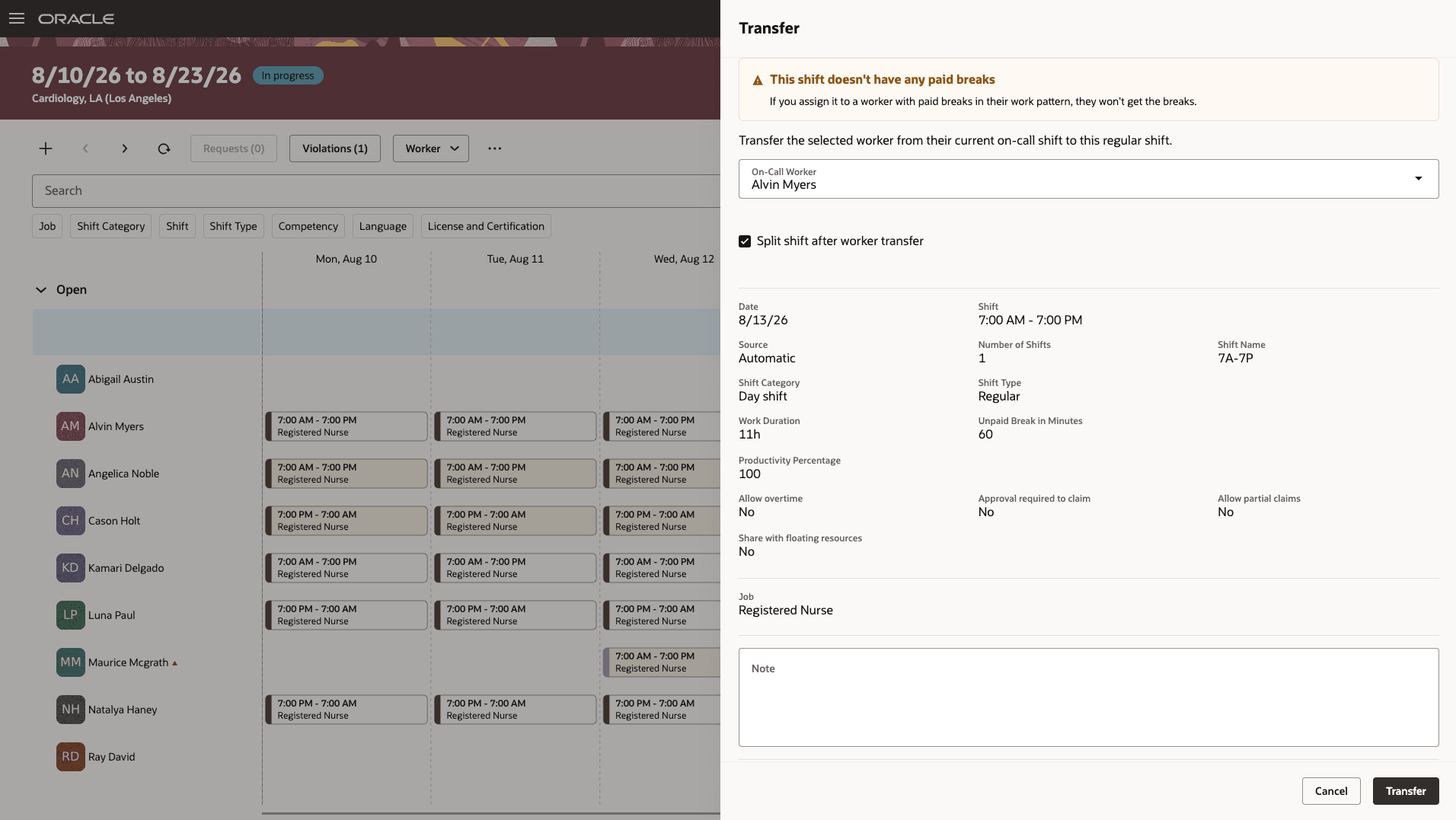
Workforce Schedule Gantt - Transfer an On-call worker with Split Option
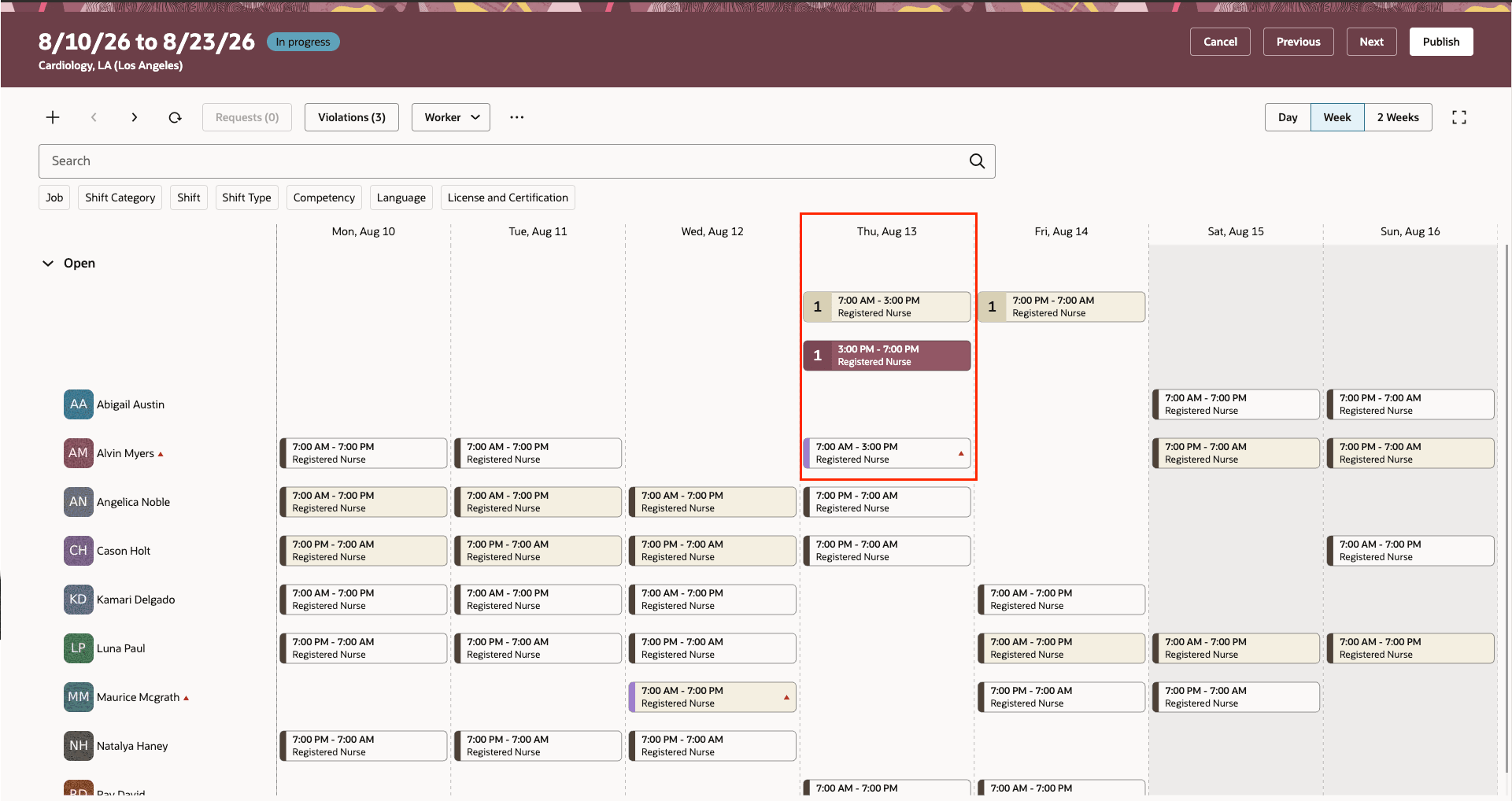
Workforce Schedule Gantt - Shifts upon Transfer and Split
Workforce Schedule enhancements gives schedule managers more control over historical schedule corrections, helps them identify published periods after schedule imports, and supports partial on-call transfers without losing the remaining open-shift time.
Workforce Schedules enhancements enables schedule managers to:
- Correct historical schedules within a configured number of past schedule periods.
- Identify schedule periods that were published when reviewing schedule import notifications.
- Choose whether to split an open shift after assigning an on-call worker for a partial duration, retaining the remaining portion as open.
Visual Builder Studio Updates for Workforce Schedule Page
Admins can now configure which fields are required or optional, editable or read-only for the following sections in Visual Builder Studio.
- Shift Basic Details
- Shift Eligibility Criteria
- Shift Worker Details
Configuration will apply across all Shift related actions: View, Create, Assign, Edit, Split, Transfer Shift.
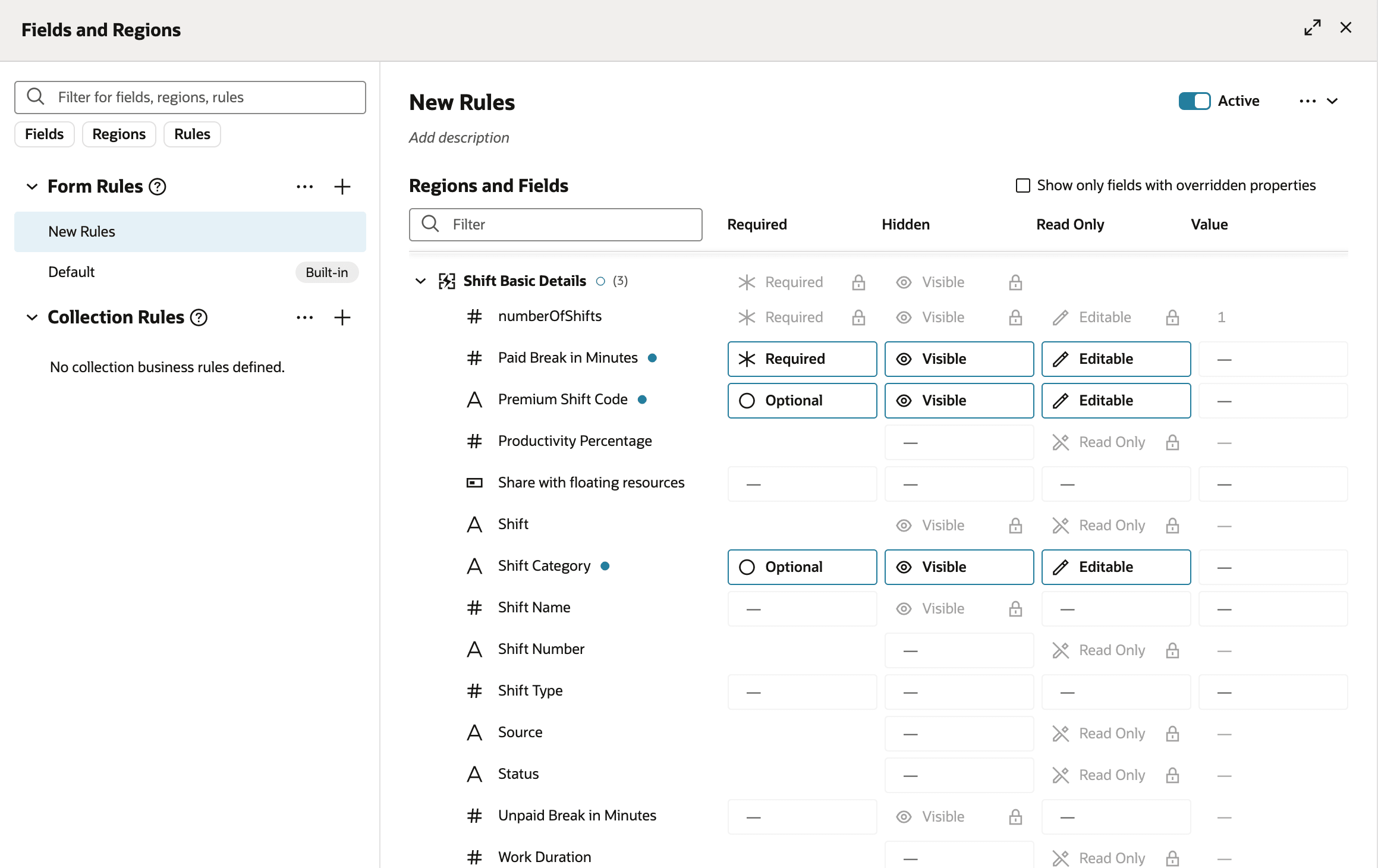
Visual Builder Studio - example of Rule Configuration with Overriding Default Field Values
These enhancements help organizations correct historical scheduling data within controlled boundaries, reduce ambiguity about imported schedule status, and retain coverage visibility when partial on-call transfers occur. They support more accurate scheduling and reduce manual follow-up.
Steps to enable and configure
- Navigate to Schedule and Shift Options page.
- Set the past schedule edit window to the number of schedule periods that schedule managers can edit.
Tips and considerations
- Updates to the past schedule edit window take effect immediately in Workforce Schedules and for REST API updates.
- Schedule imports can continue to update schedule periods outside the configured past edit window.
- For past schedules that are published within the configured setting to allow past schedule periods edition, workers don't receive a notification; their calendars are updated with posted shifts, and open shifts aren't converted to opportunities.
- If a schedule manager doesn't select the split option for a partial on-call transfer, the transfer proceeds.