Calc Emissions Before Creating Ship Action Result
This Optional Feature, when enabled, for the actions listed below, will calculate emissions and update the CO2e emissions shown in Affected Shipment results. If you Opt Out, previous behavior, the action results will provide the previous CO2e Emissions result.
List of Actions:
- Select and Change Service Provider,
- Change Service Provider,
- Assign Rate,
- Choose Least Cost,
- Change Start Time, Change Stop Time,
- Edit Service Provider and Cost,
- Change Equipment Group.
In the example below, the behavior with the Optional Feature "Calc Emissions Before Creating Ship Action Result" Opted In is shown. In this example, the Change Equipment Group action is changing the shipment from the Service Provider Carrier34 with only Diesel powered equipment to Service Provider Carrier24 with only Gas powered equipment. With the Optional Feature Opted In, the Change Equipment Group action will calculate and display the calculated CO2e Emissions related to the action change. In this case, the CO2e calculated emissions for the Diesel solution using Service Provider Carrier34 is going from 755.41 KG, to the CO2e calculated emissions for Service Provider Carrier24 with the Gas solution of 531.75 KG.
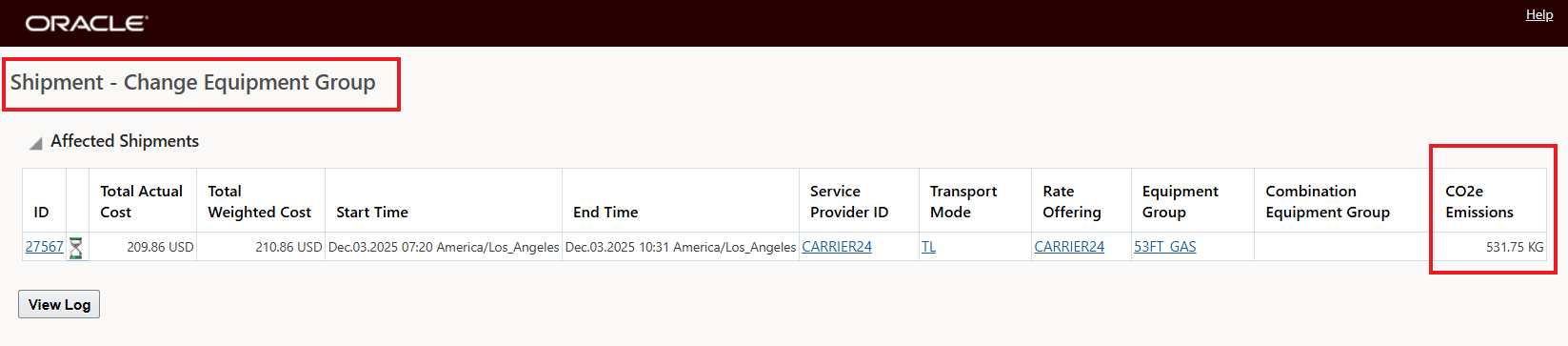
Change Equipment Group - Opt In
The shipment's related Emission Activity record is shown below.
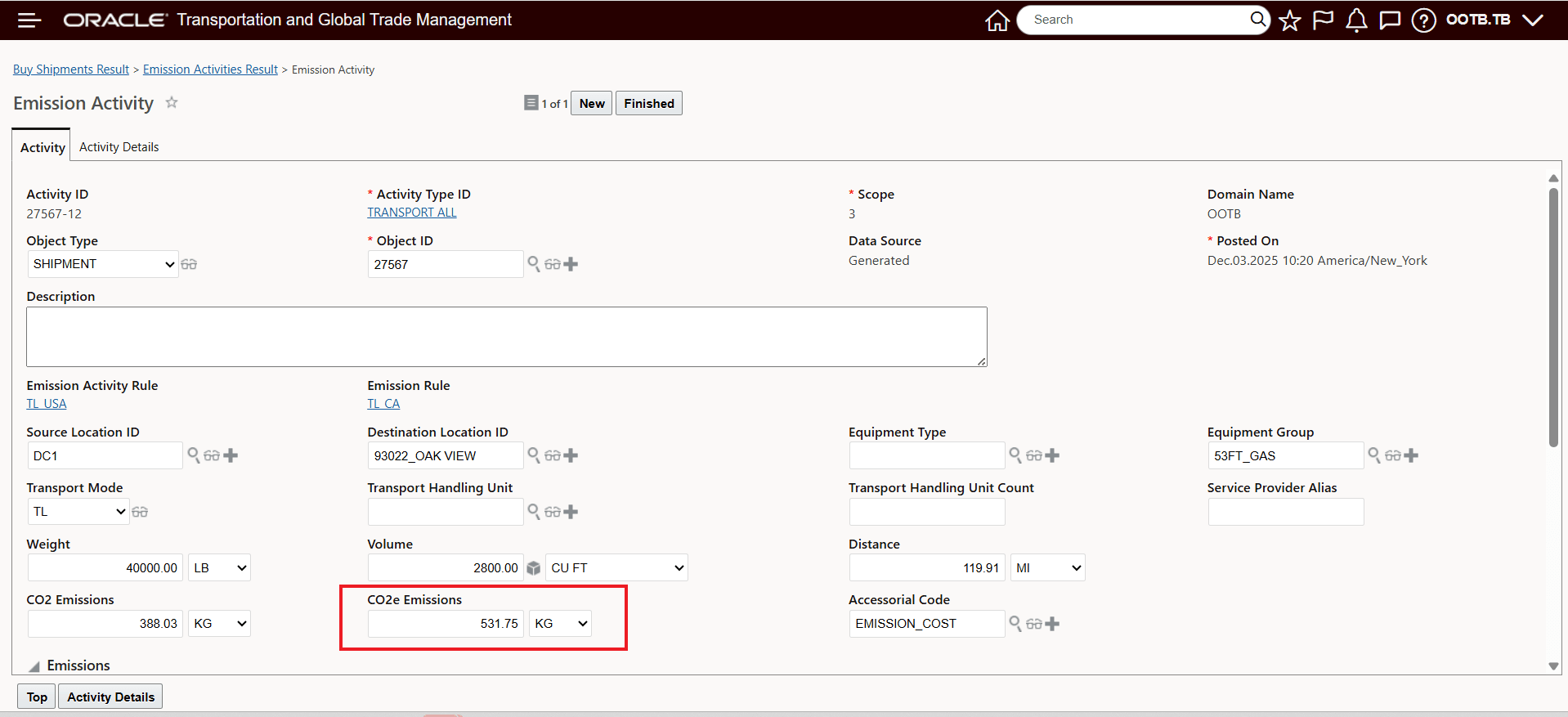
Emission Activity Record
In the example below, the Optional Feature is Opted Out and the scenario is in reverse - the Change Equipment Group is changing from Carrier24 with the Gas solution 531.75 KG to Carrier34 with Diesel solution which should show a CO2e Emissions of 755.41 KG. As you can see (below), the Change Equipment Group action has changed all the relevant elements, Equipment Group, Service Provider etc., but the CO2e Emissions shown is for the Gas solution i.e. 531.75 KG versus the CO2e Emissions of 755.41 KG which is the CO2e Emissions for Carrier34 using a Diesel power unit.

Change Equipment Group - Opt Out
This feature provides you with an CO2e emissions action result that reflects the emissions impact of the action run.
Steps to Enable and Configure
If you need to change the Opt In state for this feature:
- Go to the Optional Feature UI - Configuration and Administration > Property Management > Optional Features.
NOTE: Your user must have the DBA.ADMIN user role to use this functionality.
- Select the Calc Emissions Before Creating Ship Action Result feature.
- Run the desired Action for the feature - Opt In or Opt Out.