Enhancements to Screening Multiple Service Preferences Against a Party
This feature introduces enhancements to the restricted party screening process:
- You can now specify the Restricted Party Screening Profile when triggering manual and agent actions across GTM objects.
- A constraint set is now available which determines whether a party is screened against restricted party lists.
Restricted Party Screening Profile Available in Actions
The Restricted Party Screening Profile defines a set of service preferences for use during restricted party screening. With this enhancement, you can group multiple service preferences into a single profile and apply them collectively in one screening process. You can now use the restricted party screening profile when triggering manual actions and agent actions.
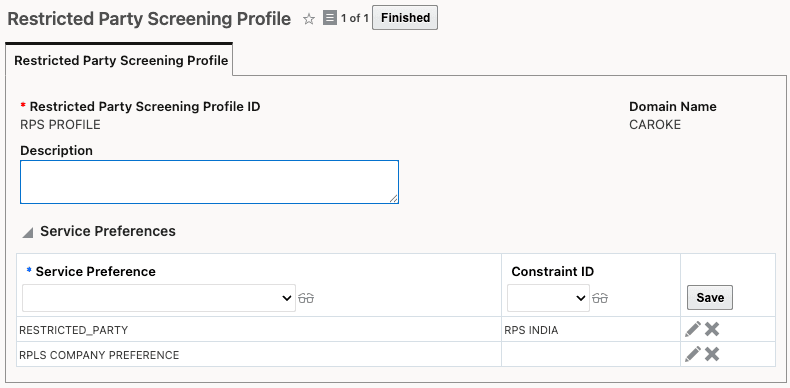
Restricted Party Screening Profile
When running restricted party screening, you can now select either a service preference (existing capability) or a Restricted Party Screening Profile (new capability). The profile option is available when performing manual actions or agent actions on the following objects:
- Party
- Transaction
- Transaction Line
- Declaration
- Declaration Line
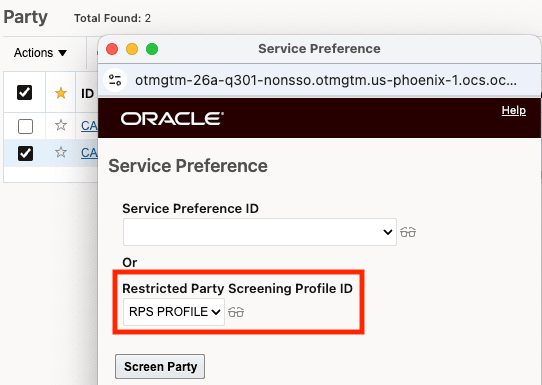
Party - Restricted Party Screening Action
Constraint Set Matching During Restricted Party Screening
When configuring your restricted party screening profile, you can now specify a constraint set that determines the criteria for screening a party against restricted party lists. Within the constraint set, you can define the data that must match for the screening to occur. For example, you might configure one service preference for all parties in India and a different service preference for parties in Mexico.
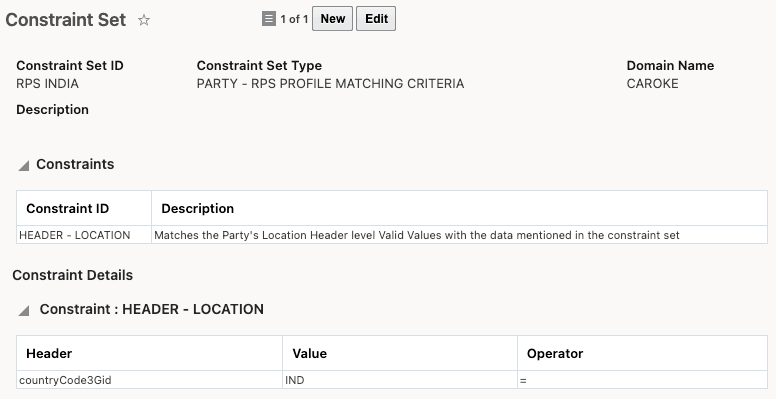
Constraint Set
Once you've defined your constraint set, you can assign it to your Restricted Party Screening Profile for use in party screening.
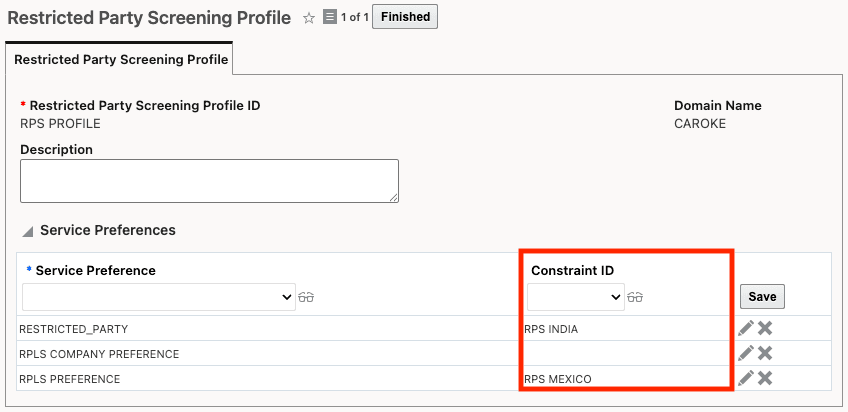
Restricted Party Screening Profile with Constraint Set
Business Benefit: The enhancements to restricted party screening profiles and constraint sets provide greater screening precision and operational efficiency. In addition, these enhancements help organizations mitigate compliance risks, avoid penalties, and maintain efficient and scalable trade operations.
Steps to enable and configure
- Assign your service preferences to a Restricted Party Screening Profile.
- Assign a constraint set to your service preferences (optional).
- When you trigger restricted party screening, select the Restricted Party Screening Profile you want to use.
Tips and considerations
- If both the service preference and restricted party screening profile are null, GTM uses the out of the box AD_HOC_PARTY_SCREENING_SERV_PREF service preference during screening.
- If both a service preference and a restricted party screening profile are entered on the action, GTM displays an error.