External Rating Engine - Rate Shopping
This feature provides you with the option of configuring your External Rating Engine integration so that the integration supports a single Rating Request that provides Multiple Responses, and the set of possible responses can cover multiple modes, multiple service providers and multiple rate service options.
The information below provides an overview of the setup required and an overview of the new capability. The underlying assumption here is that the External Rating Engine being called supports a Rate Shopping - single request, multiple result response.
The starting point for configuring OTM to support a single request for multiple results begins with the Rate Offering. Traditionally, a Rate Offering was linked to one Rate Service - so for example, Parcel Carriers offering different levels of service - overnight am, next day, or ground - would be modeled in OTM with three different Rate Offerings with three different Rate Services to model the different services offered. This feature provides the option to configure a new Rate Offering Type that allows you to configure a Rate Offering to support an external rating request that supports a single request that can cover multiple modes, multiple service providers, and multiple rate services. To expose this new capability you will need to do the following:
1. Enable the Optional Feature "Enable ERE With Multiple Results".
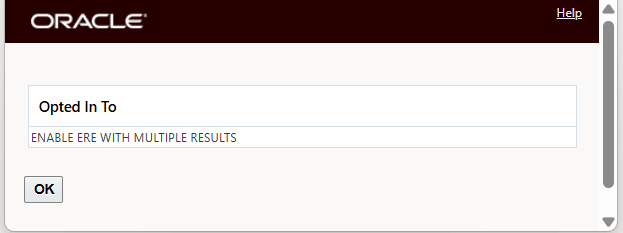
Enable Optional Feature
2. Create a new Rate Offering Type configured as shown below with the selected Rate Attributes - "ERE_RETURN_MULTIPLE_RESPONSE" and "EXTERNALRATINGENGINE". Note, if "ERE_RETURN_MULTIPLE_RESPONSE" is not defined in Rate Offering Type, and you only specify the "EXTERNALRATINGENGINE" attribute, the request will be managed as a single/regular External Rating Engine request/flow.
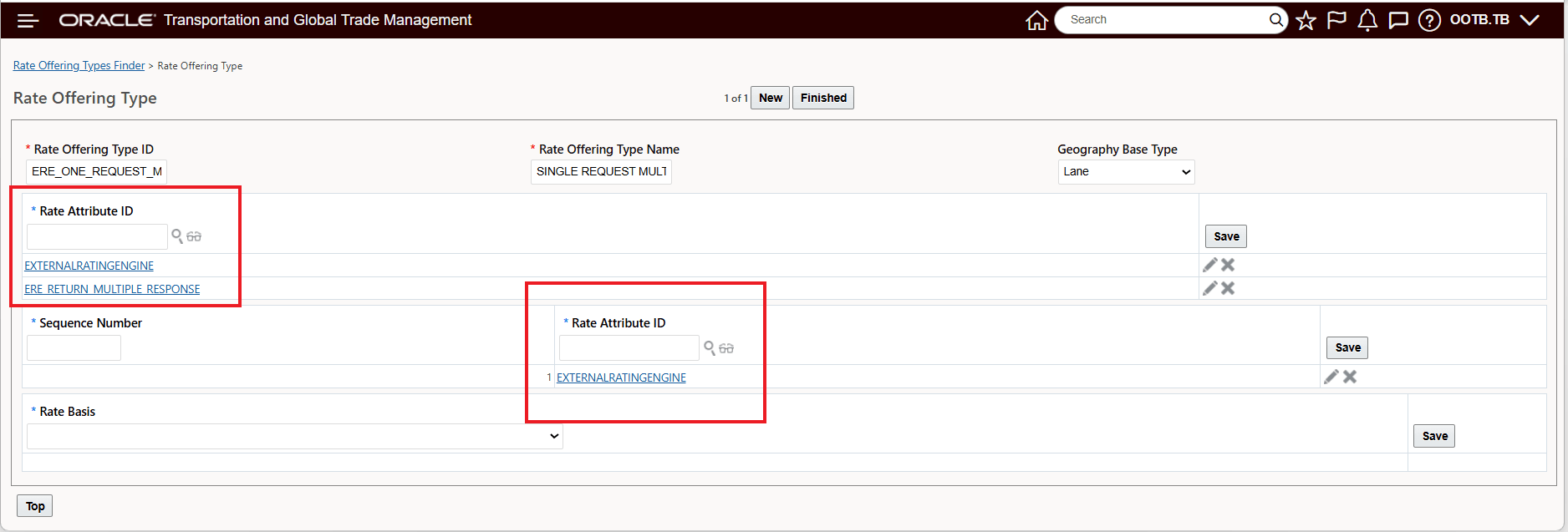
Rate Offering Type Setup Example
The Rate Offering - with the newly configured Rate Offering Type can now be configured to support a single external rating request for multiple results. In the example below, the Rate Offering has been configured to provide all of the Parcel Service Providers rates for all of the different Rate Services they provide. In this case - since Parcel is an extremely service level oriented mode of transportation, there are fourteen different service level options available for the three parcel service providers. Previously, generating all fourteen of these options would have required fourteen separate requests to the external rating engine, now the request for all fourteen service level options can be accomplished in one request.
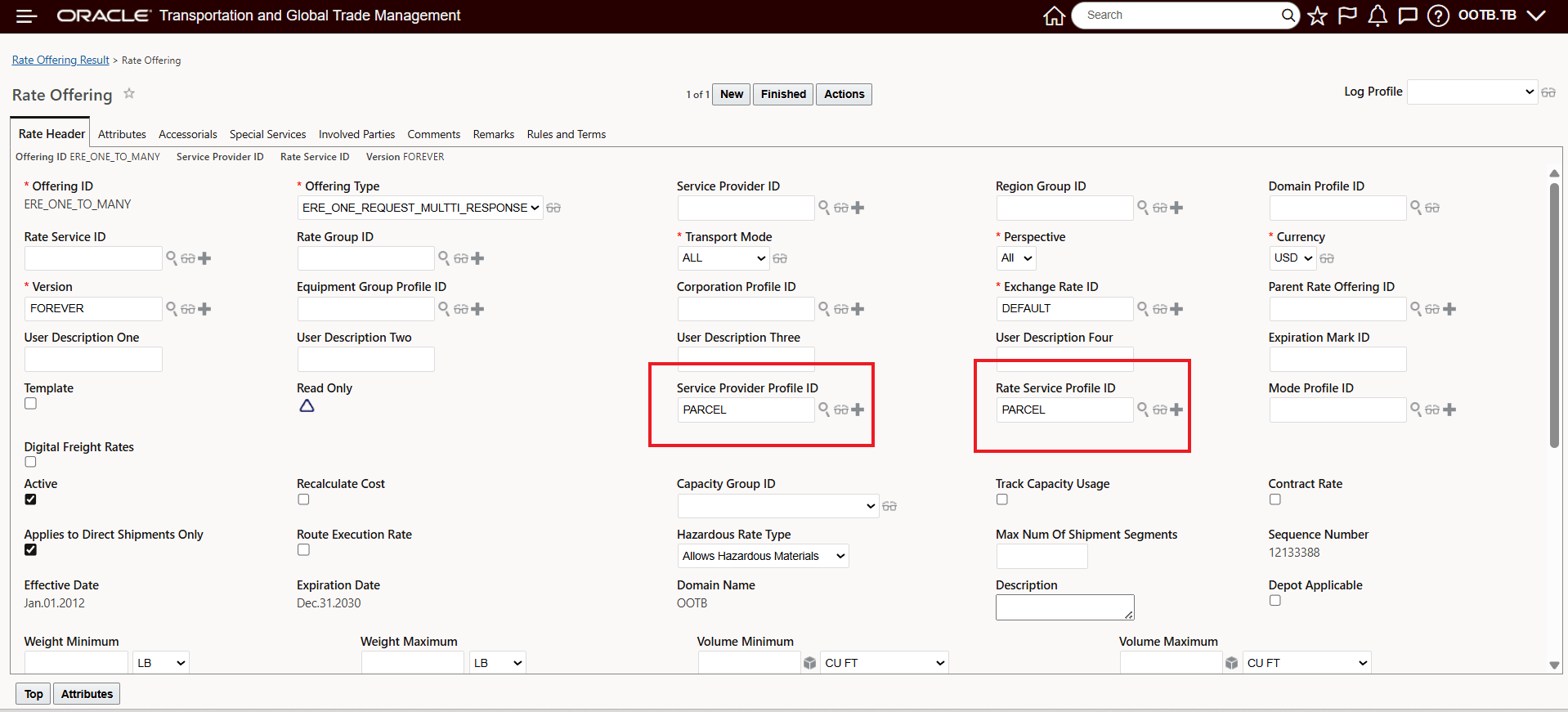
Rate Offering Configured for Parcel Rates - Single Request - All Service Options
The configured Service Provider Profile and Rate Service Profile are provided below.
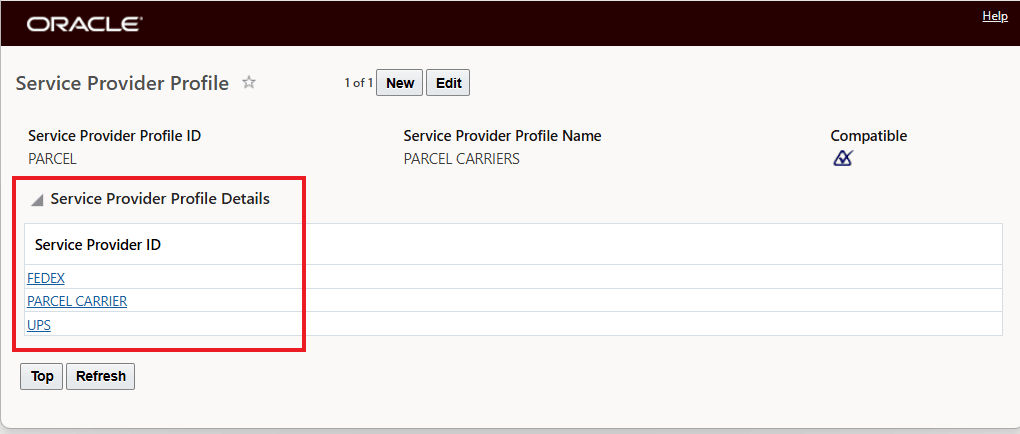
Service Provider Profile - "PARCEL"
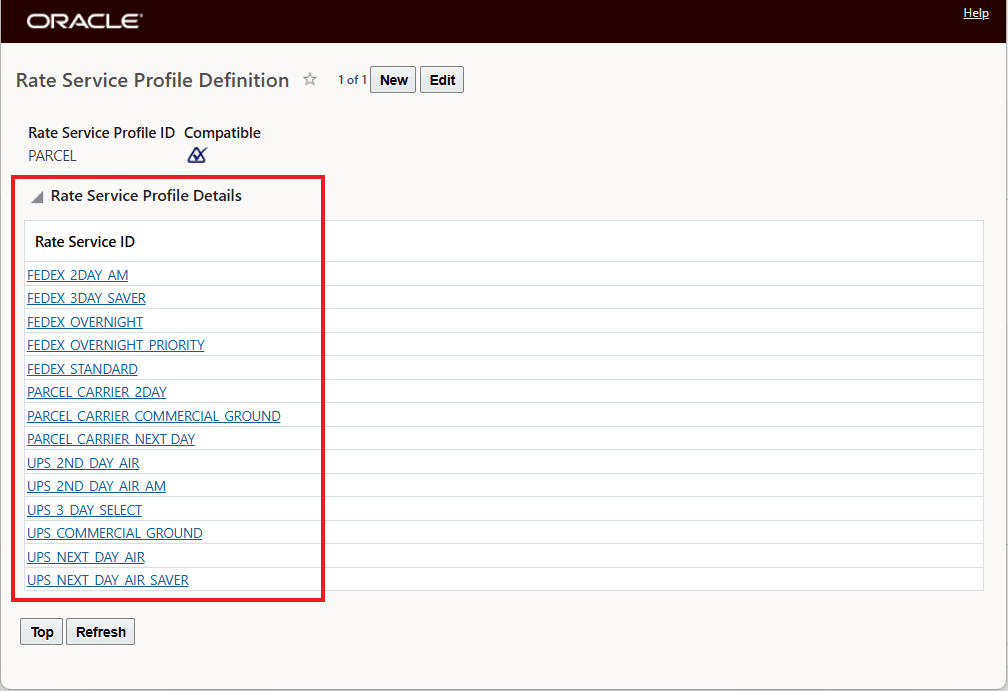
Rate Service Profile - "PARCEL"
In the example below, the Rate Offering has been configured to return all the rates supported by an external rating engine where their external rating engine providers rates for Parcel and Regional LTL carriers. With this configuration, a single request covers multiple service providers, for multiple rate services and for multiple modes of transport.
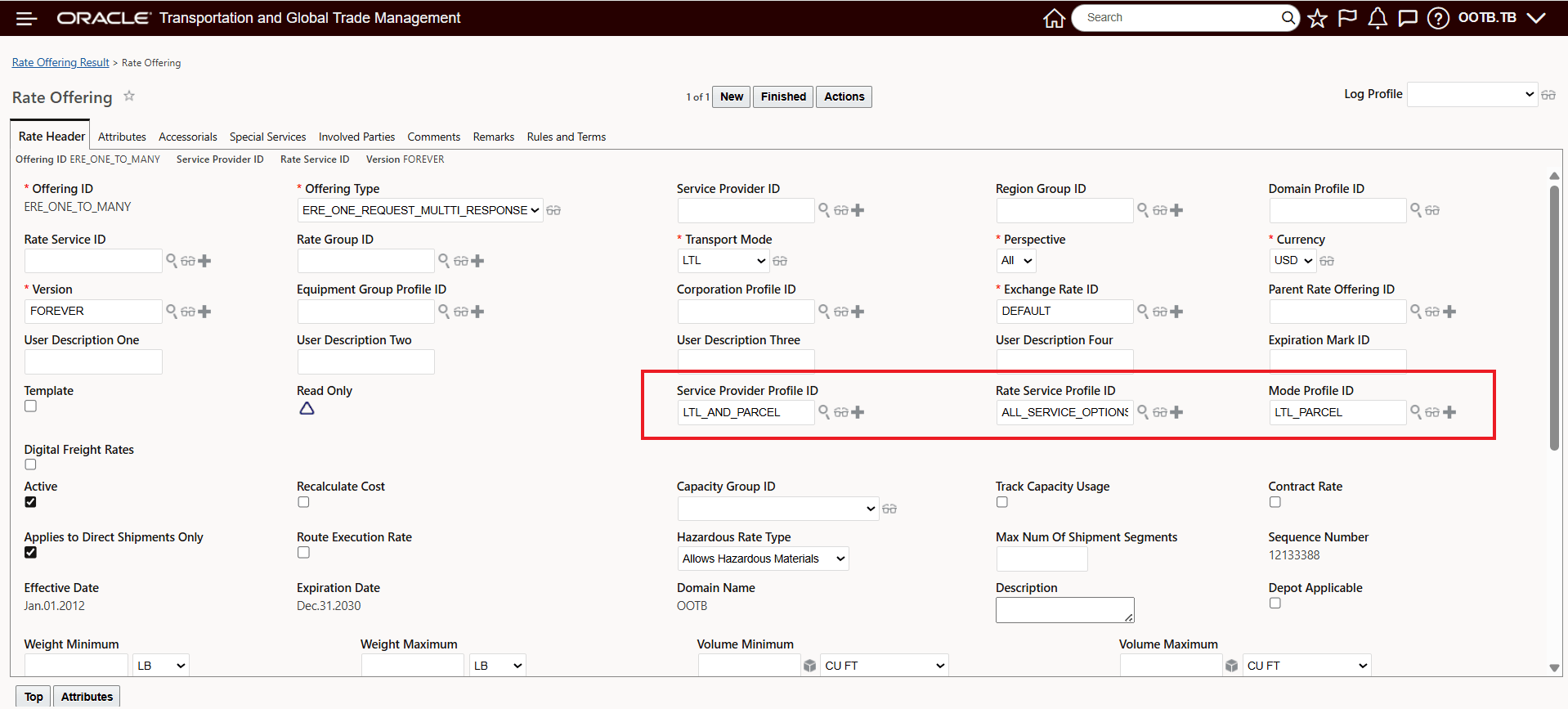
LTL and Parcel External Rating Engine Request
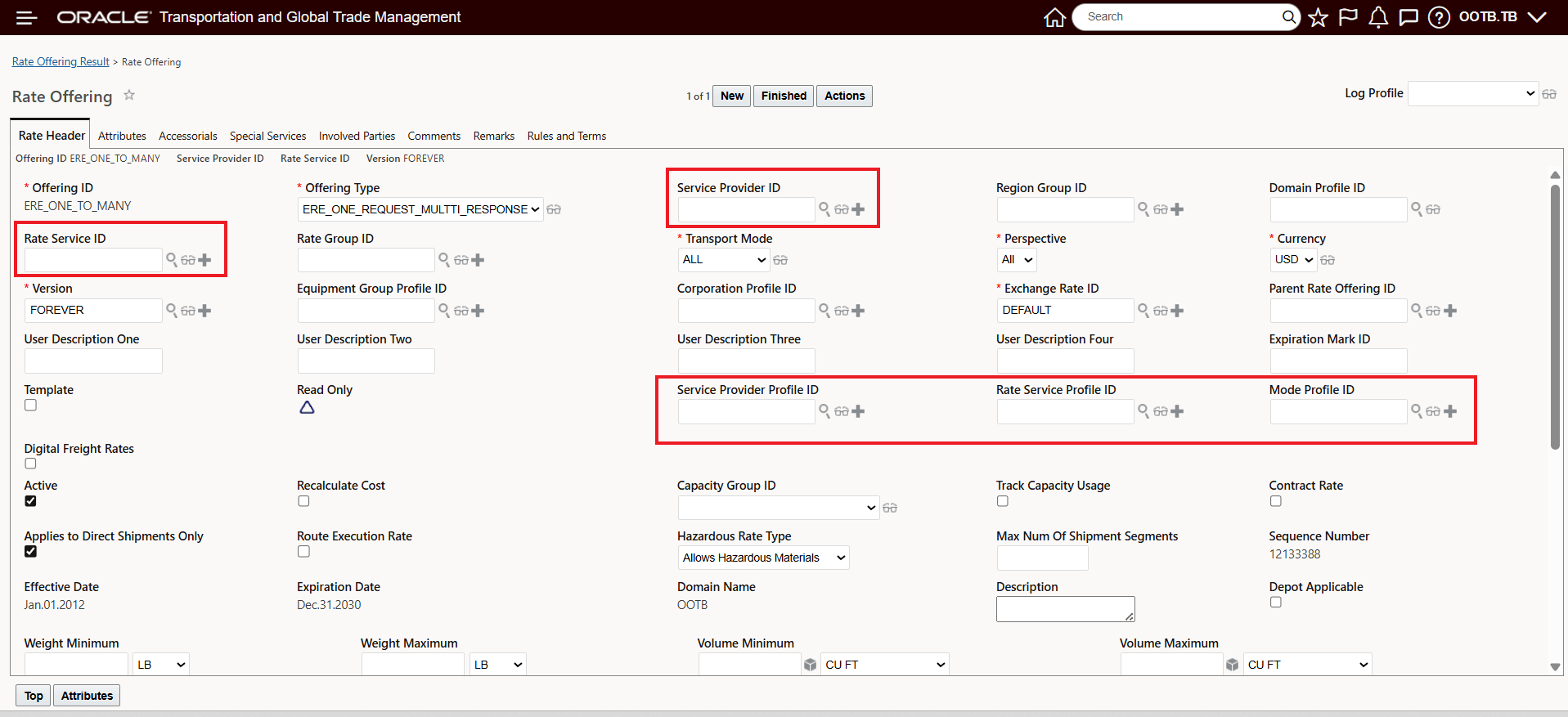
Configured Rate Offering Type Field Validation and Processing Considerations
With the configured Rate Offering Type assigned - with Rate Attributes to including both "ERE_RETURN_MULTIPLE_RESPONSE" and "EXTERNALRATINGENGINE" the related Rate Offering UI and external rating request will:
- Have the Service Provider Profile, Rate Service Profile, and Mode Profile ID fields all visible in the UI.
- The standard Rate Service and Service Provider fields will be optional. This allows you to create the rate offering without defining them, as they will be provided in the response from External Rating Engine.
- If you populate all the individual fields, or the related sets of fields - Rate Service, Service Provider, Transport Mode along with the the profiles - Service Provider, Rate Service Profile, and the Mode Profile - the application will merge all the field values and include them in the request.
- If the Rate Service, or Rate Service Profile, Service Provider, or Service Provider Profile, and Transport Mode Profile fields are not defined (Transport Mode is mandatory), the application will accept all the results for all rate services from all service providers for the given transport mode from the External Rating Engine. These results will then be validated, and only the ones that exist in application will be used for rating.
- If any of the fields - Rate Service, Rate Service Profile, Service Provider, or Service Provider Profile are constrained, the results provided by the External Rating Engine will be filtered to include only those that meet the constraints.
Business Benefit: This feature enables OTM to retrieve costs and transit times for multiple modes, multiple service providers and multiple service levels through a single REST request, significantly reducing the number of interface transactions required to produce the same set of results with the current process and setup.
Steps to enable and configure
To take advantage of this feature - you will be required to
- You will need to Opt In to the Optional Feature Enable ERE With Multiple Results.
To Opt In to this feature:
- Go to the Optional Feature UI - Configuration and Administration > Property Management > Optional Features.
Your user must have the DBA.ADMIN user role to use this functionality.
- Select the Enable ERE With Multiple Results feature.
- Run the Opt In Action.
- You will need to create a new Rate Offering Type configured as shown below with the selected Rate Attributes "ERE_RETURN_MULTIPLE_RESPONSE" and "EXTERNALRATINGENGINE".
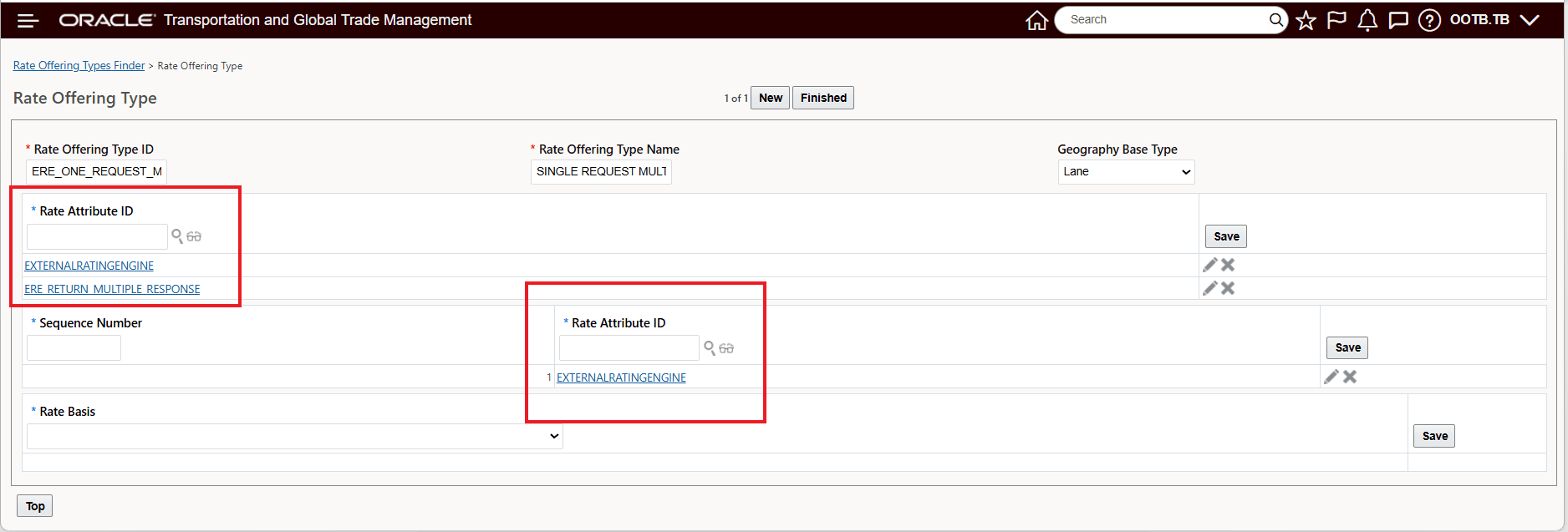
Configured Rate Offering Type
- When you add the Service Provider Profile, Rate Service Profile and Mode Profile to your Rate Offering the fields below will be appended to the Request sent to the External Rating Engine.
"transportModes": {
"items": [
{
"transportModeId": "LTL"
},
{
"transportModeId": "PARCEL"
},
{
"transportModeId": "TL"
}
]
},
"serviceProviders": {
"items": [
{
"SCAC": "PAR1",
"serviceProviderQualifer": "GLOG",
"serviceProviderAlias": "OOTB.PAR1 – PAR1 GROUND"
},
{
"SCAC": "PAR2",
"serviceProviderQualifer": "GLOG",
"serviceProviderAlias": "OOTB.PAR2 – PAR2 GROUND"
},
{
"SCAC": "LTL1",
"serviceProviderQualifer": "GLOG",
"serviceProviderAlias": "OOTB.LTL1"
}
]
},
"rateServices": {
"items": [
{
"externalServiceType": "OVERNIGHT_TYPE",
"externalServiceCode": "OVERNIGHT_CODE"
},
{
"externalServiceType": "PRIORITY_SERVICE",
"externalServiceCode": "PRIORITY_CODE"
}
]
}
}
- The "External Programming Interface Guide" has been updated for 26A to cover the changes associated with the Rate Shopping feature. You will want to review the updated document to ensure that all the technical elements of the external integration are covered..
Tips and considerations
Note: In case of FedEx, the Service Provider field is mandatory, and the Service Provider Profile field will be ignored.
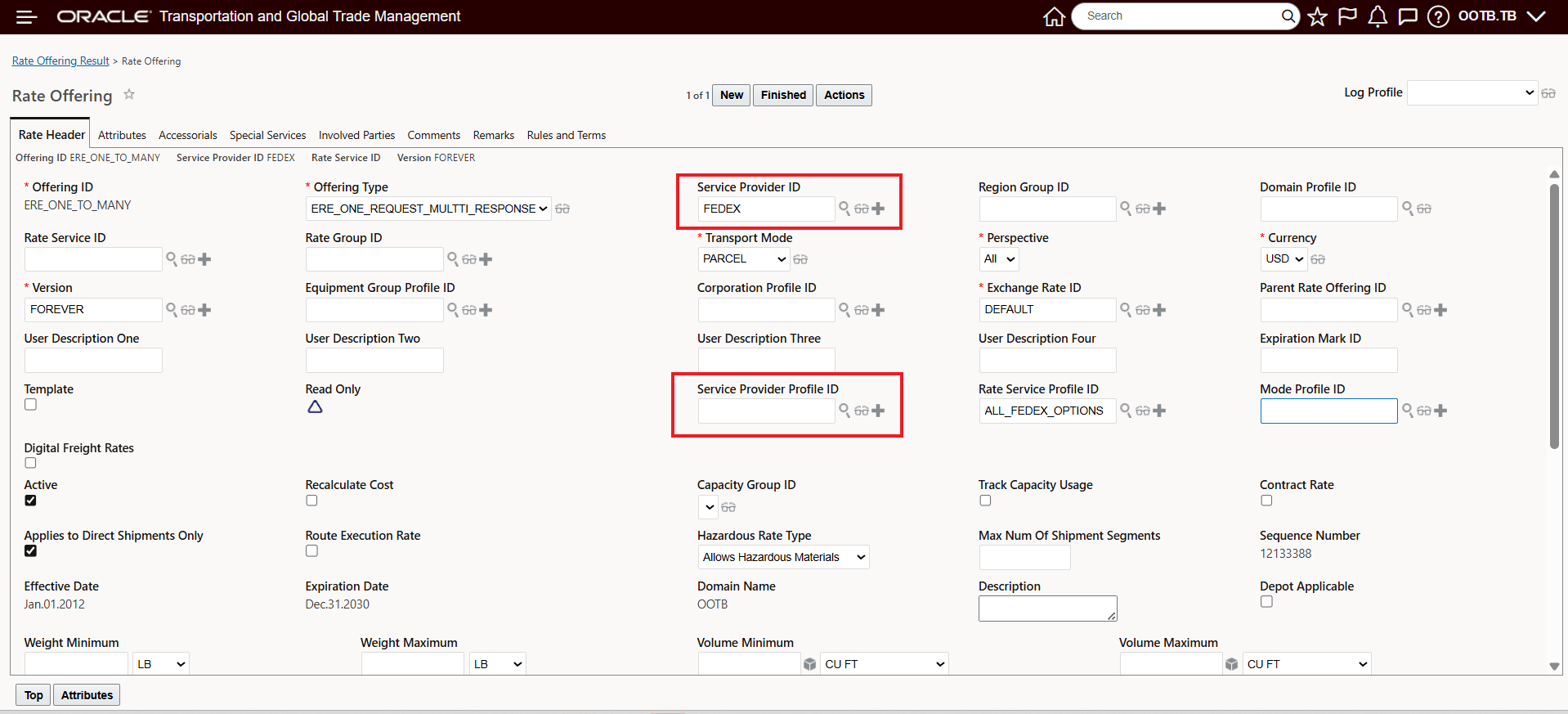
Fedex Rating Request Setup