 User Preference - Disable Show Routing Planning - View Only For Planning Options
This feature provides the option to limit the three Create Buy Shipment planning actions Show Network Routing Options, Show Network Routing Options - Ocean and Show Routing Options to being a view only configuration. Setting the User Preference Disable Show Routing Planning to "Yes" allows the user to view the planning options created by these three actions, but the user is no longer able to optimize or select an option and generate shipments.
The actions below are the three actions that, as a set, can be configured to Disable Show Routing Planning via the User Preference.
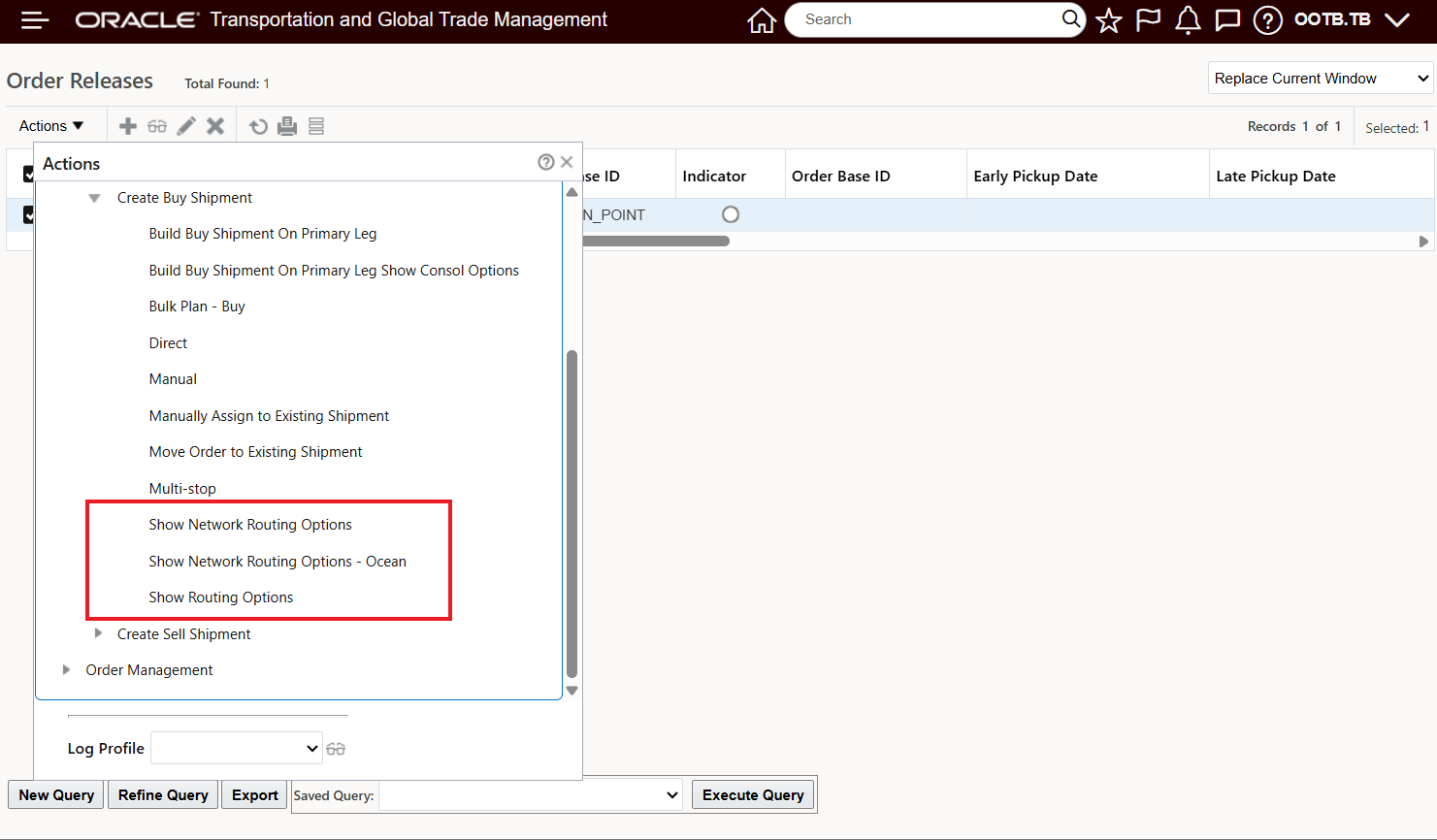
Create Buy Shipment Actions Controlled by the Disable Routing Planning User Preference
By default - with the User Preference Disable Show Routing Planning is set to "No" - and the various Routing actions provide you with multiple options for creating shipments.
In the example below, using the Show Network Routing Options action, you have multiple options for creating shipments either via Optimize or Show Options where you can select the desired option.
The Optimize option - selected below - generates the least cost solution.
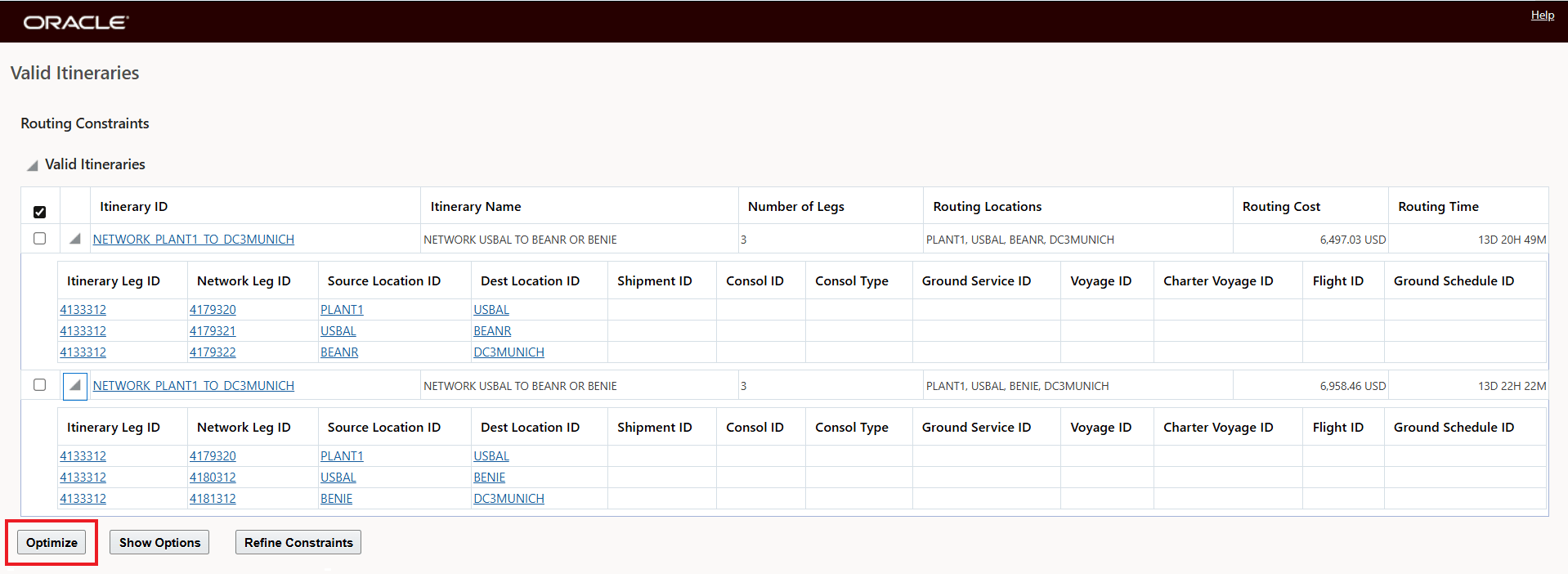
Optimize
Selection Optimize generate the least cost feasible solution - as shown below.
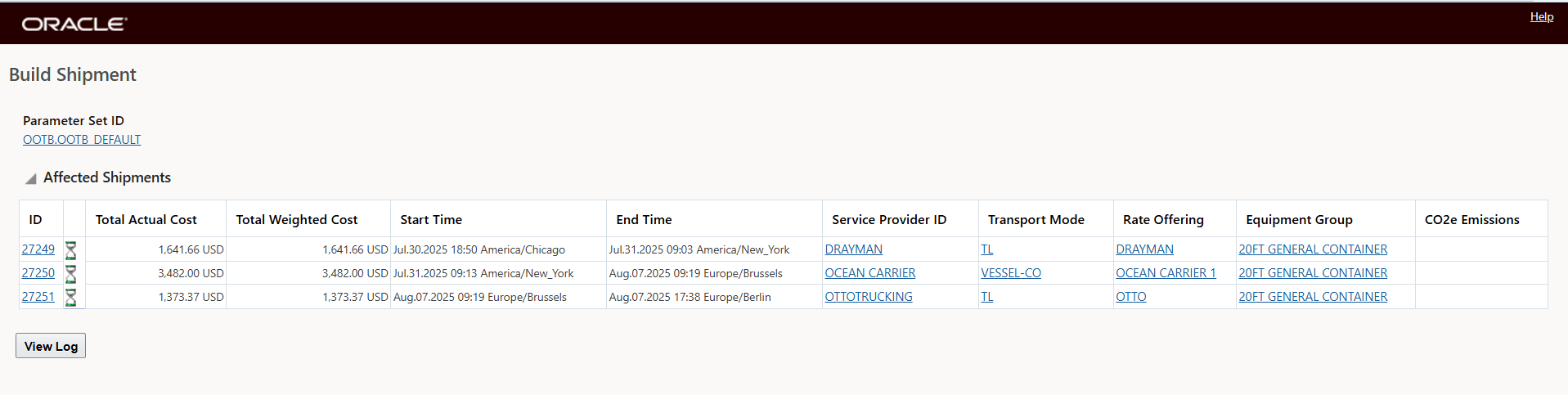
Optimize Solution
The Show Options solution allows you to drill down into the options available and select one of the options and then select "OK" to plan the selected option, as shown below.
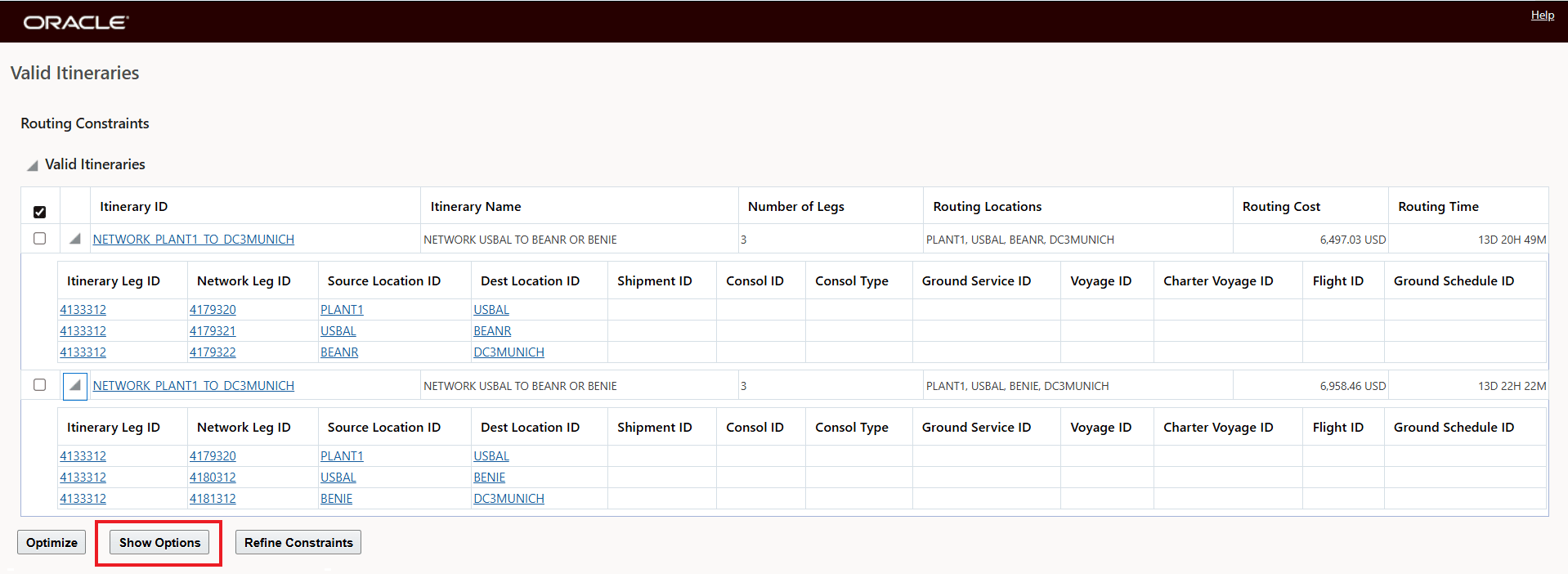
Show Options
From the Show Routing Options screen you can select an option and then select "OK" to build the shipments for the selected option.
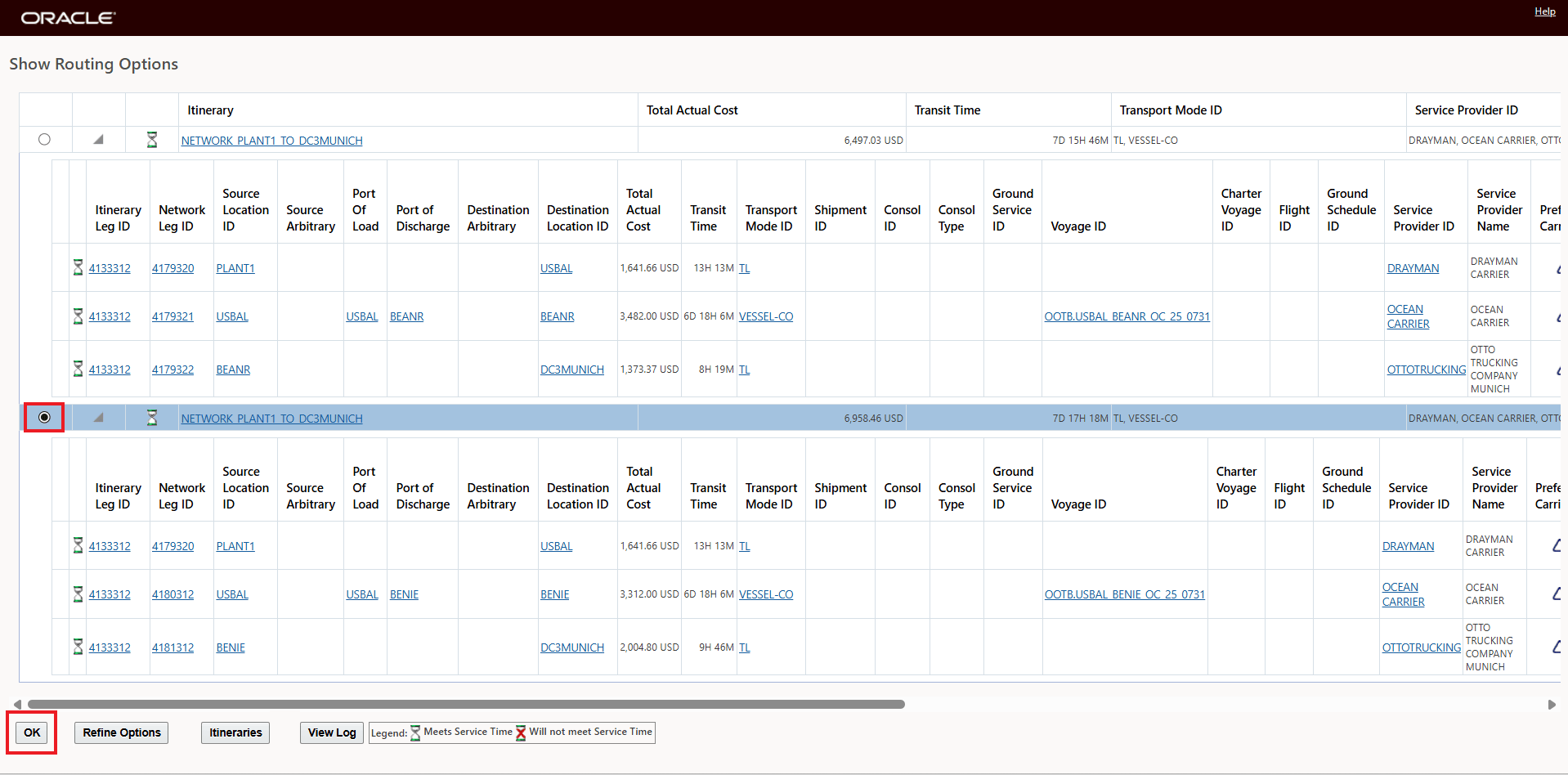
Show Options - Select Option and then Select OK to Build Shipments
By configuring the Use Preference Disable Show Routing Planning, the options to Optimize and the option to hit "OK" on the Show Routing Options screens are removed. In this setup - all the rich planning options and information are provided for the configured user, but they cannot generate a shipment plan from any of the three planning actions (Show Network Routing Options, Show Network Routing Options - Ocean and Show Routing Options) controlled by this User Preference.
To configure the User Preference - as shown below, just set the User Preference to Yes.
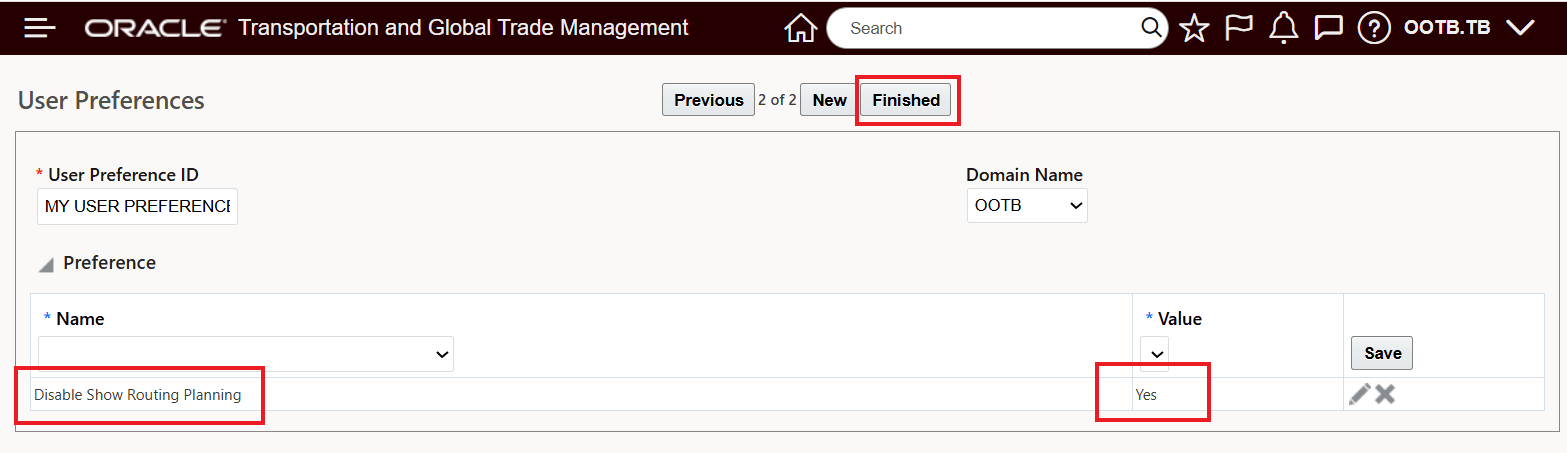
User Preference Configuration
With the Disable Show Routing Planning set to Yes, the Show Network Routing Option screen now has the Optimize and the Show Options OK option removed from the action input screens - as shown below.
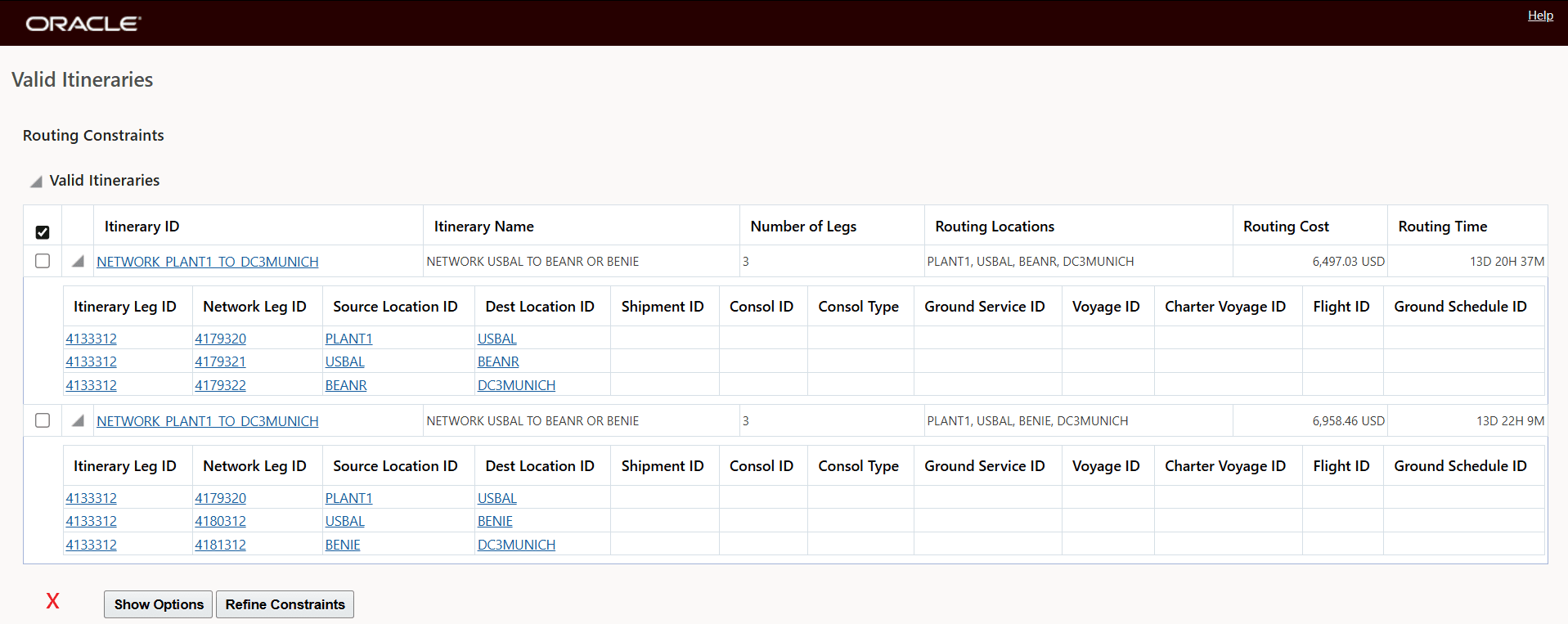
The Optimize Option is Removed
For the Show Options path, the OK options is removed.
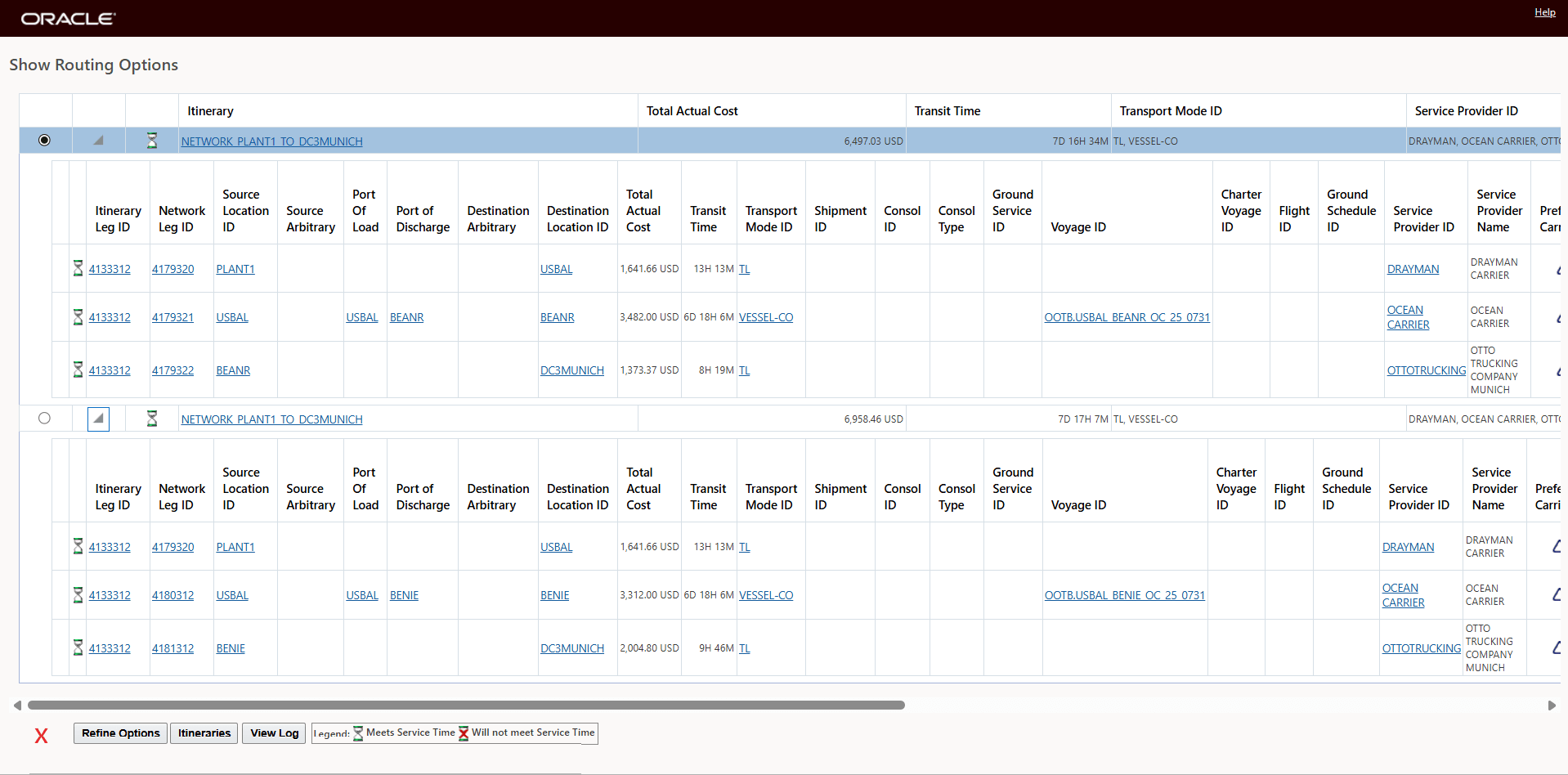
Show Routing Options OK removed
The other two actions - Show Network Routing Options - Ocean and Show Routing Options - are configured in the same way based on the Disable Show Routing Planning User Preference.
Business Benefit: This feature provides the option to share the planning capabilities of the three Create Buy Shipment actions, to provide information to a broader set of users, while limiting the user's ability to take action on the options provided.
Steps to enable and configure
To enable this feature, you will need to set the User Preference to Yes for the Disable Show Routing Planning - as shown below.
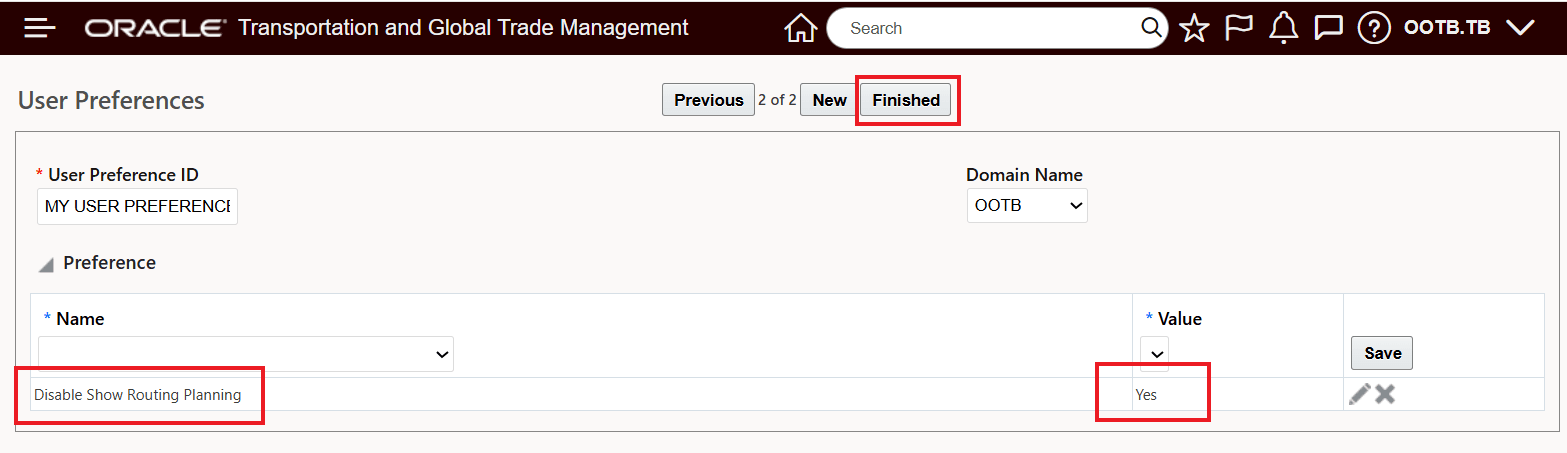
User Preference Setup