Enhancements to Revert Entry/Exit Action
This feature allows you to revert a country of origin using the Revert Entry/Exit Recording action on trade transactions, trade transaction lines, and declarations. If you previously performed the Perform Entry/Exit Recording action and copied data using a data configuration, you can use the Revert Entry/Exit Recording action to reverse those entry/exit records. As part of this process, GTM removes not only the country of origin copied between business objects but also any associated values, reference numbers, and flex field attributes.
- For the Association Type "Entry Line to Inventory", GTM reverts data copied from the entry line to the inventory.
- For the Association Type "Inventory to Exit Line", GTM reverts data copied from the inventory to the exit line.
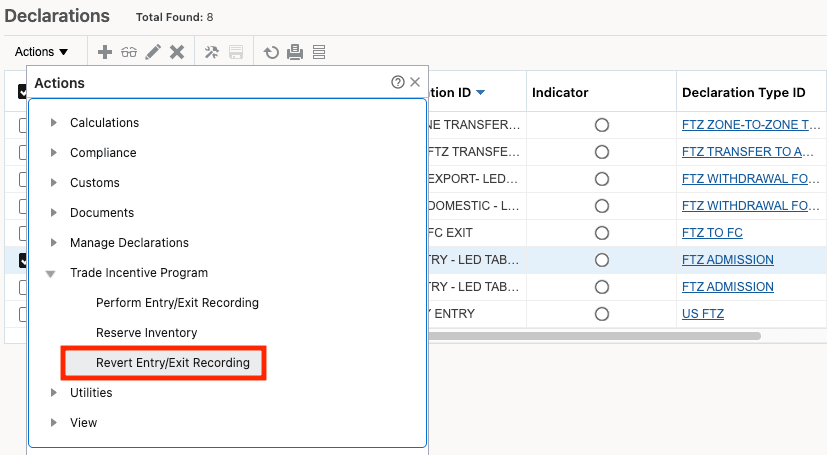
Declarations - Revert Entry/Exit Recording Action
Business Benefit: The ability to revert country of origin information along with associated data (values, reference numbers, and flex field attributes) enhances data accuracy and compliance across trade transactions, trade transaction lines, and declarations. This feature minimizes manual corrections, reduces the risk of errors, and supports efficient trade process management—ensuring your organization maintains data integrity and adheres to regulatory requirements.
Steps to enable and configure
Data can be reverted if:
- You have configured data configurations that define which data to copy when performing the Perform Entry/Exit Recording action.
- The data configurations are defined on the Trade Incentive Program.