Summarize Explain Plan Using AI
This feature provides you with access to an LLM to help you summarize and interpret the often verbose output provided by the Oracle Database Explain Plan that you can generate for your Automation Agent SQL Statements. The LLM review of the Explain Plan provides you with natural language summarization of the Explain Plan output, including identifying the sequence of operations, the most resource intensive steps, highlighting potential issues and providing you with suggestions and recommendations.
In the example below, the OTM Assistant will be run against an Explain Plan for generated for one of the SQL Statements written for an Automation Agent.
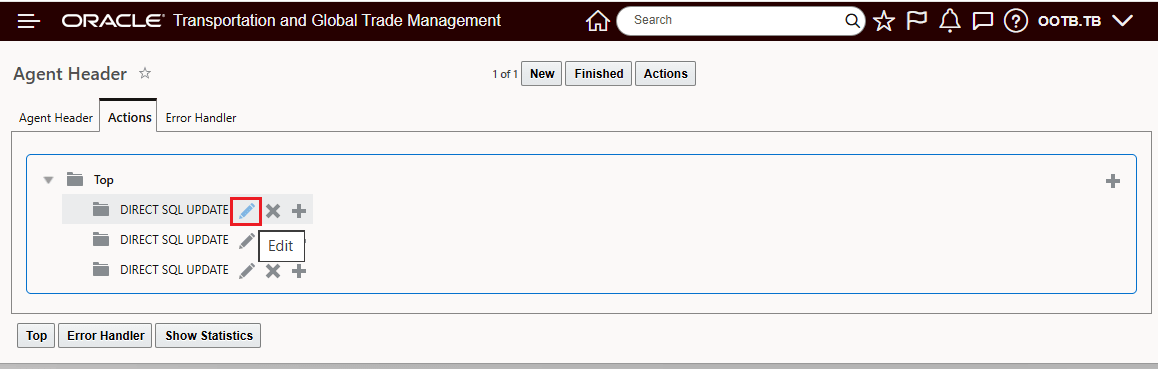
Automation Agent - Edit The Direct SQL
When you enter/edit the Direct SQL for your Automation Agents, you will see the Explain Plan button (introduced previously) and the OTM Assistant option - which is used for the Analyze SQL Generative AI option. Select the Explain Plan option to generate the Explain Plan for the entered SQL.
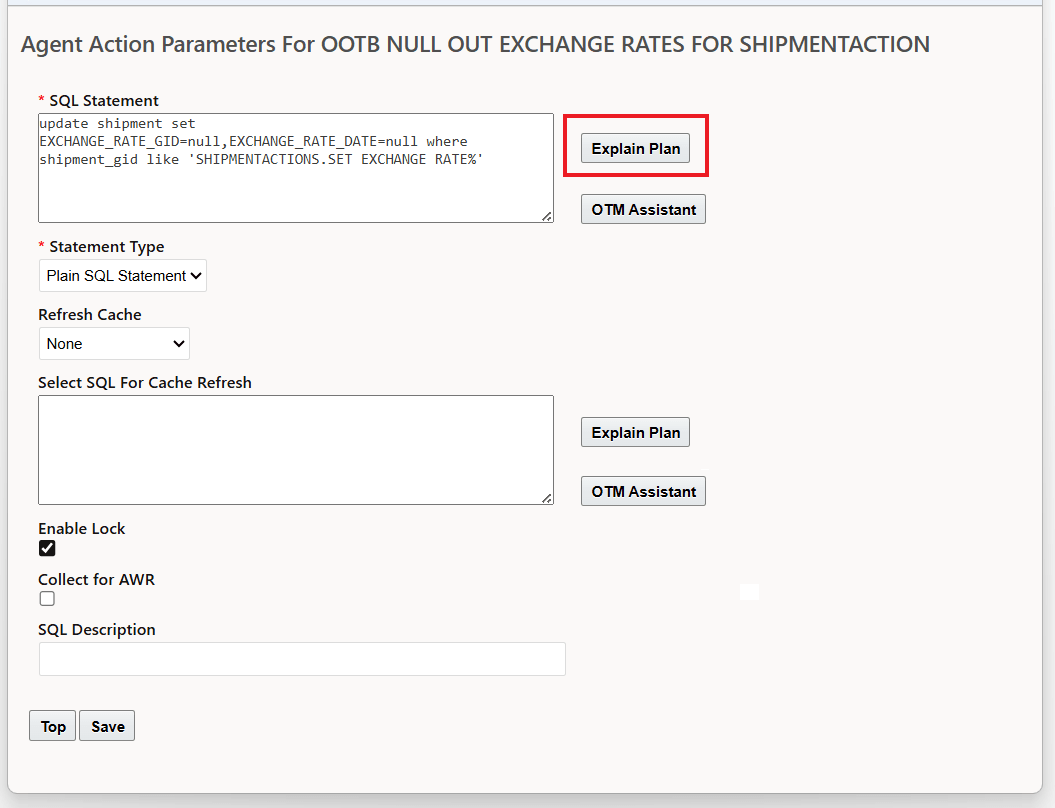
Run The Explain Plan
The Explain Plan generated is below. To run the LLM against the generated Explain Plan, select the OTM Assistant option as shown.
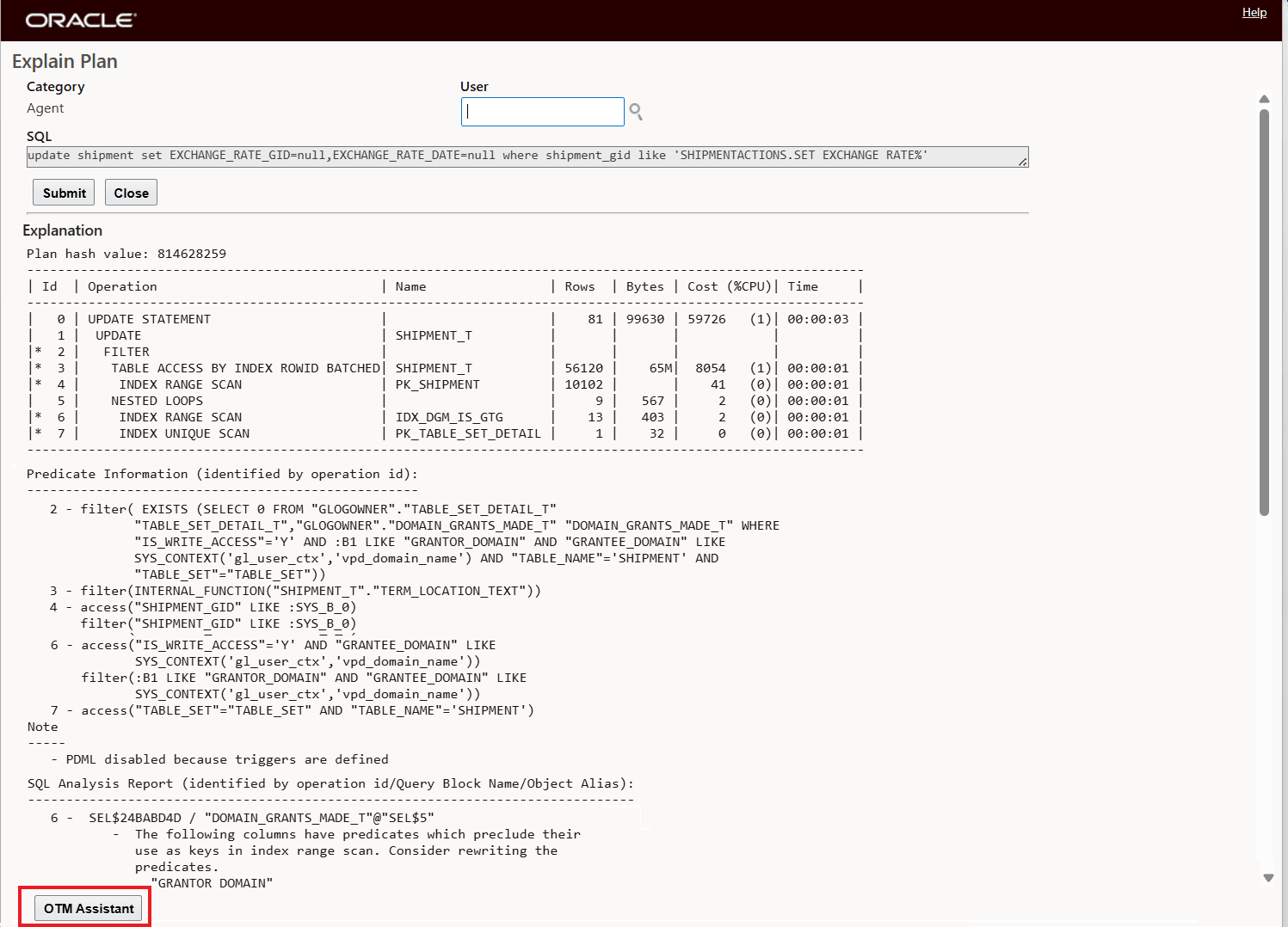
Explain Plan OTM Assistant
When the OTM Assistant is selected, you are provided with a set of possible options to consider for Generating the LLM Summarization.
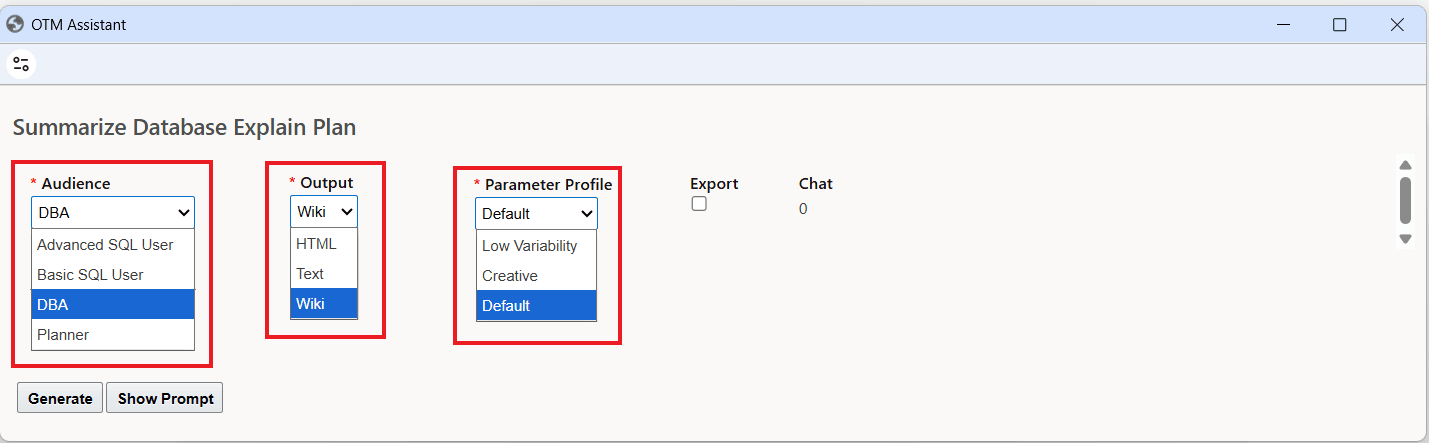
Summarize Database Explain Plan Options
The Summarize Database Explain Plan allows you to generate the summary selecting a different Audience (Advanced SQL User, Basic SQL User, DBA - the default, or Planner) - the different Audience values are used in the prompt to guide the LLM's generated output considering the "Audience's" SQL level of knowledge. The Output selection allows you to select different output formats for the generated response. The Parameter Profile allows for some control with regards to the "freedom" the LLM can take with regard to generating the response.
In the example below, the defaults will be used to generate the LLM Summarization.
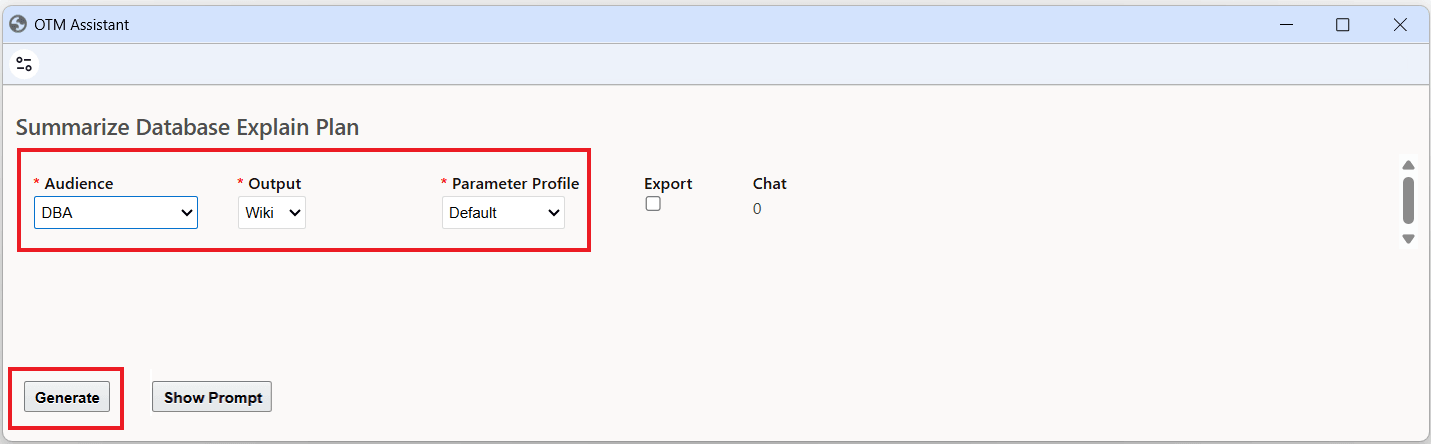
Summarize Database Explain Plan - Defaults
Using the default values, the Summarize Database Explain Plan for the SQL Statement above is provided below.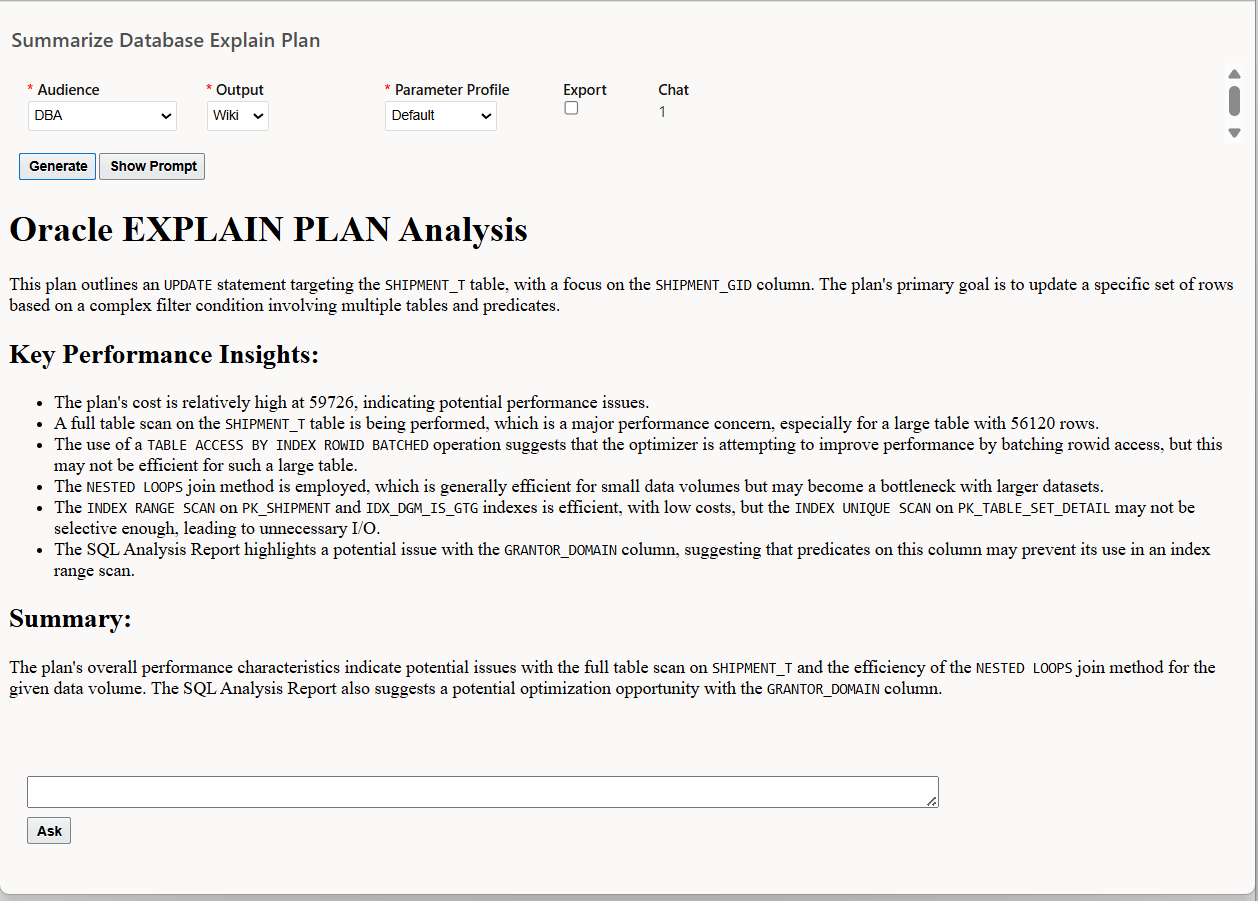
Summarize Database Explain Plan Example
By comparison - the Summarize Database Explain Plan for the Planner Audience is provided below.
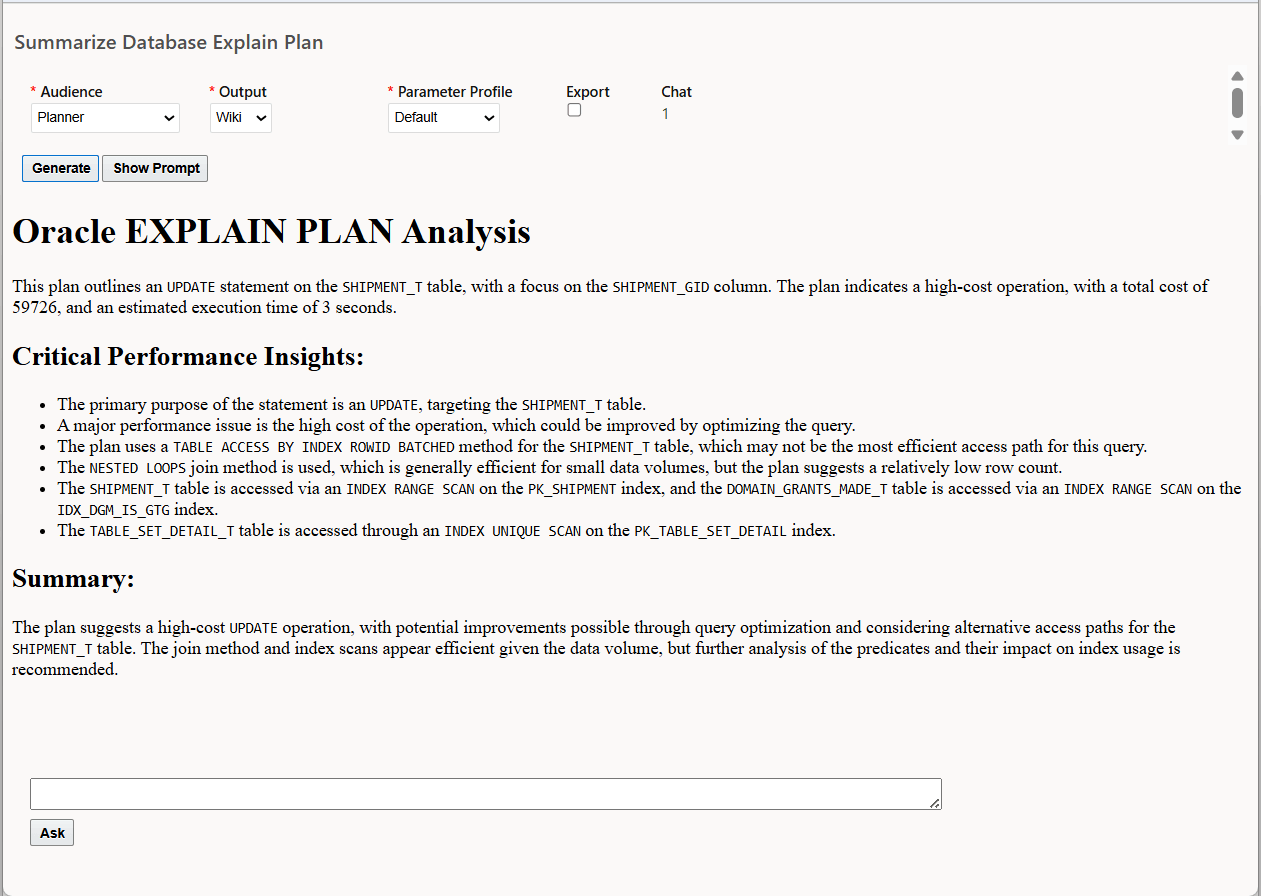
Summarize Database Explain Plan - Planner Audience
Ask
The Ask options allows you engage in an LLM interactive chat regarding the current Explain Plan Analysis. You can use the Ask chat feature to interactively ask follow-up questions or request clarifications about the summarized Explain Plan output and SQL performance issues.
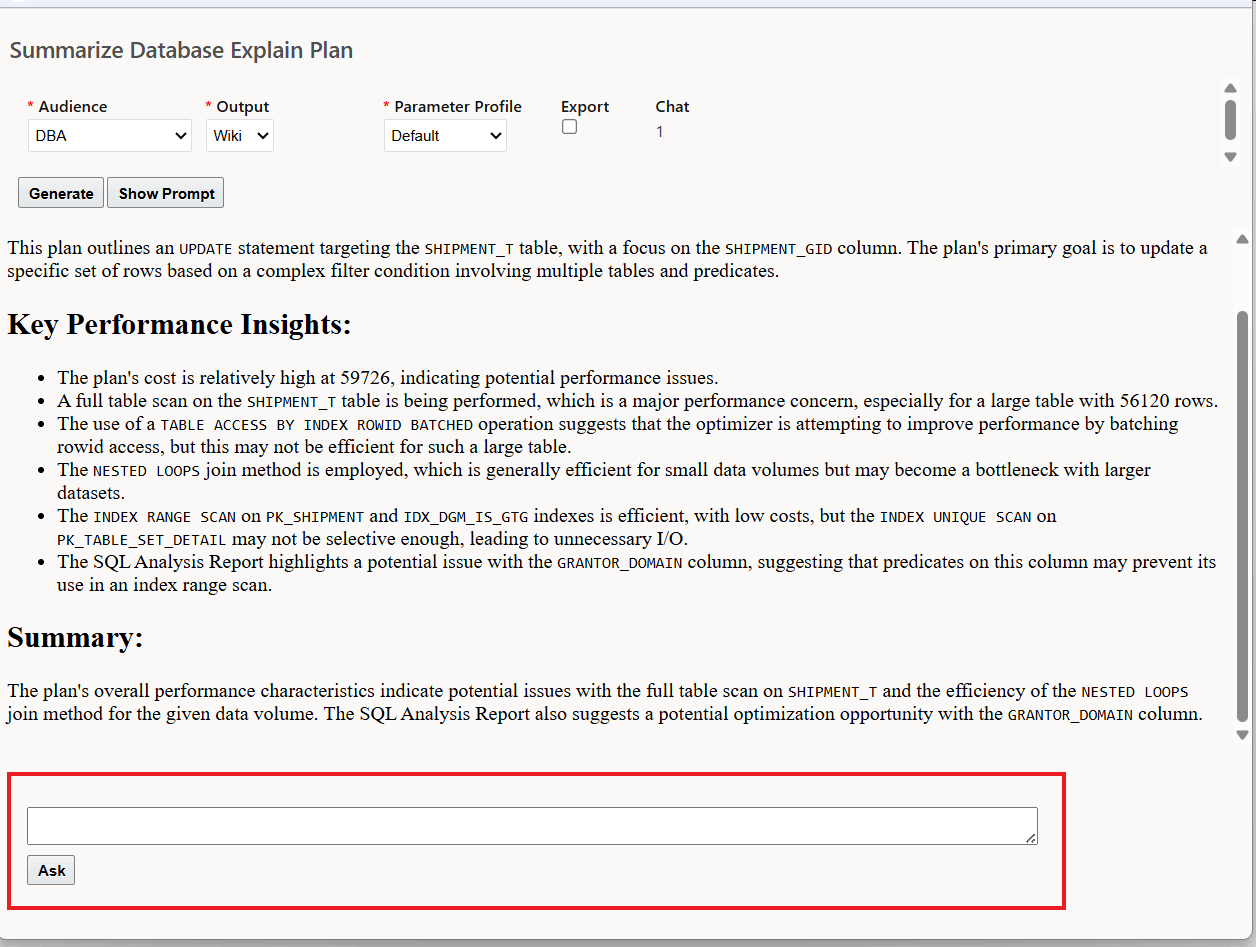
Ask
Below the chat is used to inquire about the performance concern regarding the full table scan.
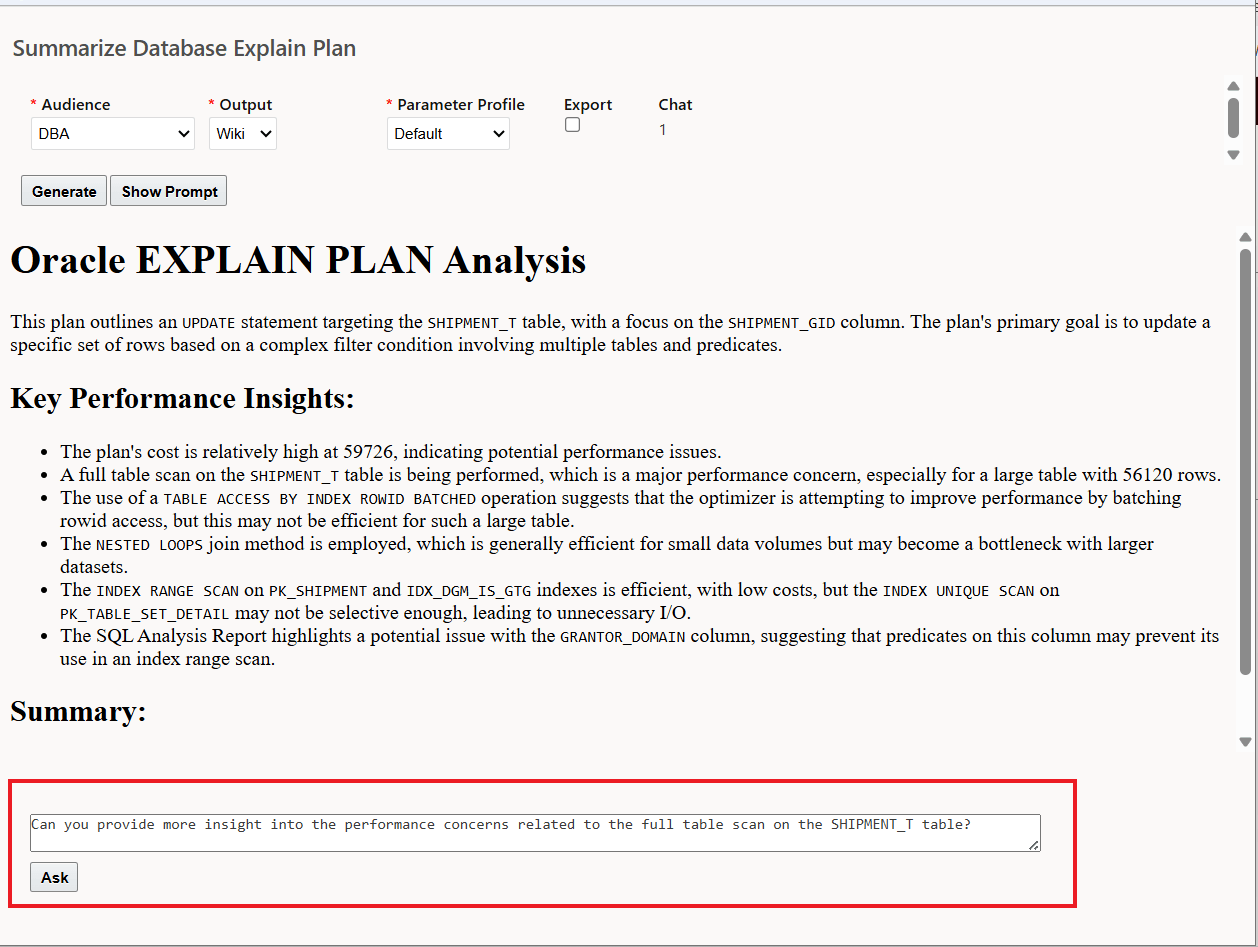
Chat Example
The response provided to the chat inquiry is below.
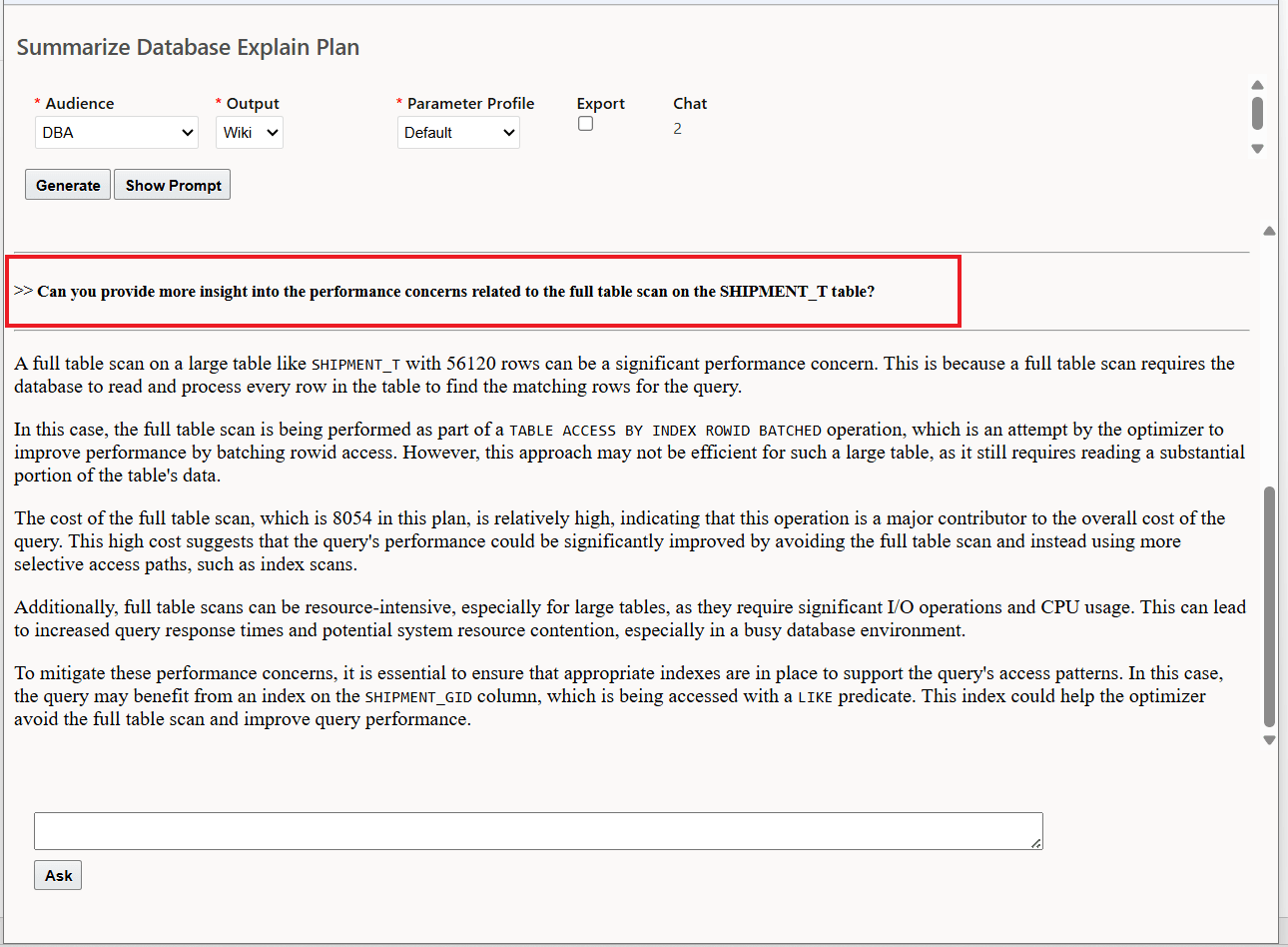
Ask/Chat Response
Show Prompt
The Show Prompt option provides you with a view into the Prompt used with the LLM.
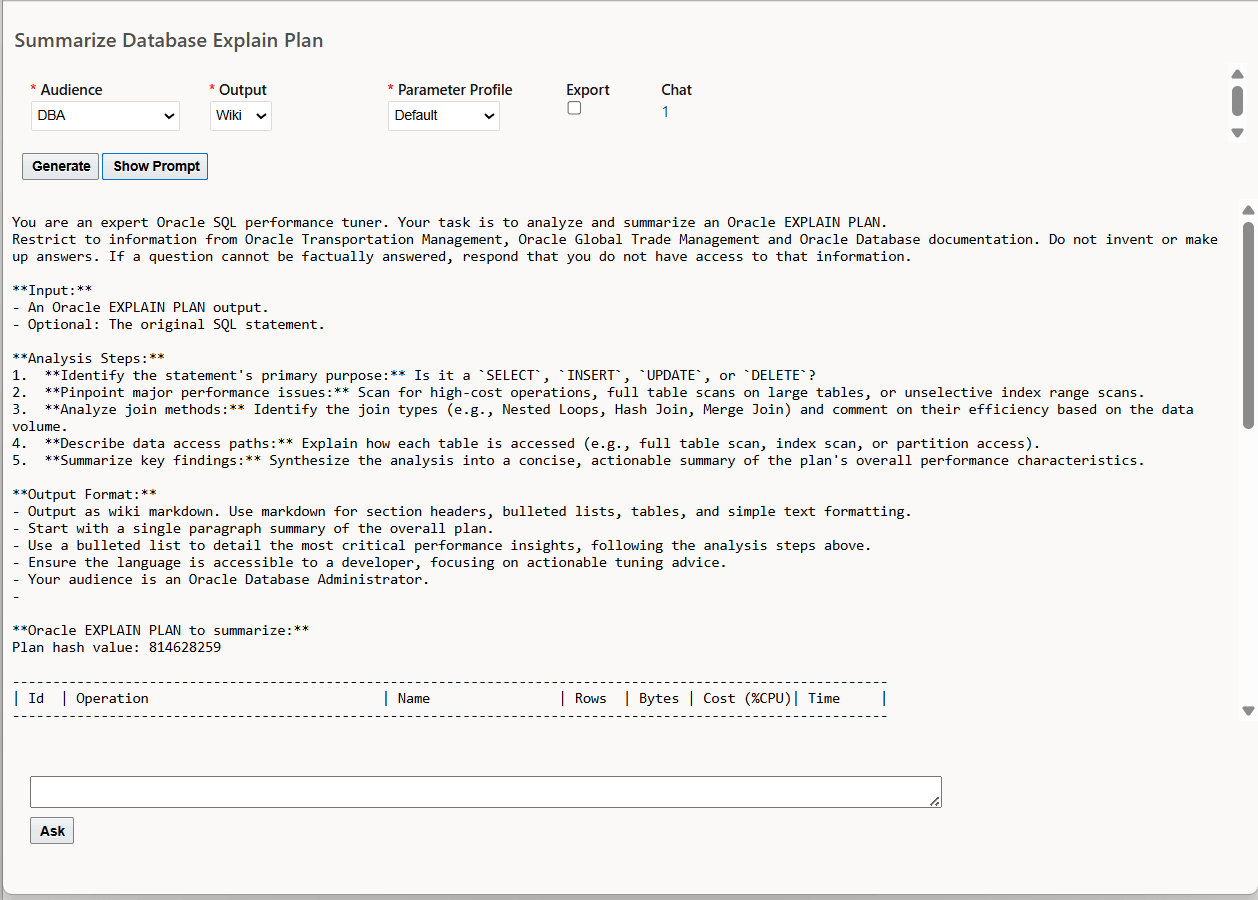
Show Prompt
This feature streamlines SQL performance analysis by using a large language model (LLM) to quickly interpret and summarize complex Oracle Database Explain Plan outputs in natural language. It enables faster identification of potential issues and resource bottlenecks, supports more efficient query optimization, and reduces the time and expertise required to manage and improve database performance—empowering teams to deliver enhanced application reliability and operational efficiency.
Steps to enable and configure
To take advantage of the Generative AI features, you will need to set the property glog.genAI.enabled to true, the default is false. This property only needs to be set once to gain access to all the Generative AI features.
- Navigate to Configuration and Administration > Property Management > Property Sets.
NOTE: Only the DBA.ADMIN user can access and use the Property Sets page.
- Set the property glog.genAI.enabled to true
Note: If you are hosted from the Asia Pacific or Middle East regions, you will need to open an SR requesting to have GenAI feature enabled. Once this has been completed then the glog.genAI.enabled property noted above should be set to true.
Tips and considerations
Connection to the large language model for your Summarize Explain Plan usage is handled automatically as part of your upgrade or provisioning.
The large language model (LLM) used for the Analyze SQL use case is Cohere. Cohere's large language model (LLM) is an enterprise-focused, secure, and private AI, distinguishing itself from consumer-focused competitors by prioritizing data privacy, customizability, and specialized retrieval-augmented generation (RAG). Cohere focuses on integrating its models directly into existing business workflows, enterprise applications and highly regulated industries like finance, healthcare, and government.