Merge Shipments - Reuse Action
This Merge Shipments - Reuse action provides the ability to merge shipments (and their related shipment equipment) for multi-leg shipment scenarios in cases where the involved itinerary has legs with the Equipment Assignment Type set to Re-use Equipment.
In the example below, there are two sets of parallel shipments generated from the same multi-leg itinerary. The involved itinerary has the Equipment Assignment Type set to Optimize for the first leg and then the Equipment Assignment Type is set to Re-use Equipment for the remaining legs. In this first example the Merge Shipments - Reuse action will be used to merge the last leg shipments - 27810 and 27807 into shipment 27807.
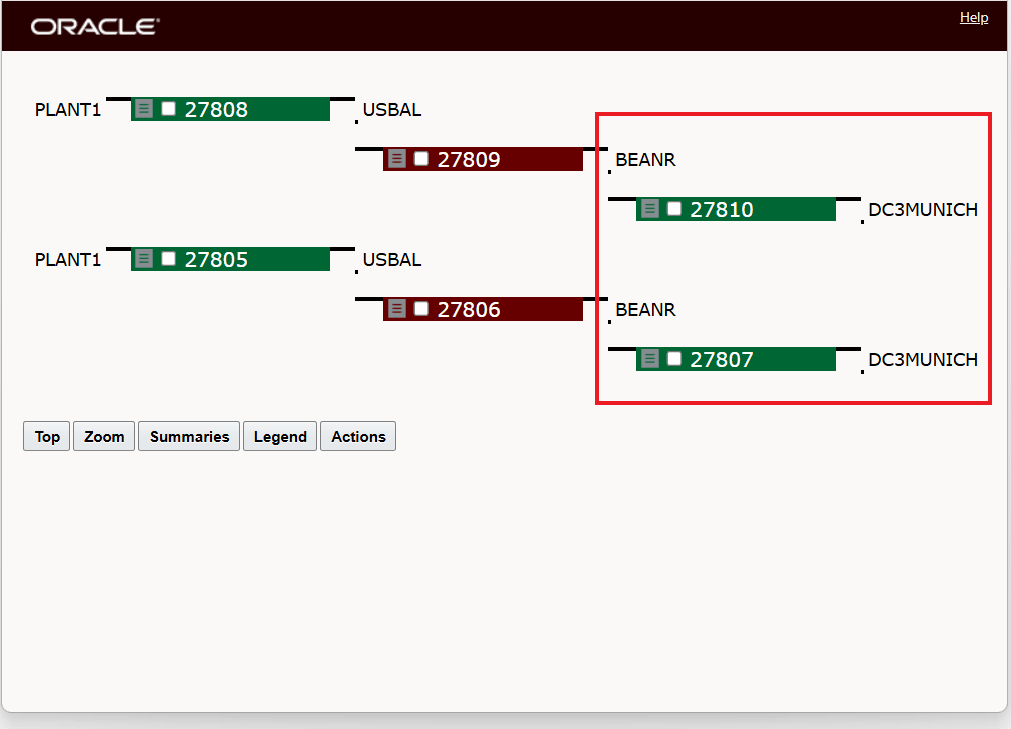
Parallel Shipments Scenario for Merge Shipments - Reuse Action Example
The two sets of parallel shipments have, as expected two different Shipment Equipments - as shown below, the Merge Shipments - Reuse action will be used to merge the ship units into the target shipment's related shipment equipment. In this example the last leg shipments will be merged with shipment 27810 being merged into shipment 27807.
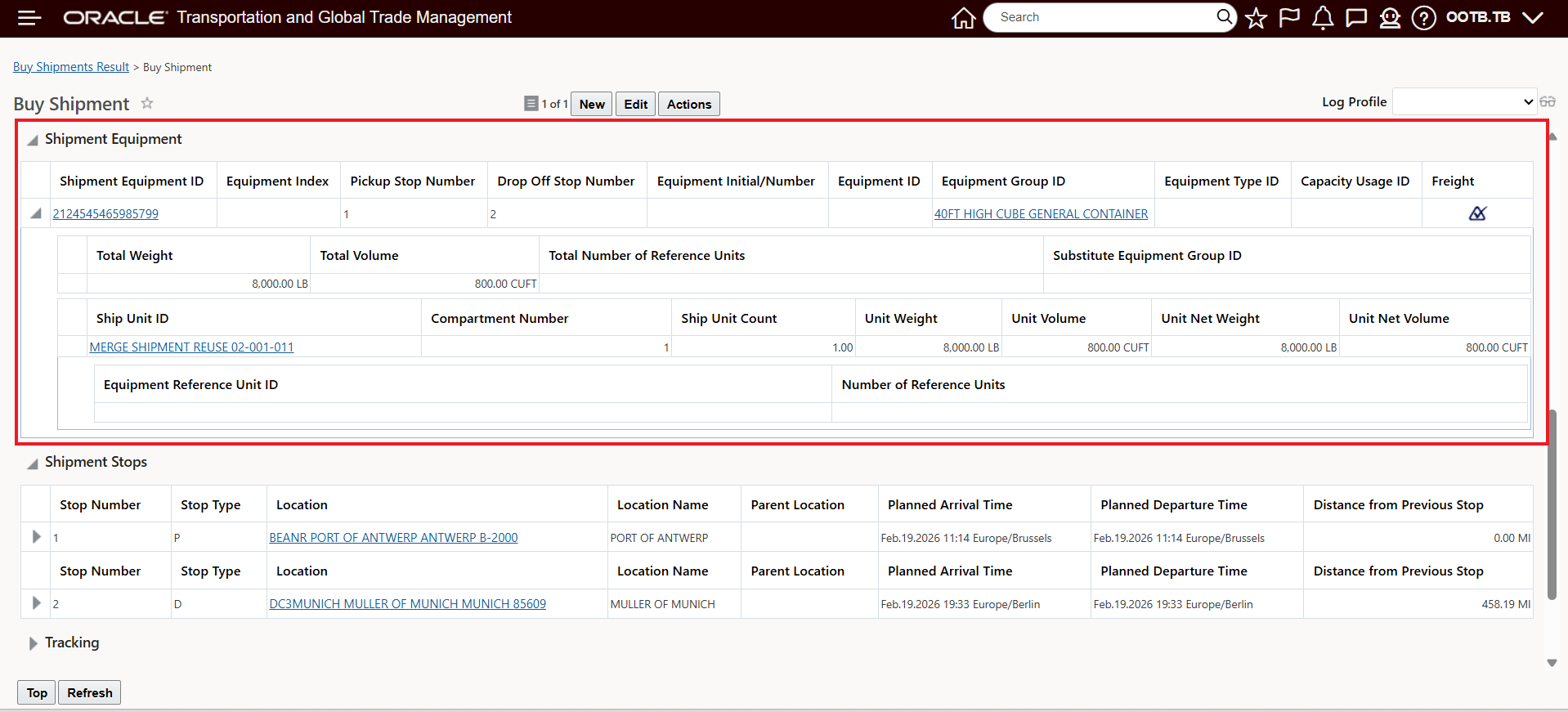
Shipment Equipment Before Merge Shipment 27810
Below is the target shipment's 27807's shipment equipment view.
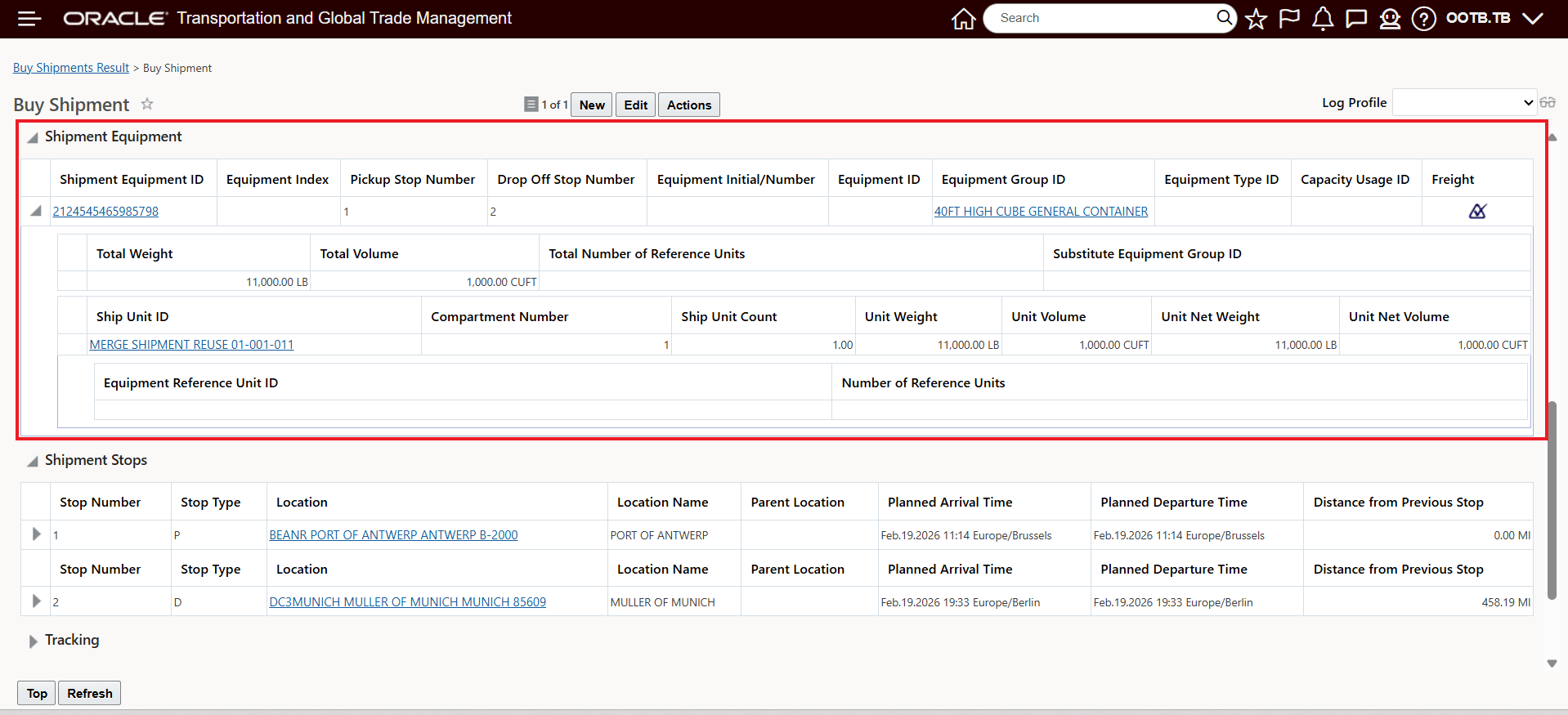
Target Shipment 27807 Shipment Equipment Before Merge View
To initiate the action, select the shipments to be merged in the Buy Shipment finder results and run the Merge Shipments - Reuse action - as shown below.
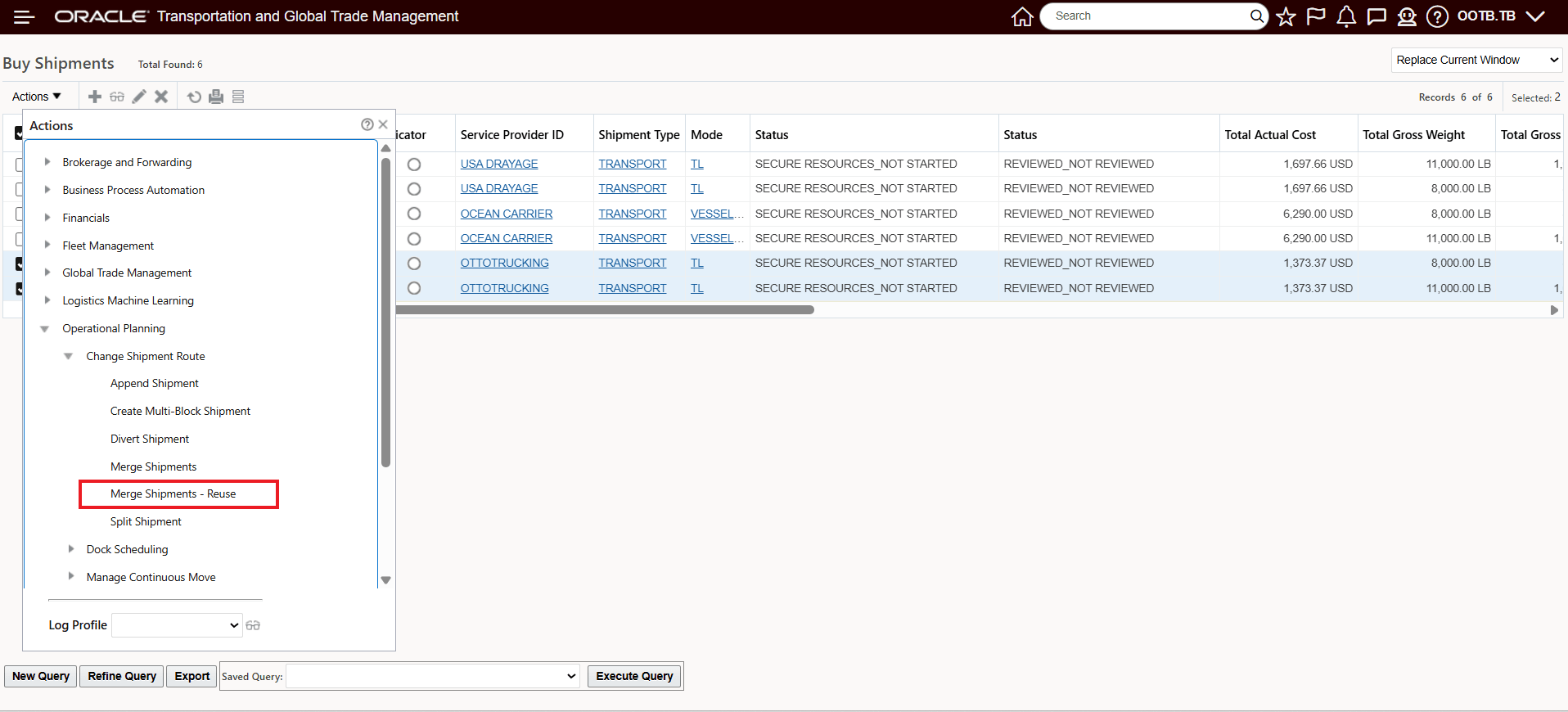
Merge Shipments - Reuse Action
On the action input step, below, select the shipment you wish to merge into and then select Ok. In this case the target shipment is 27807. Note that the Merge Shipment - Reuse action only requires that that you provide the target shipment.
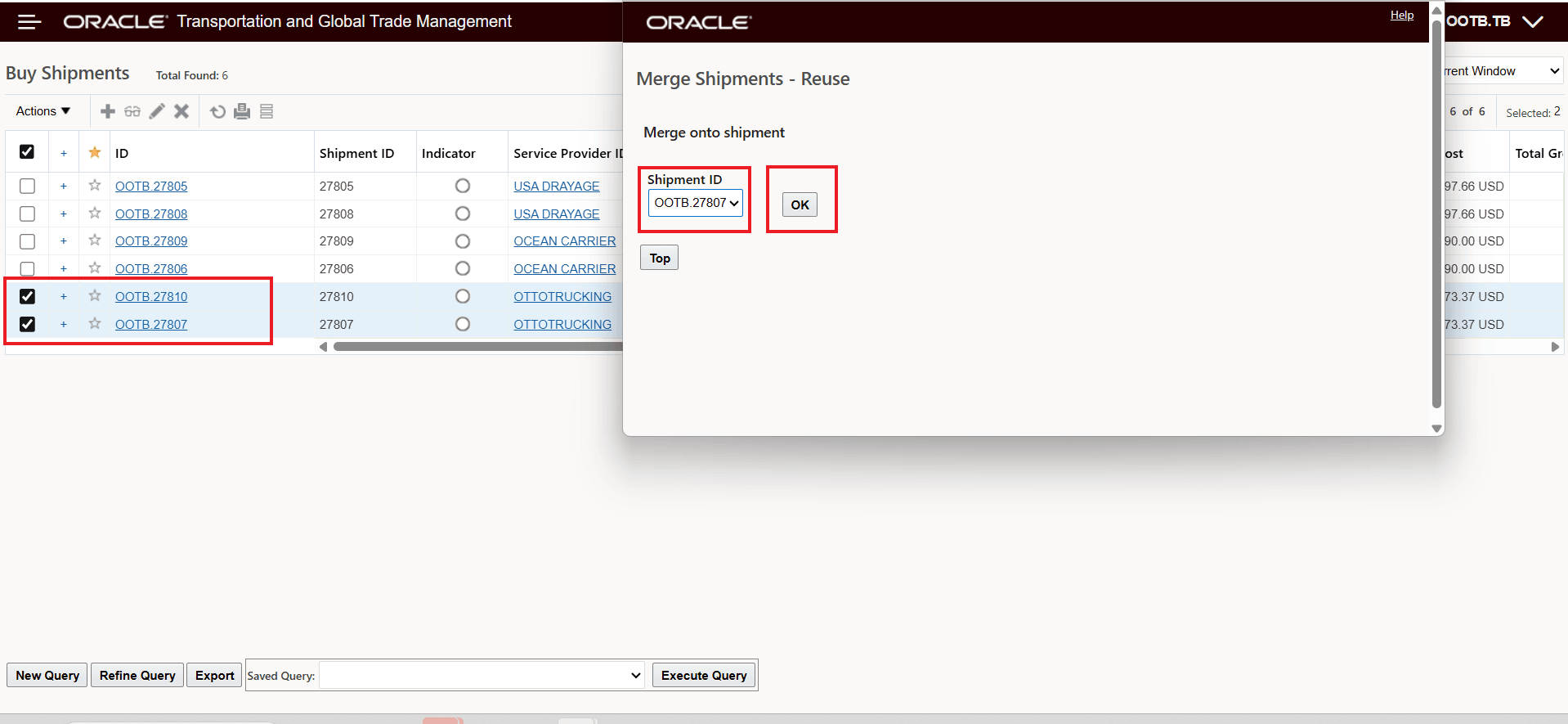
Merge Shipments - Reuse Action Input Screen
Below is the action result. Note that the impacted shipments shown below are the remaining/affected shipments after the action has run. Shipments 27808, 27809 and 27810 have been deleted/merged into the remaining shipments. The ship units from the shipment 27810 have been merged into Shipment 27807 and the change has been propagated backward to the other impacted shipments.
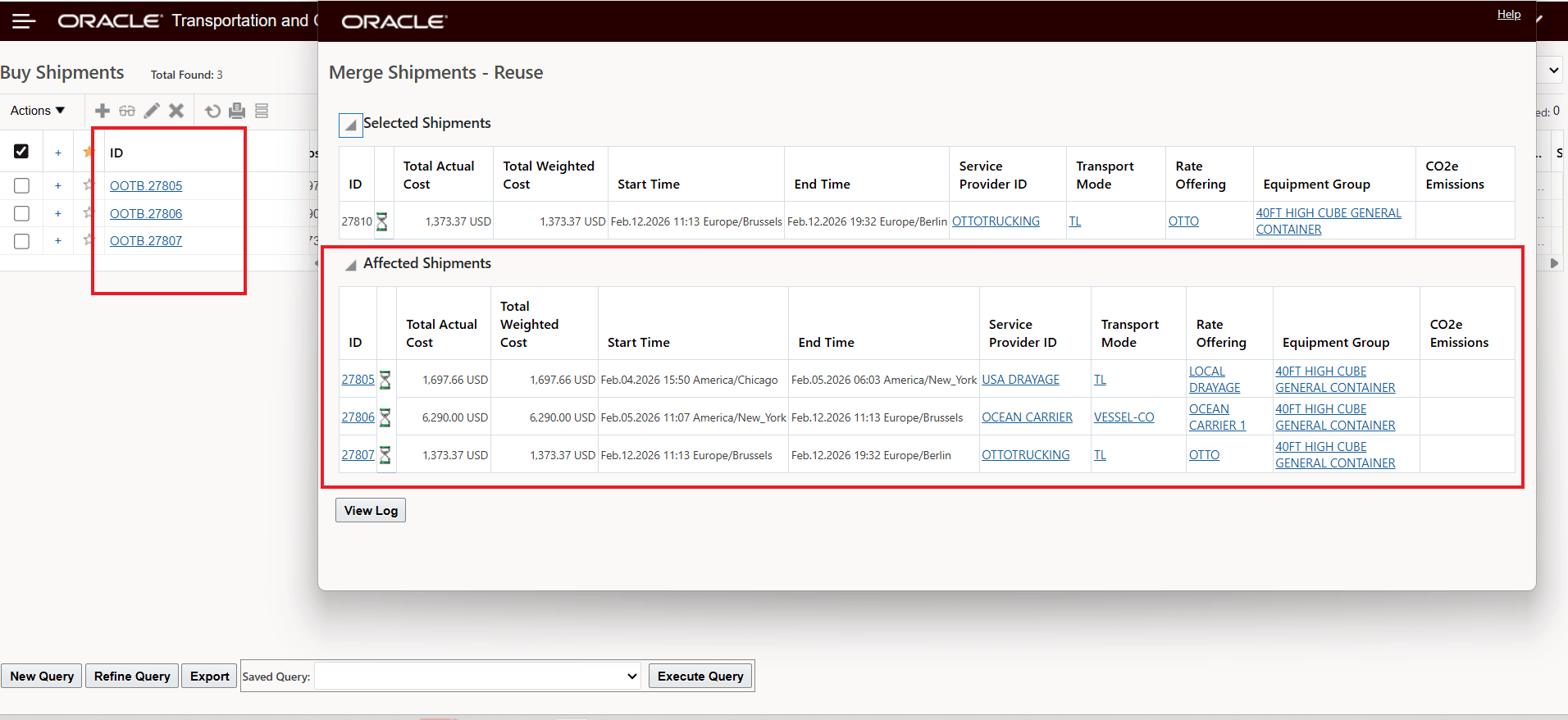
Merge Shipments - Reuse Action Result
Below is a plot of the action results.
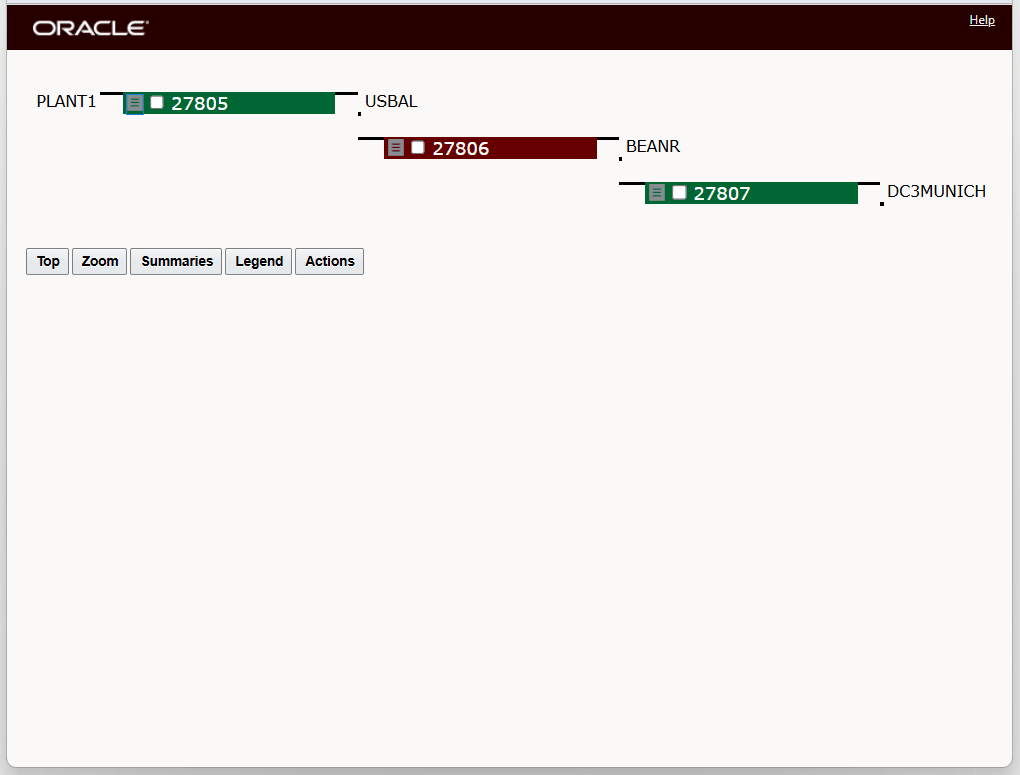
Merge Shipments - Reuse - Result Plot
The Shipment Equipment views for the Affected Shipments - 27807, 27806 and 27805 are shown below. Note that, as expected, the target shipment's shipment equipment (ending in 798) is the shipment equipment retained and reused.
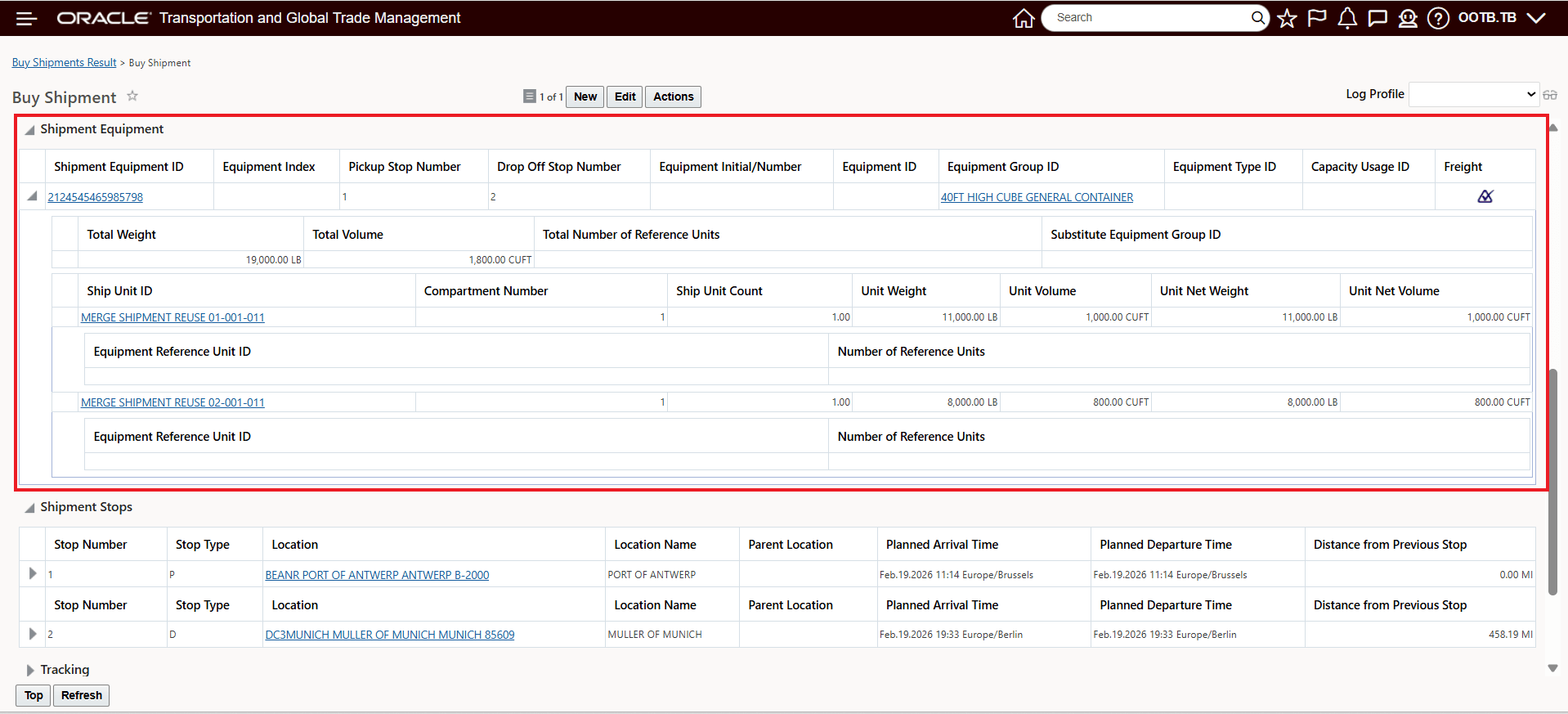
Merge Shipments - Target - Shipment Equipment View
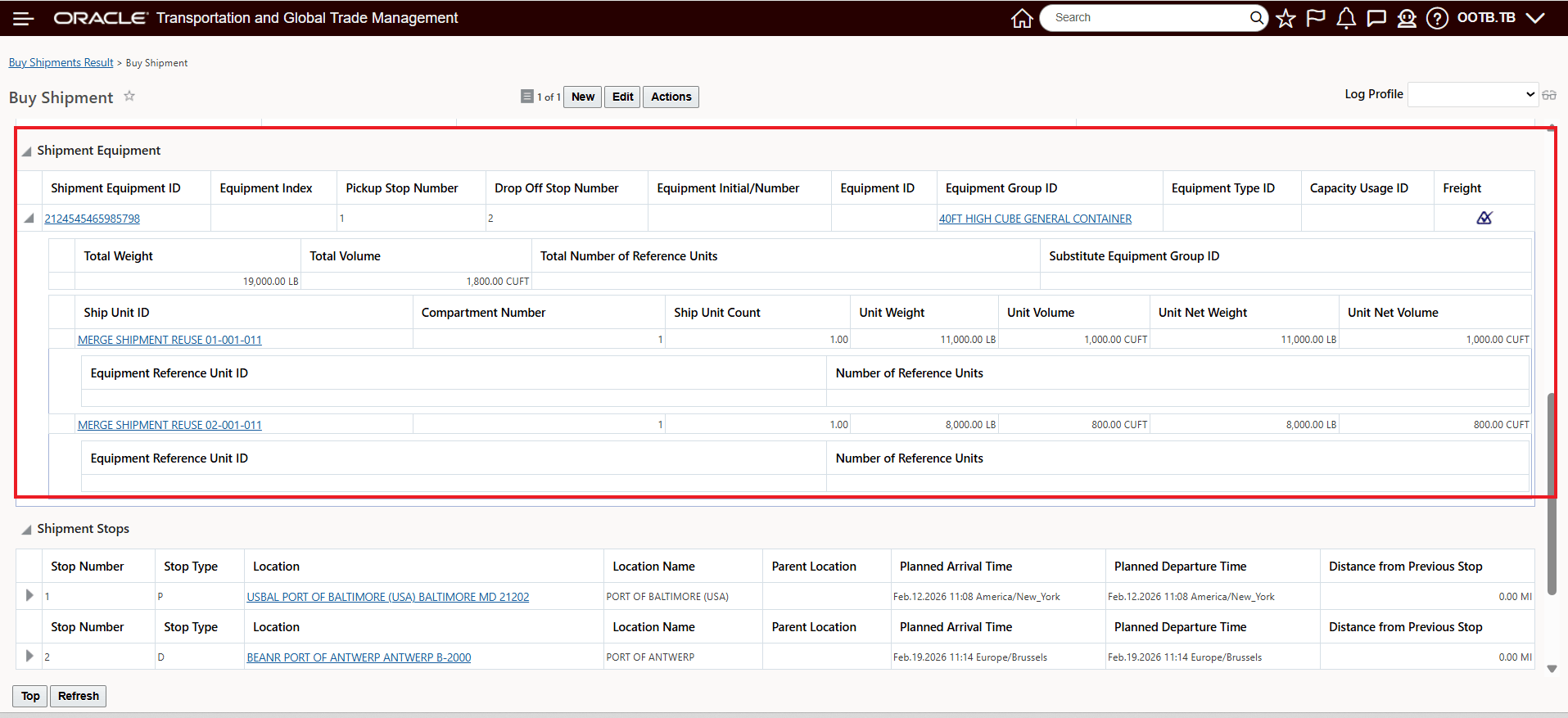
Merge Shipments - Reuse Ocean Leg Shipment Equipment View
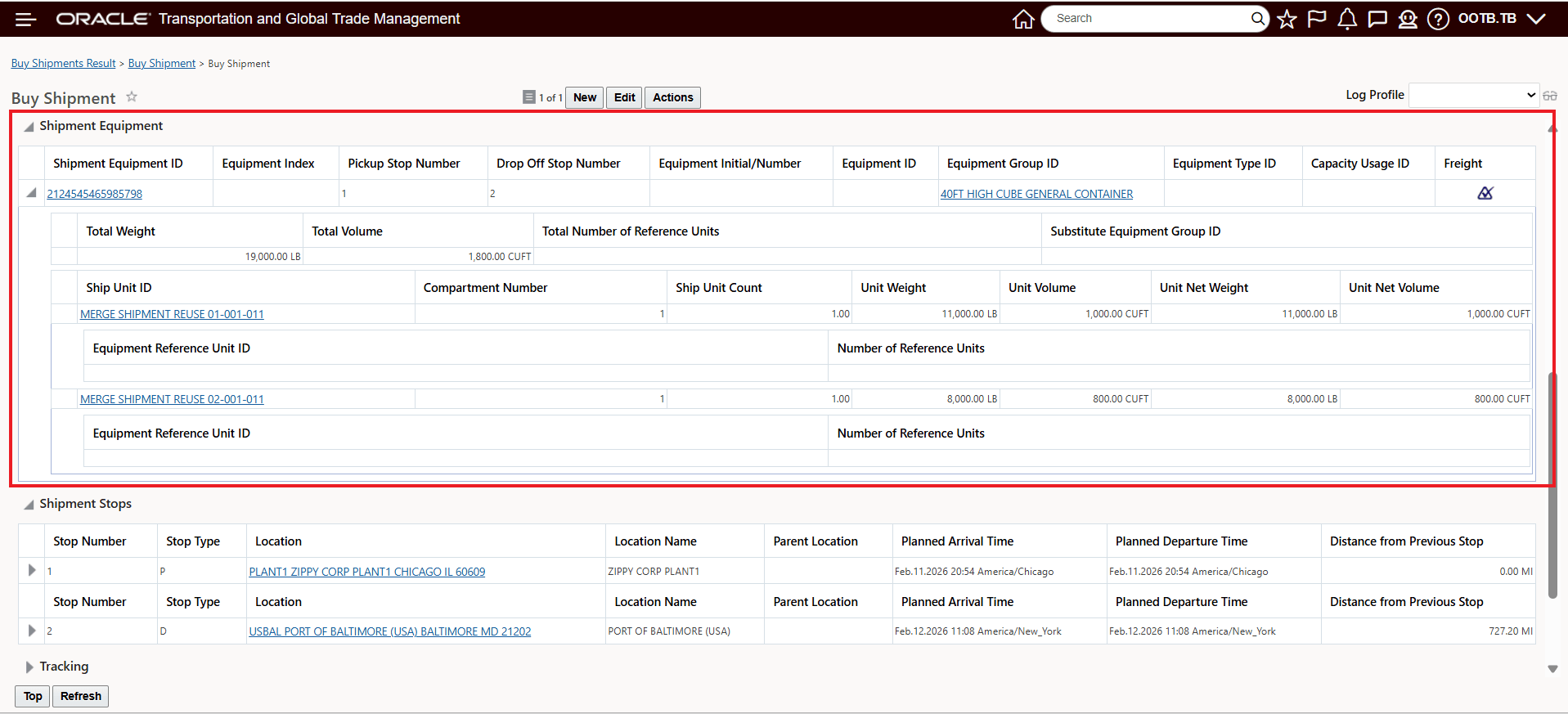
Merge Shipments - Reuse First Leg Shipment Equipment View
In the example below, the Ocean Shipment for 4 parallel shipments will be merged together using the Merge Shipments - Reuse action.
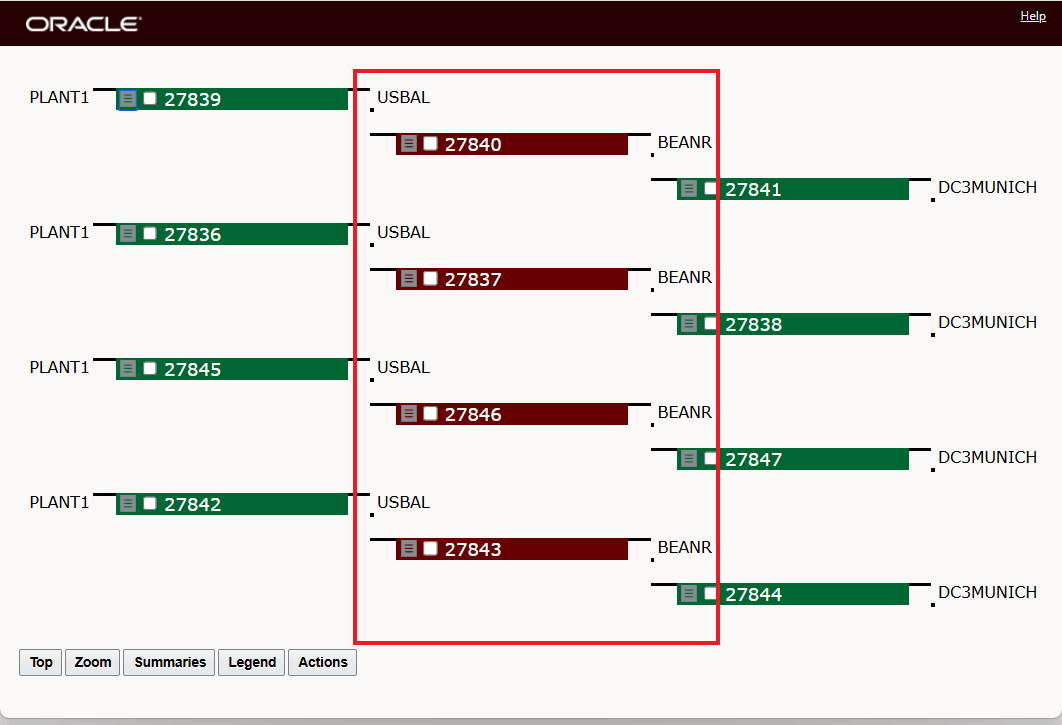
Ocean Leg Shipments To Merge
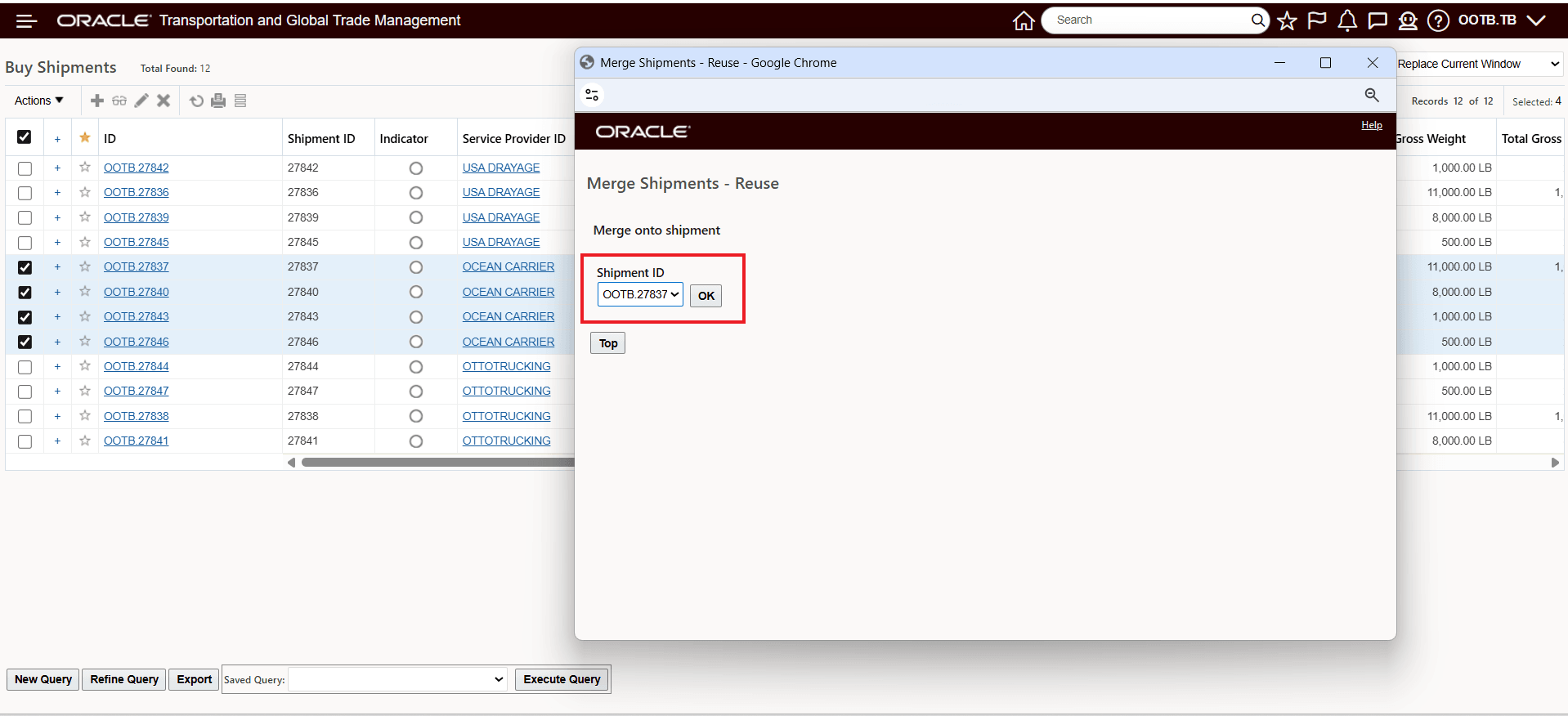
Merge Into 27837
The Selected Shipments section of the action shows all the selected shipments to merge into the target shipment - in this case shipments 27840, 27846 and 27843 will merge onto shipment 27837.
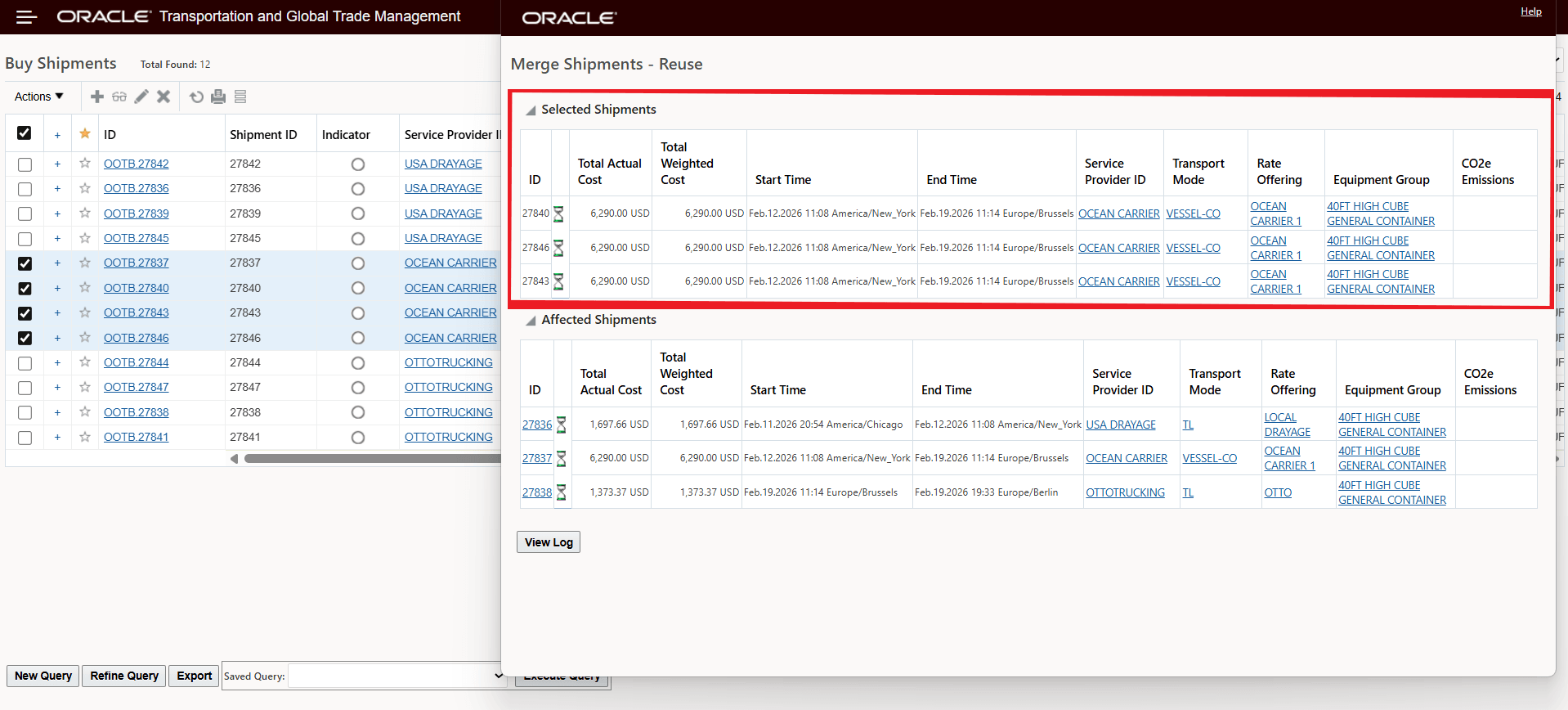
Merge Shipments - Reuse - Result
Business Benefit: The Merge Shipment - Reuse action reduces manual work and complexity by allowing you to easily merge shipments into a single shipment equipment in your multi-leg scenarios involving itinerary legs where the Equipment Assignment Type is set to Re-use Equipment.
Steps to enable and configure
You don't need to do anything to enable this feature.
Tips and considerations
Merge Shipments - Reuse action considerations
- Action can be run on any leg and the logic will handle the reuse legs.
- Merge Shipment - Reuse Action works for single equipment scenarios - the action will not work for scenarios where multiple shipment equipments are present.
- All shipments that you are merging must have the same pickup and drop-off stops and follow the same travel path.
- The feature supports equipment with compartments; ship units may be split across compartments as needed.
- If shipments have different travel paths, destinations, or incompatible equipment setups, you will receive an error message and the merge will not be allowed.
- Arbitrary stops: If all merged shipments share the same pickup and drop-off, any arbitrary stops from the target shipment are retained.
- All orders and order movements need to be compatible (time windows, commodity types, etc.).
- Legs can include unplanned order movements.
For the reuse scenarios highlighted above the Merge Shipments actions would not have provided any results - in either the Optimize option or the Manual option.
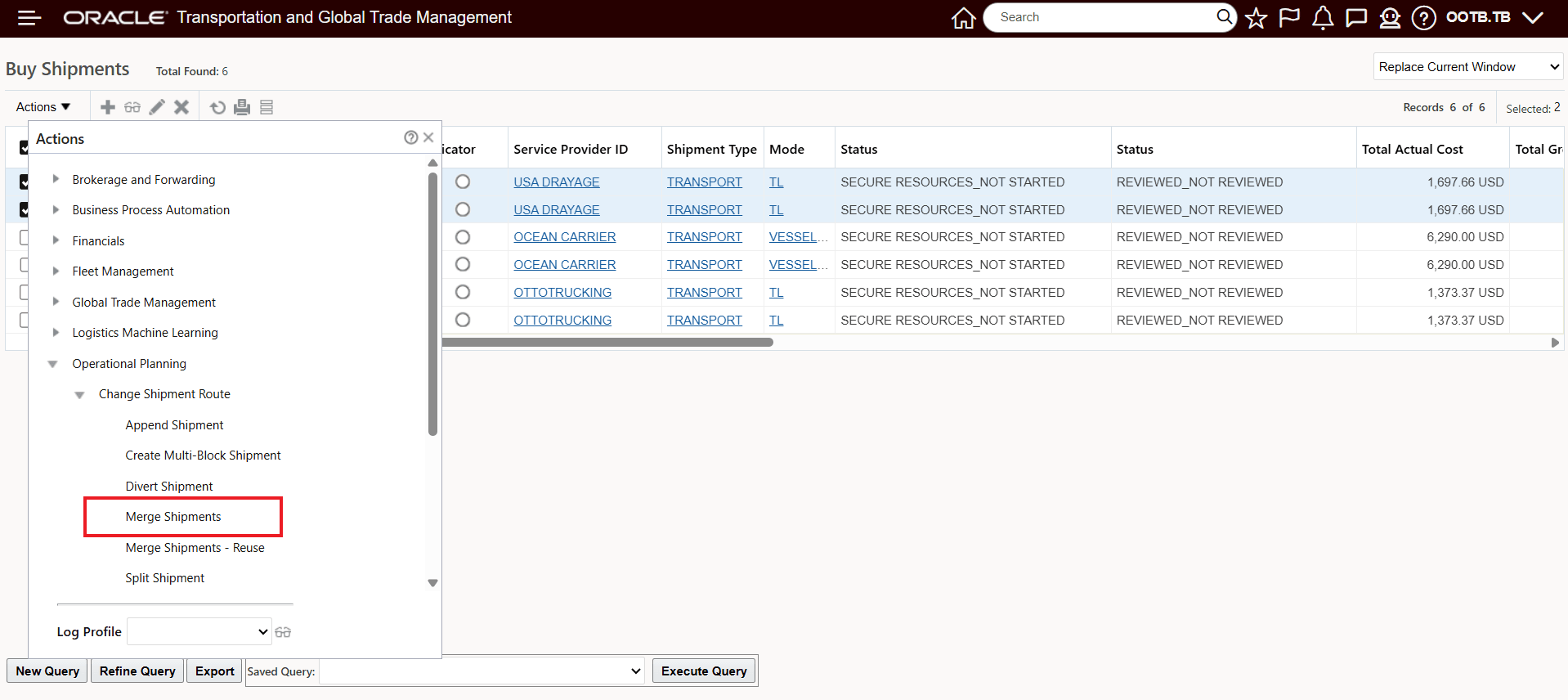
Merge Shipments Action
Neither option provided by the Merge Shipments action supports merge shipments with reuse
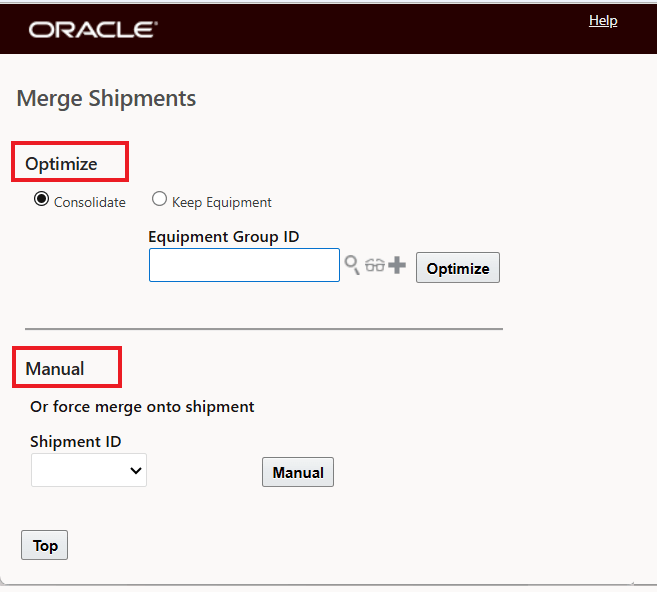
Merge Shipments Action Options
Selecting Optimize would for the reuse merge scenario would provide no results - as shown below.
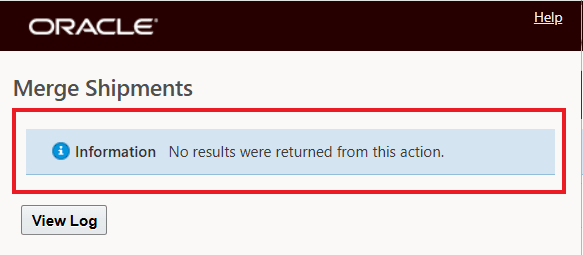
Merge Shipments Action - Optimize - No Results
Selecting the Manual option would result in the error message below.
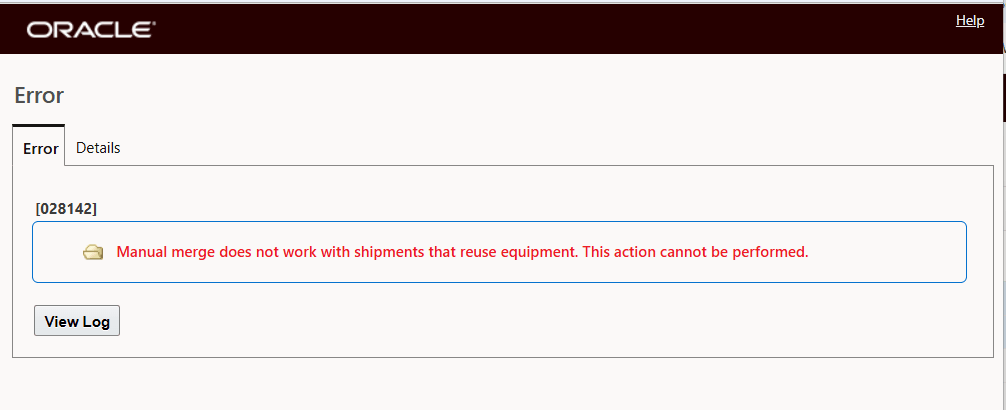
Merge Shipments Action - Manual - Error Message