 Override Calendar Action
This feature provides you with an Override Calendar action, that allows you to select multiple calendars and then create calendar override(s) that will apply to the set of selected calendars. You will find this multi-select Override Calendar action very useful for any scenario where you need to define calendar overrides for multiple calendars.
In the example below, each of the Location Resources has its own calendar defined. Previously, to set the same calendar override for these six calendars you would have had to add the calendar override to each calendar one at a time. With the Override Calendar action, you can now select all six of the calendars, define the override as part of the Override Calendar action and have the entered overrides apply to all six calendars in one run of the action.
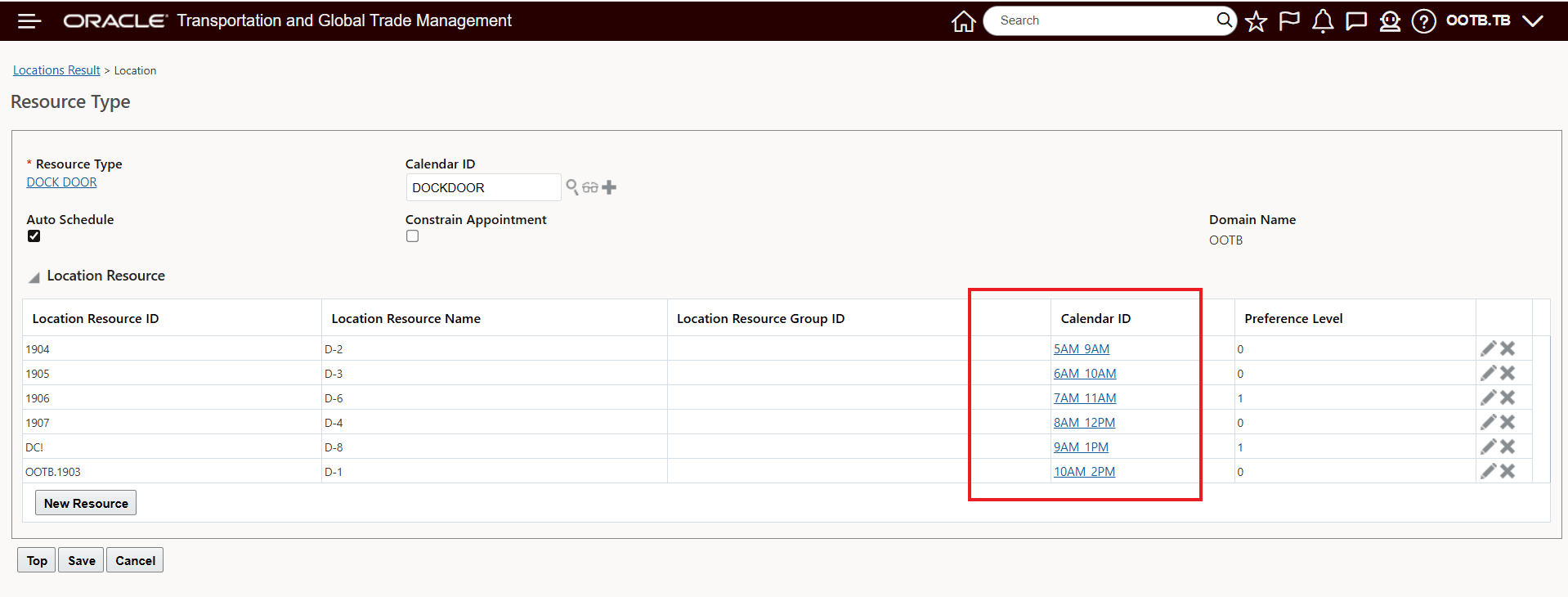
Location Resources - Different Calendars Per Location Resource
To create an override for all six calendars - in this case to turn off the resource for a day - February 16th, all you need to do is select the six calendars and create the Calendar Override you want applied to all of the impacted calendars.
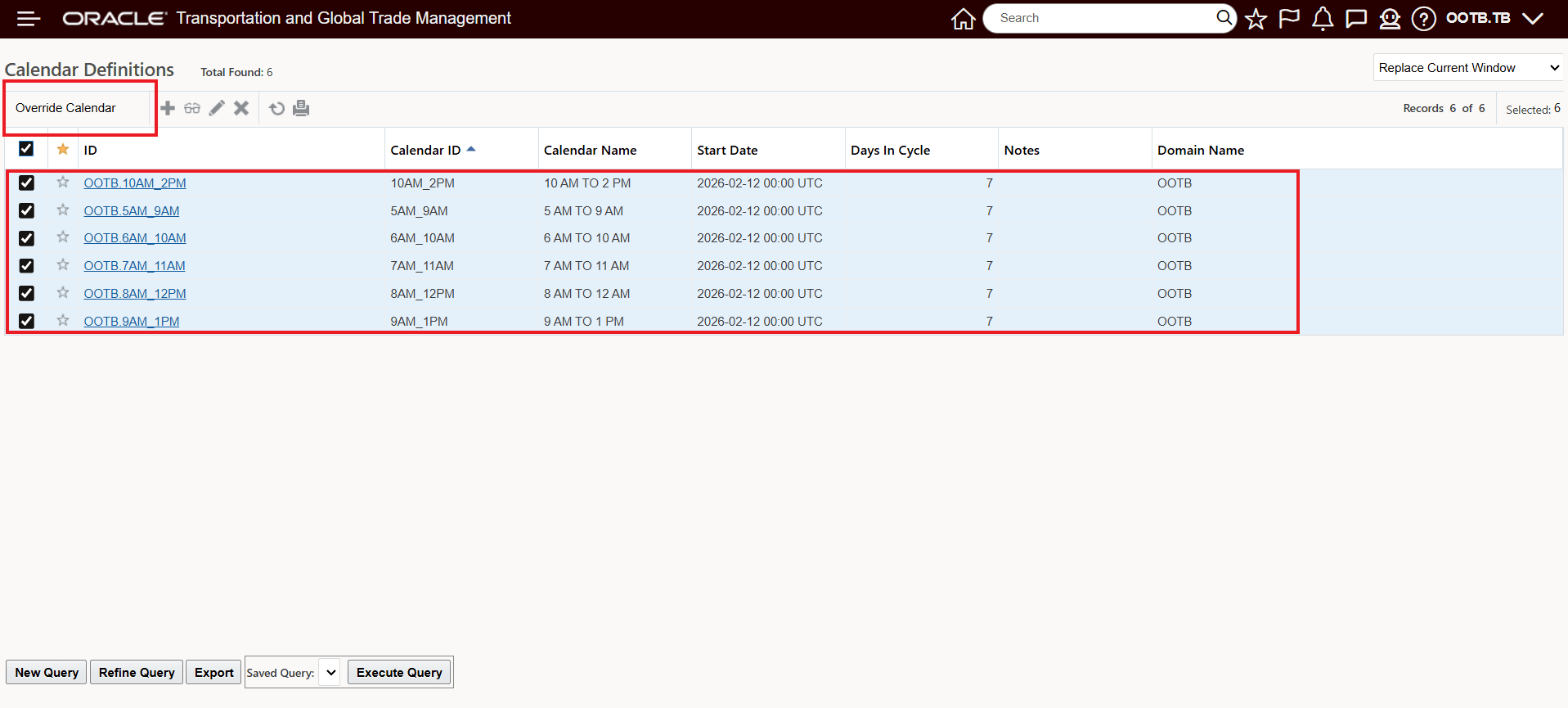
Select the Calendars - Run the Override Calendar action
Enter the overrides desired - in this case - the resource calendars are being turned off for the Load and Receive Activity for February 16th.
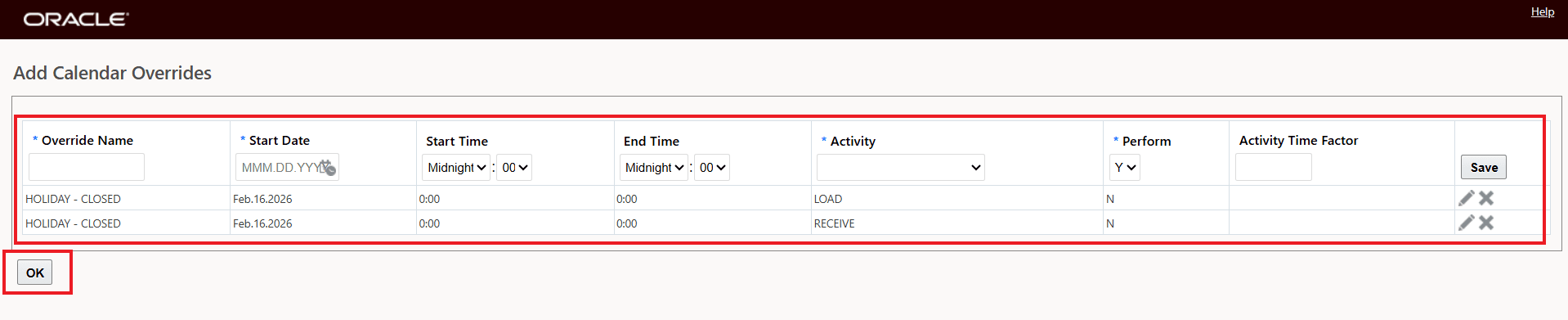
Enter Calendar Overrides
The results shown below (for two of the calendars) shows that the calendars have been updated with the entered calendar override. The same is true for the other four calendars so all six calendars were updated with the override values provided in the Calendar Override action.
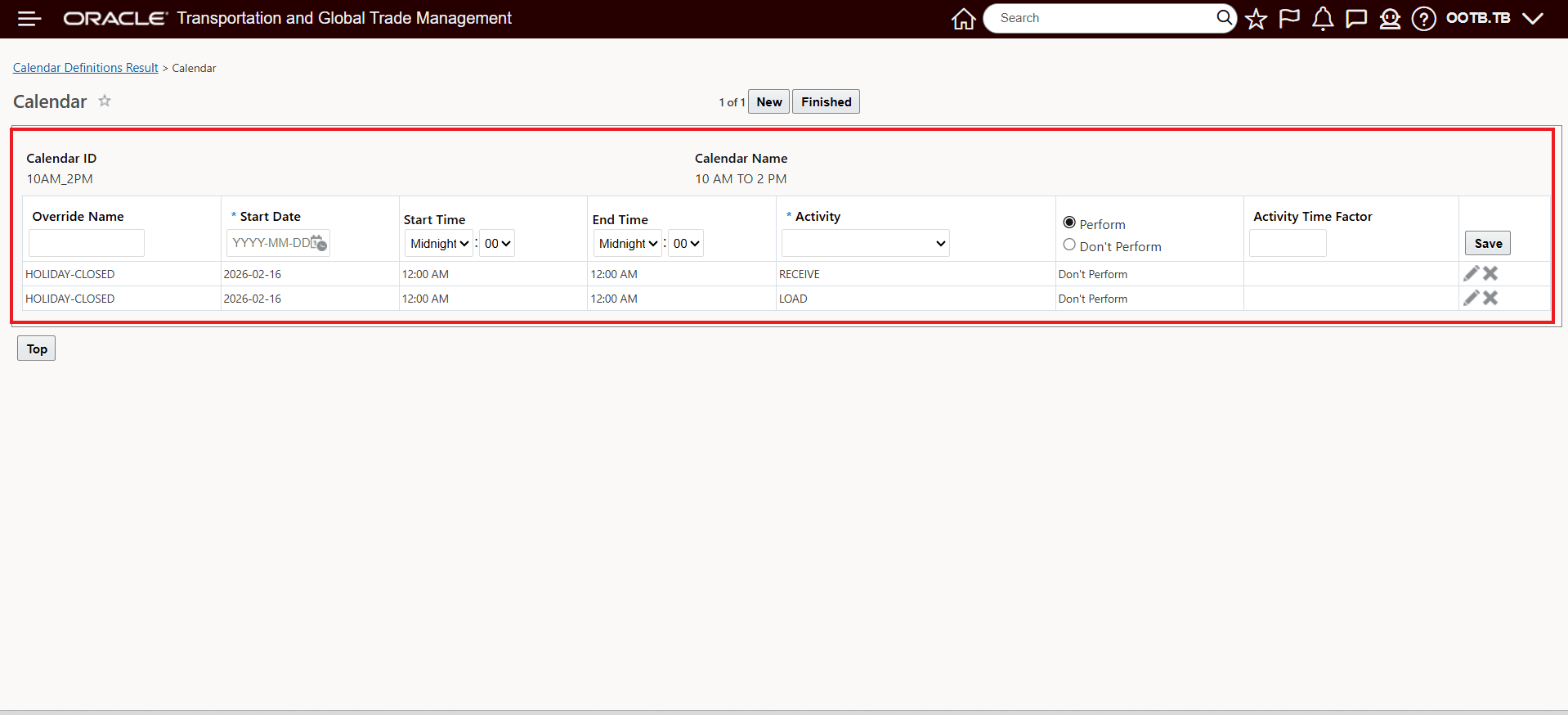
Calendar Override Applied
Business Benefit: This usability feature reduces the manual effort and time required to apply calendar overrides to multiple calendars - eliminating input errors while simultaneously speeding up the process.
Steps to enable and configure
You don't need to do anything to enable this feature.