 Task Height Parameter for Gantts
This feature provides you with a Gantt Parameter "Task Height" which you can use to adjust the height of the rows in your Work Assignment, Shipment and Dock Scheduling Gantts.
In the example below the "Task Height" is set to the default value of 16 for the Dock Scheduling Gantt.
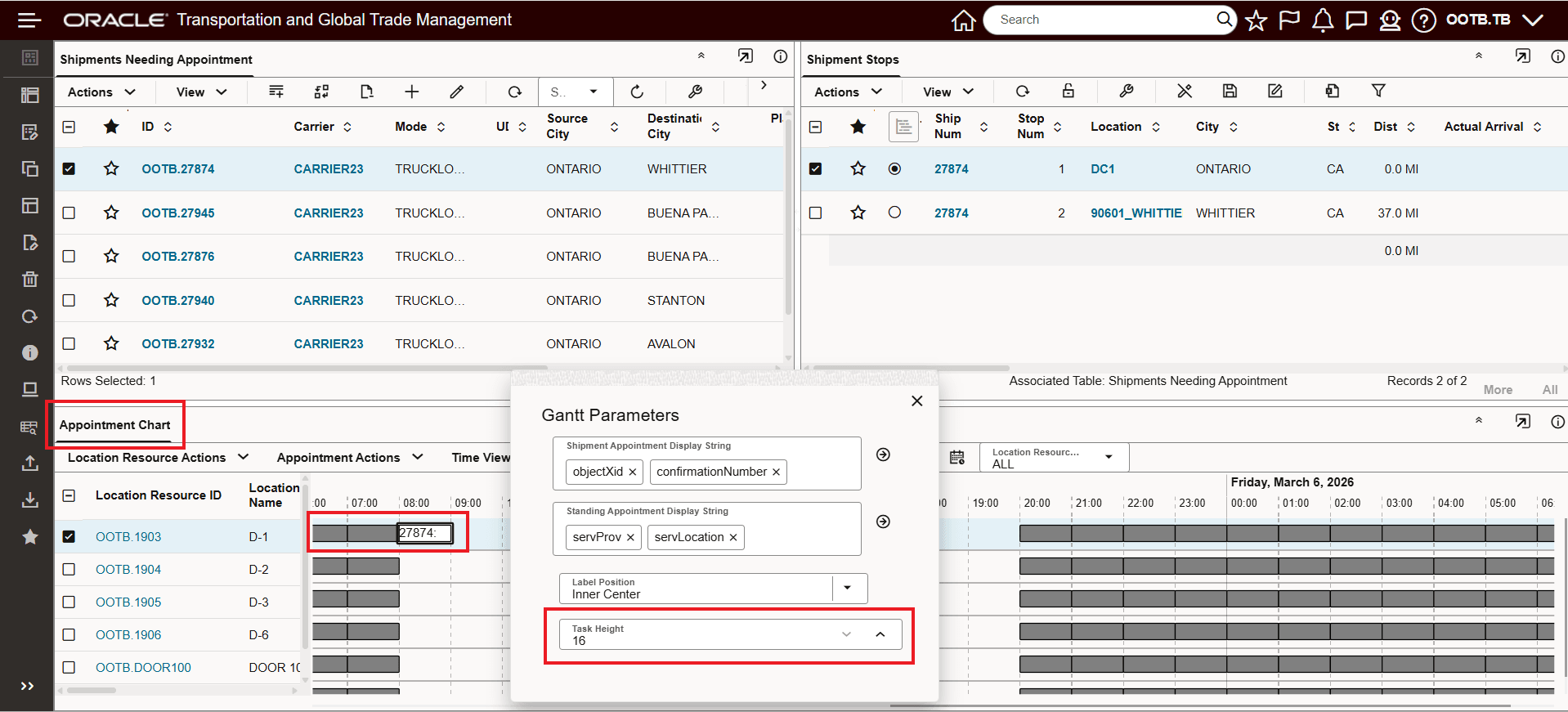
Dock Scheduling Gantt - Task Height Set at 16/Default
Adjusting the "Task Height" to 80 for the same view increases the row size and reveals more information for the scheduled appointment stop - as shown below.
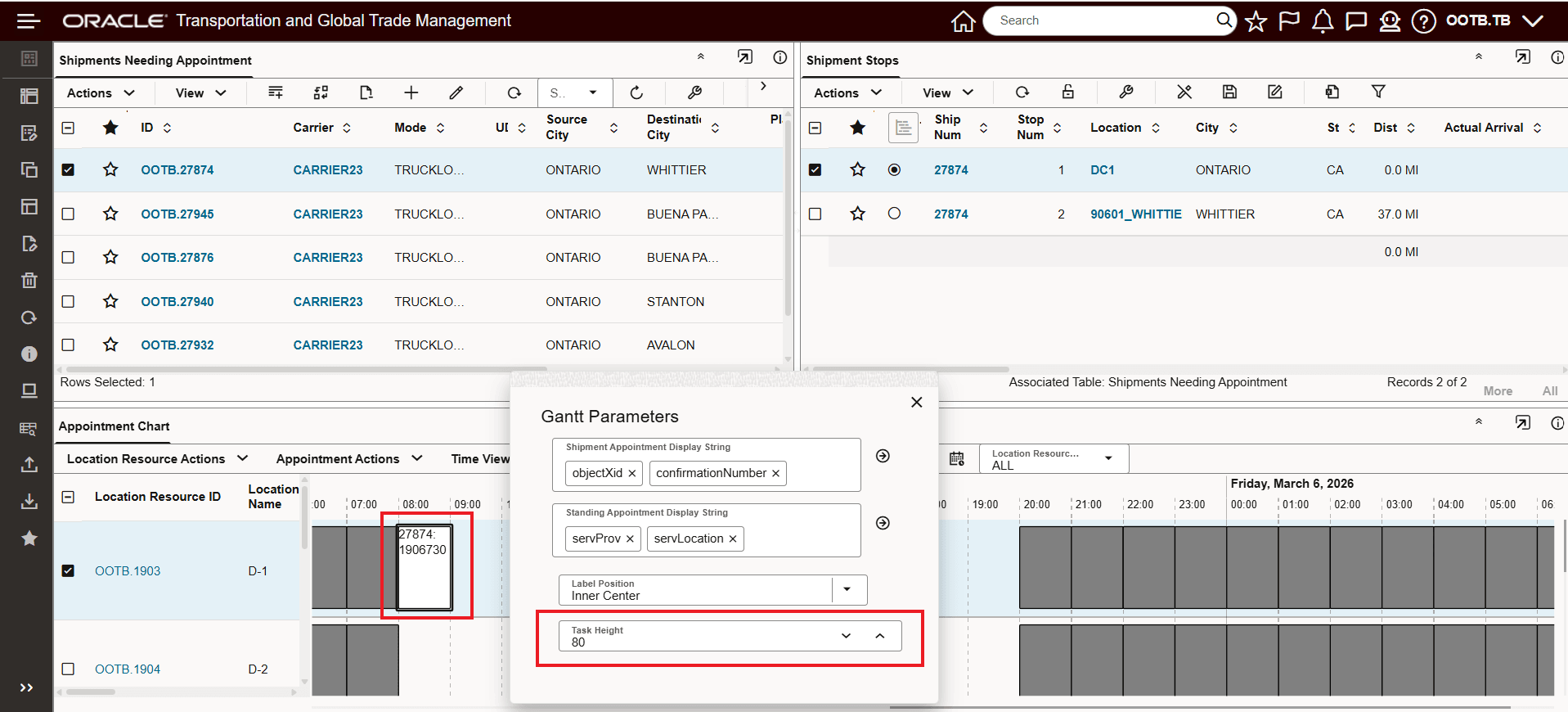
Dock Scheduling Gantt - Task Height Set at 80
In the example below, the Shipment Gantt is used to demonstrate the advantages of reducing the Task Height to provide a more densely populated view.
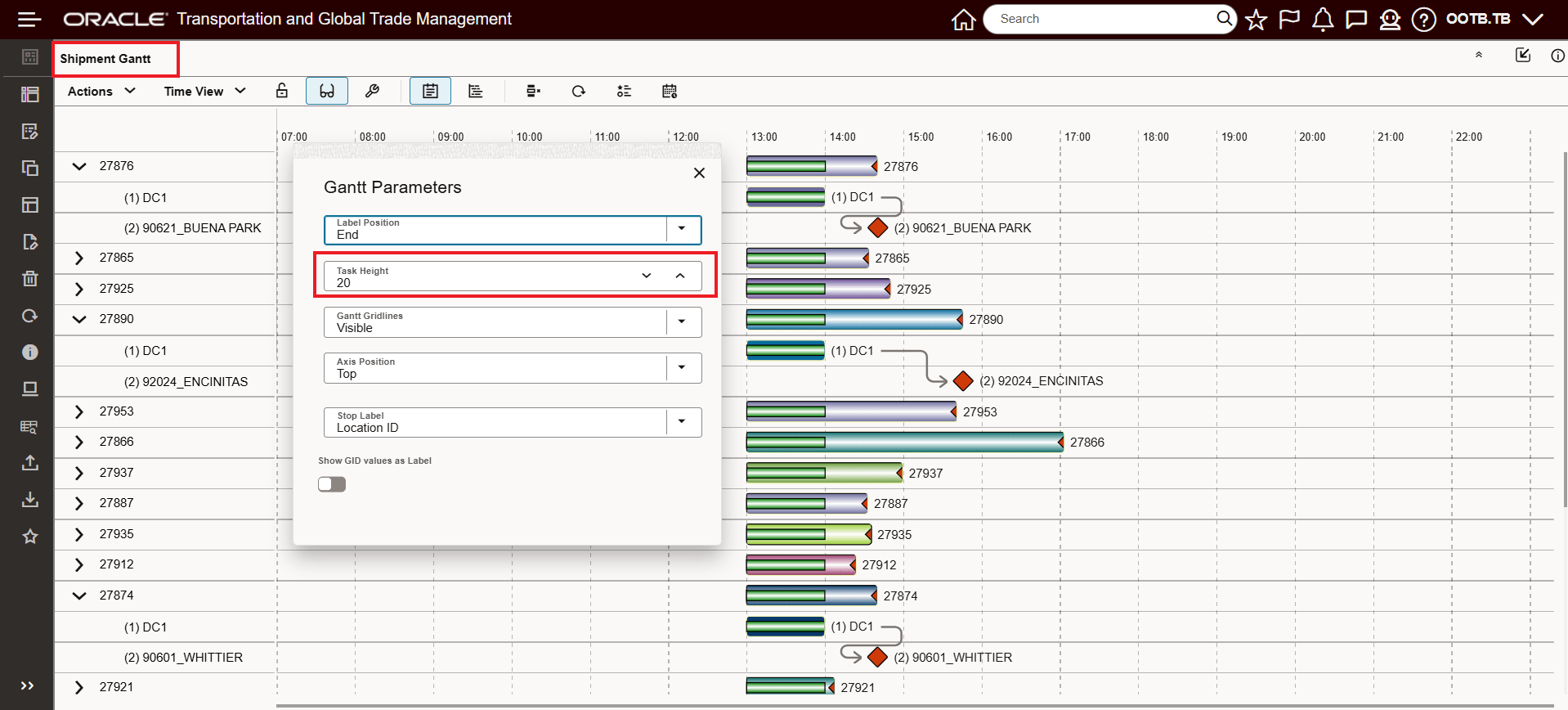
Shipment Gantt - Task Height Set at 20/Default
Reducing the "Task Height" to 10 greatly increases the amount of shipment information displayed in the available Gantt space.
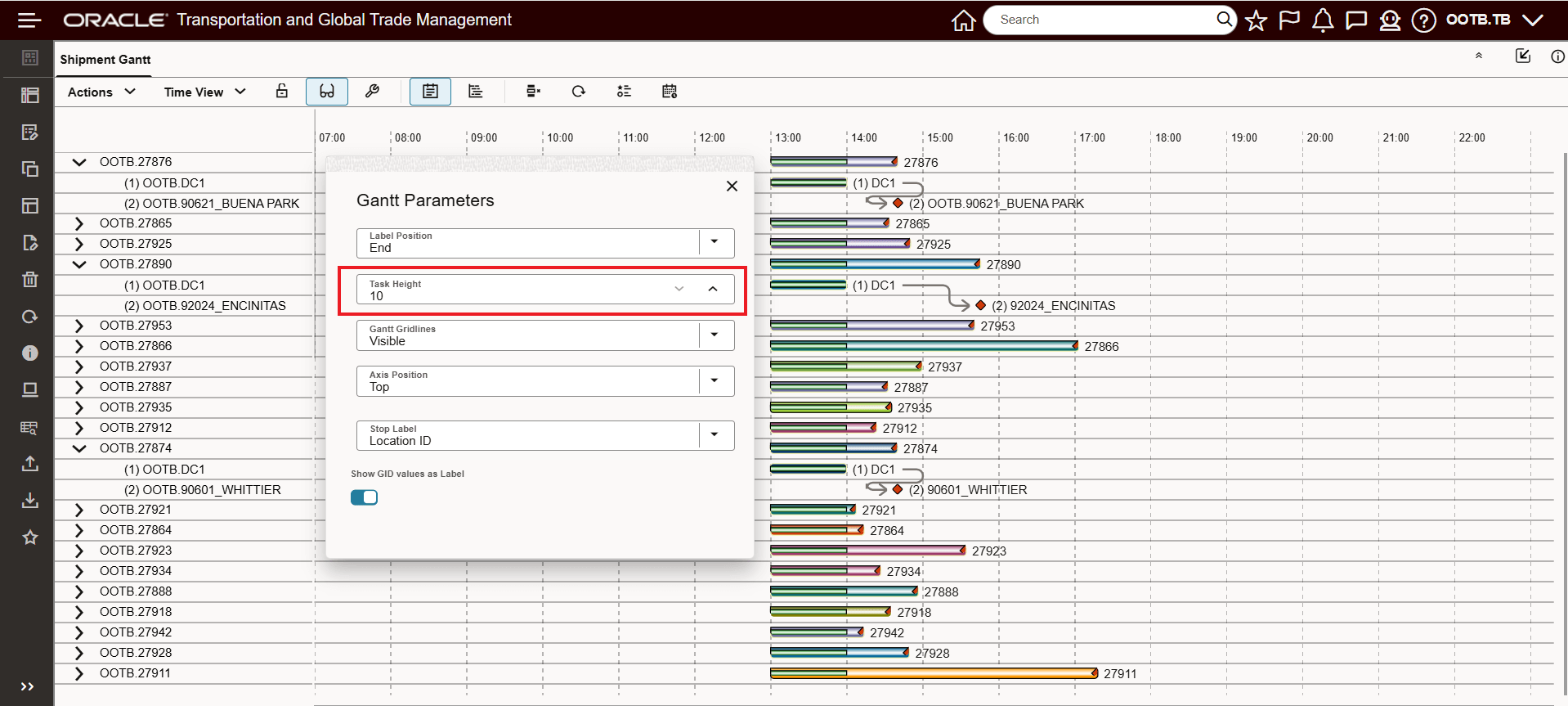
Shipment Gantt - Task Height Set to 10
Business Benefit: This feature allows you to tailor your Gantt row height for better readability and information density, reducing time spent scrolling or correcting task selections.
Steps to enable and configure
You don't need to do anything to enable this feature.
Tips and considerations
The "Task Height" parameter is not available for the Driver Gantt.