 Audit Trail for Spot Bid Tender
This feature enhances the audit trail functionality to include capturing the bid activity for your Spot Bid Tenders. With this Audit Trail enhancement, you can now view a history of changes made to Spot Bid Tender bid amounts and bid options. Once configured, this feature will allow you to review what changed, when it changed, and that a change occurred versus the previous visibility which was limited to only seeing the latest bid submitted.
In the example below five different Service Providers have been invited to a Spot Bid Tender. The Audit Trail shows, for each of Service Providers, the history of their various bids for this Spot Bid Tender.
Navigate to the Spot Bid Tender screen - Shipment Management > Spot Bid Tender - select the Service Provider bid(s) you wish to do an Audit review of - in this case the Service Provider Carrier01's bids will be reviewed and select the Audit Trail action - as shown below.
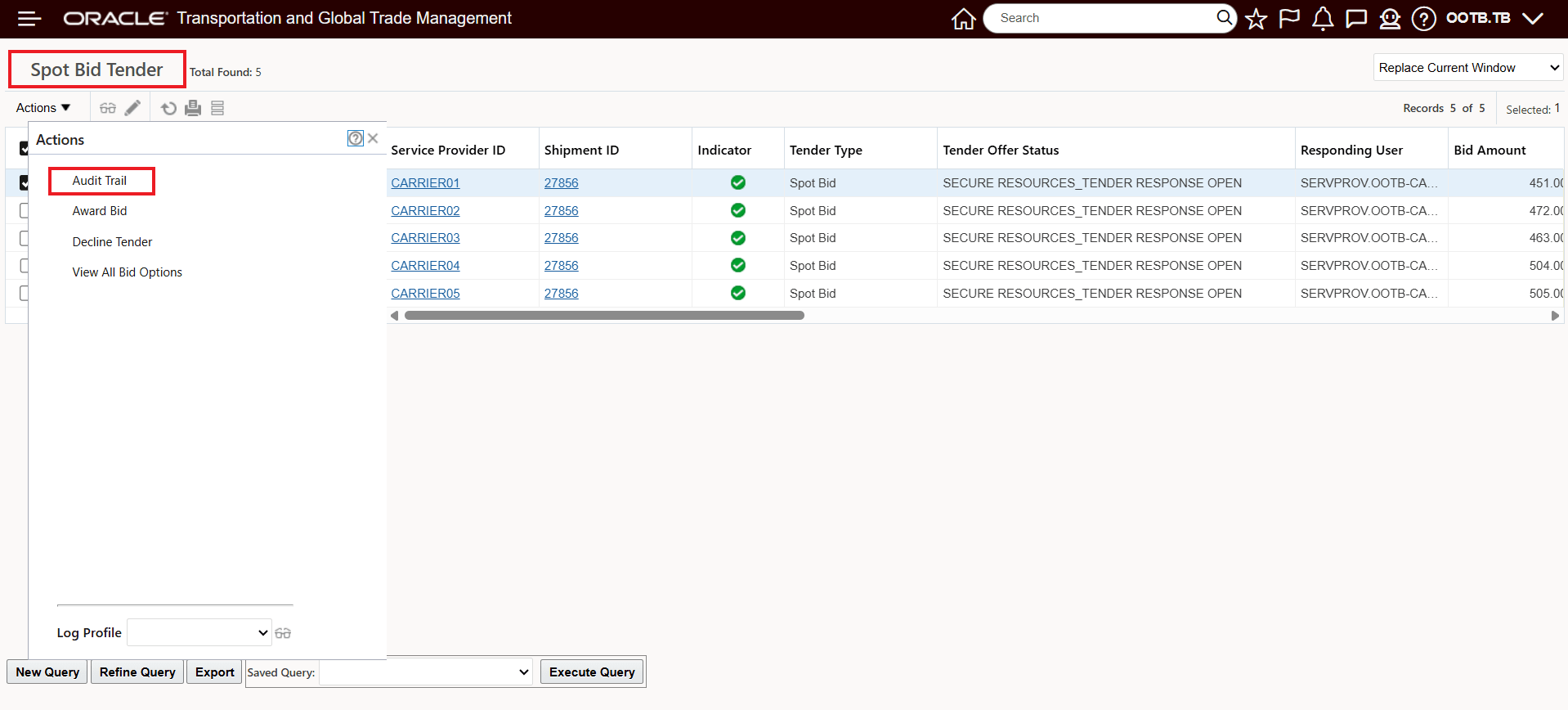
Spot Bid Tender Screen - Audit Trail Action
In this example Service Provider Carrier01 has eight (8) Audit Trail records capturing all the activities for the Service Provider including the multiple bids entries starting with 481.0 USD ending with the 451.0 USD bid.
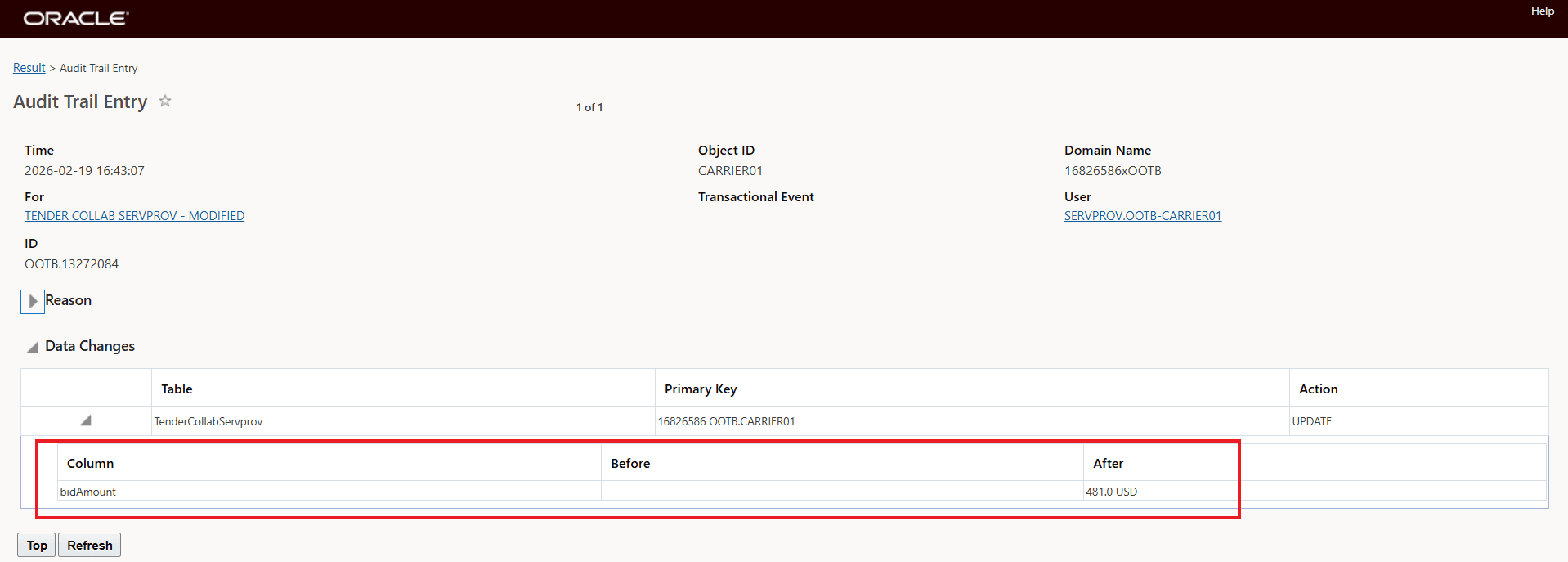
Audit Trail Record for Initial Bid
Subsequent Audit Trail records for the series of bids entered by Service Provider Carrier01 - the information provides a complete history of the Service Providers bid entries against this Spot Bid.
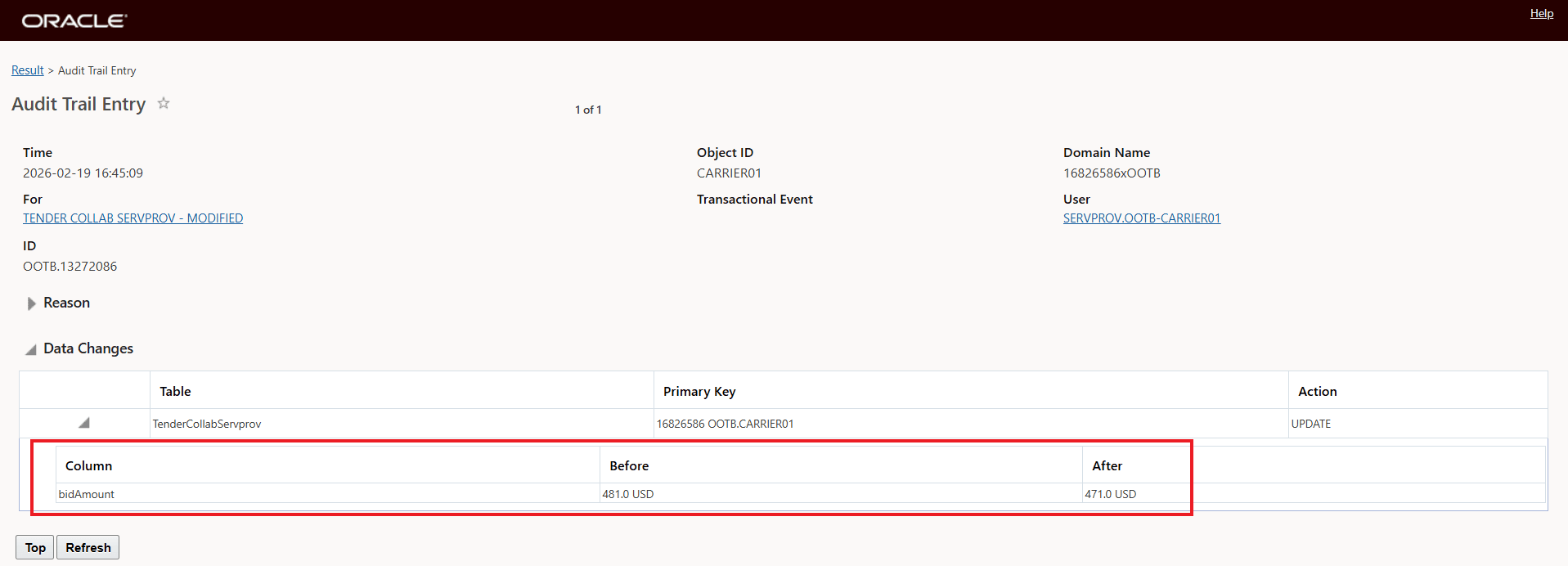
Audit Trail Record for Second Bid
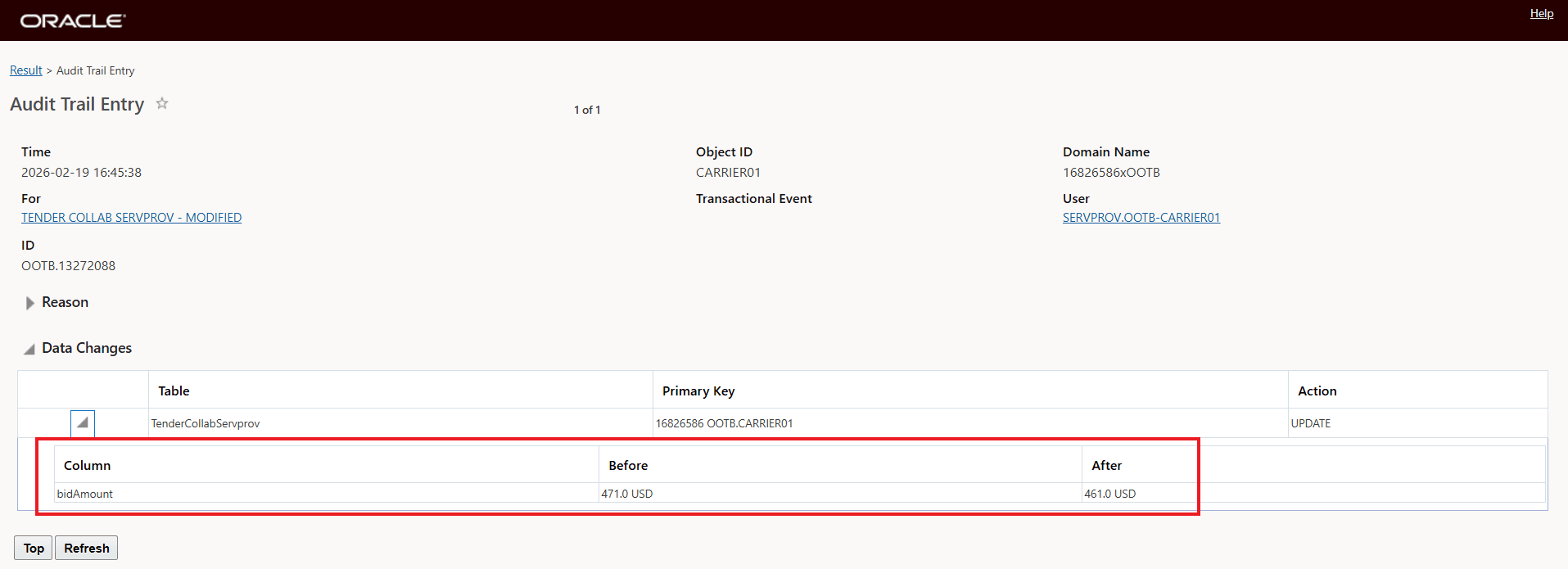
Audit Trail Record for Third Bid
Below is the Audit Trail for the final/last bid - the one that is the current bid for this Service Provider for this Spot Bid Tender.
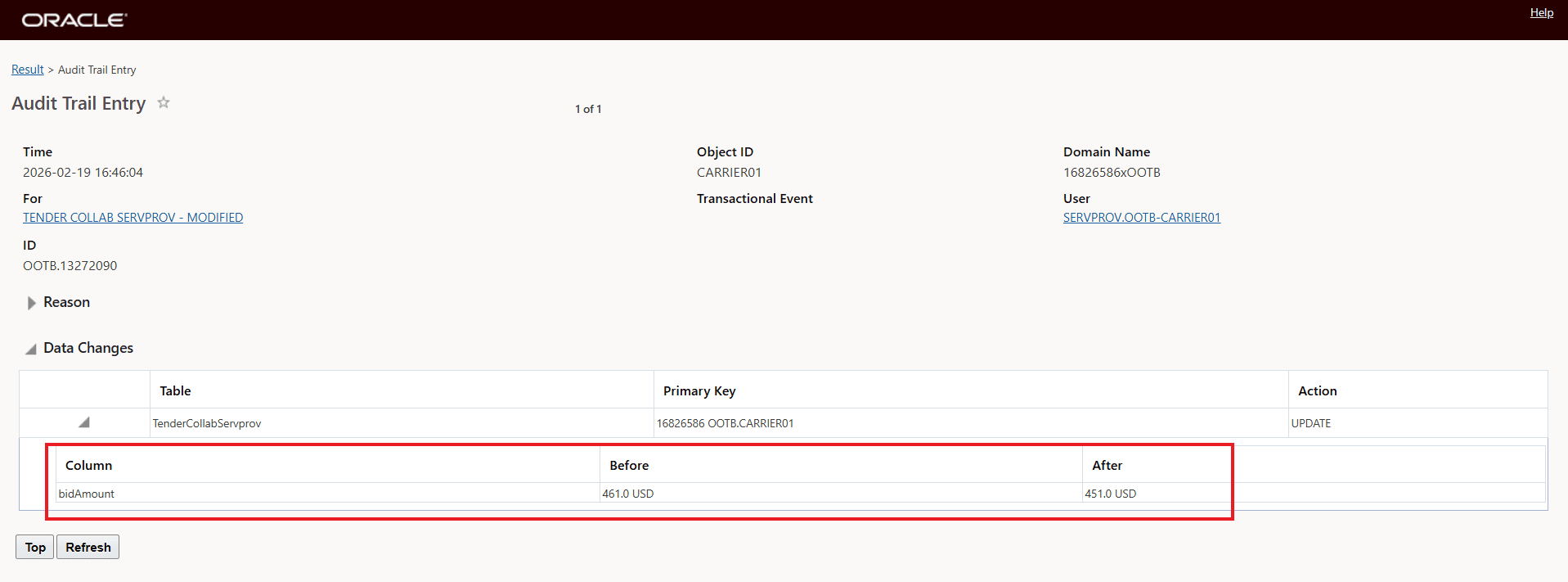
Audit Trail Record for Final Bid
The View All Bid Options shows the Final Bid for Carrier01 - below.
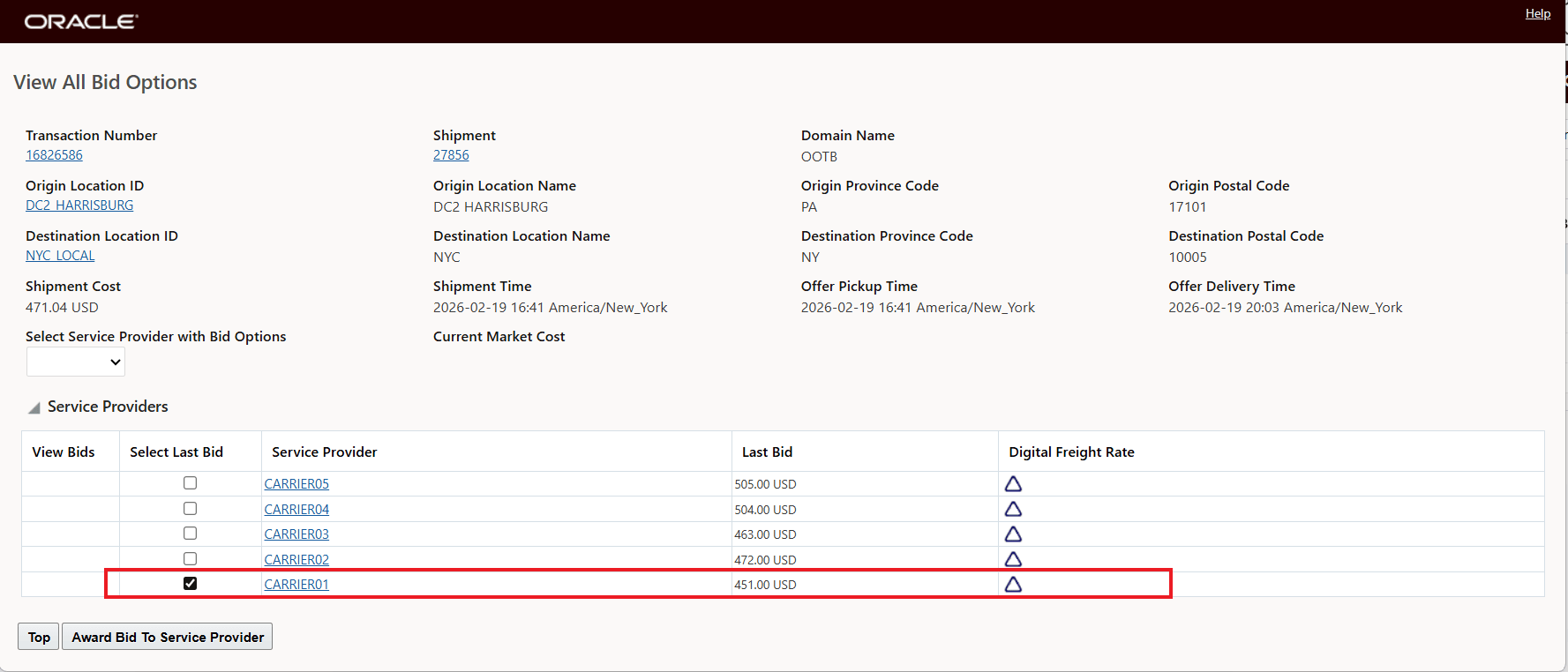
View All Bid Options - Final Bid Carrier01
Below is an example for how the Audit Trail records are generated to for Bid Option entries.
The first Audit Trail record indicates that the Spot Bid Tender for the Service Provider has a Bid Option - this is identified by the field hasBidOptions value being changed from false to true.
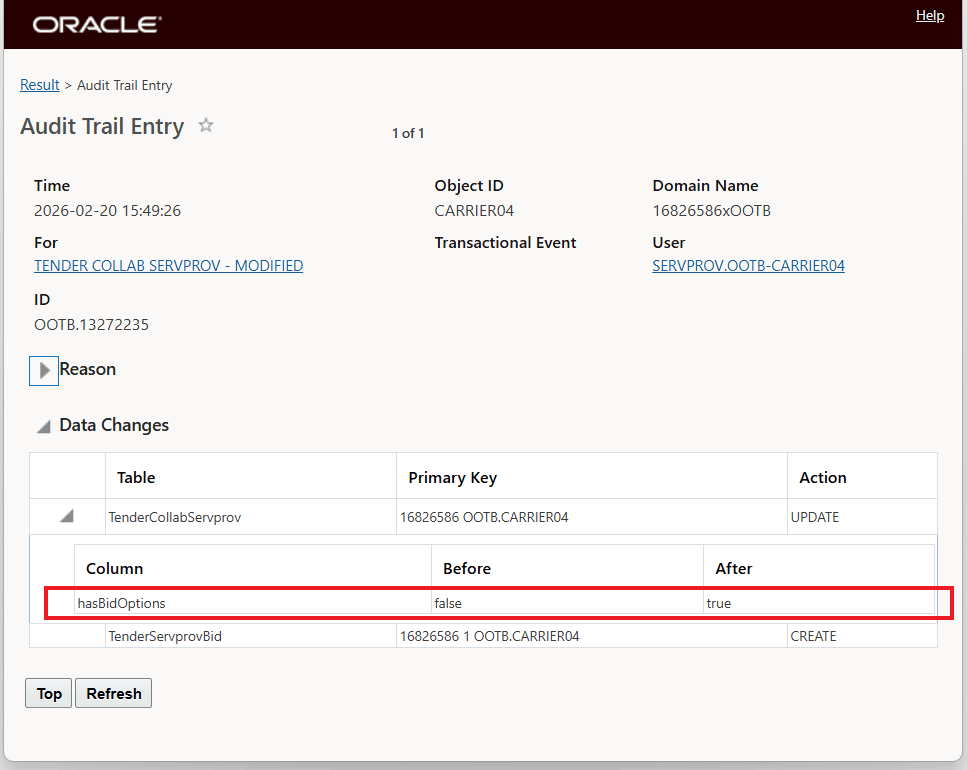
Bid Options
The second Audit Trail record for the Bid Option provides the data change details - in this case pickup date and new bid amount.
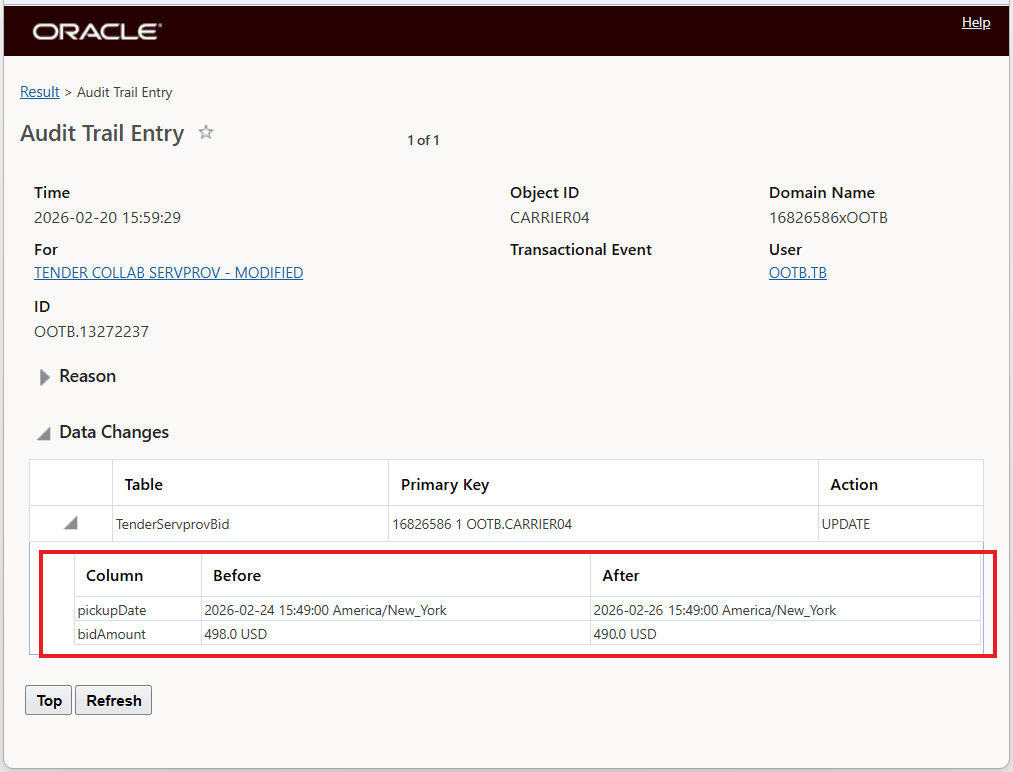
Bid Options Detail
Business Benefit: This feature improves control and accountability in Spot Bid Tendering by preserving bid change history for you to review and audit. The audit trail bid change history will help to meet compliance expectations and help you to make more informed decisions.
Steps to enable and configure
To use this feature, Audit Trail must be enabled for the underlying tender collaboration data. Here is a brief overview of the setup:
Create a Contact
Before you can audit any records, you must add at least one contact (per domain) using the Contract Manager. The contact must be assigned the Audit (AUD) communication method. Then you can assign the contact to the specific Oracle Transportation Management events you want to audit.
- Navigate to Business Process Automation > Communication Manager > Contacts.
- Create a new contact in the Communication Manager or modify an existing contact.
- Enter the appropriate domain in the Recipient Domain Name field that determines where you want to store audit records. This allows users in that domain to perform an audit on the records from your current domain.
- In the Com Method ID field select AUD.
- Enter a Rank of 1 (default).
- Click Save.
- Click Finished.
For the example above the Contact used is shown below:
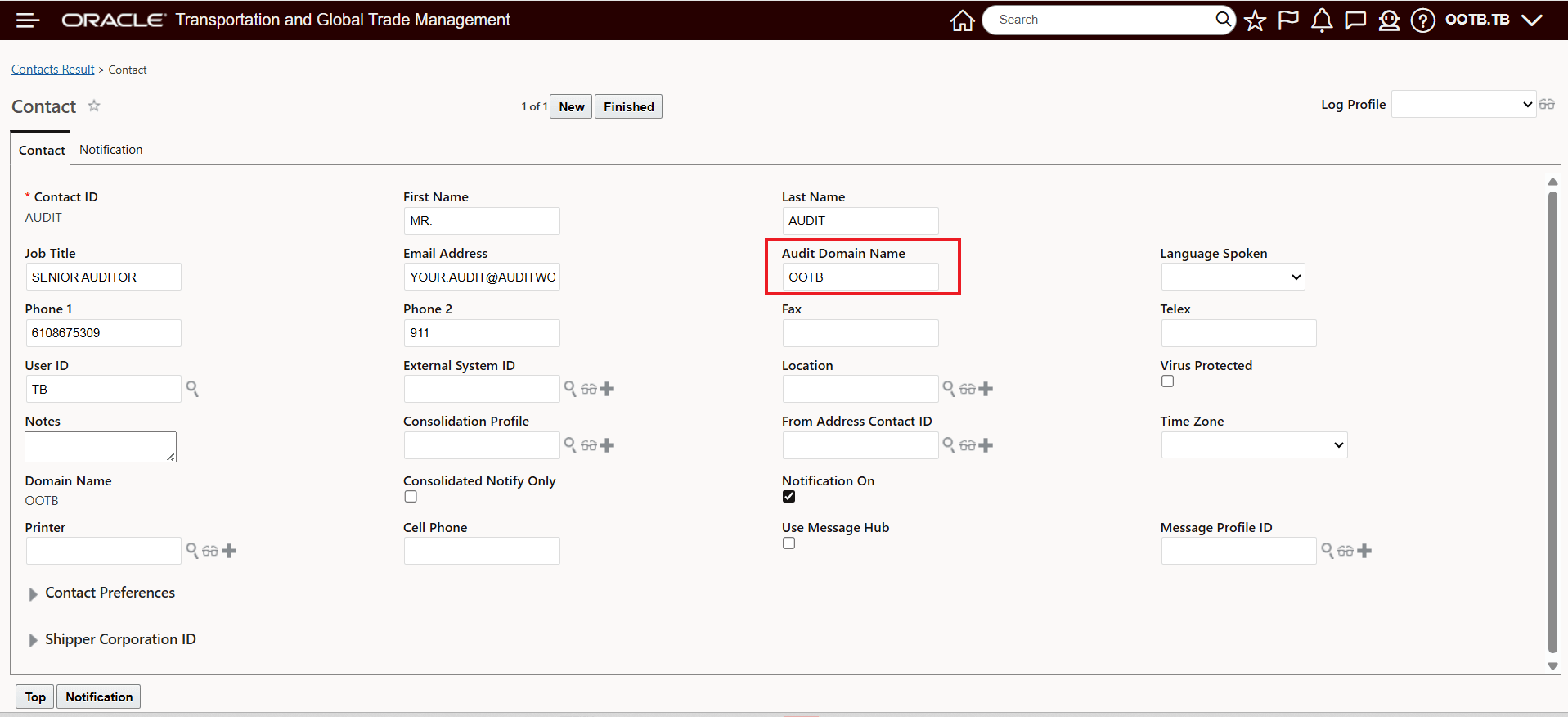
Contact Used For Example
Assigning Contact to Contact Notifications
Navigate to Business Process Automation > Communication Manager > Contact Notification.
- Search for Contact Notification ID "TENDER COLLAB SERVPROV - MODIFIED".
- Edit the contact notification and assign the contact.
- Select AUD as the communication method and click Save.
- Click Finished.
For the example above the Contact Notification is below:
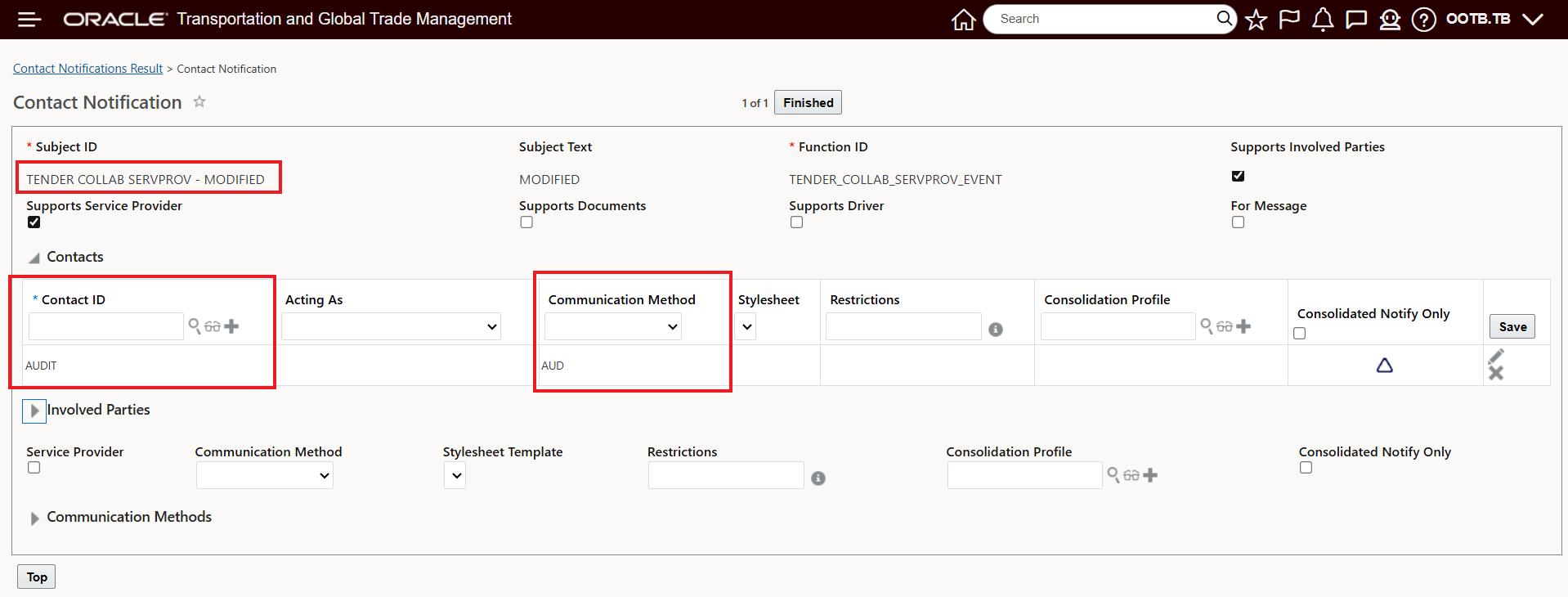
Contact Notification Used For Example
- Enable Audit Trail for the tender collaboration service provider data (table: TENDER_COLLAB_SERVPROV) in OTM.
- After enabling, use the new Audit Trail action from the Planner’s Spot Bid Tender screen.
Tips and considerations
- Where you’ll see it: The Audit Trail history is available from the Planner’s Spot Bid Tender screen and not the not the Online Booking/Tendering screen.
- What it covers: Audit tracking includes modifications when service providers update bid values and add/modify bid options for spot bid tenders.