Redwood: Activity and Employee Productivity Metrics
EMPLOYEE ACTIVITY GOAL VIEW
We’ve redesigned and introduced a new Employee Activity Goals (EmployeeActivityGoalsView) in Redwood only to configure goals for non-WMS activities.
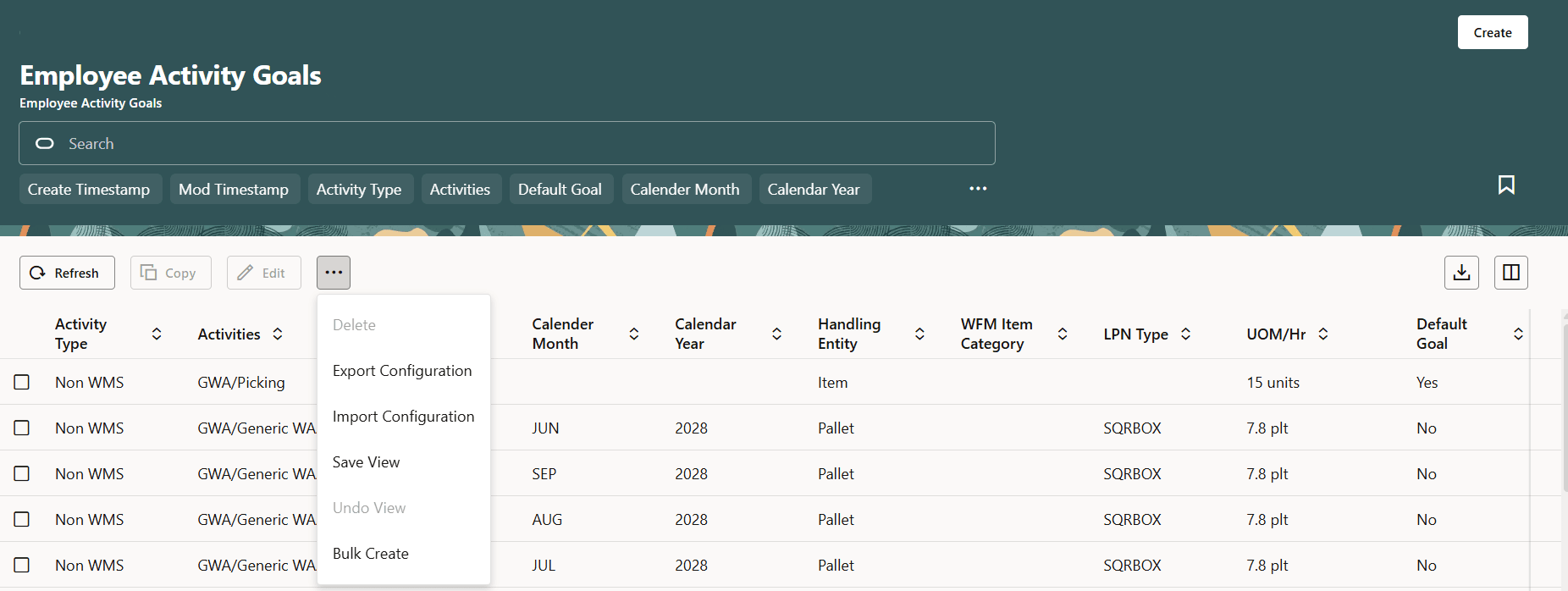
Employee Activity Goal
- As part this enhancement, we have:
- Deprecated the Prod Goal VAS view.
- Prod Goal Line Group view will continue to be used for WMS Activities.
- Although the new Employee Goals view has an option to configure goals for WMS Activities, it is nonfunctional and is for future use.
- For each activity, a default goal and/or specific goals can be defined in the Employee Goals view:
For default Goals:
- Default goals can be defined with Handling Entity and UOM only.
- These are applicable to any month/year and any Item Category (or LPN Type).
- Only one default goal can be configured for each activity.
For Specific Goals:
- Specific goals must be defined with the Year, Month, Handling Entity and UOM.
- Item category (or LPN Type) is not mandatory. Goals without Item Category (or LPN Type) are applicable to any item category (or LPN Type) for activities performed that year/month.
- Specific goals take precedence over default goals.
For example, if there is a default goal for an activity and a specific goal for a year/month, the specific goal will be used for productivity calculations of the activities performed that year/month. Default goal will be used for the year(s)/month(s) that do not have a specific goal defined.
NOTE: If neither a default goal nor specific goals are defined for an activity, productivity % will show 0 in the reports for that activity.
EMPLOYEE PRODUCTIVITY METRICS
We’ve introduced new reports in Redwood’s Employee Dashboard that have replaced WFM’s legacy reports The following reports have been introduced: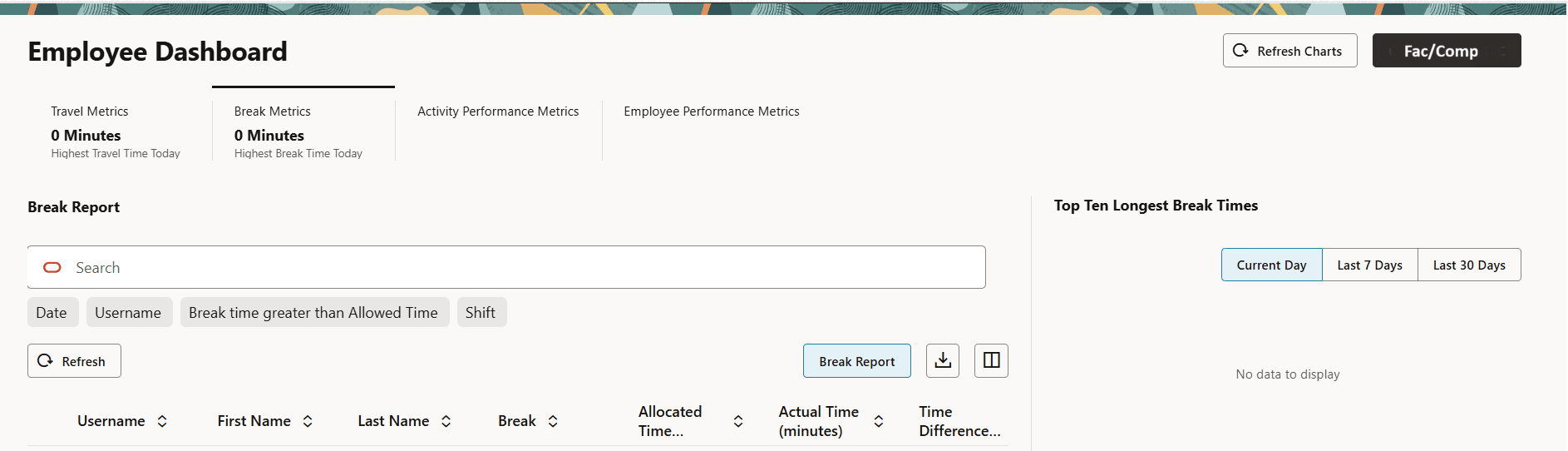
Employee Dashboard
- Break report on Break Metrics tab along with other break metrics is introduced replacing the Legacy Break Report.
- Activity Report on Activity Performance Metrics tab is introduced replacing the legacy Productivity Report.
- Employee Report on Employee Performance Metrics tab is introduced replacing the legacy User Productivity Report.
- Daily Timeline on Employee Timeline Metrics tab is introduced replacing Daily Report.
Steps to enable and configure
These features are available to all customers who have licensed and enabled WFM.