GTM Product Classification Assistant
The GTM Product Classification Assistant, available with Fusion AI Studio, automates product classification for global trade compliance. By leveraging item master data, item remarks, product specifications, bill of material/component information, and relevant regulatory content, GTM proposes the harmonized 6-digit product classification code.
The GTM Product Classification Assistant combines LLM-driven reasoning with retrieval and document extraction capabilities to improve classification accuracy, enhance consistency, and reduce manual effort in the classification process.
To access the GTM Product Classification Assistant, click the AI Chat button in the global header and select the "GTM Product Classification Assistant" agent.

AI Chat in Global Header
In the AI Chat window, enter the required fields, including the Item GID and Product Classification Type, and click Send Message. GTM returns the product classification details. In this example, the request entered is: "Classify Item GTMAI.CAR INSTANT COFFEE for Product Classification Type HTS US."
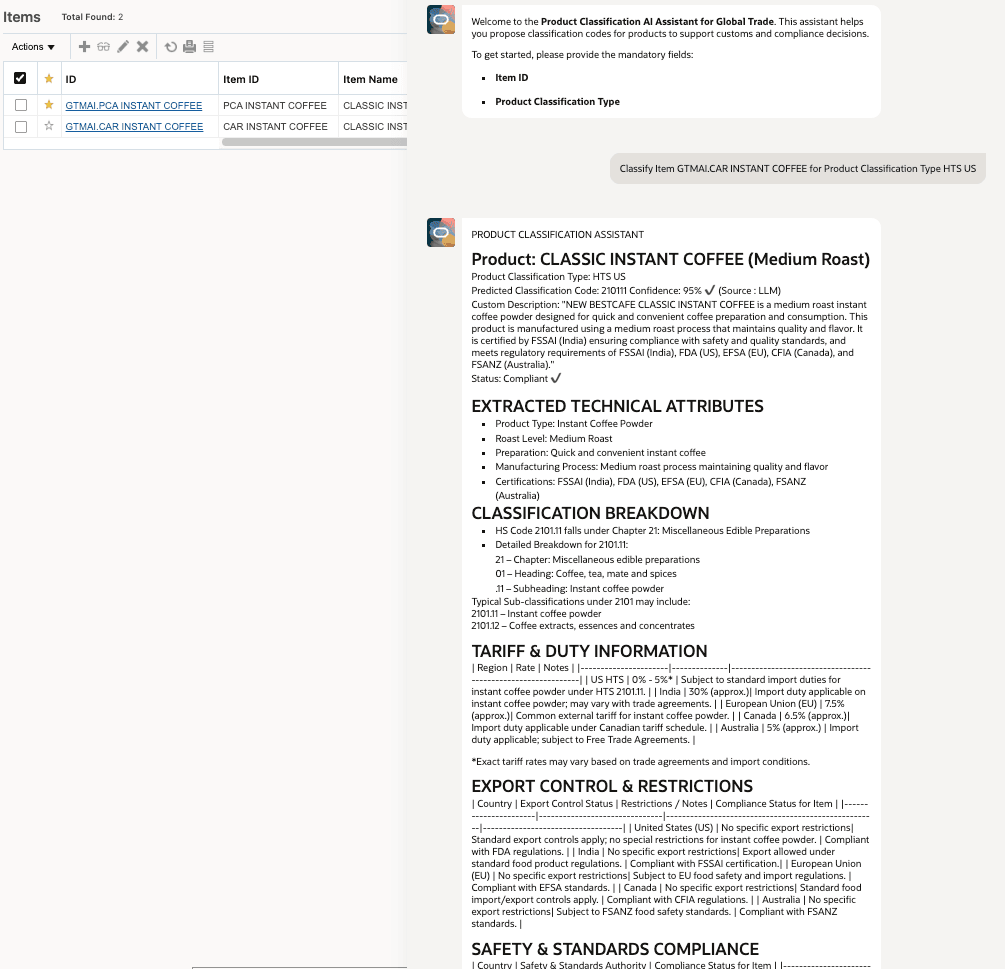
GTM Product Classification Assistant Results
If the Confidence Level is higher than the threshold specified in the AI Prompt, GTM automatically saves the classification result as an Item Classification record for the item.
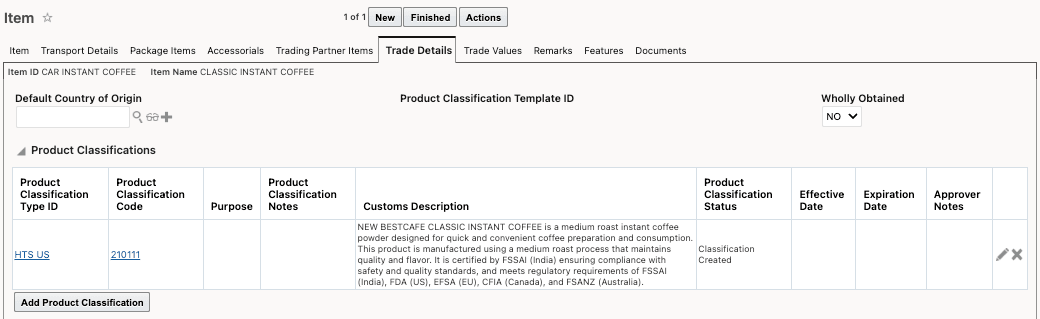
Item > Trade Details Tab
Business Benefit: The GTM Product Classification Assistant reduces manual effort and improves consistency in global trade product classification by using AI-driven reasoning and regulatory content retrieval to recommend harmonized 6-digit classification codes. This helps organizations improve classification accuracy, accelerate compliance processes, and reduce the risk of trade compliance errors.
Steps to enable and configure
Refer to the Oracle Transportation and Global Trade Management Cloud AI Guide for information about configuring GTM and Fusion AI Agent Studio.
Tips and considerations
- GTM ships with an out-of-the-box AI Prompt called PRODUCT CLASSIFICATION ASSISTANT, which you can use by navigating to Configuration and Administration > Power Data > AI > AI Prompts.
- Due to nuances in tariff regulations, GTM may not always be able to determine the full 6-digit classification code. In such cases, GTM displays and stores the corresponding 4-digit classification code instead.