 Planner Added Documents In Tendering Workflow
This feature introduces the ability for you (the planner) to upload and share documents directly within the tendering workflow. Document Actions have been added to the Spot Bid Tender screen, the Online Booking and Tendering (OBT) screen, and the (buy) Shipment to support the use case. Once uploaded, these documents are automatically associated with the relevant tender records and made available to participating service providers.
The feature is designed to support both ordinary and open tender (Broadcast and Spot Bid) scenarios. For example, in an open tender, documents can be shared with all participating service providers, ensuring consistent visibility. At the shipment level, you can upload a document once and have it automatically linked to all applicable tendered service providers involved in the open tender, streamlining the process and reducing duplication.
The examples below demonstrate the new capability for an Ordinary and Spot Bid Tender scenario.
Ordinary Tender - Upload Document for Tendered Shipment Action
In the example below, the shipment has been tendered using the ordinary Secure Resources process. The action Upload Document for Tendered Shipment will - for a tendered shipment - will upload document(s) to the shipment and link the document(s) to the associated tender records. For open tenders, the document is linked to all the service providers with active tender records; for an ordinary tender, the document is linked to the tendered service provider.
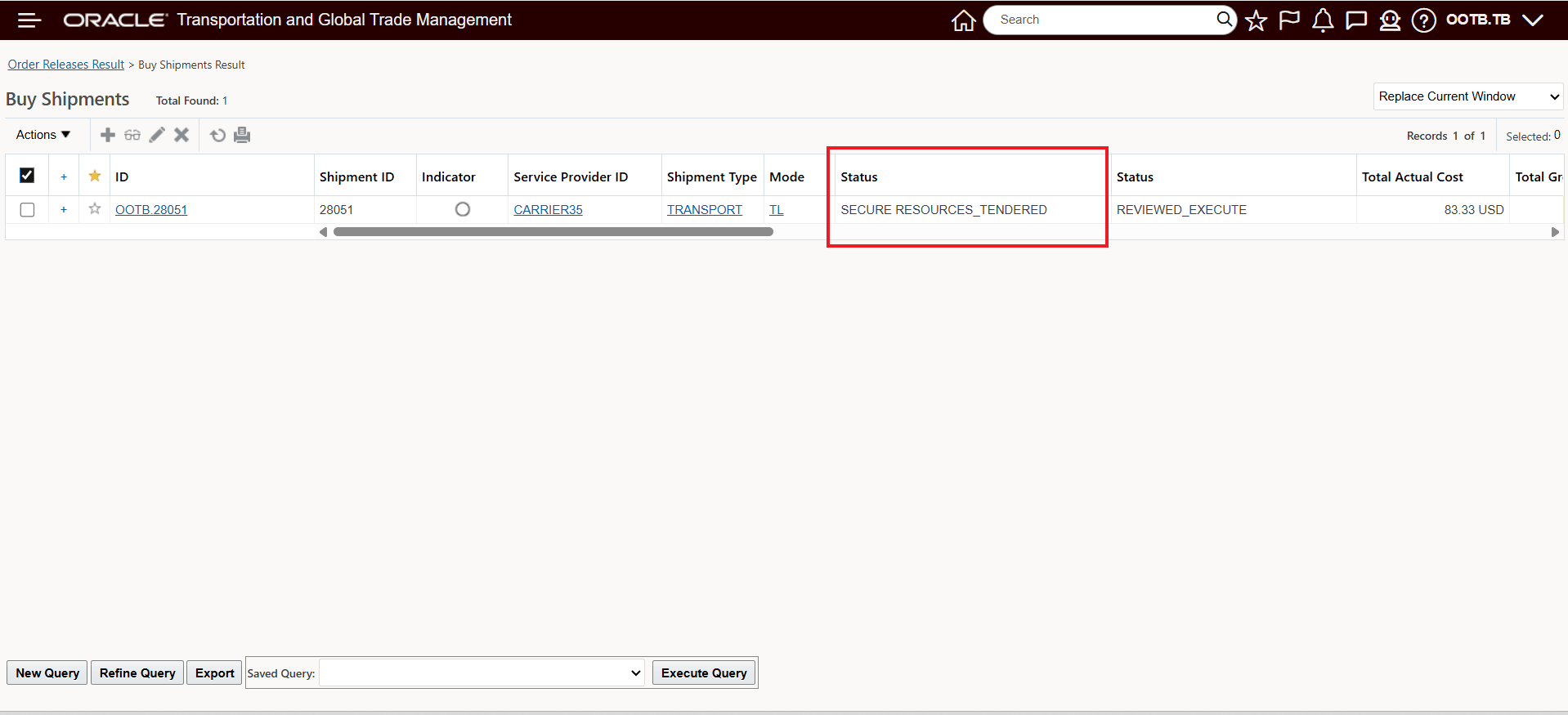
Tendered Shipment
The shipment action Upload Document for Tendered Shipment (Shipment Management > Shipment Management > Buy Shipments > Actions > Business Process Automation > Documents) will be used to upload document(s) to the tendered shipment. This will upload the document to both the shipment and the current tender transaction for Carrier35. This action is also available for Sell Shipments - Shipment Management > Shipment Management > Sell Shipments > Actions > Business Process Automation > Documents > Upload Document for Tendered Shipment.
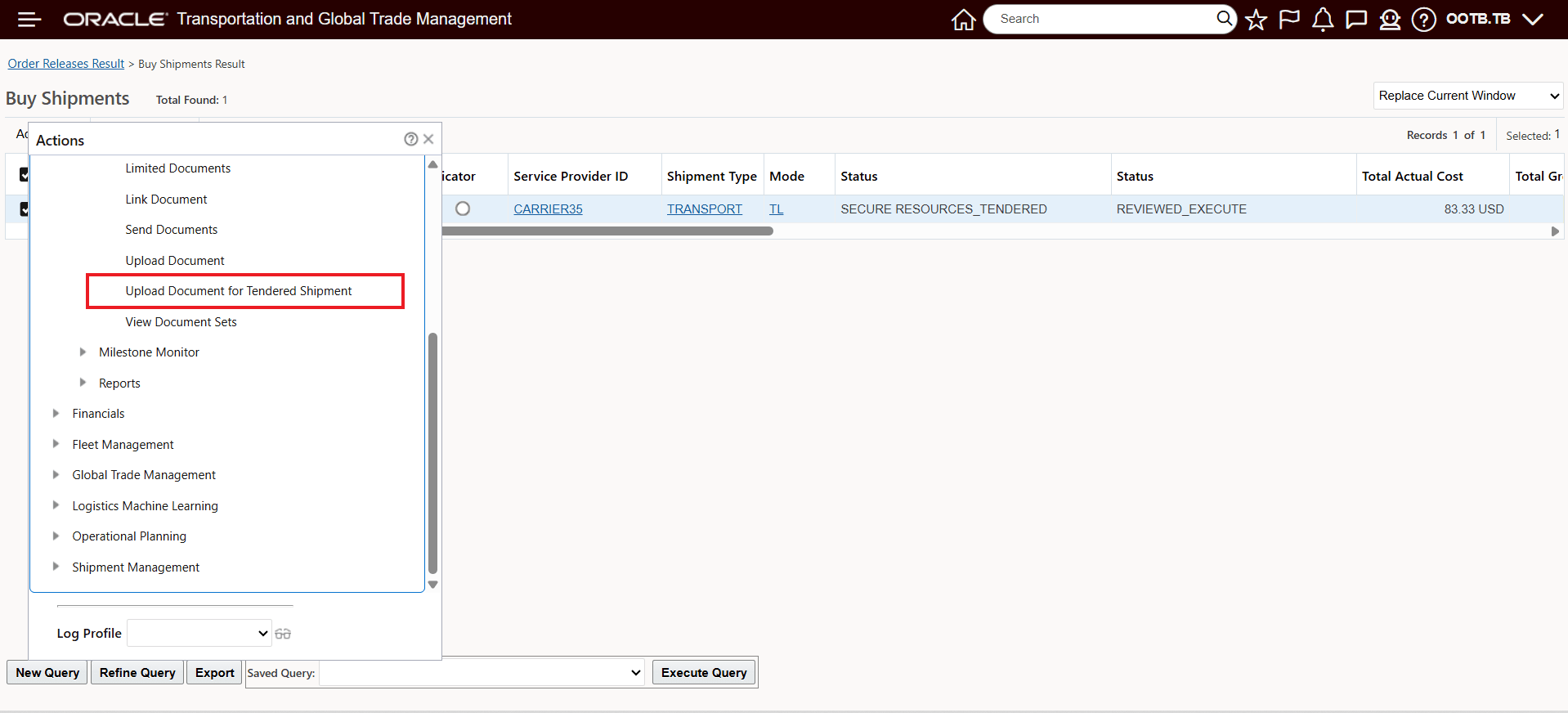
Action - Upload Document for Tendered Shipment
Like the other Upload Document actions - the Upload Document for Tendered Shipment action input screen allows you to select the document(s) to upload and then submit, as shown below. In this example a Gatehouse Rules Checklist document is being uploaded.
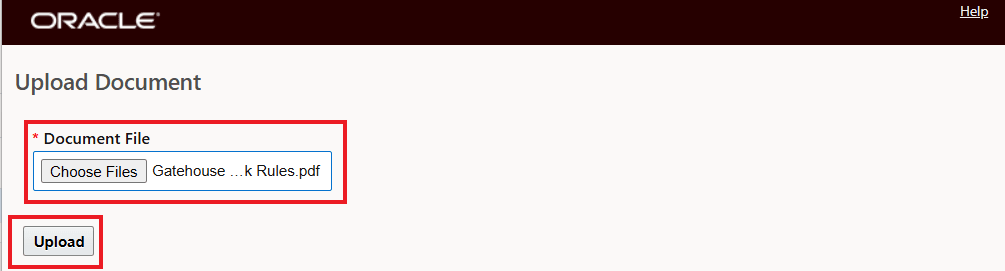
Upload Document for Tendered Shipment Input
Once the documents are uploaded, the documents will be available to be viewed, View Content in the Documents Upload Successful UI. The Documents Upload Successful UI includes a Document Type dropdown - we recommend that you leave the Document Type field blank/null. In the example below, note that the one uploaded document has multiple Document IDs - one for the Shipment and the other for the Tender Transaction.
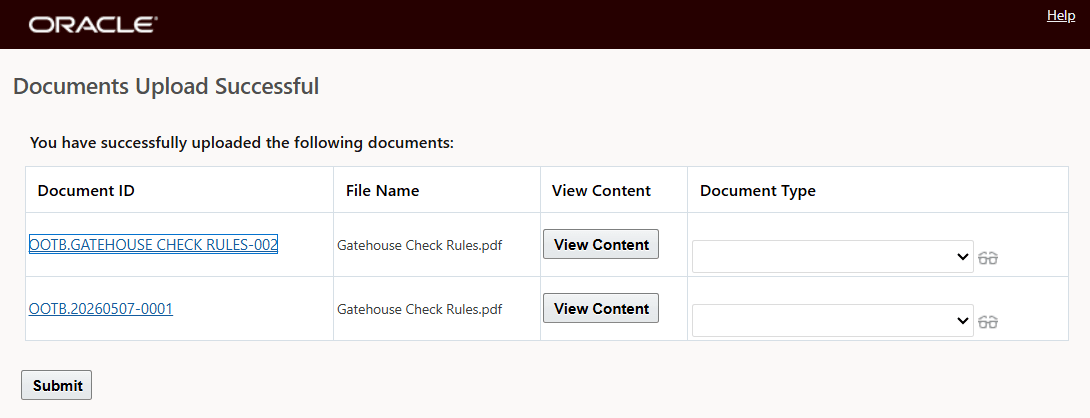
Upload Document for Tendered Shipment Action Preview step
Selecting Submit in the Documents Upload Successful UI brings you to the screen below, which shows the results of the action.
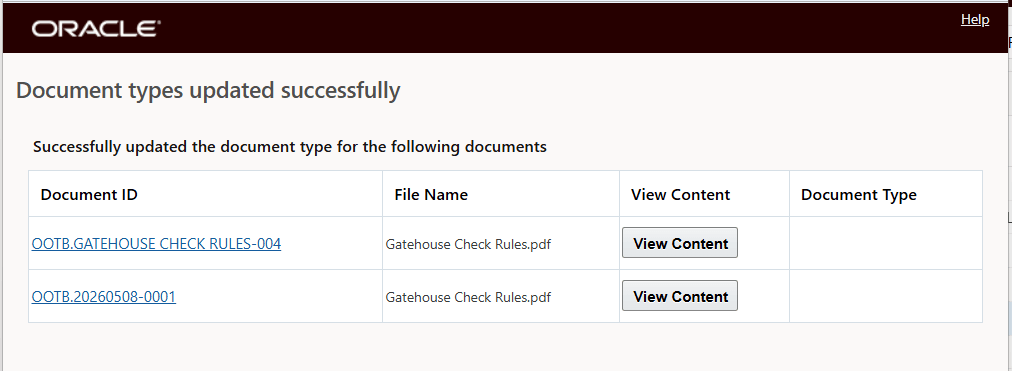
Document types updated successfully
The uploaded document will not be associated with both the shipment and the tender transaction - so visible to both you and the service provider.
The uploaded document is now visible on the shipment on the documents tab as an Additional Documents - as shown below.
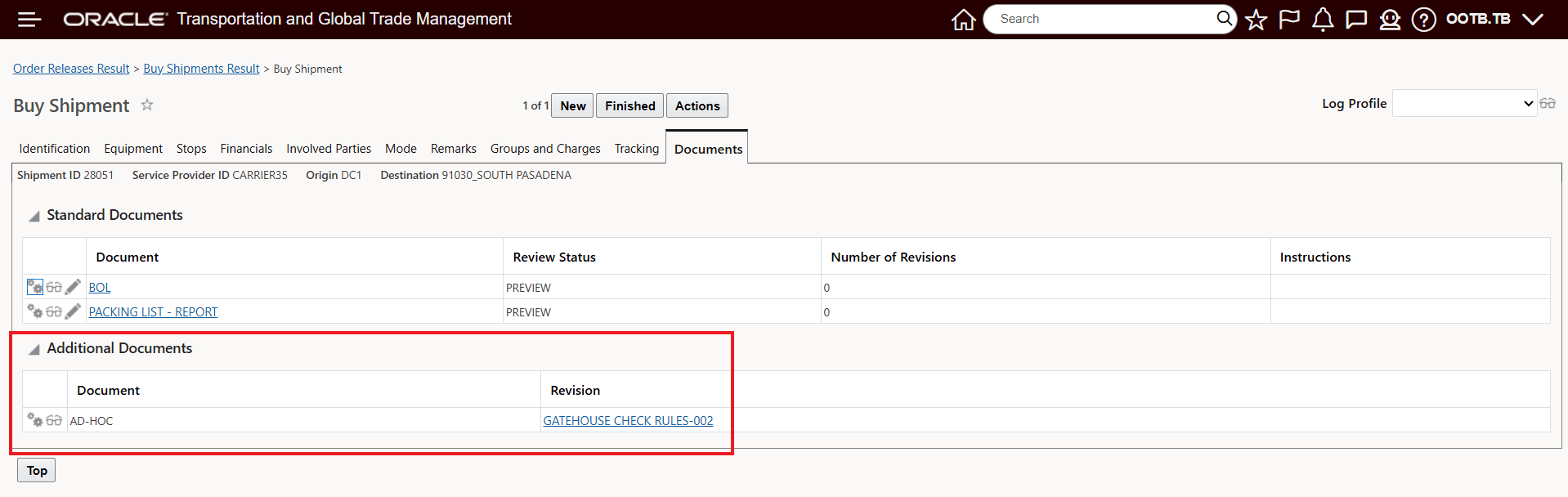
Upload Document for Tendered Shipment Action - Additional Document Added to Shipment
The same document is also visible on the Service Provider's tender - as shown below.
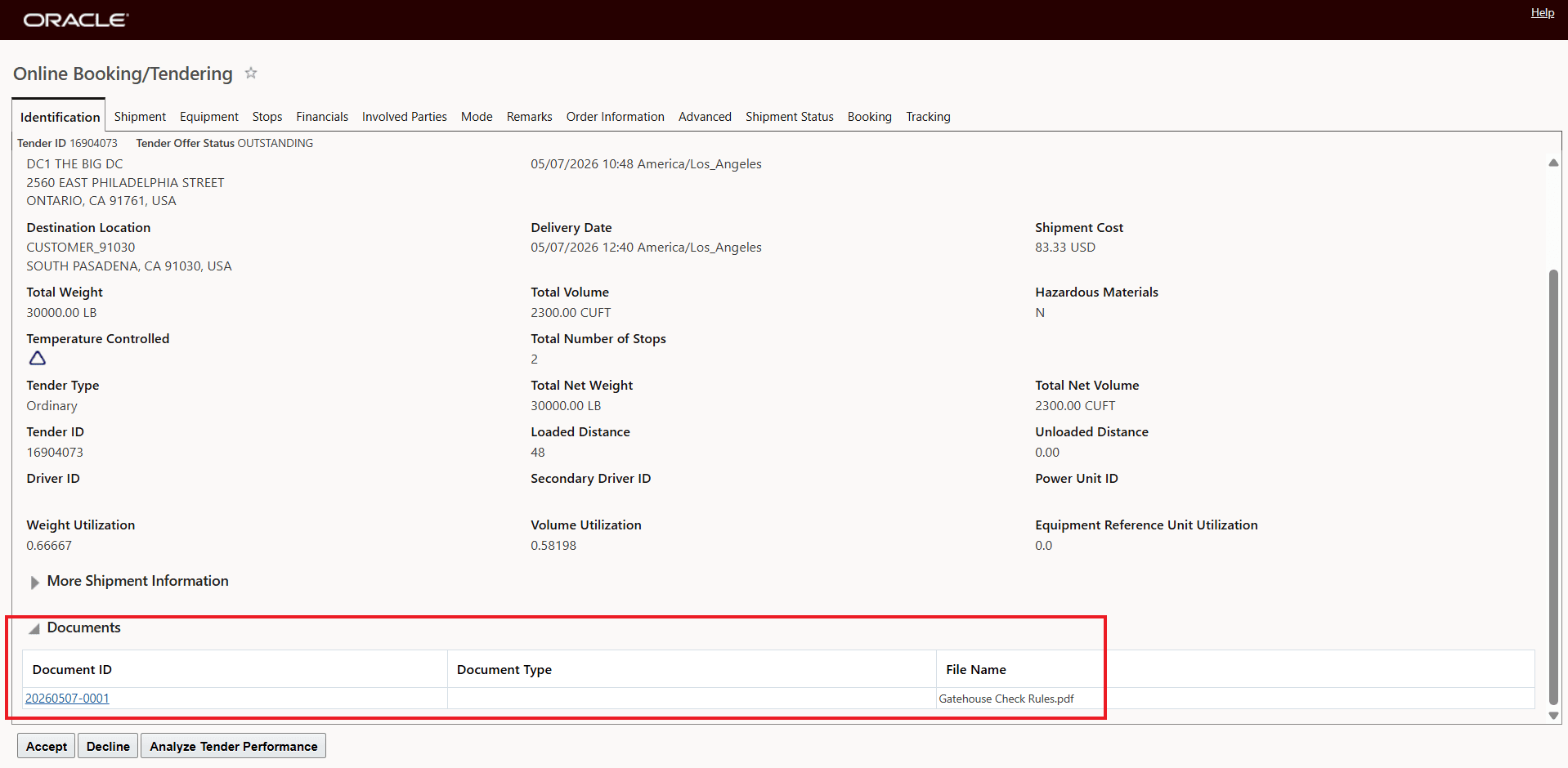
Upload Document for Tendered Shipment Action - Linked Document Added to Service Provider Tender
The action Upload Document for Tendered Shipment, with provide an error message - below - if the action is run against a shipment that is not in the correct tender status.
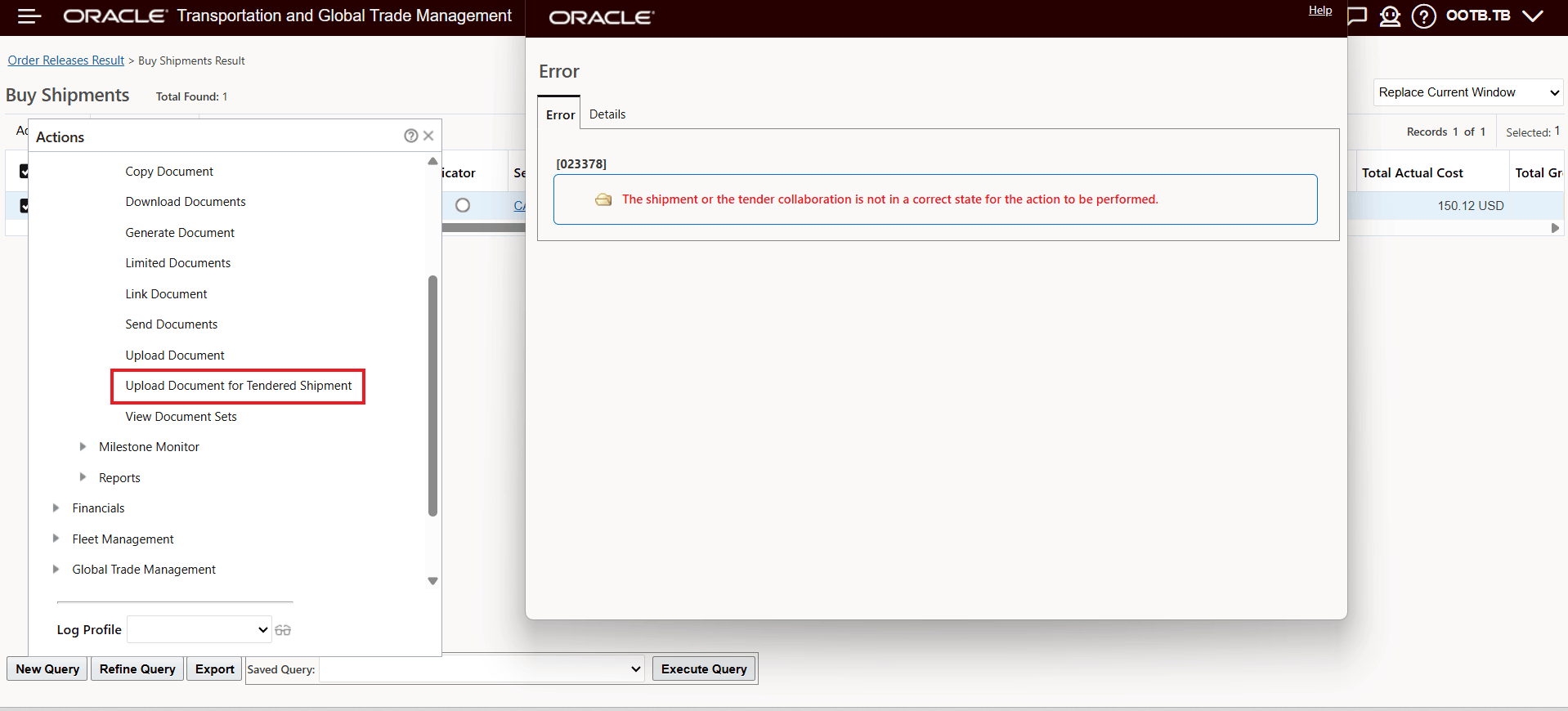
Upload Document for Tendered Shipment - Error Message
In the example below a Spot Bid Tender will be used to demonstrate the Upload Document options for an Open Tender scenario. In this case the shipment will be tendered to a set of service providers as shown below.
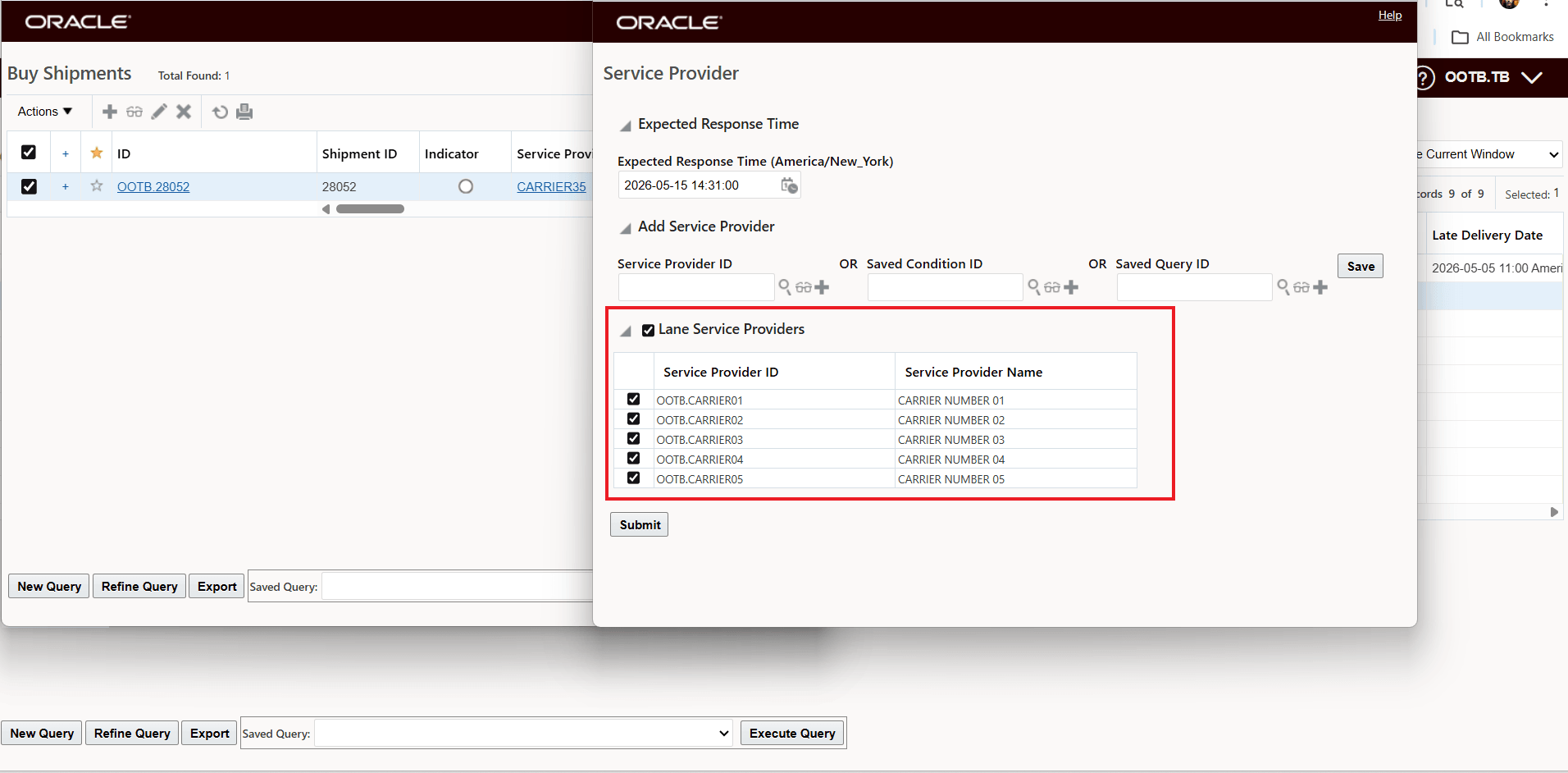
Spot Bid Tender Example
The action Upload Document for Tendered Shipment when executed against the Spot Bid Tendered shipment will now upload the documents to the shipment and will also link the document to all the active participating Service Providers in the Spot Bid Tender in this case all five of the Lane Service Providers. In this example two documents have been uploaded, the Document types updated successfully screen below shows the results of the upload, two documents have been uploaded to the shipment and then each of the five active Spot Bid Tender Transactions have a linked view to the same two documents.
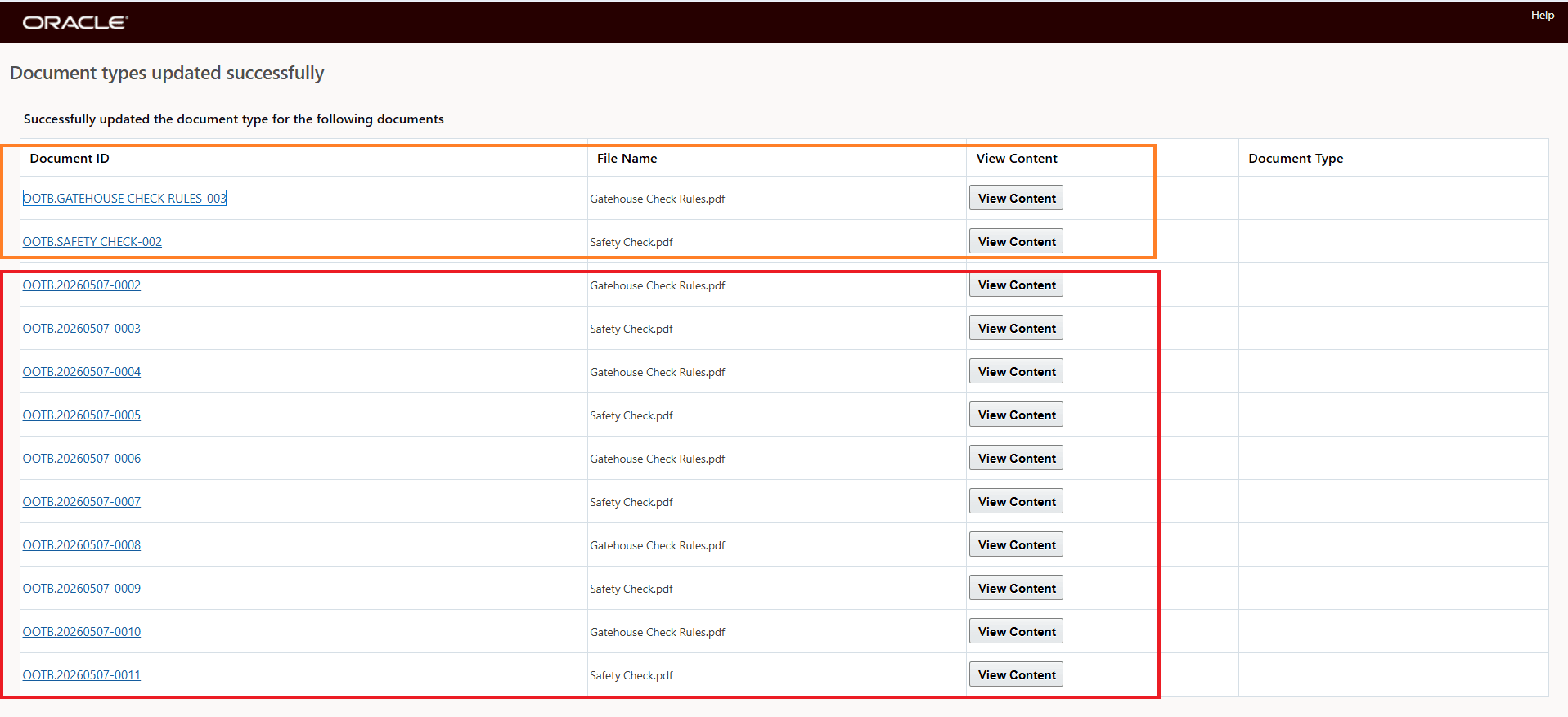
Upload Document for Tendered Shipment - Spot Bid Tender - Two Documents - Five Service Providers
The Additional Document view for the Shipment is below.
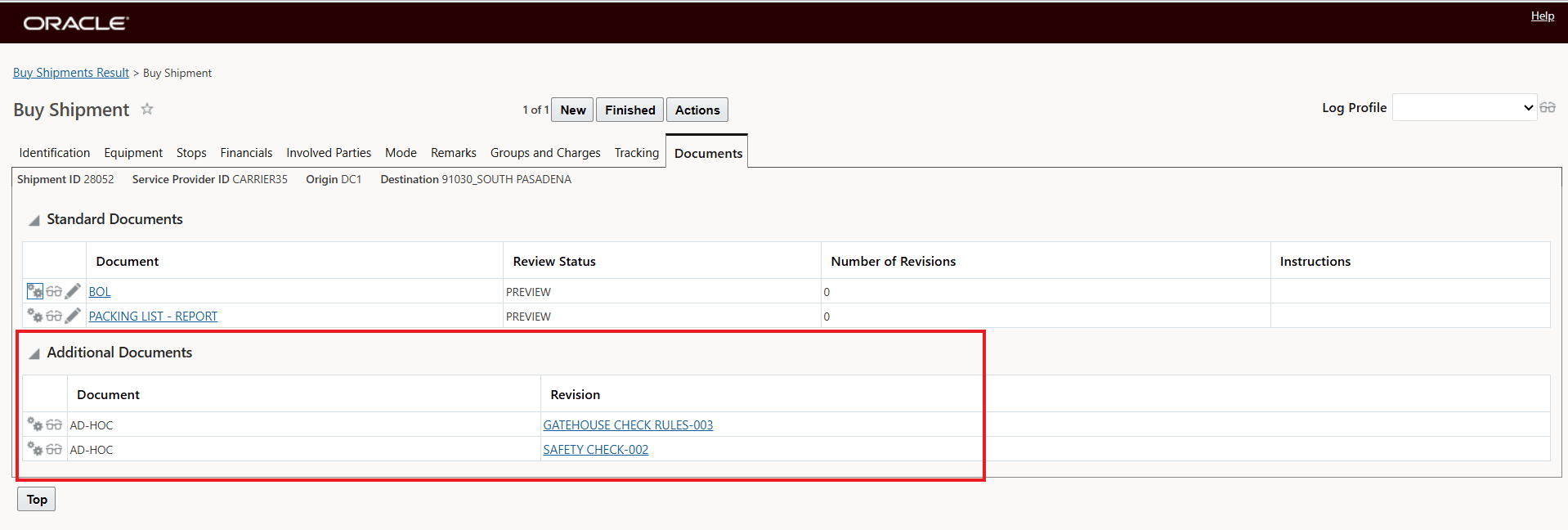
Upload Document for Tendered Shipment Action - Additional Document Added to Shipment
Then for each of the Service Providers with an active Spot Tender transaction each Service Provider has visibility to the document(s) as shown below.
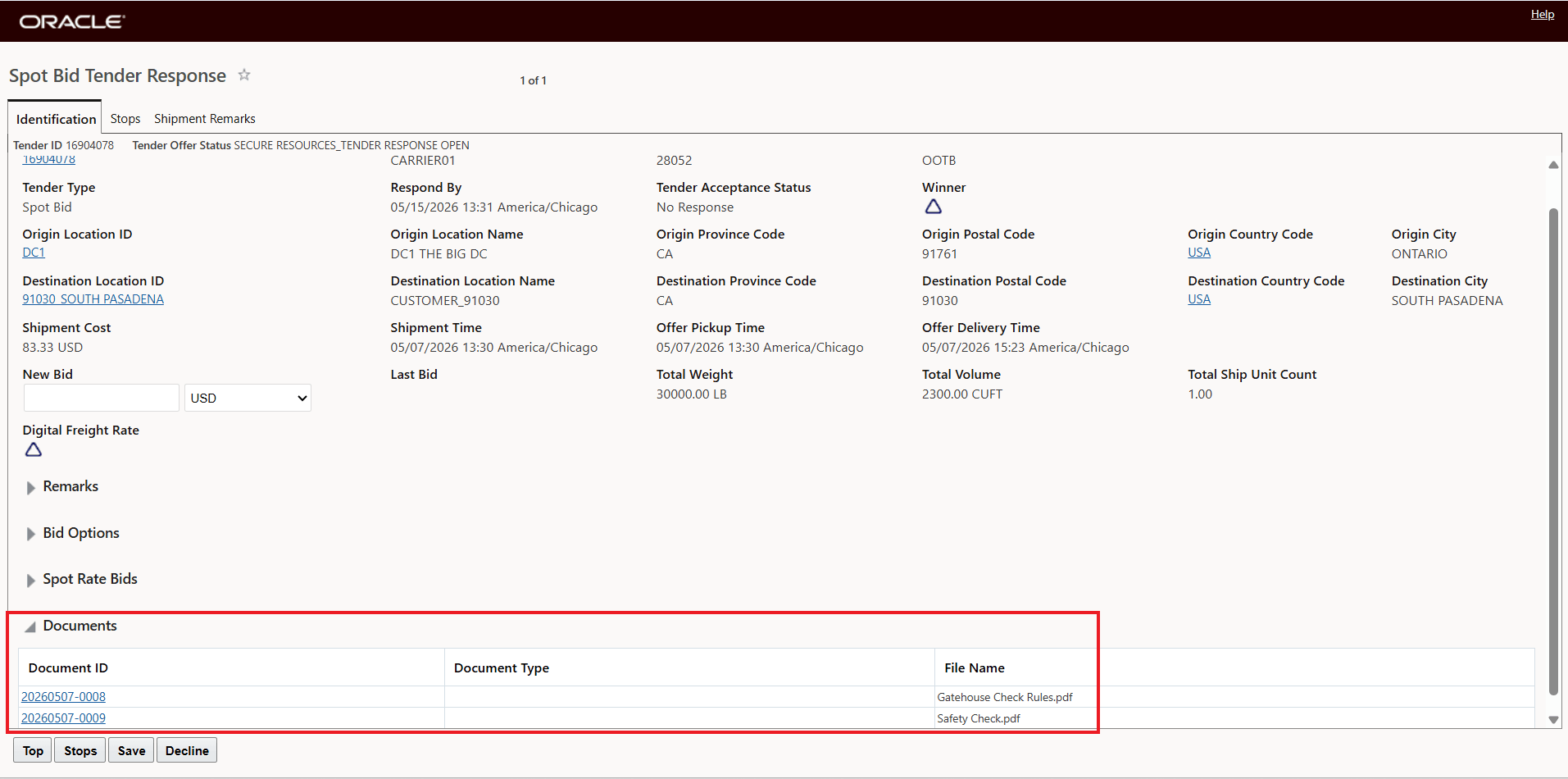
Upload Document for Tendered Shipment Action - Linked Document Added to Service Provider Spot Bid Tender
This feature also provides the option for you to run the Upload Document action from the Online Booking/Tendering (OBT) screen and the Spot Bid Tendering screens.
The Upload Document action for the Online Booking/Tendering screen will upload the selected document to the selected tender transaction.
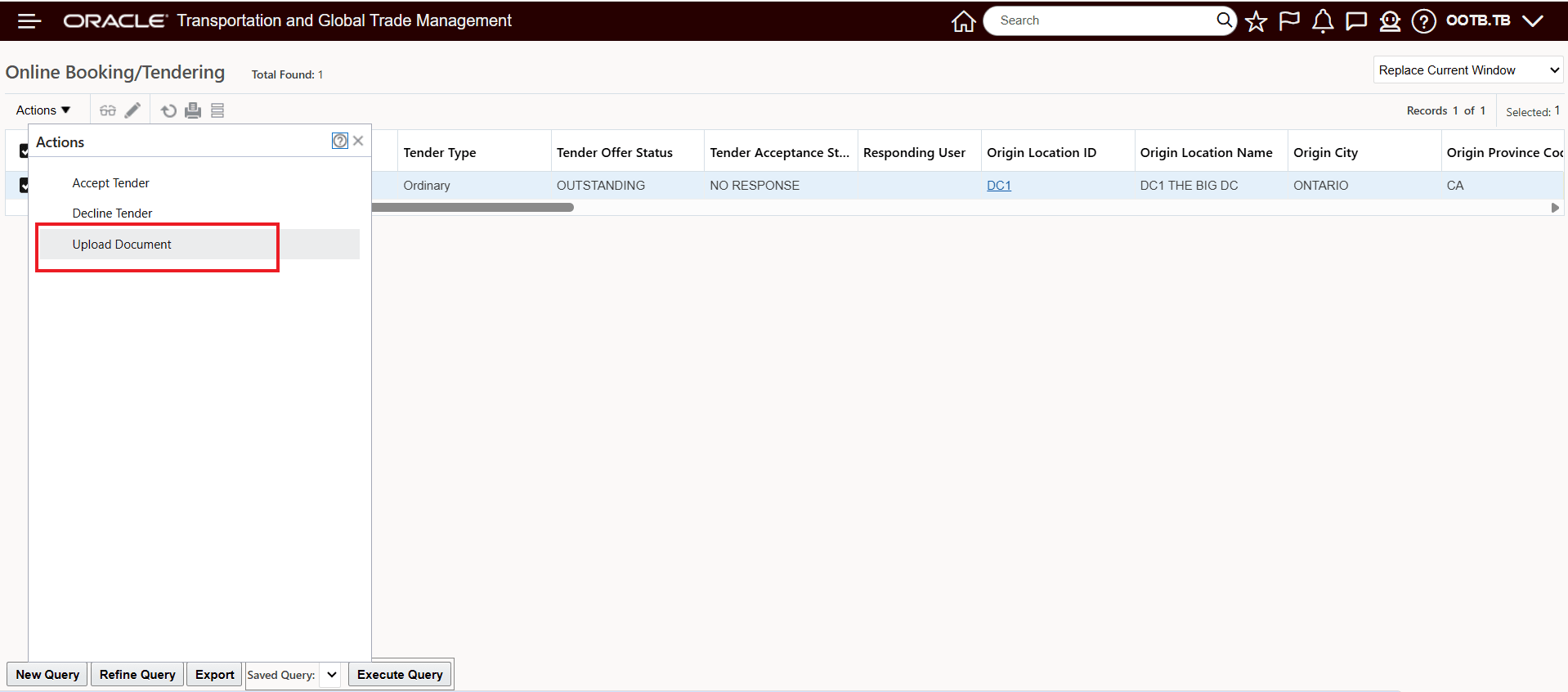
Online Booking/Tendering - Upload Document Action
The document uploaded for this example is shown below.
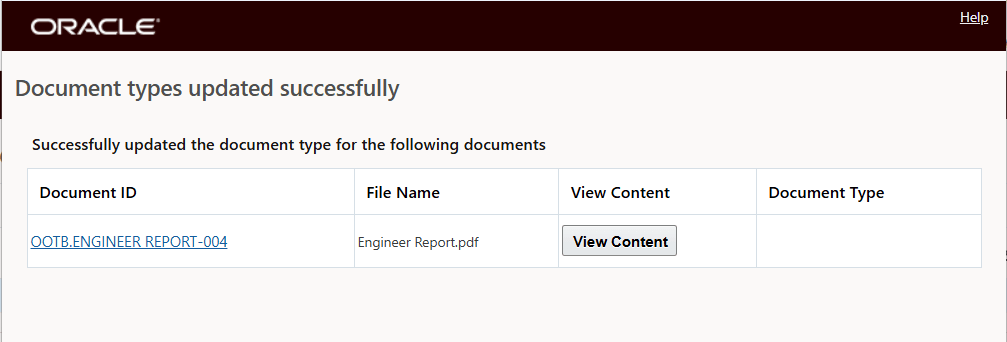
Online Booking/Tendering - Upload Document Action - Document Uploaded
The uploaded document will now be attached to the tender transaction and visible in the Online Booking/Tendering screen for both you and the Service Provider. The Service Provider view is shown below.
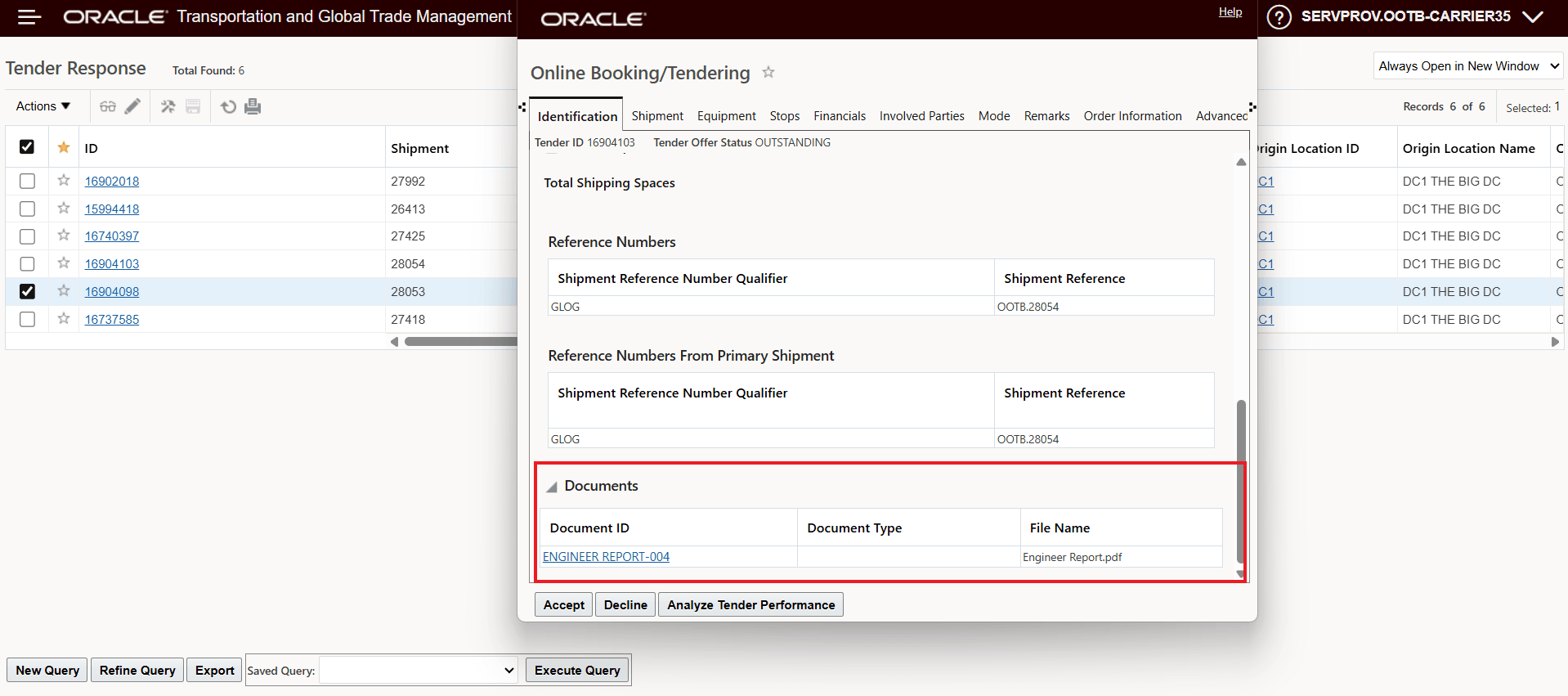
Online Booking/Tendering - Upload Document - Service Provider Document View
Similarly, the Upload Document action run against a Spot Bid Tender provides similar capabilities. In the example below, the shipment has been Spot Bid Tendered to five Service Providers, the Upload Document action will be run for one Service Provider's open Spot Bid Tender.
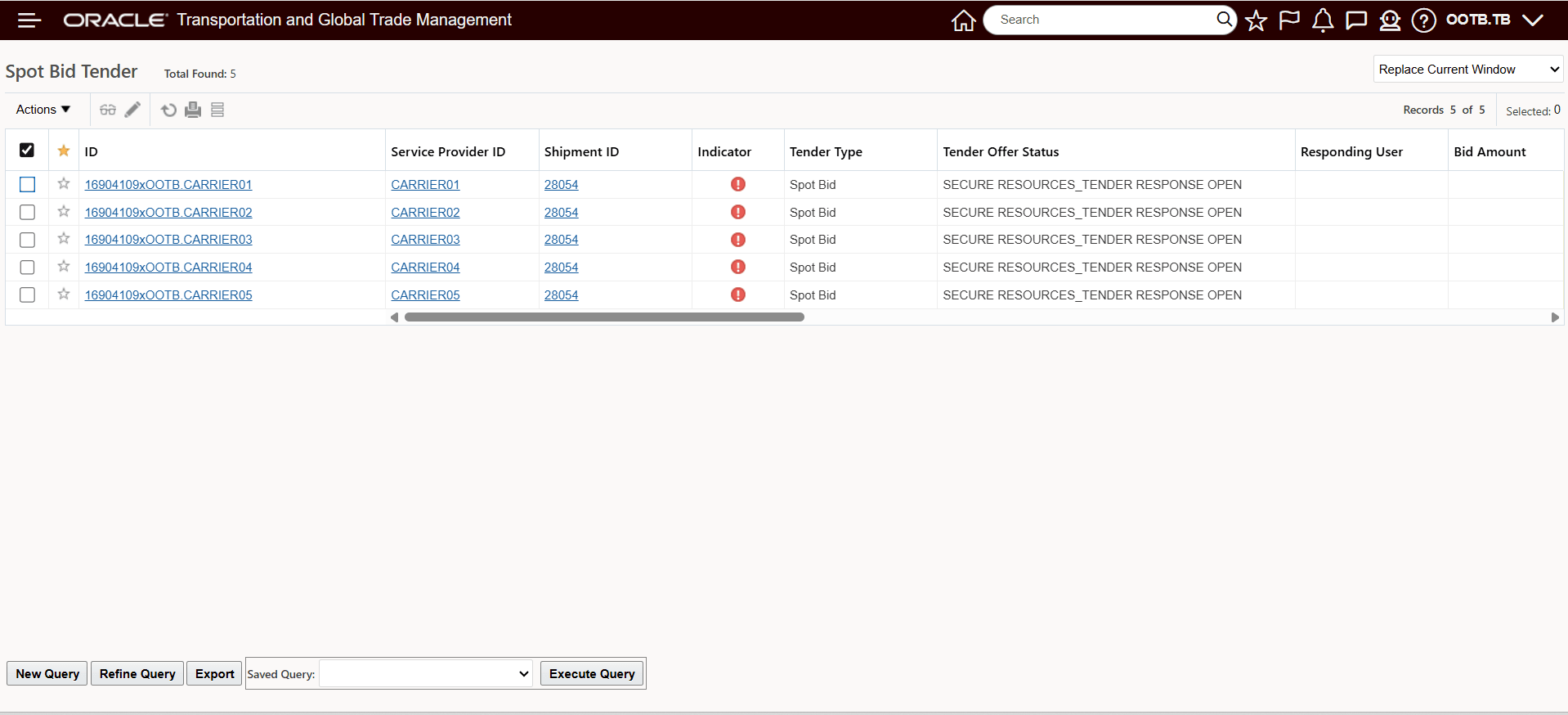
Five Service Providers Active Spot Bid Tender
You select Service Provider Carrier01 to upload a document.
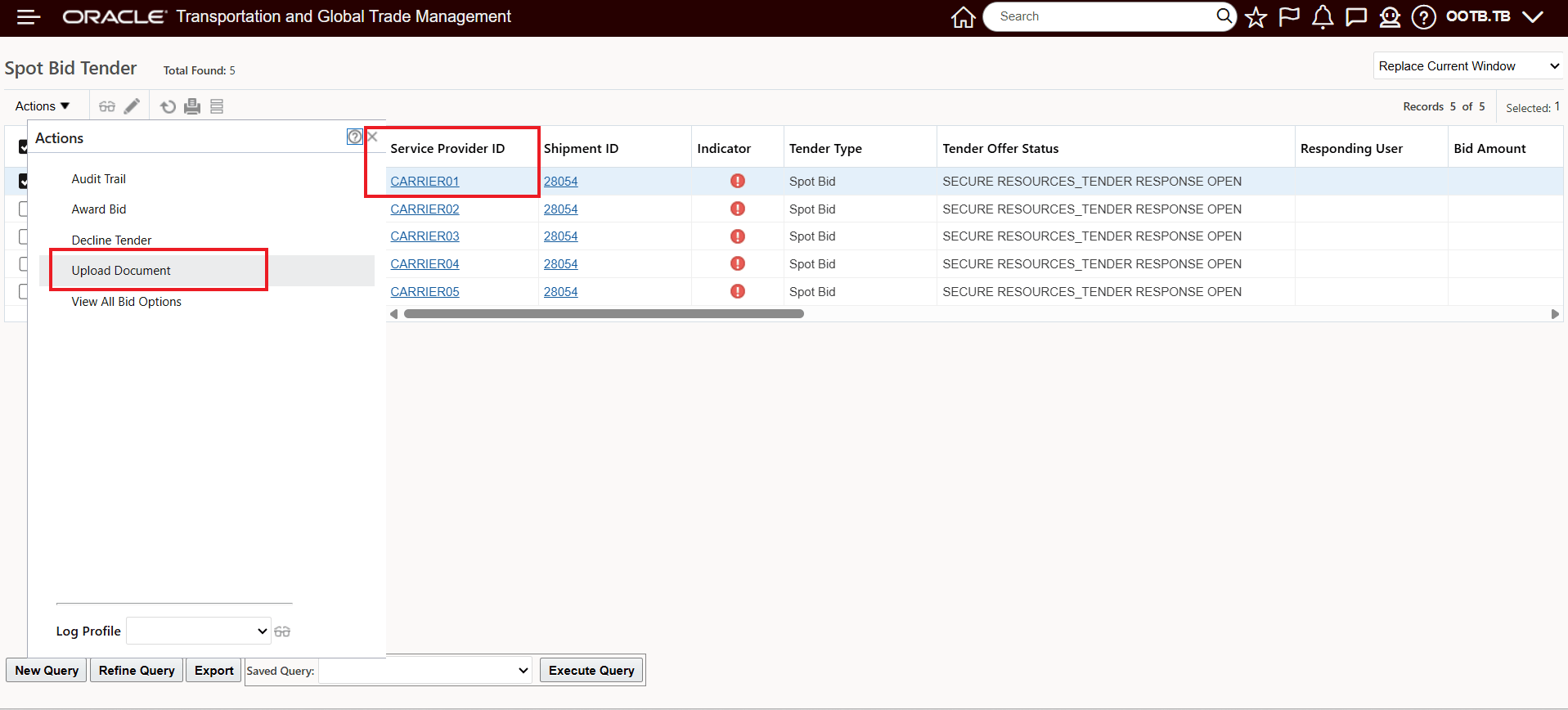
Spot Bid Tender - Select Spot Bid to Upload Document
The uploaded document for this example is below.
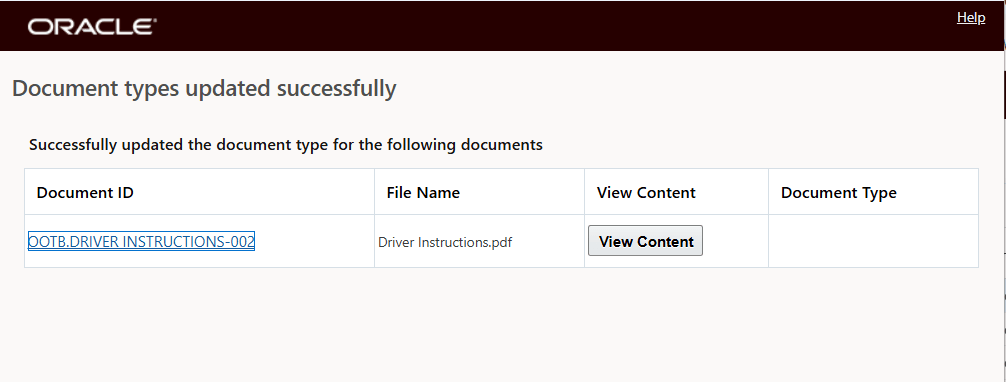
Uploaded Document
The uploaded document is now visible to you and the Service Provider for the Spot Bid. The view for the Service Provider is shown below.
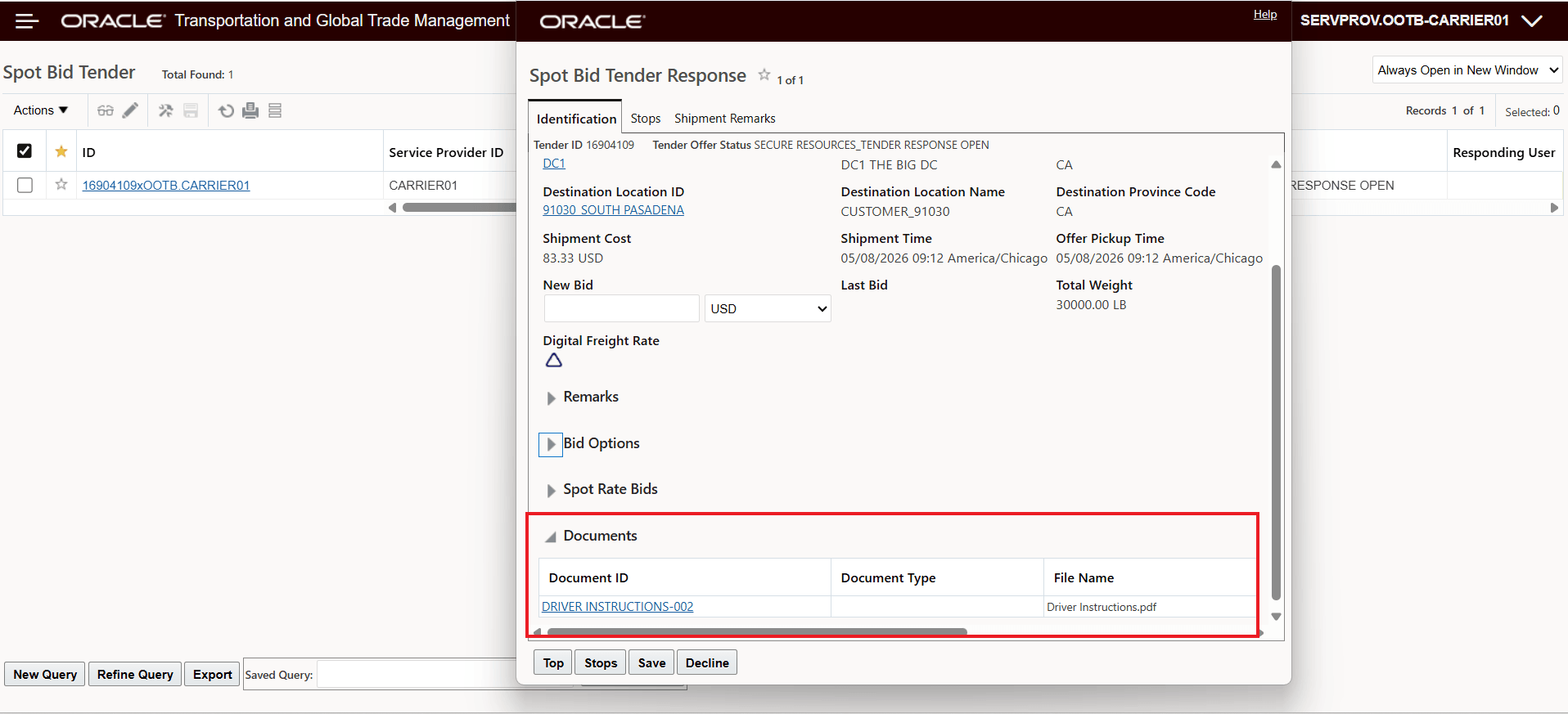
Uploaded Document Service Provider Spot Bid Tender Screen
You also have visibility to the uploaded document in the Spot Bid Tender Results screen.
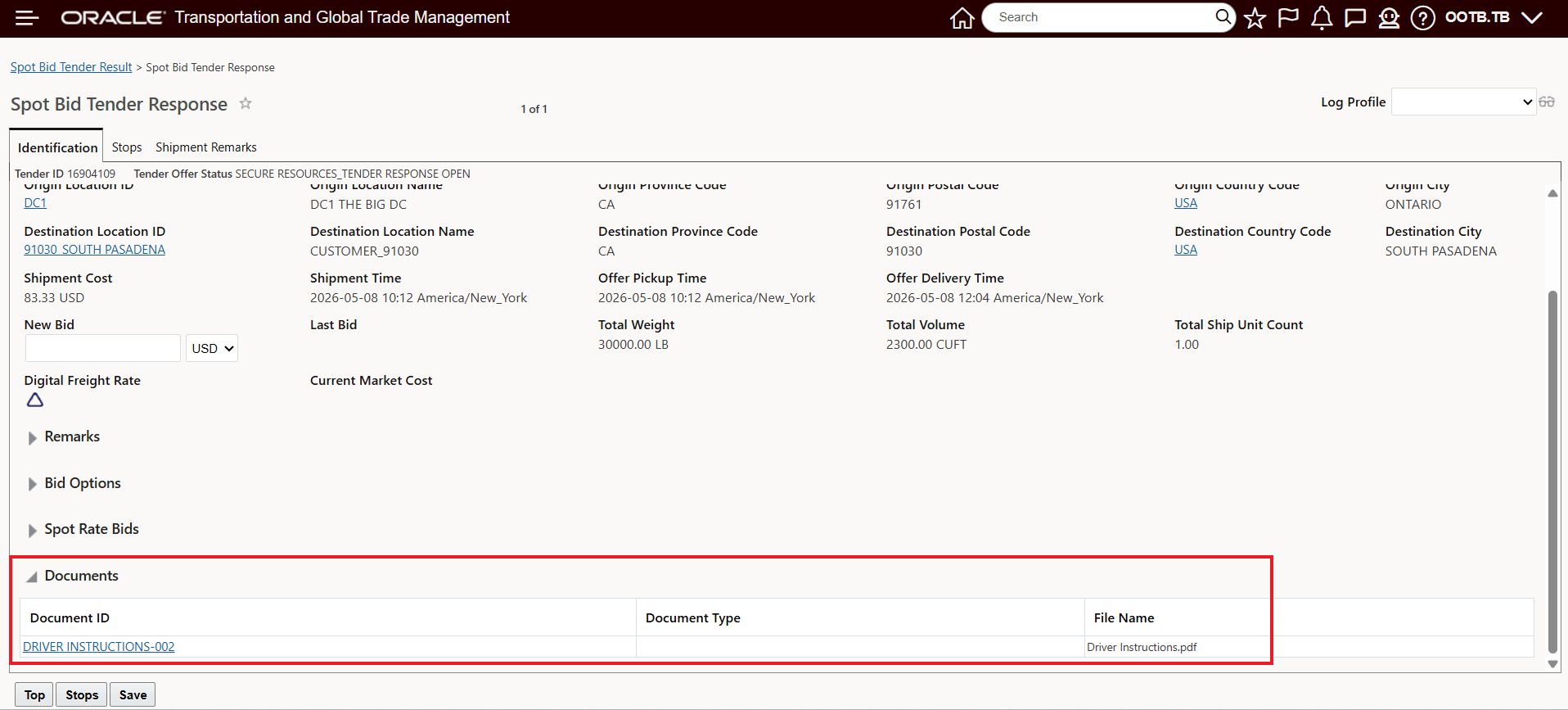
Spot Bid Tender Results - Document Visibility
Business Benefit: This feature enhances the tendering process by ensuring that all required information is shared consistently and at the right time.
- Improved decision-making: Service providers receive complete and standardized information, leading to more accurate and competitive bids
- Reduced operational overhead: Eliminates the need for manual communication outside the system (e.g., email attachments)
- Increased process consistency: Ensures all providers see the same documentation, reducing discrepancies
- Faster tender cycle times: Minimizes back-and-forth communication and clarifications
- Better compliance and auditability: Documents are centrally stored and linked to the tender and shipment records
Steps to enable and configure
You don't need to do anything to enable this feature.
Tips and considerations
Tips and Considerations
- Use shipment-level Upload Document for Tendered Shipment action when the same document should be shared across multiple service providers to avoid duplicate uploads. The Spot Bid Tender Upload Document action is not a multi-select action, so using the Upload Document for Tendered Shipment action will allow you to easily share the same document across all participants, while doing so via the Upload Document action on the Spot Bid Tender screen will require multiple runs of the Upload Document action.
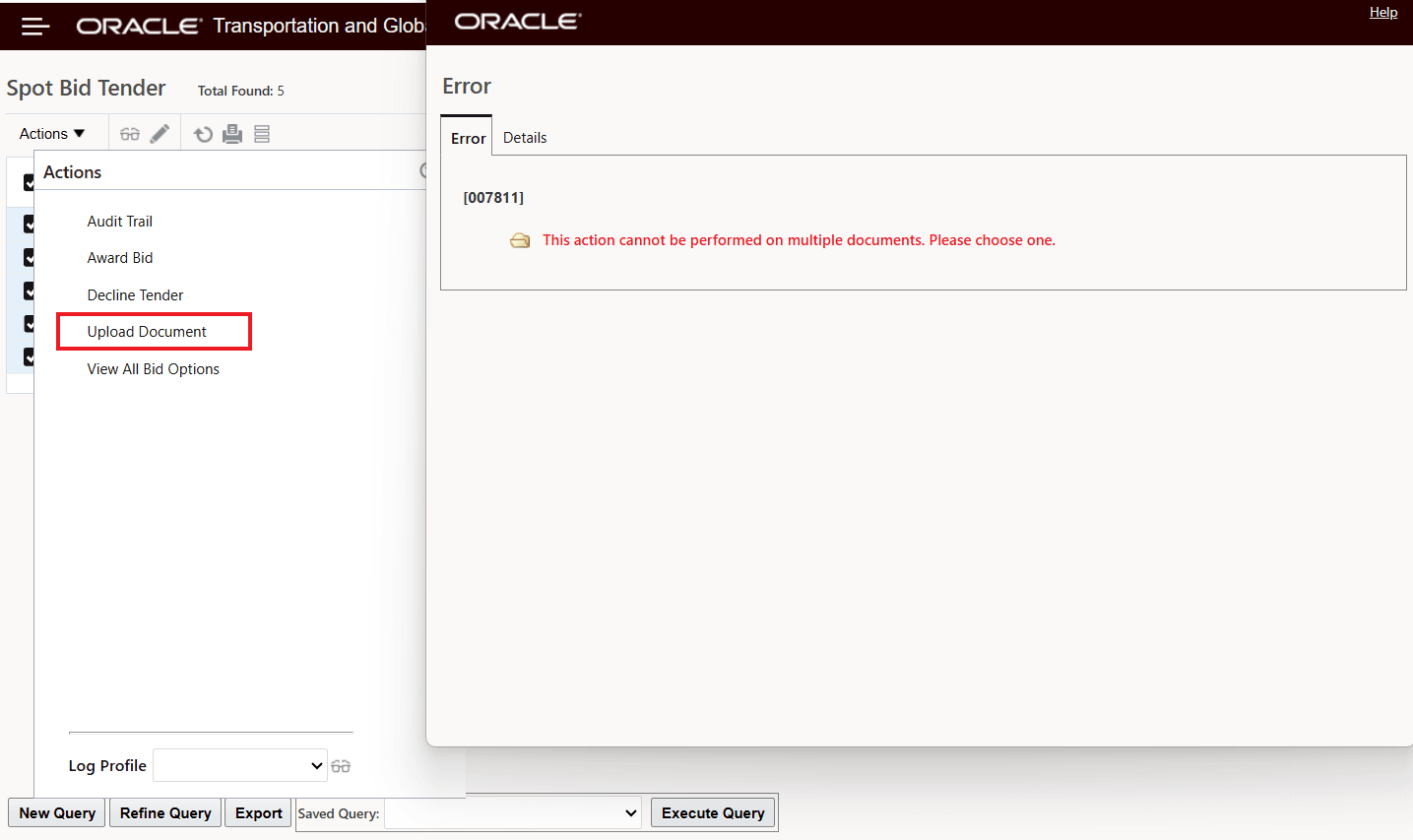
Spot Bid Tender Upload Document - Single Select
- Note the Online Booking/Tendering screen (OBT) screen supports document upload only for ordinary tenders. Attempting to use the Upload Documents action for an Open Tender from the OBT screen will result in the error below.
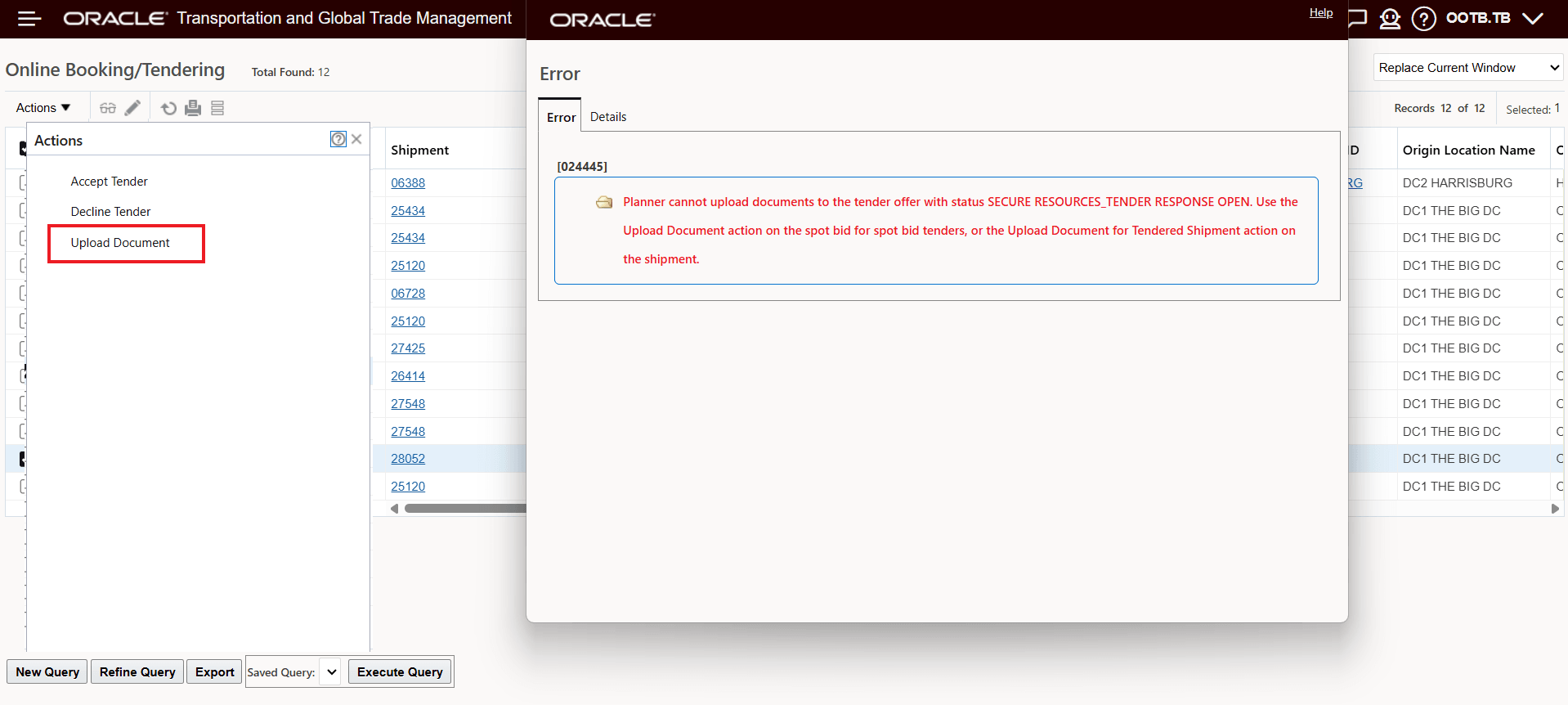
OBT Upload Documents Action Against Open Tender Error
- In Step-Tender scenarios, documents are linked to the currently active service providers; additional uploads may be required for newly tendered providers/service providers added in subsequent steps.
- Documents will be included in modify tender scenarios; the uploaded documents will carry over to the modified tenders.