 Automation Agent Actions - Shipment Tender
This feature provides you with the following Shipment tender agent actions, providing you with the option of fully automating the entire Shipment tender use case.
Shipment Tender Agent Actions:
- TENDER SHIPMENT
- Parameters:
- Maximum Number of Retenders - Number of retenders allowed, this field value takes precedence over the saved query for maximum number of retenders.
- Select Maximum Number of Retenders - This saved query must return an integer value. If the maximum number of retenders value is blank, OTM considers the value in the saved query.
- If both the parameter values are blank, OTM considers the MAX_NUM_RETENDERS workflow parameter.
- Parameters:
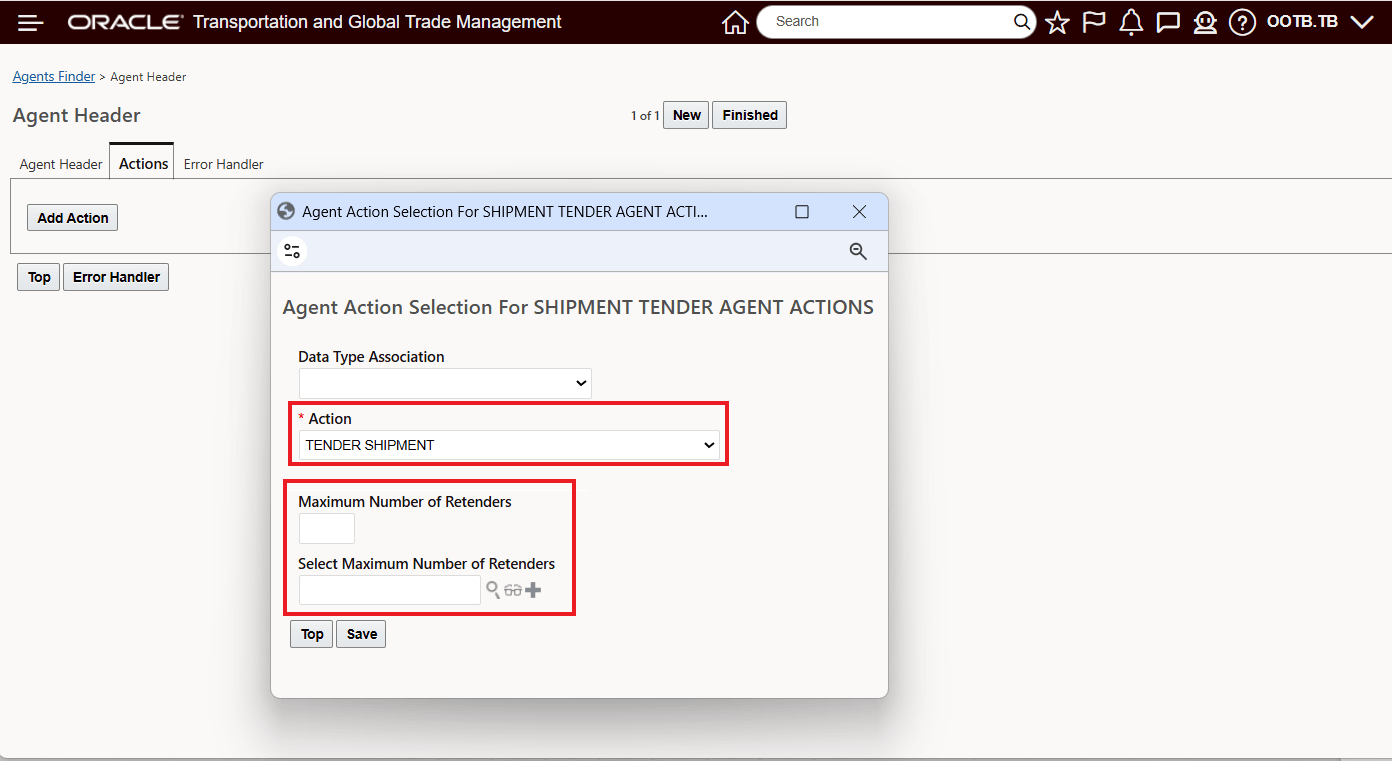
Agent Action - Tender Shipment
- ACCEPT TENDER
- Parameter:
- Service Provider: The Service Provider on whose behalf the agent action is accepting the tender.
- Parameter:
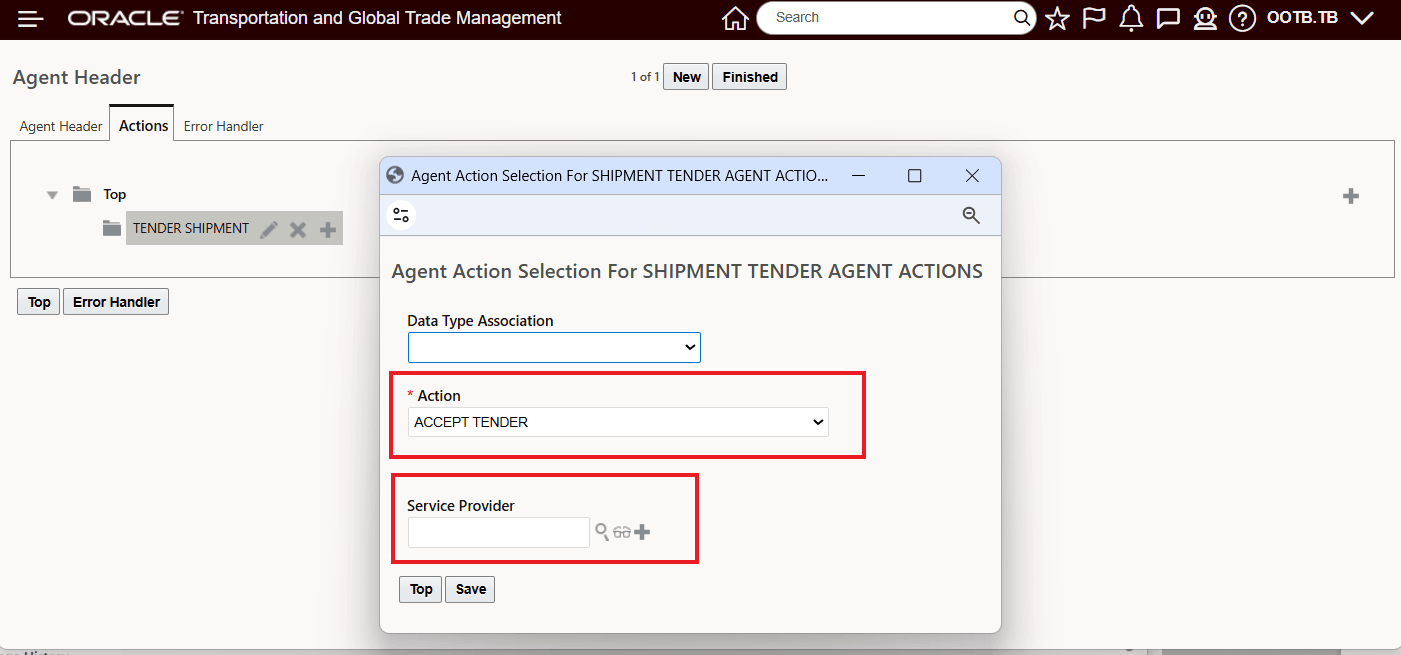
Agent Action - Accept Tender
- WITHDRAW TENDER
- Parameter:
- Retender: Select the checkbox to re-tender the shipment to the next compatible service provider.
- Parameter:
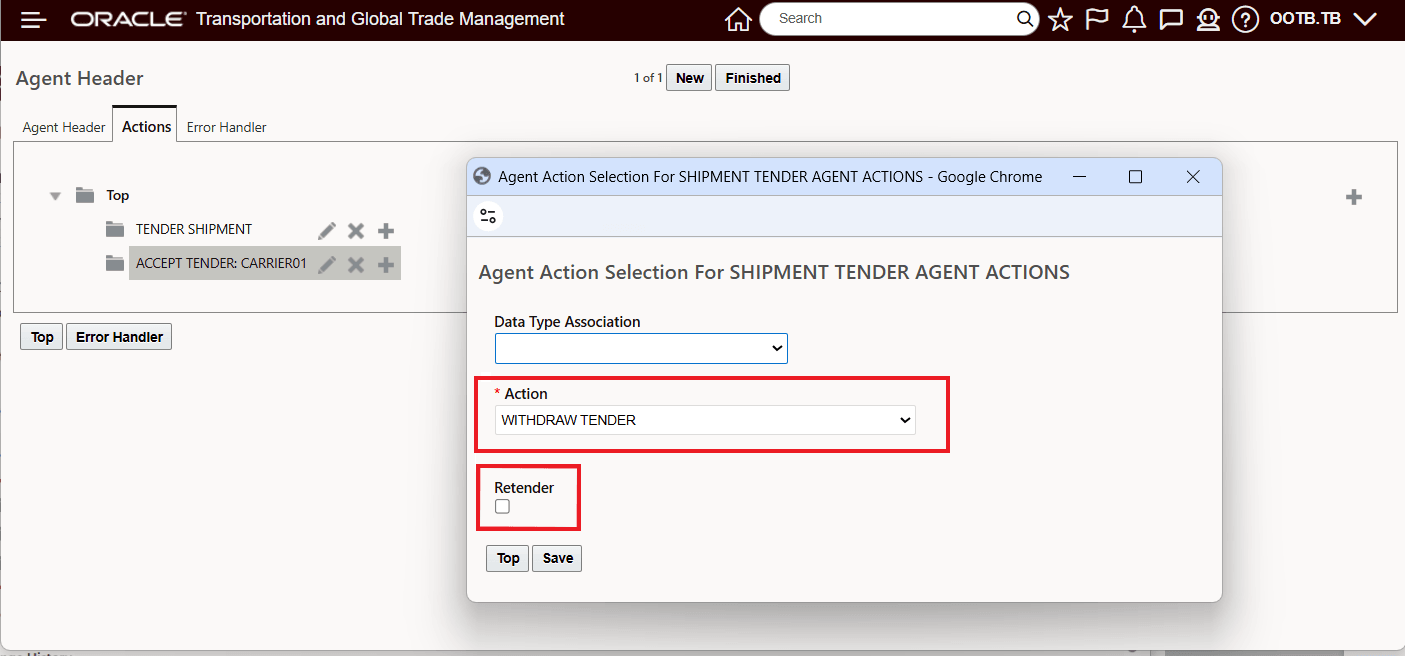
Agent Action - Withdraw Tender
Business Benefit: This enhancement expands the existing Shipment tendering functionality by introducing additional tender agent actions that support more complete automation of the Shipment tender workflow. You can now automate key shipment tender lifecycle activities using configurable agent actions instead of relying on more manual operational processing.
Steps to enable and configure
To take advantage of the Shipment tender related Agent Actions, you will need to add or update an existing Shipment Agent Type automation agent to use the new Shipment tender agent actions:
- TENDER SHIPMENT
- Maximum Number of Retenders
- Select Maximum Number of Retenders
- ACCEPT TENDER
- Service Provider
- WITHDRAW TENDER
- Retender Check Box
- Optionally configure Decline Reason Code handling for your withdrawal scenarios as needed by your business process.
Tips and considerations
- Review existing automation agent configurations to identify opportunities to replace manual processing steps with automated actions.
- Use decline reason codes consistently to improve operational reporting and exception analysis.
- Validate downstream workflows that may depend on shipment tender acceptance or withdrawal status updates.
- Ensure operational users understand how automated acceptance and withdrawal processing may affect existing exception handling procedures.