AI Agent: Shipment Change Assistant
This feature allows you to manage key transportation execution activities through a conversational workflow, helping you complete common shipment tasks more quickly and with less navigation confusion across multiple screens. You can use natural language requests to:
- Change Service Provider
- Secure Resources (Approve for Execution and Tender Shipment)
- Accept Tender
- Decline Tender
Example Conversations - Inputs and Agent Response
Change Service Provider
In the example below, the Shipment Change Agent is used to perform the Change Service Provider action. The request to Change Carrier for Shipment 17523 (you can provide the shipment GID or shipment XID) with the list of service provider options provided by the agent are shown below.
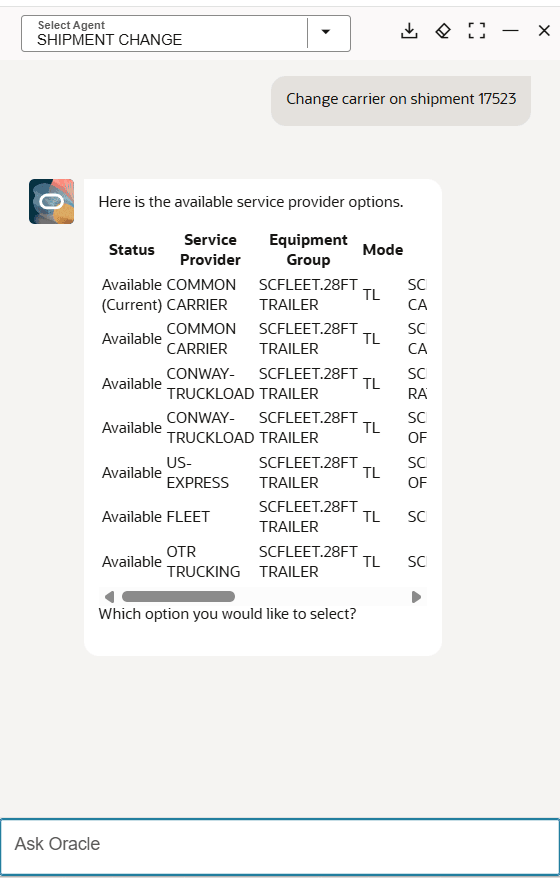
Shipment Change - Change Service Provider Input
Then to complete the Change Service Provider action, a selection is provided - in this case FEET.
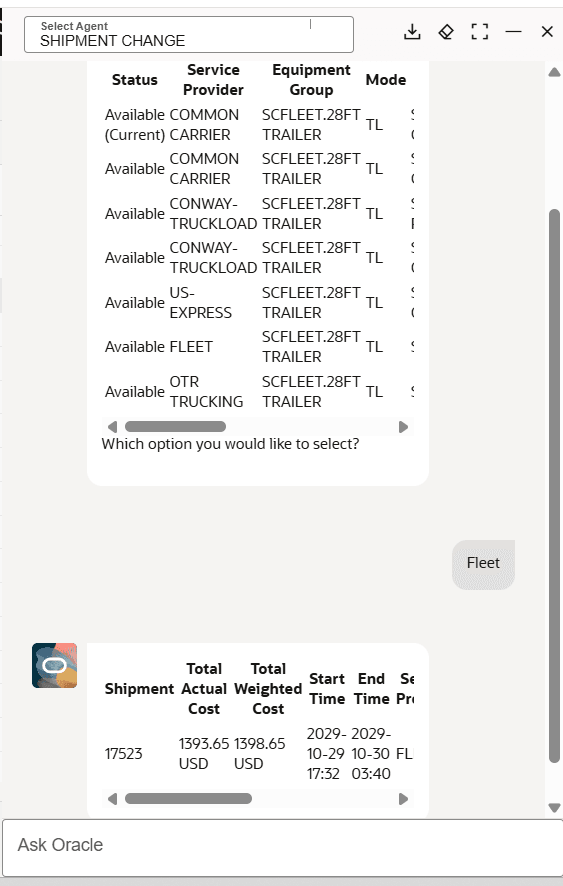
Shipment Change - Change Service Provider Selection
Tender Shipment
In the example below, the agent will be used to tender the shipment 15548. The shipment starts in a non-tendered status - as shown below.
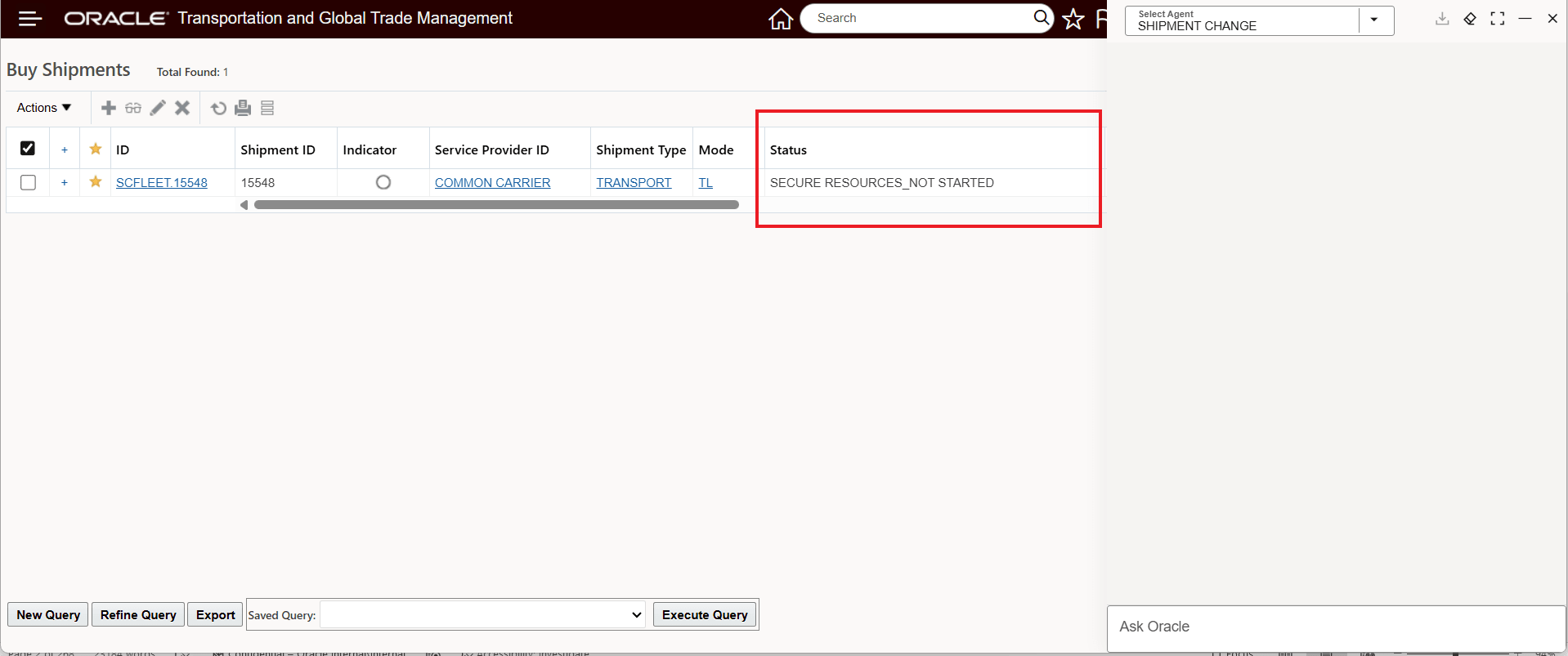
Shipment Change - Tender Shipment - Before Agent Runs
Then with the simple request to "Tender shipment 15548" the shipment is tendered to the assigned service provider - as shown below. You can also use the agent to Approve for Execution and Secure Resources.
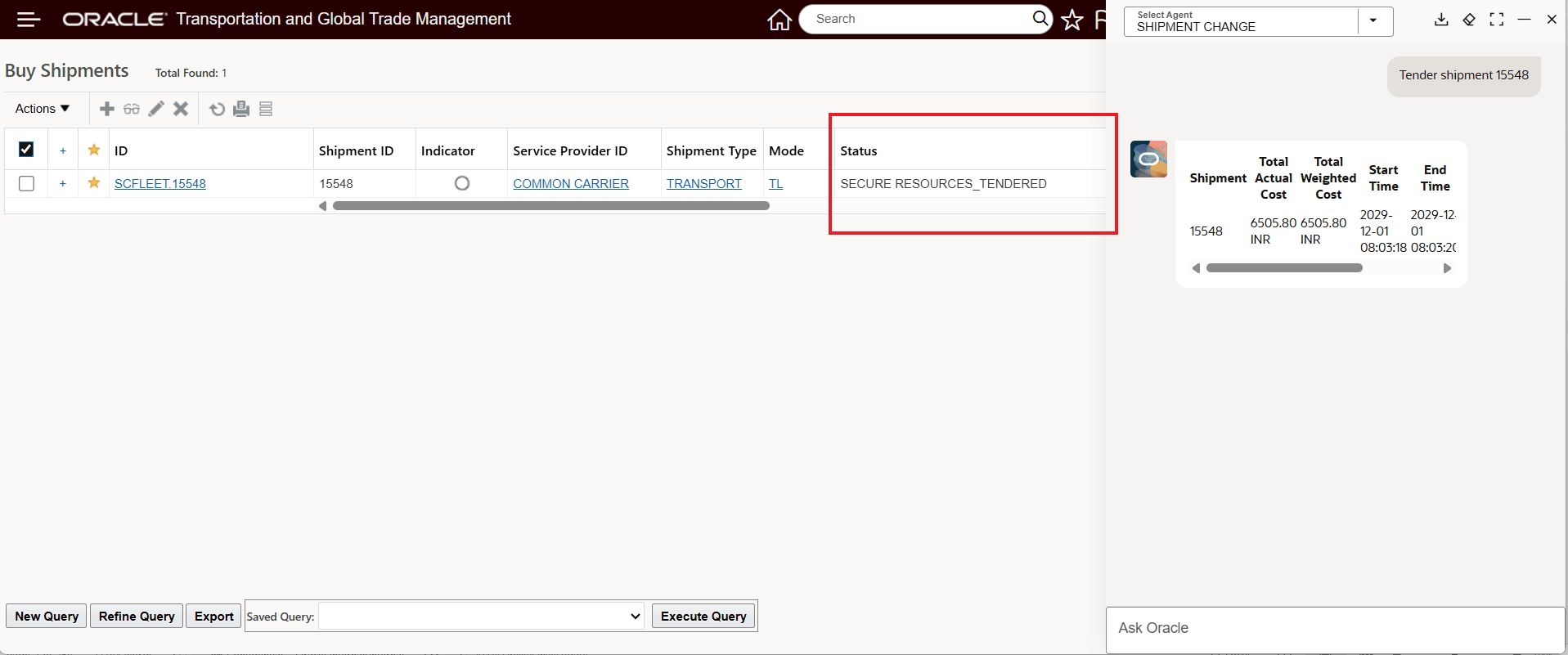
Shipment Change - Tender Shipment - Agent Executed
Accept Tender
In the example below, the shipment is tendered and accepted.
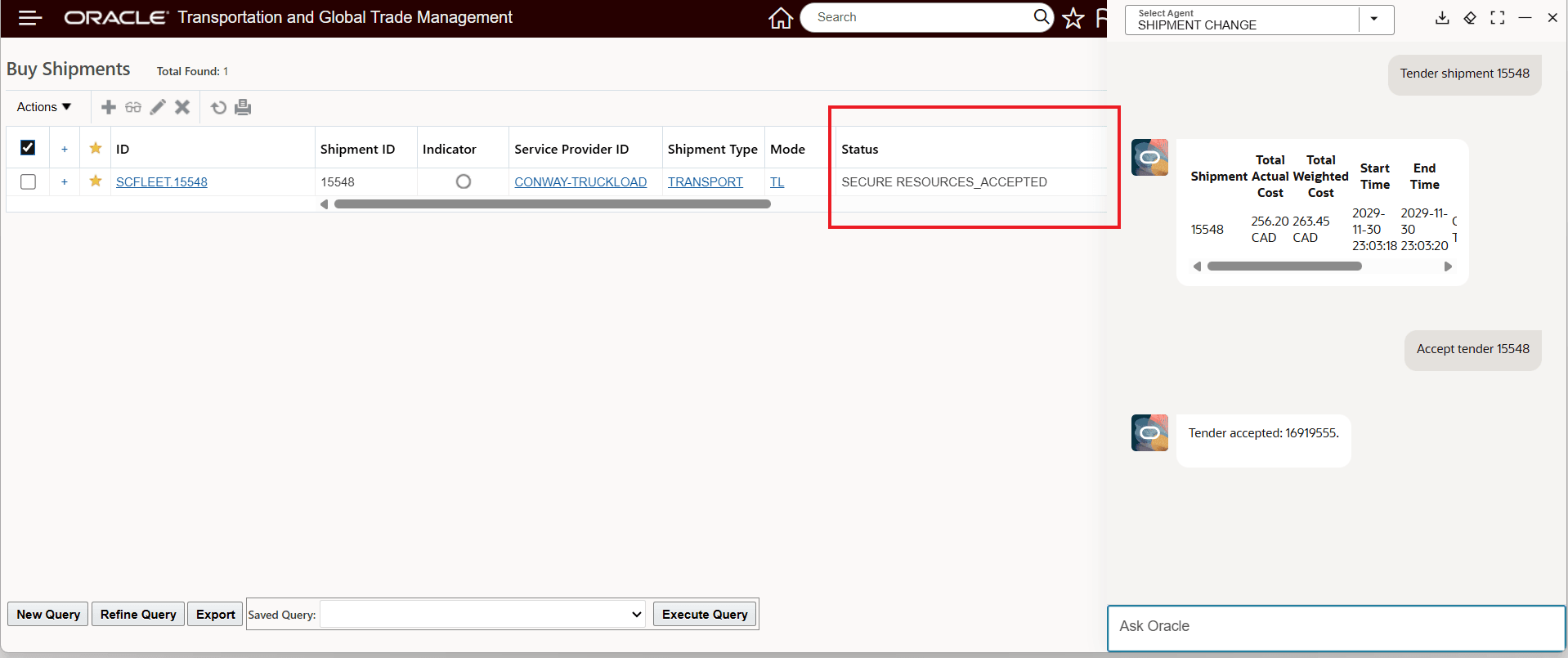
Shipment Change - Tender Shipment and Accept Tender
Decline Tender
In the example below, the request is a straightforward decline tender for shipment 15548 - in this case the shipment is not retendered, and no decline reason code is provided.
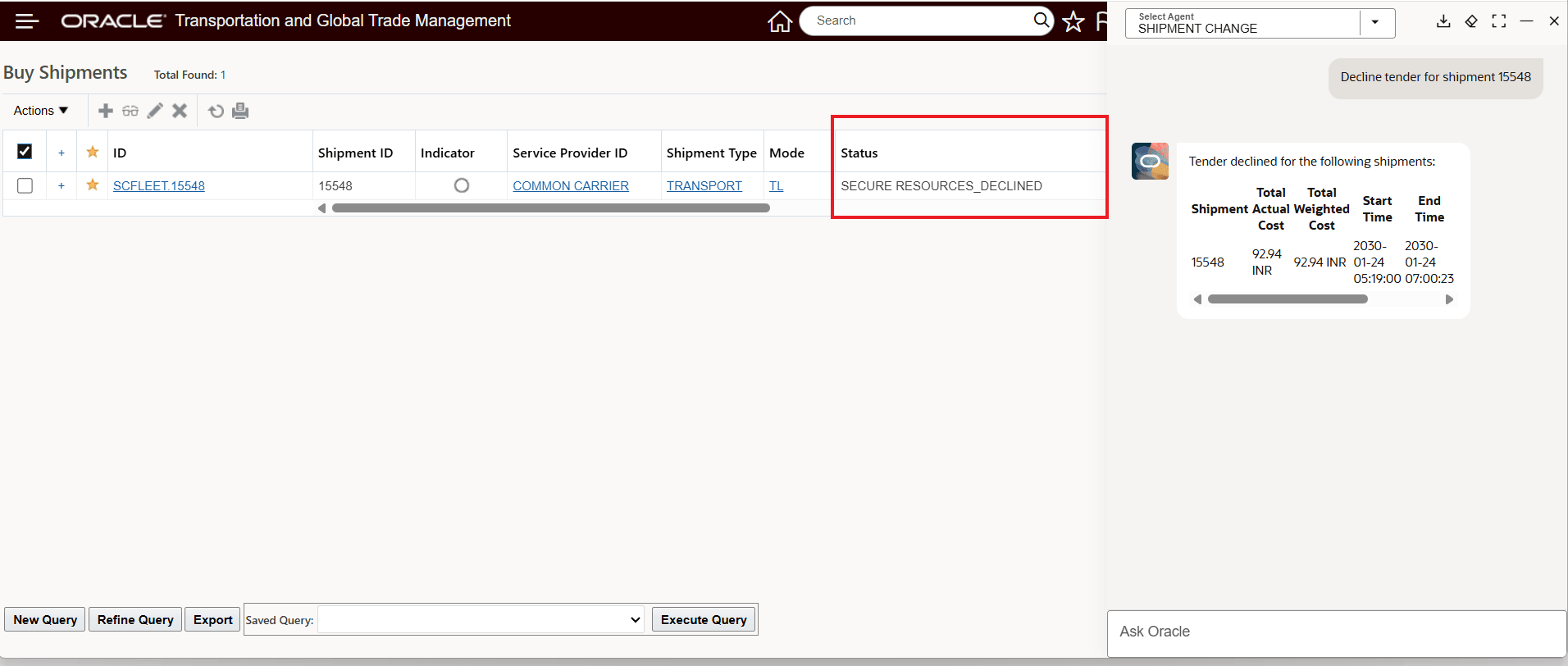
Shipment Change - Decline Tender
In the example below, the decline tender is provided to the agent along with the decline reason code and the request to retender the shipment after the decline. In this case the decline is for service provider Common Carrier.
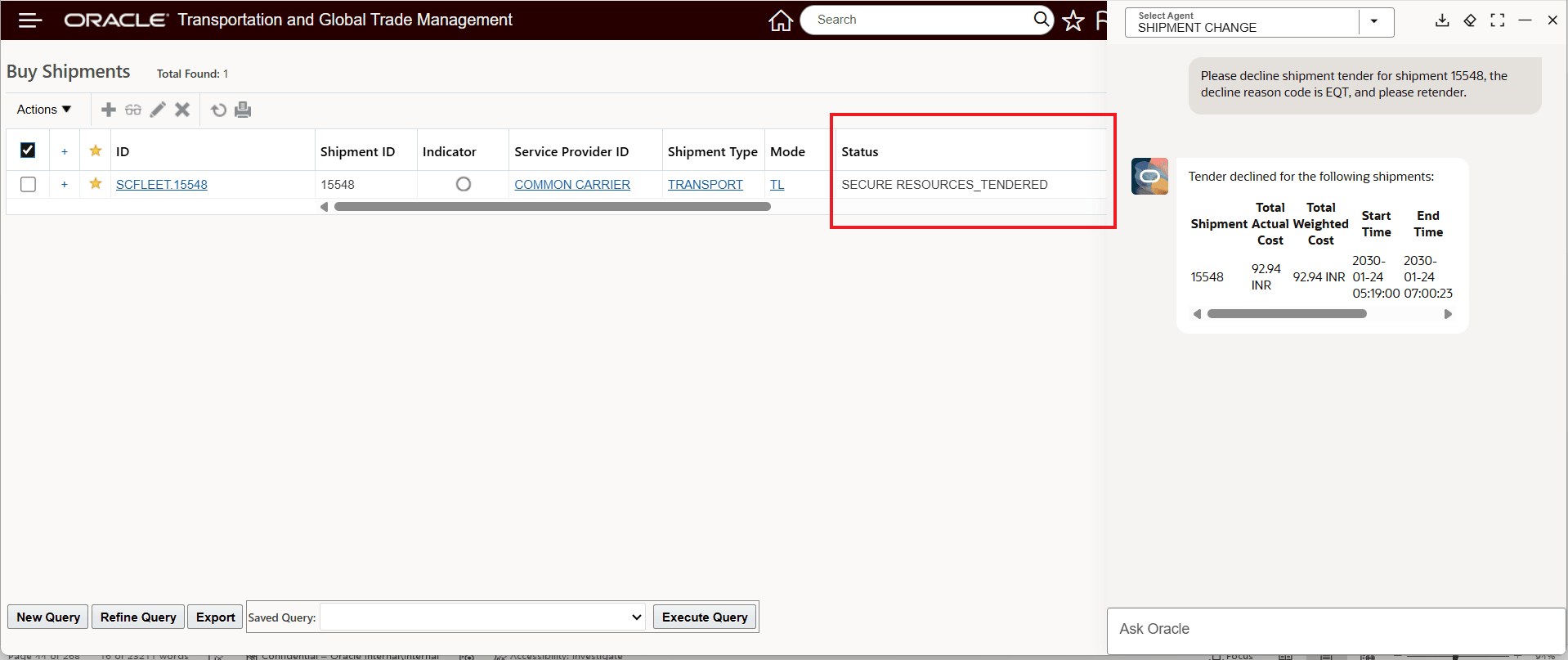
Shipment Change - Decline Tender With Reason Code And Retender
Once the agent runs, the shipment is declined for the original service provider and retendered to US-Express - as shown below.
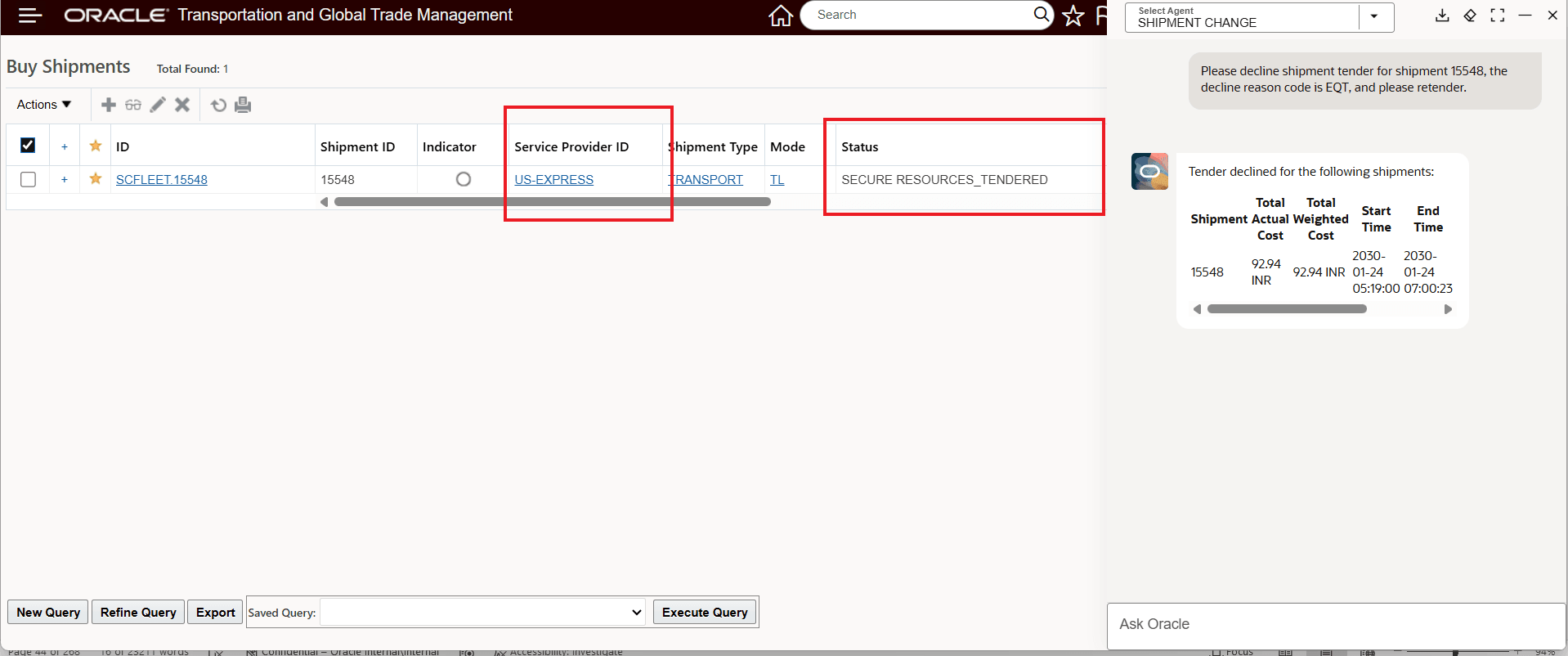
Shipment Change - Decline Tender With Reason Code And Retender Result
In the example below, the agent will handle the decline request for multiple shipments - 15548 and 18537.
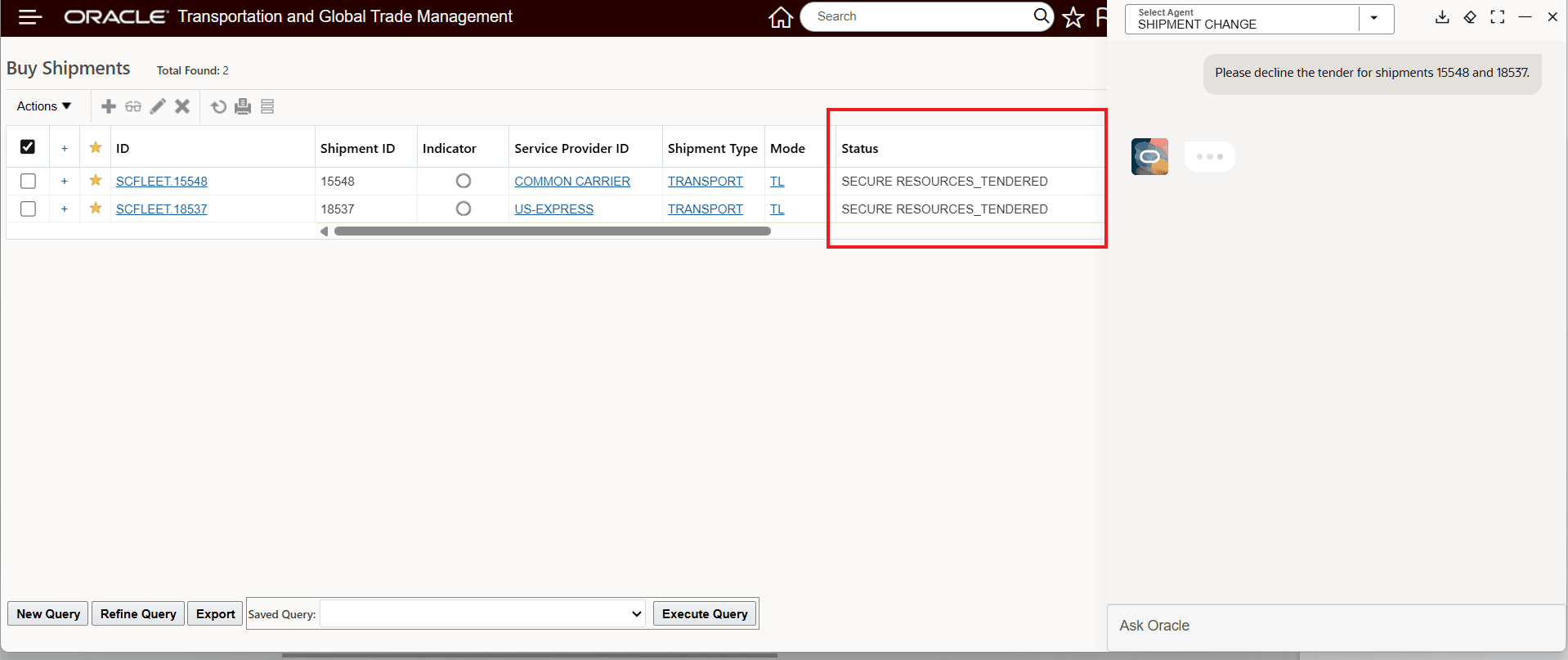
Shipment Change - Decline Request For Multiple Shipments
When the agent has completed the decline request - a confirmation is provided for all the shipments successfully declined, as shown below.
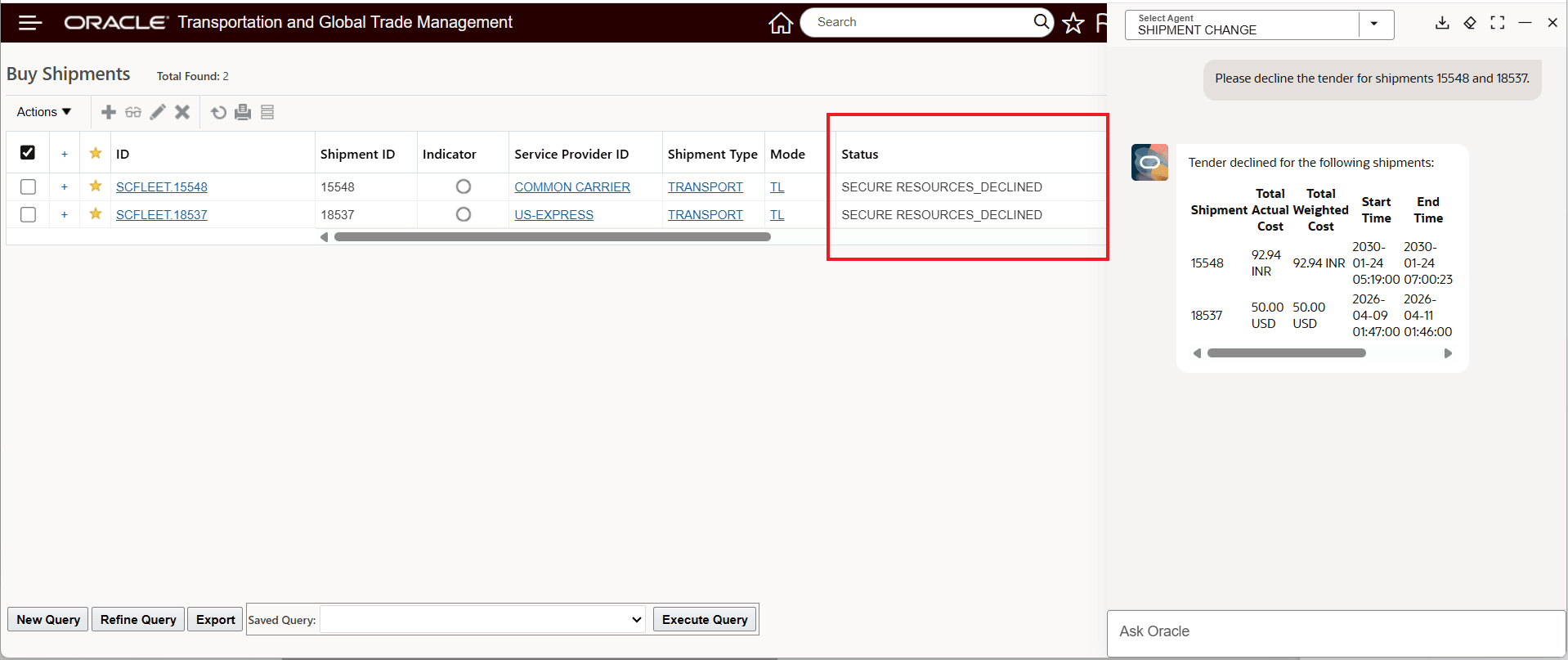
Shipment Change - Decline Tender For Multiple Shipments Result
If any of the shipments in the decline request fail, they will be identified with a remark like: "Tender 000000 cannot be responded for shipment DEMO.123 and DEMO.SERVICE PROVIDER".
Business Benefit: This feature helps you simplify transportation execution activities by eliminating the screen navigation and action selection required to execute the shipment actions supported with this AI Agent.
Key benefits include:
- Reduced navigation across transportation management screens
- Improved user efficiency through conversational and context-aware interactions
Steps to enable and configure
Standard AI Agent Studio setup for using Agents is required. Refer to the Oracle Transportation and Global Trade Management Cloud AI Guide for information about configuring OTM and Fusion AI Agent Studio.
In addition, the following Access Control List items must be configured:
- REST - Shipment - View
- REST - Shipment Actions
- REST - Tender Actions
- REST - Tracking Event Configuration - View
Tips and considerations
Valid Shipment Status Values
- Change Service Provider
- SECURE RESOURCES status CANNOT be any of the following: SECURE RESOURCES_TENDERED, SECURE RESOURCES_PICKUP NOTIFICATION, SECURE RESOURCES_BOOKED, SECURE RESOURCES_ACCEPTED
- Secure Resource
- Valid: SECURE RESOURCES_NOT STARTED, SECURE RESOURCES_ACCEPTED, SECURE RESOURCES_WITHDRAWN, SECURE RESOURCES_NO RESOURCES, SECURE RESOURCES_DECLINED
- Accept/ Decline Tender
- Valid: SECURE RESOURCES_TENDERED
-
Chat sessions are context-aware. For example, you first ask, "Change service provider for shipment 12345", in the same session you can simply issue the request to "secure resources" and the agent will assume you are still referring to shipment 12345.