 External Service Engine (ESE) Database Cache
This feature provides you with the ability to store externally calculated transit times in a persistent database cache. This allows the system to reuse previously retrieved service times across sessions, reducing the need to repeatedly call the external service for the same lane and service combination.
When you calculate transit times using an external service, repeated requests for the same lane can slow down planning and increase dependency on external systems. Previously, transit times retrieved from an external service engine were only cached temporarily in memory, meaning results were lost between sessions or cache clears.
You control how caching behaves directly within the External Service Engine configuration. Depending on your selection, the system can look up and reuse stored transit times, save new results for future use, or bypass caching entirely. This flexibility lets you balance performance, accuracy, and external service usage based on your business needs.
The feature is used during transportation planning when transit times are calculated for rating, scheduling, or shipment optimization. It works behind the scenes to improve response times and reduce redundant external calls while maintaining consistency in results.
With this feature the application can look up a service time in the app-tier RateServiceCache before calculating it. For a Rate Service that uses an External Service Engine, OTM can now also check a database cache. This enhancement introduces database-backed cache persistence to improve reliability and reduce latency.
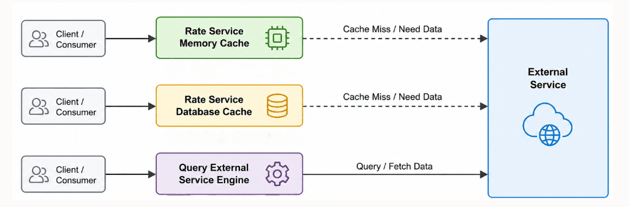
Cache Lookup Steps
This is the Cache Control Process.
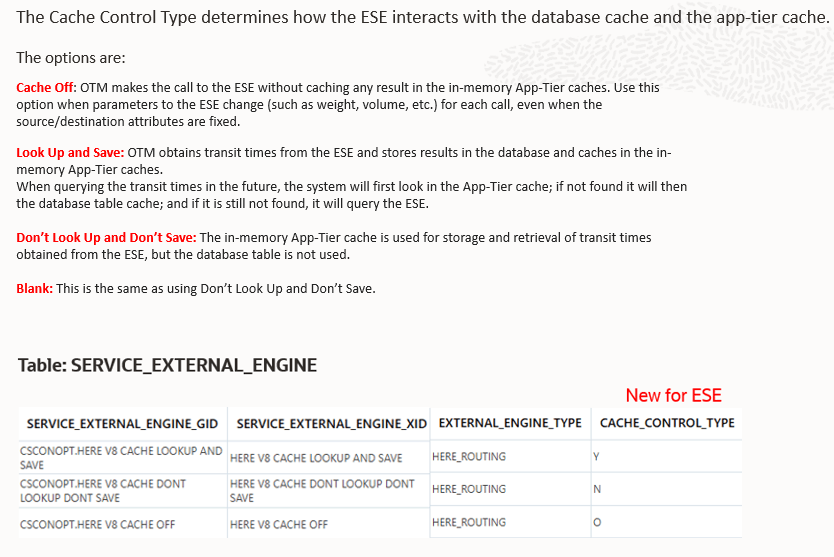
Cache Control Process
Clearing the Cache
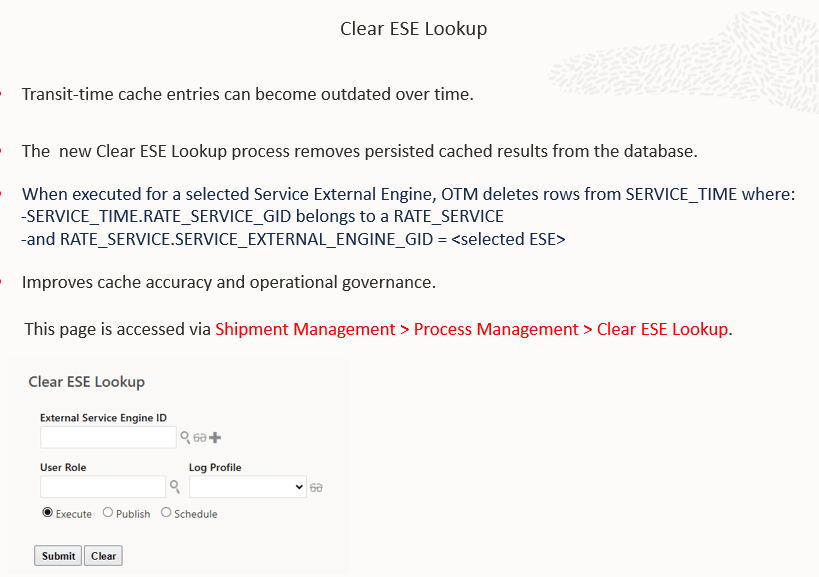
Clear Cache
Business Benefit: The benefit is that this reduces expensive and frequent calls to the External Service Provider. It speeds up the process too.
Steps to enable and configure
- Navigate to the External Service Engine configuration in your system Shipment Management > Power Data > Geography > External Service Engine.
- Locate the Cache Control Type field.
- Select one of the following options based on your needs:
- Lookup and Save (Y): Enables database caching. The system will store and reuse transit times.
- Don’t Lookup – Don’t Save (N): Disables database caching but still allows temporary in-memory caching.
- Cache Off (O): Disables all caching. Every request calls the external service.
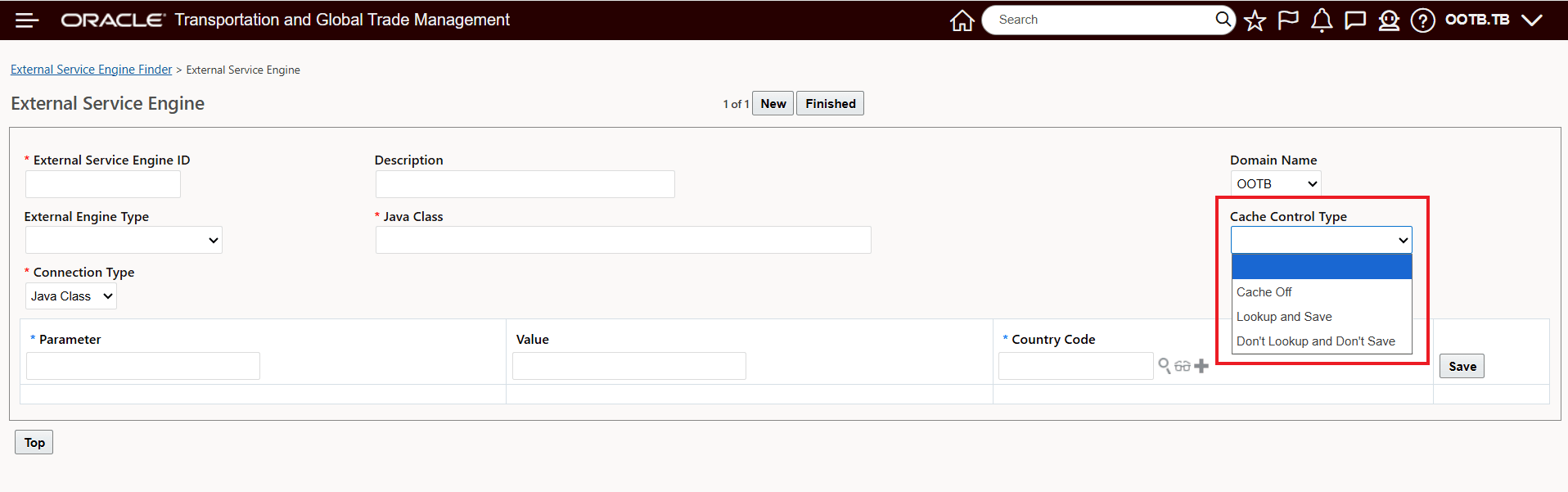
Cache Control Type
Tips and considerations
- Choose Lookup and Save (Y) if you want to maximize performance and reduce external calls for frequently used lanes.
- Use Cache Off (O) if you require real-time, always-fresh transit times from the external service.
- If no valid lane can be determined for a request, the system will skip database caching for that transaction.
- Clearing the cache removes both stored (database) and in-memory values, forcing the system to retrieve fresh data on the next request.
- This feature does not support geographic hierarchy-based caching (such as country or region-level aggregation). All caching is based on specific lane and service combinations.
- During transition or migration, blank or undefined cache settings default to Don’t Lookup – Don’t Save (N) behavior.