LinkedIn Matched Audiences Connector
The LinkedIn Matched Audiences connector enables seamless mapping and delivery of Unity segment data to LinkedIn member profiles, matching users via hashed email or Ad ID and identifying companies by name, domain, website, or LinkedIn organization URN.
This allows Unity customers to match their data to LinkedIn's data for advertising efforts.These audiences become immediately available for LinkedIn campaigns, supporting adding, appending, or deletion of users and companies.
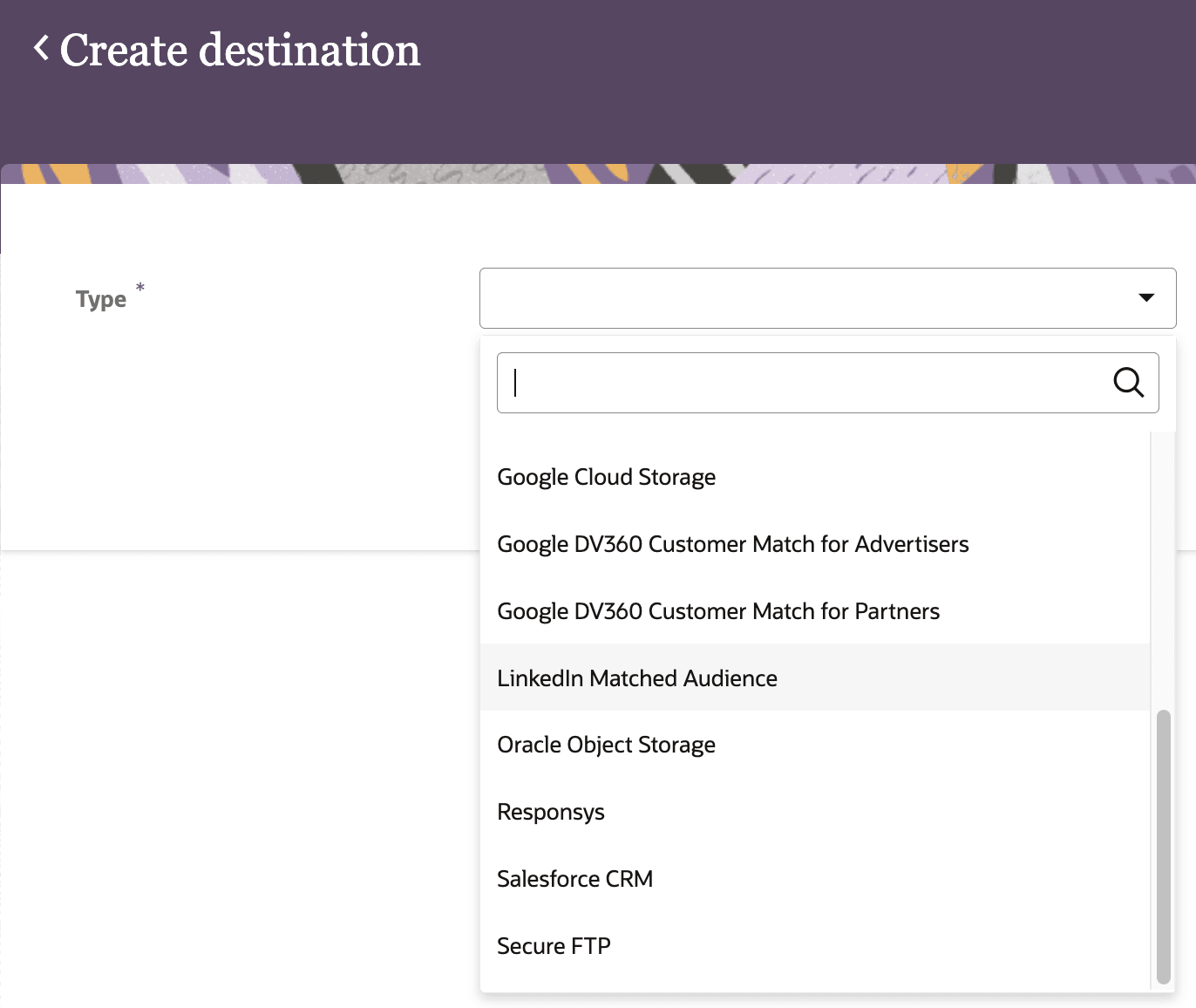
Create destination
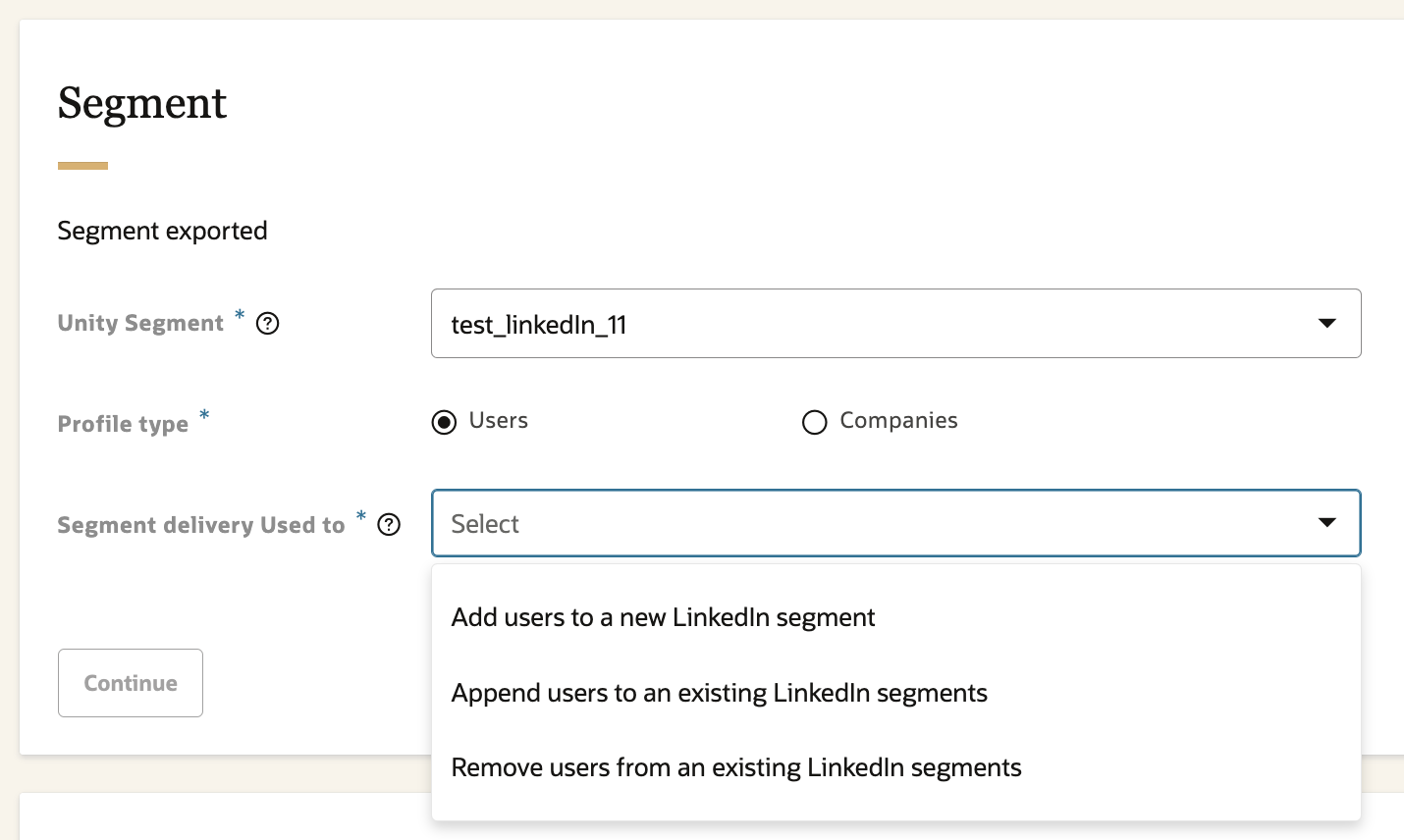
Segment settings - "Users"
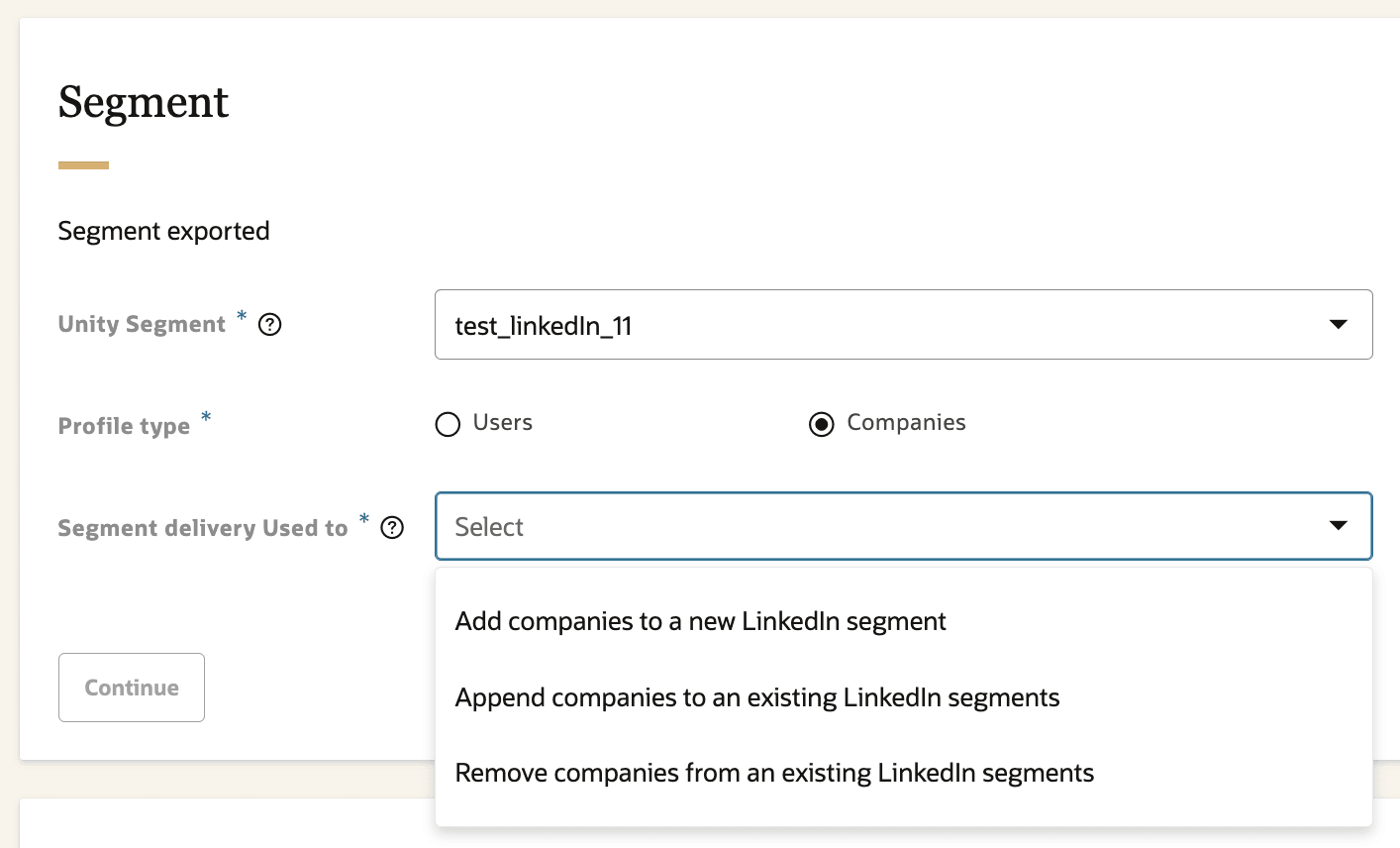
Segment settings - "Companies"
Business Benefits:
- Enables seamless, secure activation of Unity segments on LinkedIn, enhancing audience targeting effectiveness for B2B and B2C campaigns.
- Allows immediate campaign deployment on LinkedIn, shortening campaign launch timelines.
- Supports dynamic management: users and companies can be added, updated, or deleted from matched audiences.
- Contributes to improved return on ad spend (ROAS) and delivers a more consistent customer journey across channels.
Steps to Enable and Configure
You don't need to do anything to enable this feature.
Tips And Considerations
- The connector is available to all customers and uses industry-standard security measures (like hashed identifiers) to protect PII.
- Ensure segment data mapped for export is compliant with privacy, consent, and internal governance policies, particularly when handling PII.
- Deleting segment membership or user data should be carefully managed to avoid accidental removal from LinkedIn audiences.
Key Resources
- For setup and additional information, please refer to the configuration guide called “Exporting Oracle Unity segments to LinkedIn.pdf” available within the Oracle Unity Release Notes for March 2025 (25.03)
Access Requirements
Note: Available as part of our Oracle Unity March 2025 (25.03) Release.