Locator for Reversed Geocoding
.Agencies can now configure their own reverse geocoding service or locator instead of using the default ESRI reverse geocoding service. On the GIS Attribute Mapping - Property and Location setup page, a new field—Agency's Geocoding Locator—has been added under the Custom Geocoding Service section.
- By default, the Agency's Geocoding Locator field is blank, which means the standard ESRI Geocoding Locator will be used.
- Agencies can enter the URL of their preferred custom Geocoding Locator in this field.
Let's take a look at the runtime behavior:
- If the Agency's Geocoding Locator field is left blank, the system uses the standard ESRI Geocoding Locator.
- If a custom Geocoding Locator URL is specified, the system uses the agency’s custom reverse geocoding service.
This affects the Report an Incident and Reference Entity maps.
This example illustrates the GIS Attribute Mapping page where agencies can add a custom geocoding service:
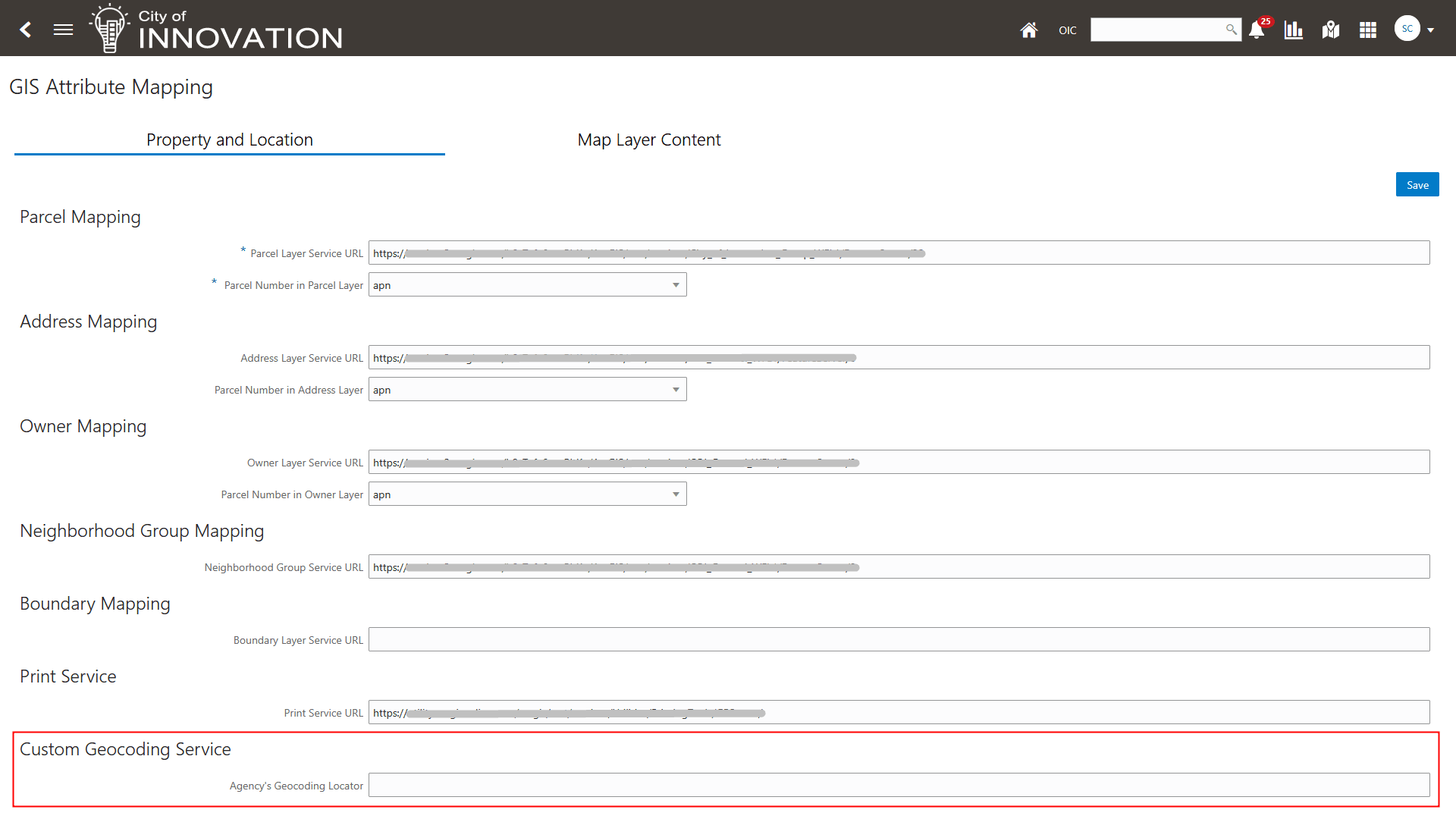
GIS Attribute Mapping - Property and Location Page
Provides custom reverse geocoding service support for more flexibility to integrate an agency's own geocoding solutions.
Steps to enable and configure
You need to update the new Agency's Geocoding Locator field on the Attribute Mapping page to enable this feature.
- Navigate to Setup and Maintenance of Offerings > Offering: Any > Functional Area: GIS > Task: Manage GIS Attribute Mapping > GIS Attribute Mapping page.
- Enter your URL for your custom Geocoding Locator in the Custom Geocoding Service section, Agency's Geocoding Locator field.
- Click Save.
Note: If this field is left blank, the standard ESRI Geocoding Locator is used.
Key resources
See Implementing Your Cloud Integrations, "Setting Up GIS," Setting Up GIS Attribute Mapping on the Oracle Help Center.