Inspection Period Configuration for Scheduling
The configurable inspection scheduling period feature enables agencies to control how far into the future agency staff can request or schedule inspections. Previously, inspection scheduling was limited to a fixed 21-day window and wasn't configurable. With this enhancement, agencies can now set the permissible scheduling period to a value between 1 and 30 days, providing flexibility to make the window more or less restrictive as needed.
When applicants schedule inspections, they can only select dates within the configured scheduling period. Public users will see available times for selection or may input preferred or ready-by dates only within this window.
The Scheduling Period Days field is available on the Agency Details setup pages for both Permits and Business Licenses offerings. The default value is 15 days and can be set to a value between 1 and 30.
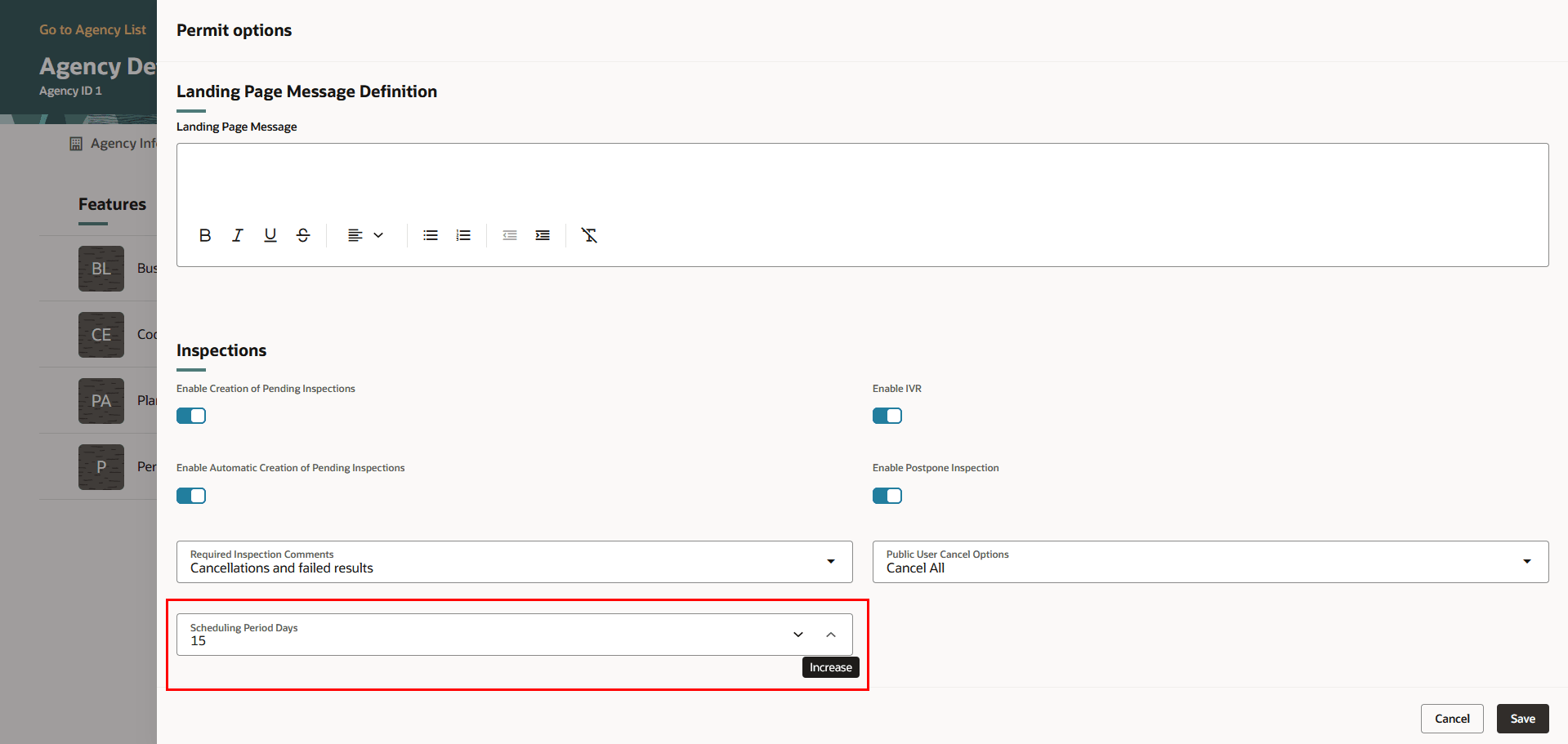
Agency Details - Permit Options Page with Scheduling Period Days Field
Allows agency to override the default value and configure their own number of days that inspections are available for scheduling.
Steps to enable and configure
To enable this feature:
- Navigate to Setup and Maintenance of Offerings > Offering: Permits or Business Licenses > Functional Area: Agency Profile > Manage Agencies > Agency page.
- Click on your agency row.
- Click on the Features tab.
- To configure the number of days into the future a public user can request or schedule an inspection for Business Licenses, select Review Options in the Business Licenses row.
- In the Inspections section, select the number of days you want in the Scheduling Period Days field.
- Select Save.
- To configure the number of days into the future a public user can request or schedule an inspection for Permits, select Review Options in the Permits row.
- In the Inspections section, select the number of days in the Scheduling Period Days field.
- Select Save.
Tips and considerations
Note: This limit does not apply to agency staff.
The default value is 15 days. You can configure the number of days if that is not what is needed.
The Schedule Period Days field is in the Inspections section in both the Permits option and Business License options page on the Agency > Features tab.
Key resources
- See Implementing Permitting and Licensing, "Setting Up Permits," Setting Up Agency-Level Options for Permits on the Oracle Help Center.
- See Implementing Permitting and Licensing, "Setting Up Business Licenses," Setting Up Agency-Level Options for Business Licenses on the Oracle Help Center.