Compare Amendment or Renewal to Prior Activity
Allows the agency to compare an amendment or renewal to the last transaction to identify changes that were requested, without manually going back and forth between the two transactions.
Activity comparison enables agency users to review attribute-level changes when a business license amendment or renewal application is submitted. It compares the current amendment or renewal activity with the previously completed license activity, such as the origination or a prior renewal.
The side-by-side comparison is available on the Activity Comparison page within the license activity details. It is displayed only for Amendment or Renewal business license activity records and is available only to agency users. Public users don't have access to the comparison.
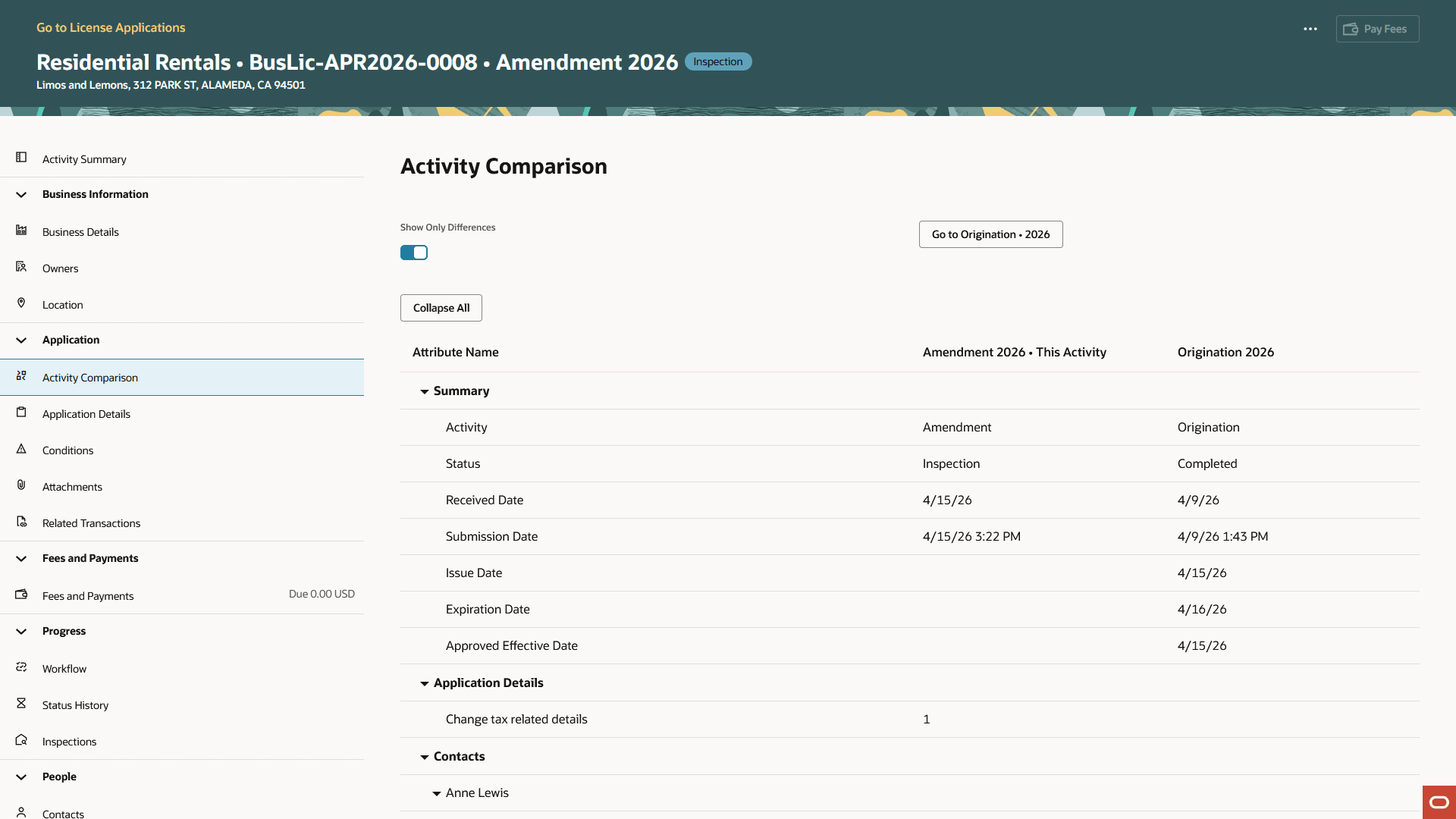
Example of an Activity Comparison for a Business License Amendment
The current activity appears in one column, and the previous activity appears in another column. The previous activity is determined using the license activity’s parent field, which stores the activity from which the amendment or renewal was created.
By default, the comparison shows only changed attributes. Users can turn off the Show Only Differences switch to view all compared attributes. Agency staff can also expand or collapse grouped comparison sections. The comparison is grouped by functional area to help reviewers understand changes in context, including summary, business details, locations, owners, credentials, contacts, and more.
Agency staff can also launch the comparison from the License Worklist using the Compare Activity action under the My License Applications tab.
Business Benefit: Agency staff can quickly identify what changed without manually comparing separate license activities.
Steps to enable and configure
You don't need to do anything to enable this feature.
Key resources
- See Using Business Licenses, "Managing License Application Details," Comparing License Activity (new topic in 26C)