Multiple Versions of Final Notice Attachments
The Notice Enhancements feature improves how notices and their attachments are managed by allowing multiple files per notice, introducing visibility controls, and clearly distinguishing between system-generated and user-uploaded documents. This feature is primarily designed for agency staff, who manage and control notices, while responsible party users benefit from viewing only the relevant public documents. It works by enabling users to upload multiple attachments, mark them as Draft or Final, and control their visibility using a Public/Private flag, ensuring only final and approved files are shared externally.
This example illustrates the Preview and Generate Notice drawer with the switch to mark a notice as public.
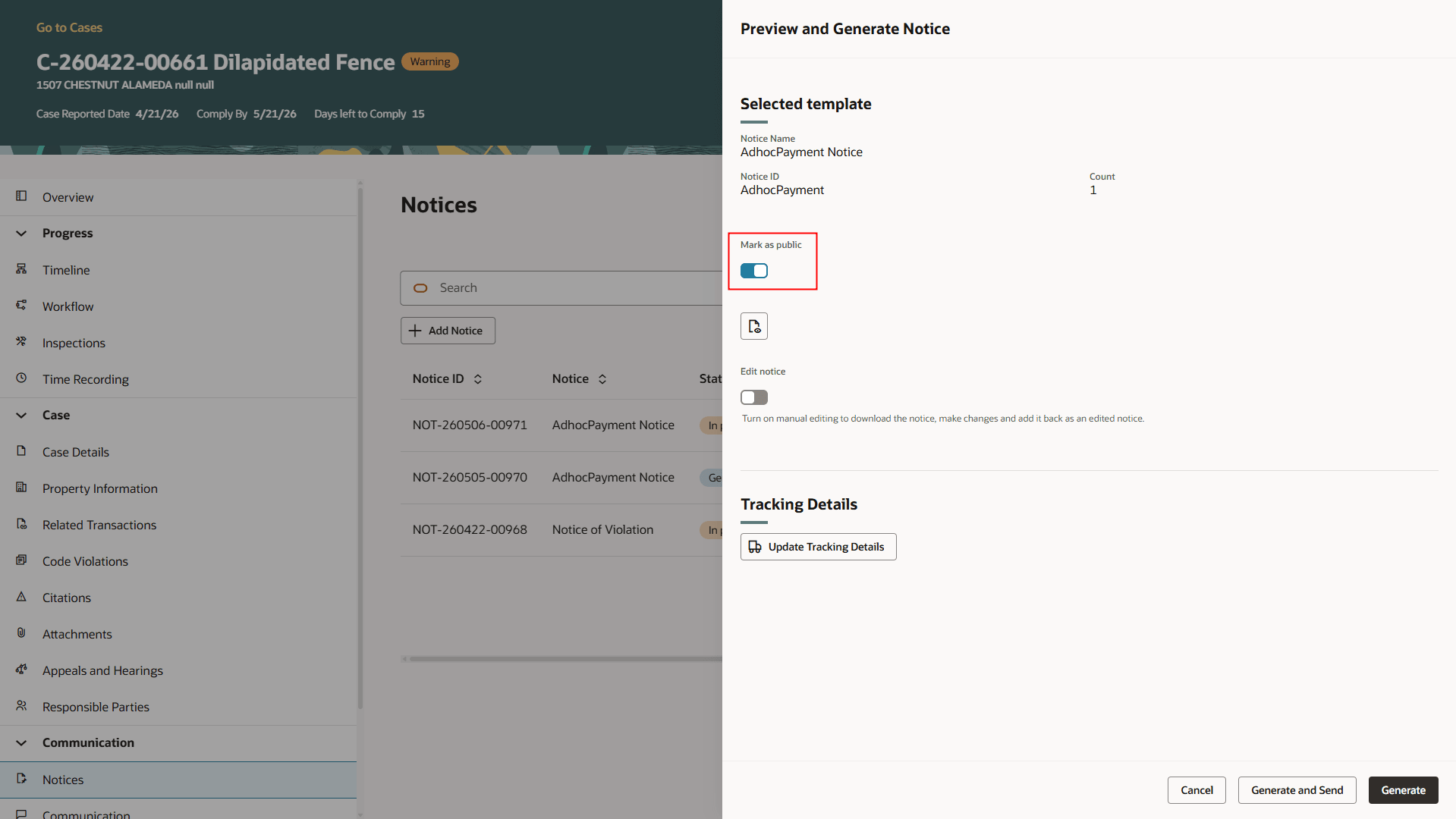
Preview and Generate Notice Drawer
This example illustrates the Preview and Generate Notice drawer where the agency user can select to upload an attachment as Draft or Final.
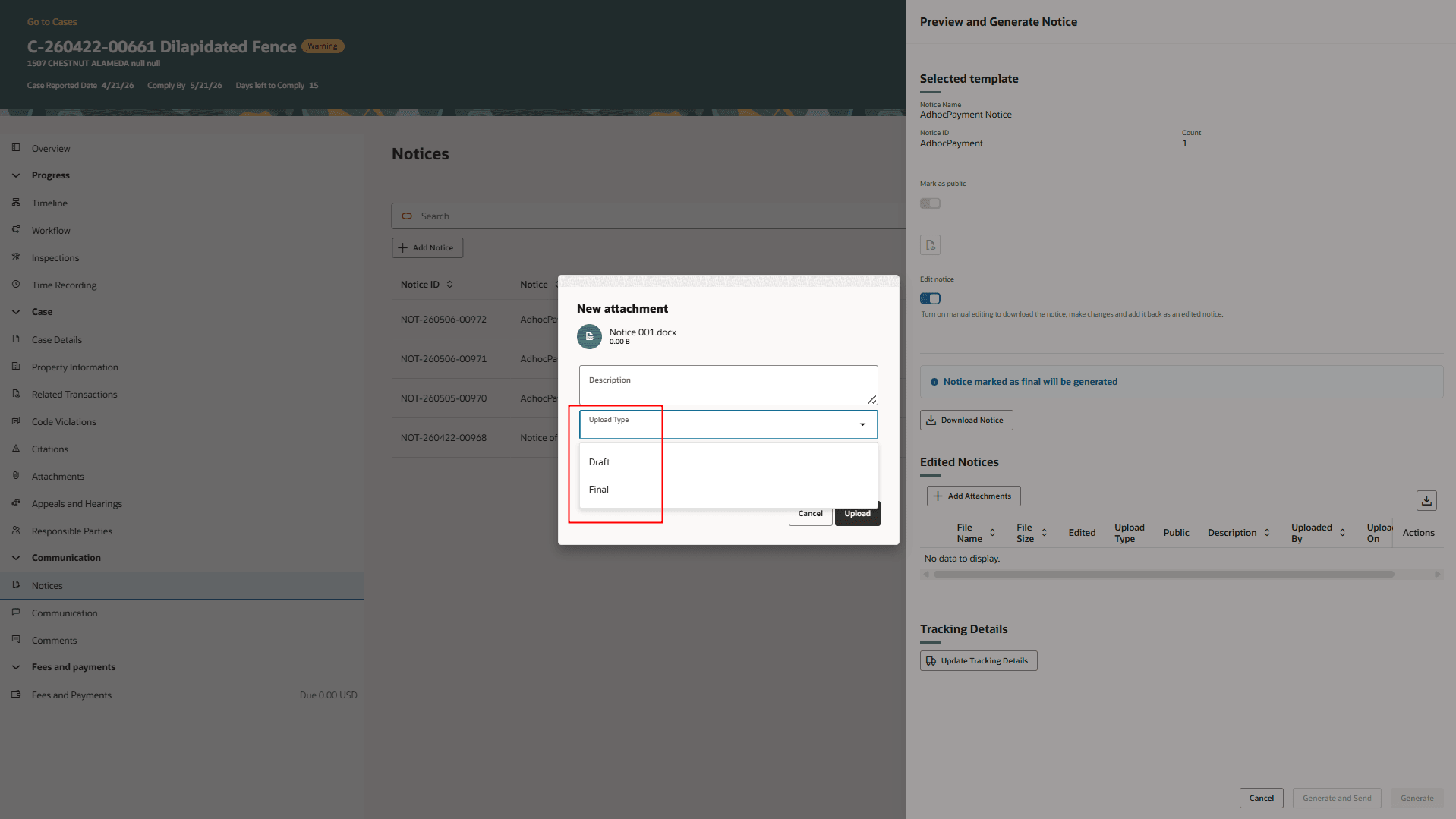
Preview and Generate Notice Drawer With the New Attachment Window
This example illustrates the Update Generated Notice drawer which shows a notice marked as Public in the Final upload type. The agency user has the option to mark this as Private from the Actions menu.
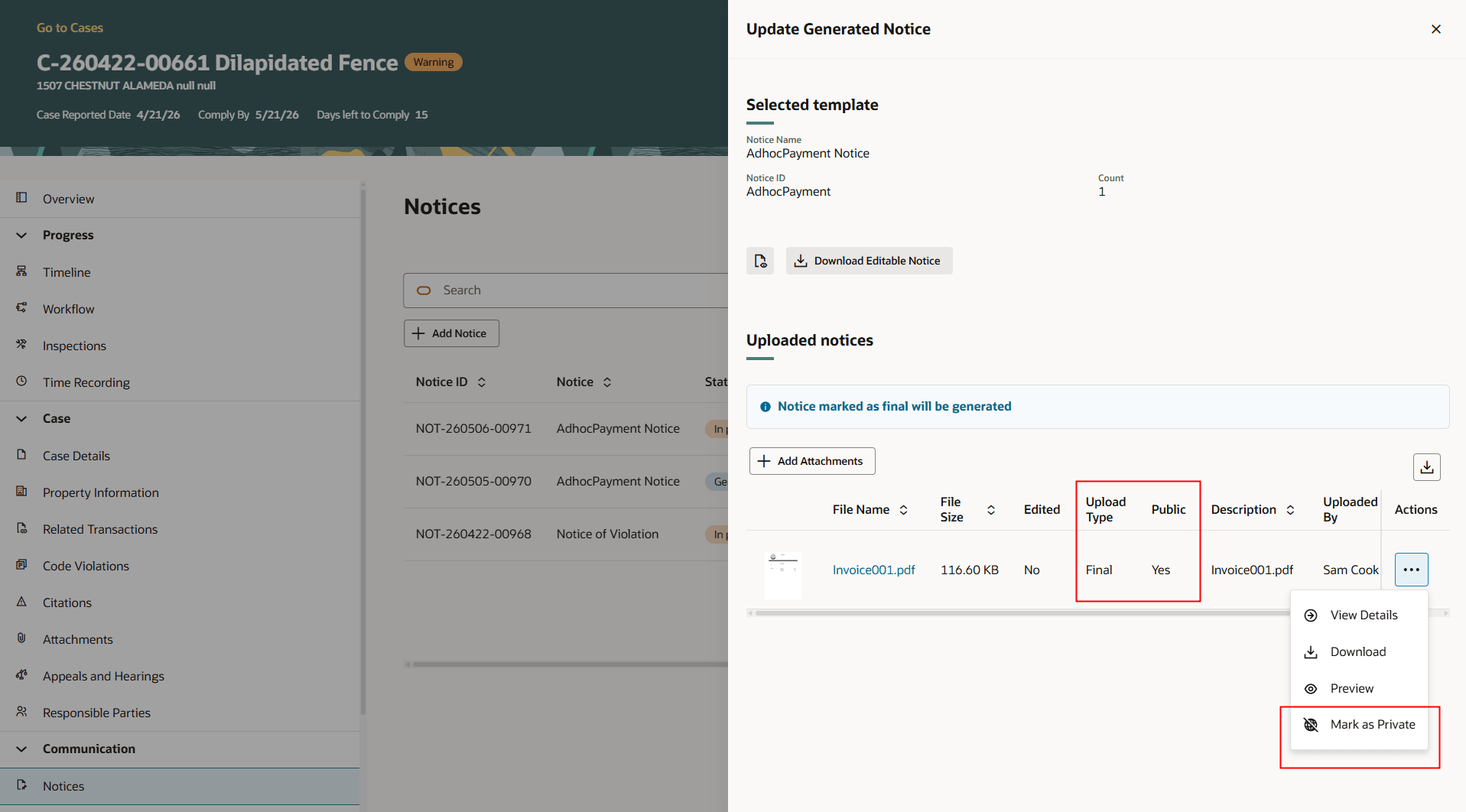
Update Generated Notice Drawer
Business Benefit: The business benefit is improved flexibility, better document governance, enhanced transparency, and reduced risk of exposing incomplete or unintended information to external users.
Steps to enable and configure
This feature is part of the Redwood Experience for Case List and Details page. When the Redwood Experience for Case List and Details is enabled, this feature will be available as well. See Oracle Fusion Cloud Permitting and Licensing 25D What's New, Redwood Experience for Case List and Details.
Key resources
- See Using Community Development Code Enforcement, "Managing Cases", Working with Notices on the Oracle Help Center.