Capture Time Bound Public Comment for Planning Applications
Agencies can now collect community feedback on Planning and Zoning applications during active, agency-defined comment windows. These windows are created when an application activity has Allow Public Comments enabled and the activity is active for a specific date range, based on agency setup for planning and zoning activity tracking.
Registered public users click the Public Comments tile on the Registered Public User landing page.
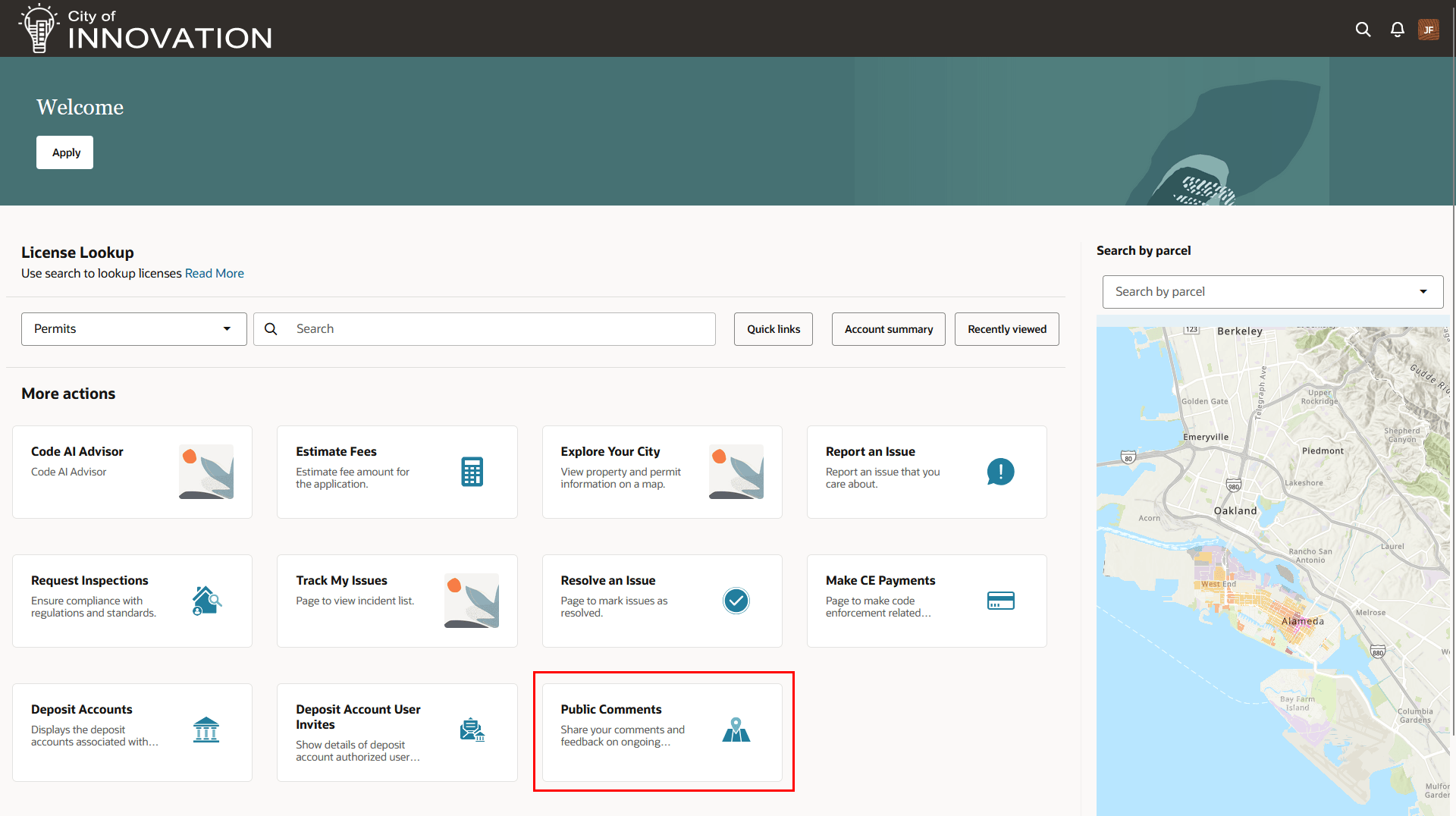
Registered Public User Landing Page - Public Comments Action Tile
They then use the new Public Comments collection page to find applications with open comment periods, review basic application information, and submit comments.
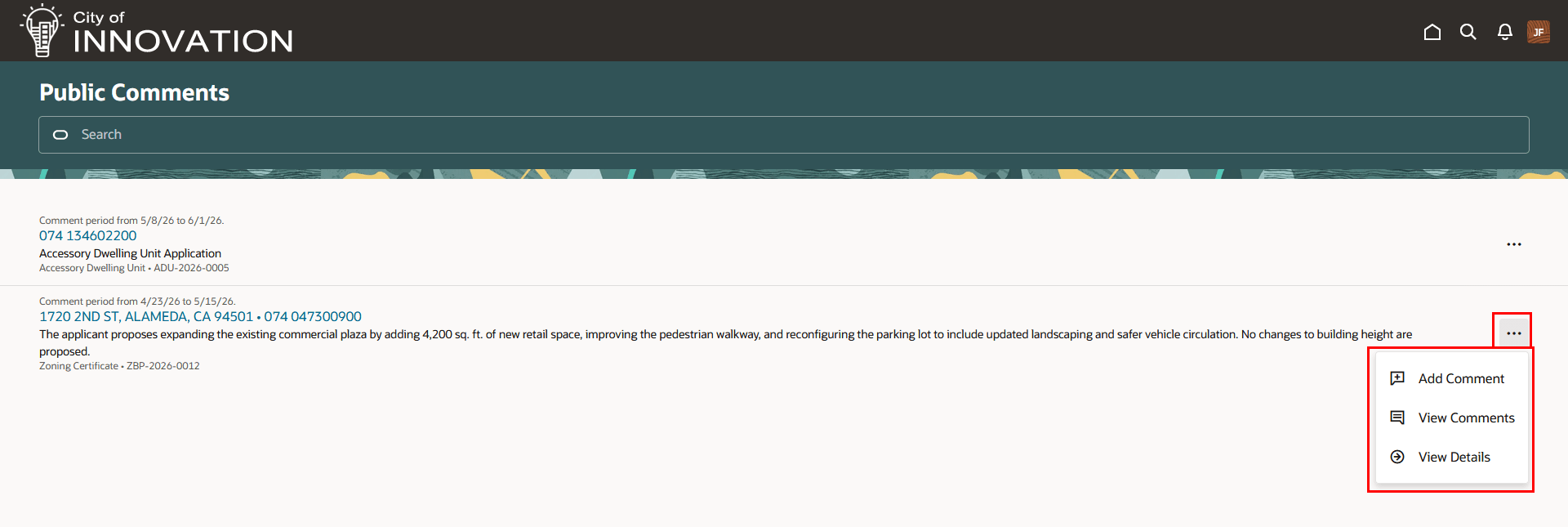
Public Comments Page for Collecting Planning Application Comments
If an application has multiple overlapping comment periods, each active period is displayed separately so the user’s comment is associated with the correct comment window.
Agency staff can view public feedback directly from the Planning and Zoning application record. The new agency-only Public Comments tab in the planning application detail pages provides comment details, including the commenter’s name, submission date and time, comment period, and comment text. Staff can search, filter, download, preview, view full comment details, and delete comments when they have the appropriate role.
The Public Comments page lists Planning and Zoning applications that are currently open for comment. Here's how it works for registered public users:
- Users can search for applications by address, parcel, description, application type, or application ID.
- Users can submit comments during an open comment period, with comments limited to 4,000 characters.
- Submitted comments are final and can't be edited or deleted by the public user.
- Users can view their own submitted comments for an application and add additional comments while the comment period remains open.
Agency staff can manage the comments like this:
- Agency staff can review submitted comments from a new Public Comments tab on the Planning and Zoning application.
- Authorized staff can delete comments, download comments, and filter comments by comment period.
This example illustrates the agency-only Public Comments page for a planning application:
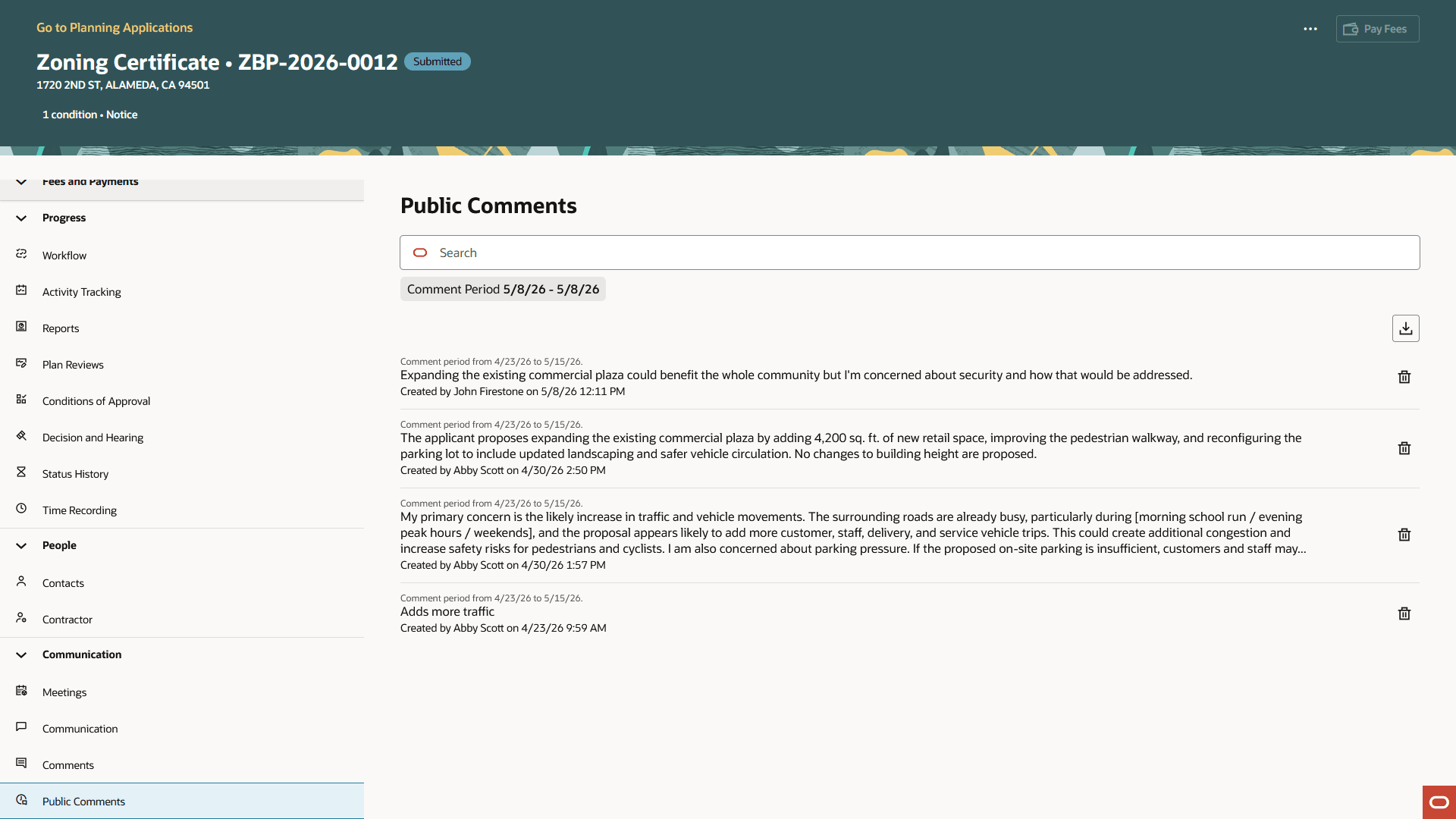
Public Comments Page for Agency Staff in the Planning Application Detail Pages
Business Benefit: This feature helps agencies manage public participation in a more structured and auditable way. By linking comment availability to configured application activities, agencies can ensure public feedback is collected only during the appropriate review windows.
Steps to enable and configure
You don't need to do anything to enable this feature.
Key resources
-
See Implementing Permitting and Licensing, "Setting Up Activity Tracking," Setting Up Activity Groups and Defining Planning Application Activity Rules (implementation) on the Oracle Help Center.
-
See Using Community Development Planning and Zoning, "Managing Public Users," Overview of Public Landing Pages (Public Comments tile for public to add comments) on the Oracle Help Center.
-
See Using Community Development Planning and Zoning, "Tracking Planning Application Activities," Working with Planning Application Activities (agency adds time-bound activities to the planning application) on the Oracle Help Center.
-
See Using Community Development Planning and Zoning, "Managing Planning Application Details," Working with Public Comments (NEW, agency manages public comments) on the Oracle Help Center.