Estimated Renewal Fees Communication Event
This feature enables automatic communication when estimated renewal fees are generated for business license applications. It is primarily intended for agency staff responsible for managing fee processing and customer communications. The feature works by triggering a newly added Business Rules Framework communication event during the Generate Fees batch process whenever estimated fees are created for an application. If the event is associated with a configured communication rule and template, the system automatically sends a notification for that application.
This example illustrates the newly added Business Rules Framework event, Estimated Renewal Fees.
Note: This event doesn't come with configured business rules. These are to be added by the Agency to enable notifications.
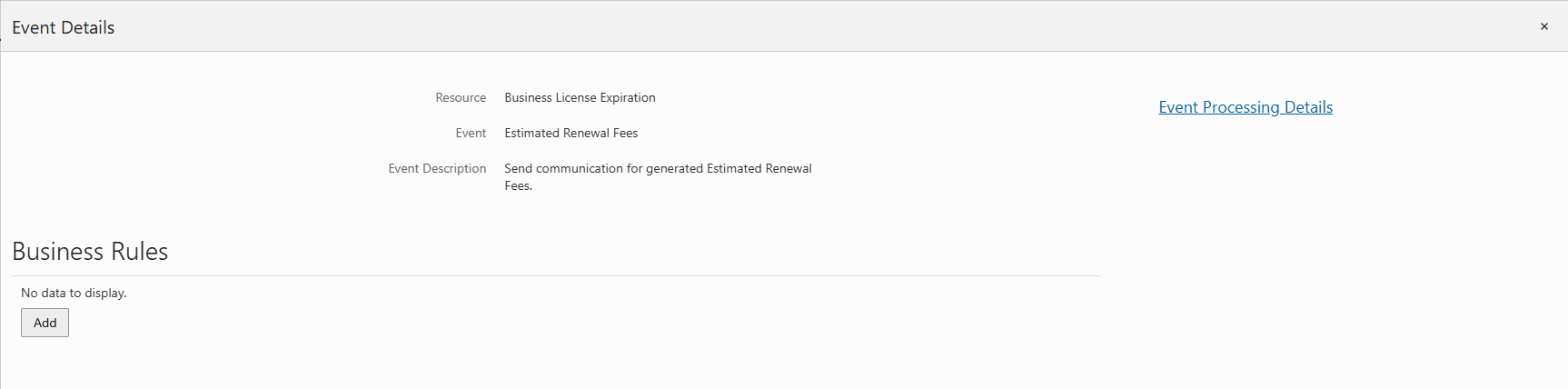
Event Details Page Showing the Estimated Renewal Fees Event
Business Benefit: This feature provides improved automation and timely communication of estimated renewal fees, reducing manual effort, increasing operational efficiency, and ensuring applicants receive consistent and accurate fee-related notifications.
Steps to enable and configure
While the event is delivered in the Business Rules Framework you must configure the communication rule and template to enable the notifications.
To configure the communication rule:
- Navigate to the Business Rules Framework.
- Select Business Licenses.
- Use the Search function to find the following events:
- Estimated Renewal Fees
- Click on the row to open and click Add to add a Business Rule.
- Enter the criteria and the action for your rule.
- Click Save.
- Click the Process Monitor at the top of the page to set up a schedule to process the rule.
To send communications, you need to select the templates for the communication event.
To set up the templates in the Communication Events page:
- Navigate to Setup and Maintenance of Offerings > Offering: Business Licenses > Task: System Administration > Manage Communication Events.
- Search for Estimated Renewal Fees.
- Click on an event to open.
- In the Communication Template section, click Add.
- Enter the required information and click Save.
See Implementing Your Agency, "Setting Up Communications," Delivered Communication Events on the Oracle Help Center.
Tips and considerations
- A new Business Rules Framework event is delivered as part of this feature.
- This event is automatically triggered when estimated fees are generated.
- However, the communication itself is not fully pre-configured:
- No out-of-the-box communication rule is provided
- No default template is included
This means the event exists and is ready to use, but you must configure the communication rule and template to enable notifications. Complete the Steps to Enable to ensure the feature works as expected.
Key resources
- See Implementing Permitting and Licensing, "Implementing the Business Rules Framework", Business Rules Framework Event Details on the Oracle Help Center.
- See Implementing Your Agency, "Setting Up Communications," Delivered Communication Events on the Oracle Help Center.