Cancel an Active Subscription via Self-Service
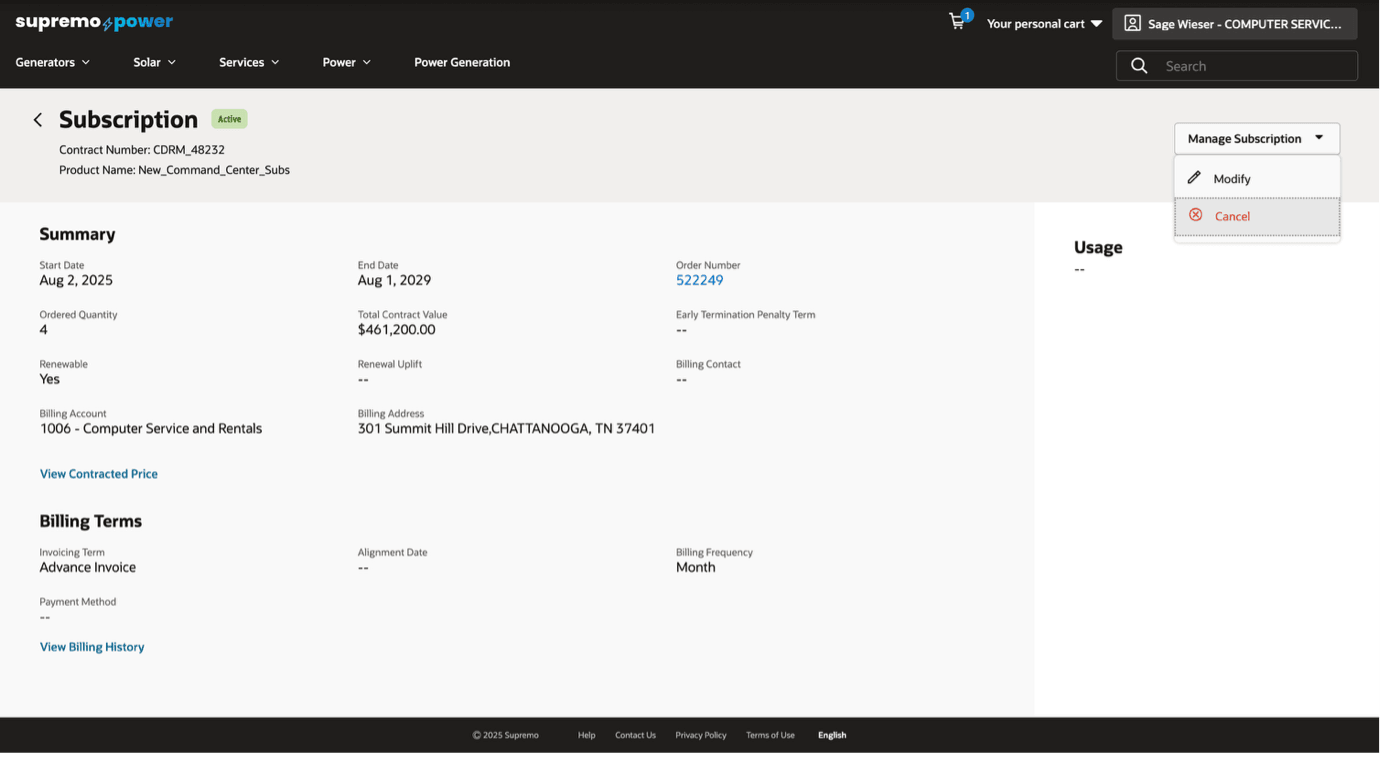
This feature allows buyers to cancel a specific subscription line through a self-service interface. It provides a transparent view of the financial impact before cancellation and offers flexibility with sales- representative assisted cancellation.
Capability highlights
- Allows buyers to cancel a subscription line through self-service
- Provides a detailed preview of the financial impact, including potential credits and penalties.
- Captures cancellation details like date, reason, and comments.
- Cancellation request is sent to sales-representative
Key benefits include:
- For buyers, this feature provides convenience and control, allowing them to manage their subscriptions on their own terms. This empowerment is complemented by transparency, as users receive a clear preview of financial implications, such as potential credits for unused periods or penalty charges, ensuring informed decision-making.
- Additionally, the availability of personalized support through "sales representative assistance" offers flexibility for those needing guidance.
- For sellers, the feature enhances customer satisfaction by offering a straightforward and transparent cancellation process, which can help reduce negative feedback and improve the overall customer experience. Automating the cancellation workflow optimizes resources by freeing up customer support teams to tackle more complex issues, while tracking cancellations provides valuable insights into customer behaviour and reasons for leaving, informing retention strategies and product improvements.
Steps to Enable and Configure
- In the Administration Console, navigate to Settings > Oracle Integrations. Select Self Service CPQ from the drop down and configure the integration settings. Please refer to the section 'Set Up the Integration of OCC and Oracle CPQ for Self Service' of the Self Service Setup guide for more information.
- In Self Service CPQ settings, set CPQ Rest API Version to 19. Publish the changes.
- Enable CPQ Pricing:
URI: PUT /ccadmin/v1/priceSettings
Payload:{
"enabled": true
} - Enable Standard Asset-Based Ordering feature in Oracle CPQ. For more information on Standard ABO, refer to this documentation.
Tips And Considerations
- Existing Package ABO merchants who want to move to Standard ABO will need to be on the Standard Commerce Process. This may involve moving transactions from the existing Commerce process to the Standard Commerce Process or sunsetting the existing Commerce process.
- Existing customers looking to use this functionality must refer to Oracle CPQ Administration Online Help > Integrations > Oracle Integrations > Commerce Cloud > Self-Service Portal: Administration section. Ensure to perform steps documented in the Enable Self-Service Cart to CPQ Transaction Synchronization for Oracle Commerce Cloud Orders section.
- This feature is only available when merchants use native order integration with Oracle CPQ.
- Ensure the subscription products being modified exist in OCC and the Sales Product Type property on the product is set to SUBSCRIPTION.
- Only contacts with Organization Buyer role will be able to cancel subscriptions.
- This feature is built-in on the htim-reference-store. Please make sure to upgrade to the latest version of this reference storefront.
- This feature is applicable only for Commerce on CPQ customers.