Redwood Configuration Rules
The Redwood-style Rule Editor aims to develop a cutting-edge, user-centric rule-authoring tool for CPQ systems. This new editor will replace the existing rule management interface, providing enhanced functionality, improved usability, and greater efficiency for users at all levels.
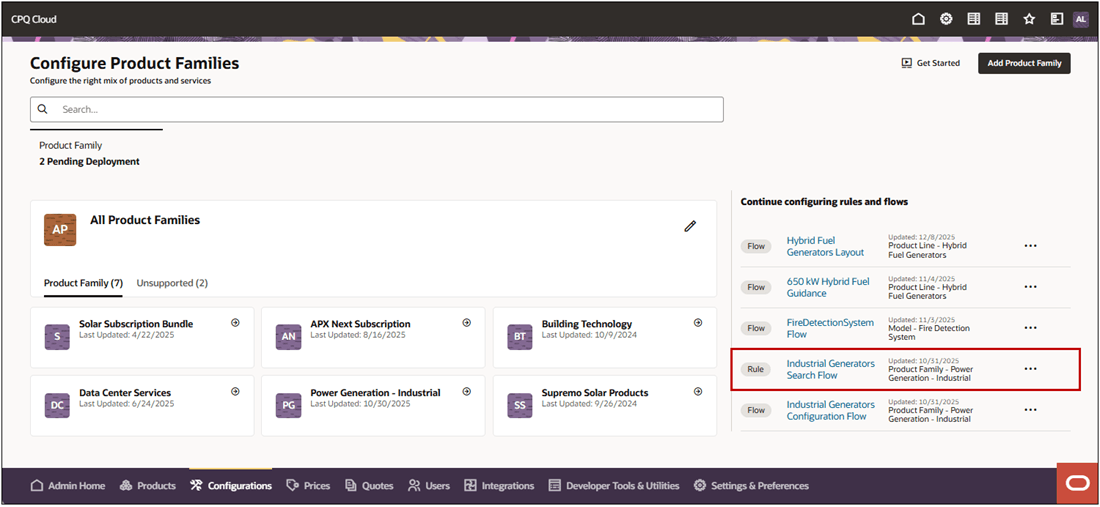
Use the Dashboard one click links to pick up where you left off configuring rules.
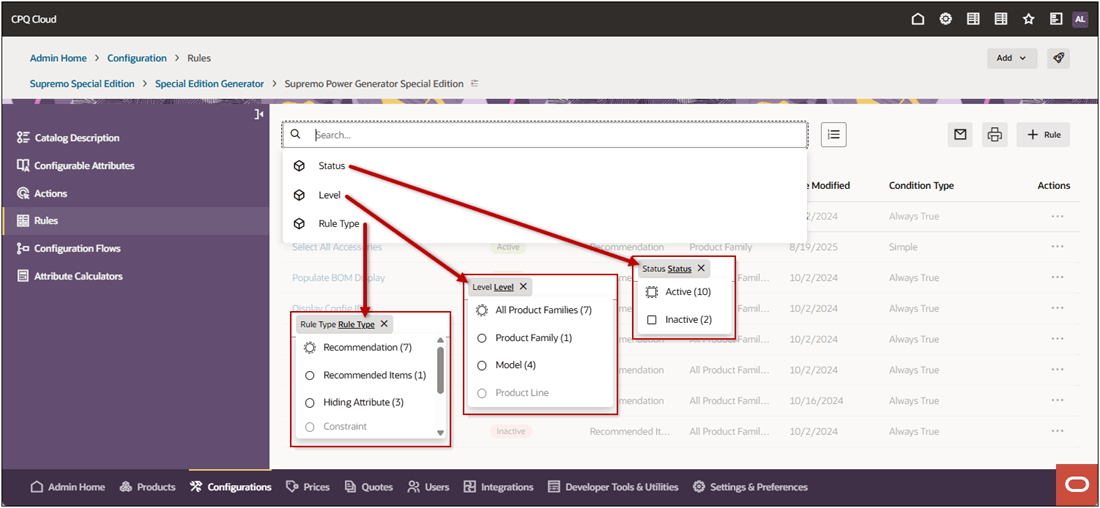
The expanded rules list page provides enhanced searching and search filters allow you to search and view rules by status, level, and rule type. It also provides breadcrumbs let you know where you are in the process.
Notes:
- Redwood Configuration rules also leverage generative AI to automatically produce human-readable summaries, refer to AI-Generated Rule Descriptions for CPQ Rules for more information.
- When a rule expires (i.e. the End Date is in the past), the rule's status is changed to Expired. Expired rules are listed with Inactive rules and do not appear in the Active rules list.
This feature provides the following business benefits:
- Easily configure and author rules using intuitive navigation with collapsible sections.
- One place to view and search configurable rules within a product family.
- Consistent and modern user experience for rule creation in both CPQ Configuration and Quotes.
Steps to enable and configure
You don't need to do anything to enable this feature.
Tips and considerations
Following upgrade to Oracle CPQ 26A, the Admin Home page defaults to the Redwood UI. You can explore the UIs and begin working through your tasks in the new redesigned interface. Existing customers will be able to revert to the Classic UI experience by navigating back to the Admin Home Page and clicking Switch to Classic. Oracle CPQ running in Oracle Fusion supports only the Redwood UI and does not have the Switch to Classic button.