Localization for Rate Plans and Rate Cards
Oracle CPQ Pricing Engine now supports the capture, application, and display of Rate Plan and Rate Card names and descriptions for all languages supported by CPQ. Bulk download and upload, REST APIs, and user interfaces support all languages enabled for a site.
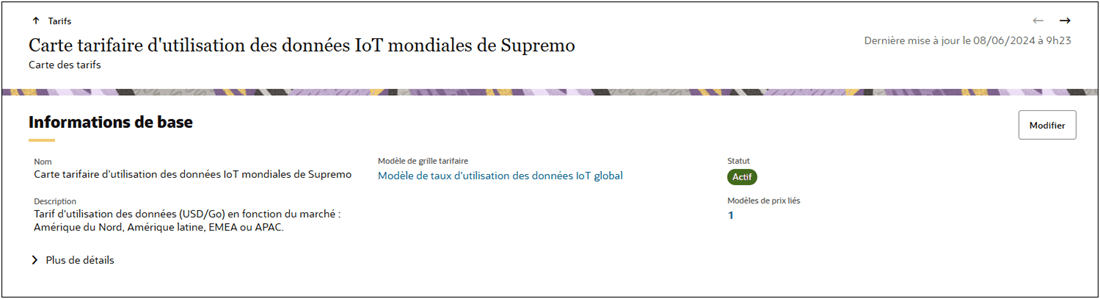
Oracle CPQ 26A provides the following Pricing Portal bulk service file updates to support localization:
- The new PRICING_RATE_PLAN_TRANSLATIONS.csv filecan be used to add Name and Description translations for pricing rate plans.
- The new AGREEMENT_RATE_PLAN_TRANSLATIONS.csv file can be used to add Name and Description translations for agreement rate plans.
- The modified RATE_CARD.csv file can be used to add Name and Description translations for rate cards.
This feature provides the following business benefits:
- Sales users can view, receive, and edit pricing results for these objects in their preferred language.
- Pricing administrators can provide translated names and descriptions for Rate Plans and Rate Cards using bulk upload services, the CPQ Pricing Portal, or via REST API web services.
Steps to enable and configure
Complete the following steps to add Rate Plan or Rate Card translations. Refer to the Oracle CPQ Administration Online Help > Prices > Pricing Portal > Pricing Migration & Bulk Services for detailed instructions.
Add Pricing Rate Plan Translations
Complete the following steps to add Pricing Rate Plan translations using Bulk Services:
- Download Pricing Portal files.
- Add Pricing Rate Plan translations to the PRICING_RATE_PLAN_TRANSLATIONS.csv file.
- Upload the updated PRICING_RATE_PLAN_TRANSLATIONS.csv file
Add Agreement Rate Plan Translations
Complete the following steps to add Agreement Rate Plan translations using Bulk Services:
- Download Agreement Pricing Portal files.
- Add Agreement Rate Plan translations to the AGREEMENT_RATE_PLAN_TRANSLATIONS.csv file.
- Upload the updated AGREEMENT_RATE_PLAN_TRANSLATIONS.csv file
Upload Rate Card Translations
Complete the following steps to add Rate Card translations using Bulk Services:
- Download Pricing Portal files.
- Add Rate Plan translations to the RATE_CARD_TRANSLATIONS.csv file.
- Upload the updated RATE_CARD_TRANSLATIONS.csv file.