Oracle CPQ Redwood Administration User Experience (UX)
Oracle CPQ 26A introduces a redesigned Admin Home experience powered by Ask Oracle’s new navigation and discovery features.
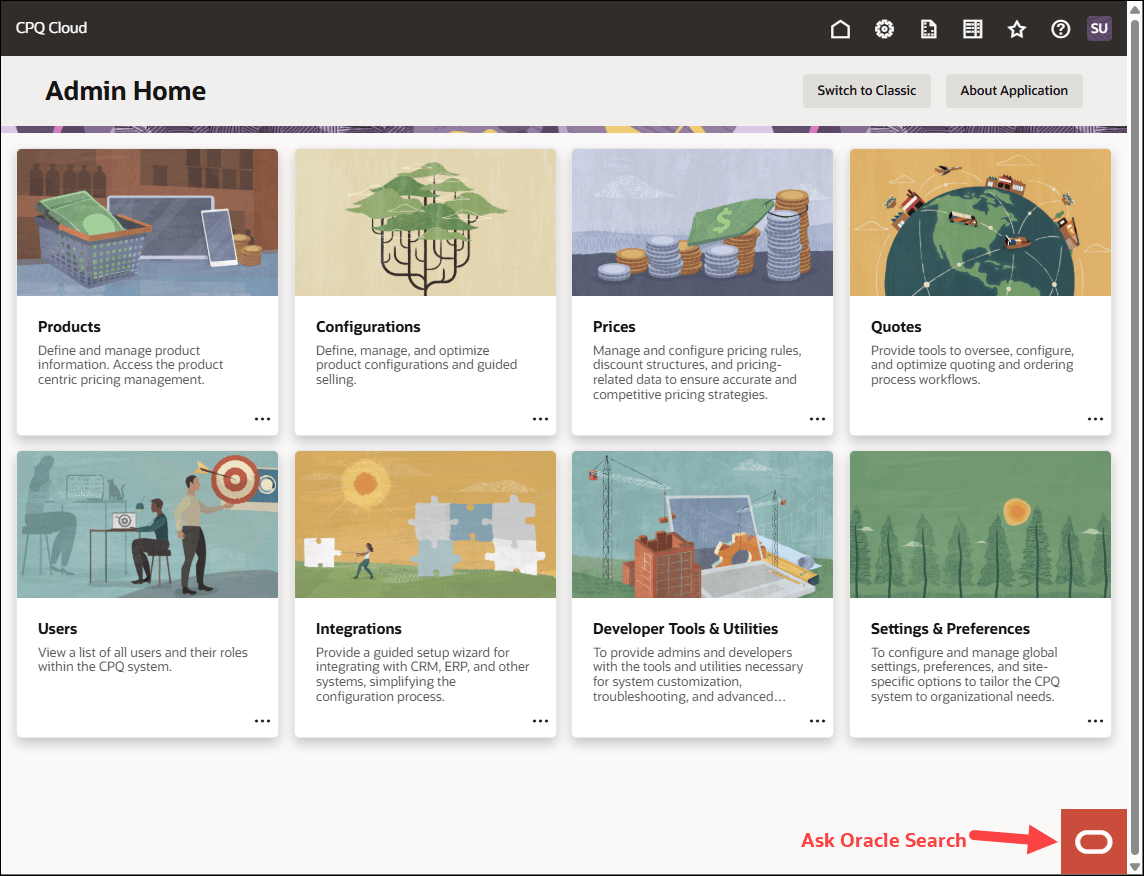
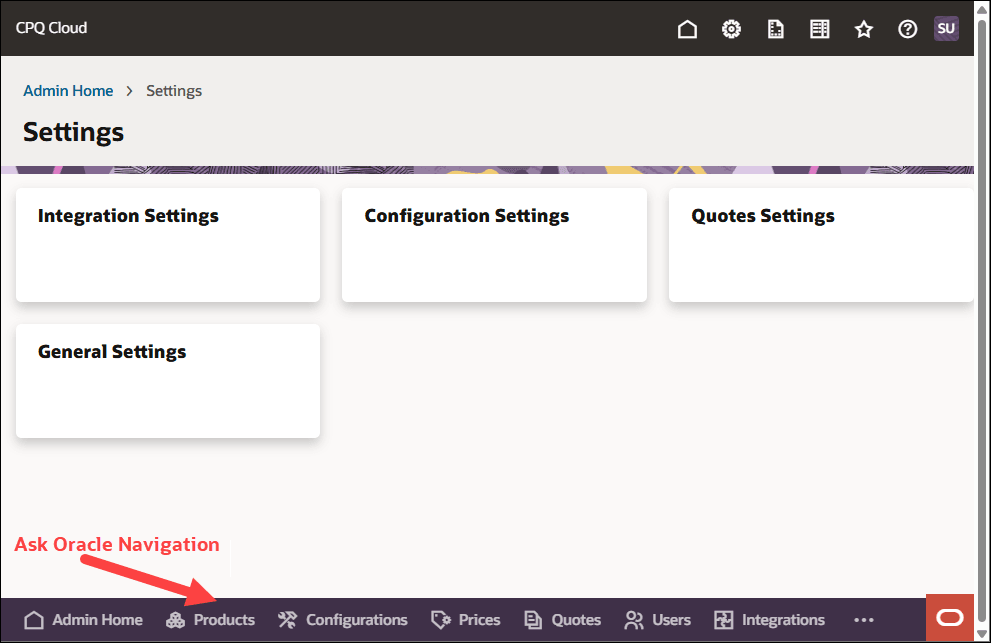
Our goal is to simplify how CPQ administrators locate functional areas of the application and move quickly across modules to perform tasks in a logical manner. With a clean Redwood layout, category-based organization, and quick Journey entry points, administrators can easily start setup task with fewer clicks. When administrators are in a Redwood admin module, the Redwood footer provides quick access to the Admin Home page, other main admin modules, and Ask Oracle.
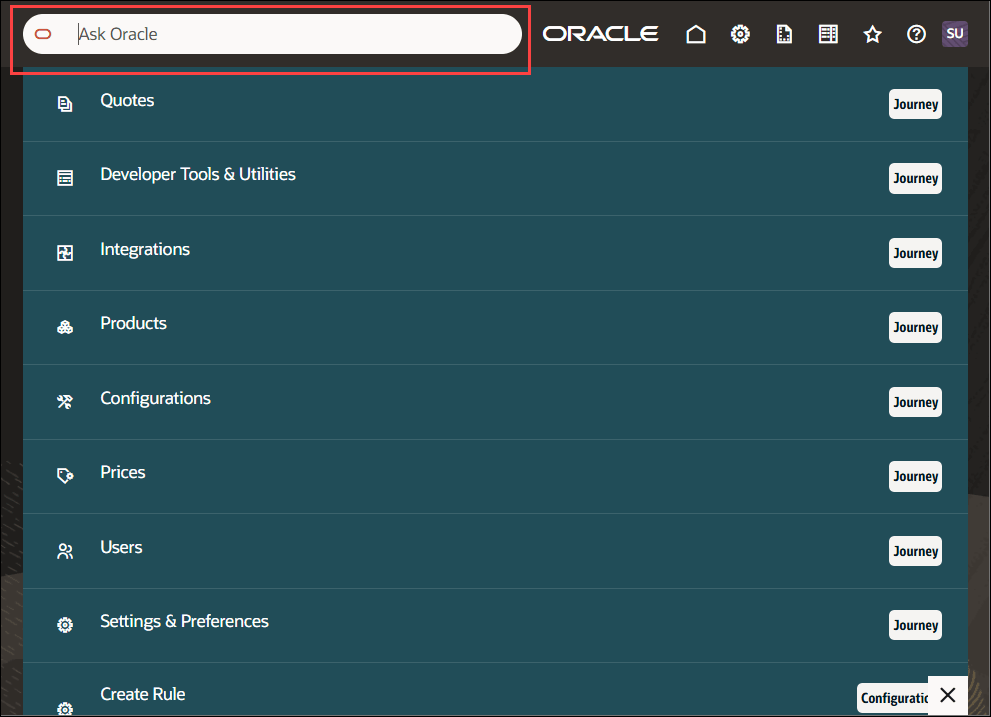
Ask Oracle Search and Navigation Key Capabilities:
- Unified Search for all Admin Setup Areas – Ask Oracle provides a single search entry point that spans across all CPQ Admin modules.
- Redwood-based Admin Experience – Ask Oracle uses the latest Redwood design system to deliver a clean look and feel, better spacing and readability, consistent layouts, and a modern and intuitive search experience. The updated UX is more responsive and easier to navigate.
- Journey for Guided Navigation – Each major category now includes a Journey which offers a guided pathway into the related setup areas. The journey pathways group all relevant sub-pages behind a single entry point, allowing admins to:
- Move through administration steps more logically with just a few clicks
- Avoid jumping back and forth between menus
- Discover related areas they may not know exist
- Aid onboarding new CPQ admins who may not yet understand the CPQ admin structure
- Quick Actions for Common Tasks – The redesigned interface includes direct action shortcuts to quickly perform frequently repeated tasks such as:
- Create Attributes
- Create Recommendation
- Add Parts
- Global Access Point – Ask Oracle is accessible from the Admin Home page, across CPQ Admin pages, and from contextual links built into the user interface. This provides a consistent search method from anywhere within the CPQ application. Instead of navigating through multiple nested menus, admins simply search and select.
-
Global Access Point - Ask Oracle is accessible from the Admin Home page, across CPQ Admin pages, and from contextual links built into the user interface. This provides a consistent search method from anywhere within the CPQ application. Instead of navigating through multiple nested menus, admins simply search and select.
-
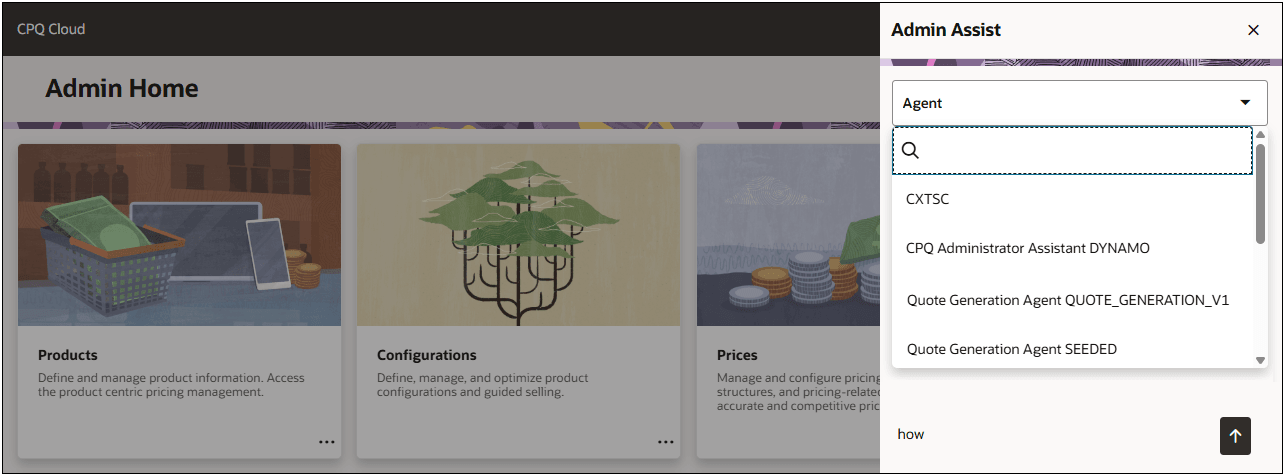
Admin Assist - Allows administrators to select a specific published AI Agents to ask questions and receive precise, context-driven responses derived directly from the uploaded resources. Administrators can copy a preconfigured template ore create a new agent in the Oracle Fusion > Tools > AI Agent Studio. Published AI Agents for the "CPQ and Commerce" product are also available for administrators in Admin Assist.
Access Ask Oracle
-
To access the Ask Oracle click on the Oracle logo at the bottom of the page
-
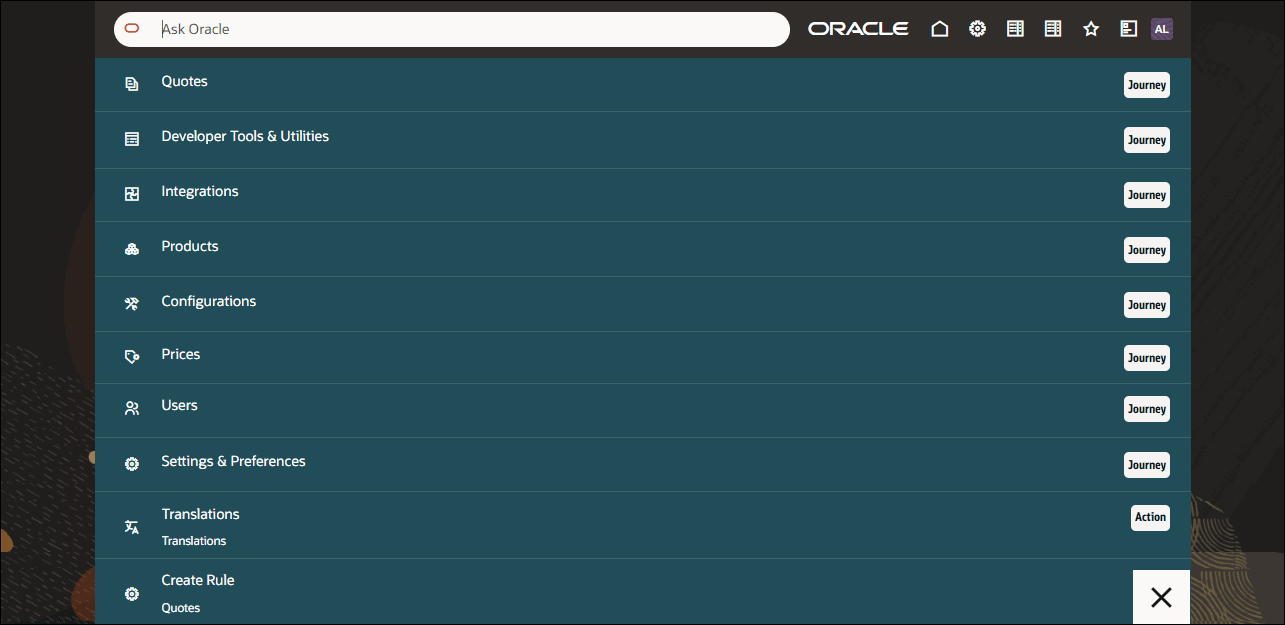
Type your question in the Ask Oracle field to search and select relevant items.
-
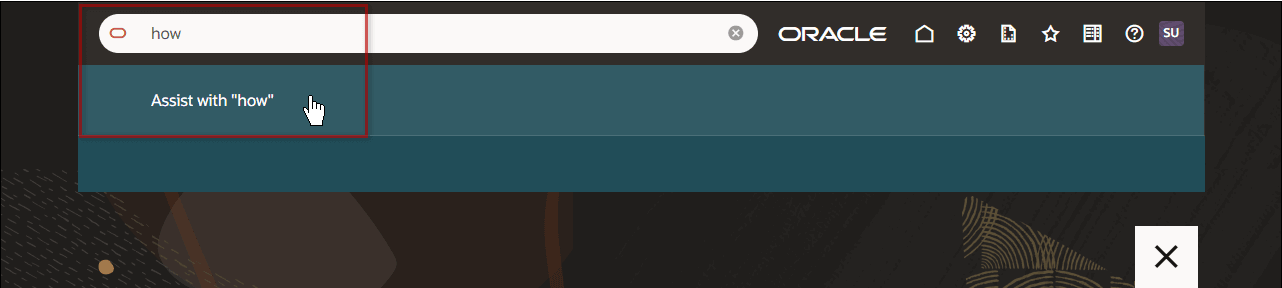
To access Admin Assist, type your question in the Ask Oracle field, then click the Assist with "…" option.
-
Select an AI Agent from the Agent menu.
Steps to enable and configure
You don't need to do anything to enable this feature.
Tips and considerations
Your feedback plays a key role in shaping the future of Oracle CPQ. Go to Share Your Feedback: NextGen CPQ Redwood Administration Experience to share your insights on the new Redwood Administration UX experience.
Key resources
Create an Agent in AI Agent Studio
Administrators can copy a preconfigured template or create a new agent in Oracle AI Agent Studio. The published AI Agents for the "CPQ and Commerce" product are available for CPQ administrators in Admin Assist.
Pre-Requisites
- Customers must have a provisioned Oracle Fusion environment.
- Administrators must have AI Studio Agent Access and CPQ Application Administrator Permission.
- For more information about Oracle AI Agent Studio, refer to How do I use AI Agent Studio?