Line Items Grouping on Quoting
Allow users to efficiently group related line items within the Quoting Line Item Grid (LIG). This enhancement enables better organization, visibility, and management of complex quotes, especially those involving multiple product bundles, configurations, or services.
By grouping line items, users can create logical collections of products and services, apply group-level actions (e.g., discounts, pricing adjustments), and simplify navigation and review of quotes. Users can group line items by Menu and Boolean type attributes.
- In collaborative quoting scenarios, if another user modifies the attribute on which the grouping is based (e.g., Account, Status, Sales Rep), the regrouping is triggered only after the change is saved and committed to the system.
- For multi-level hierarchies, the part and its corresponding root item are displayed.
In the following example, the line items are grouped by the Sales Product Type and the line items are aggregated using the List Price attribute.
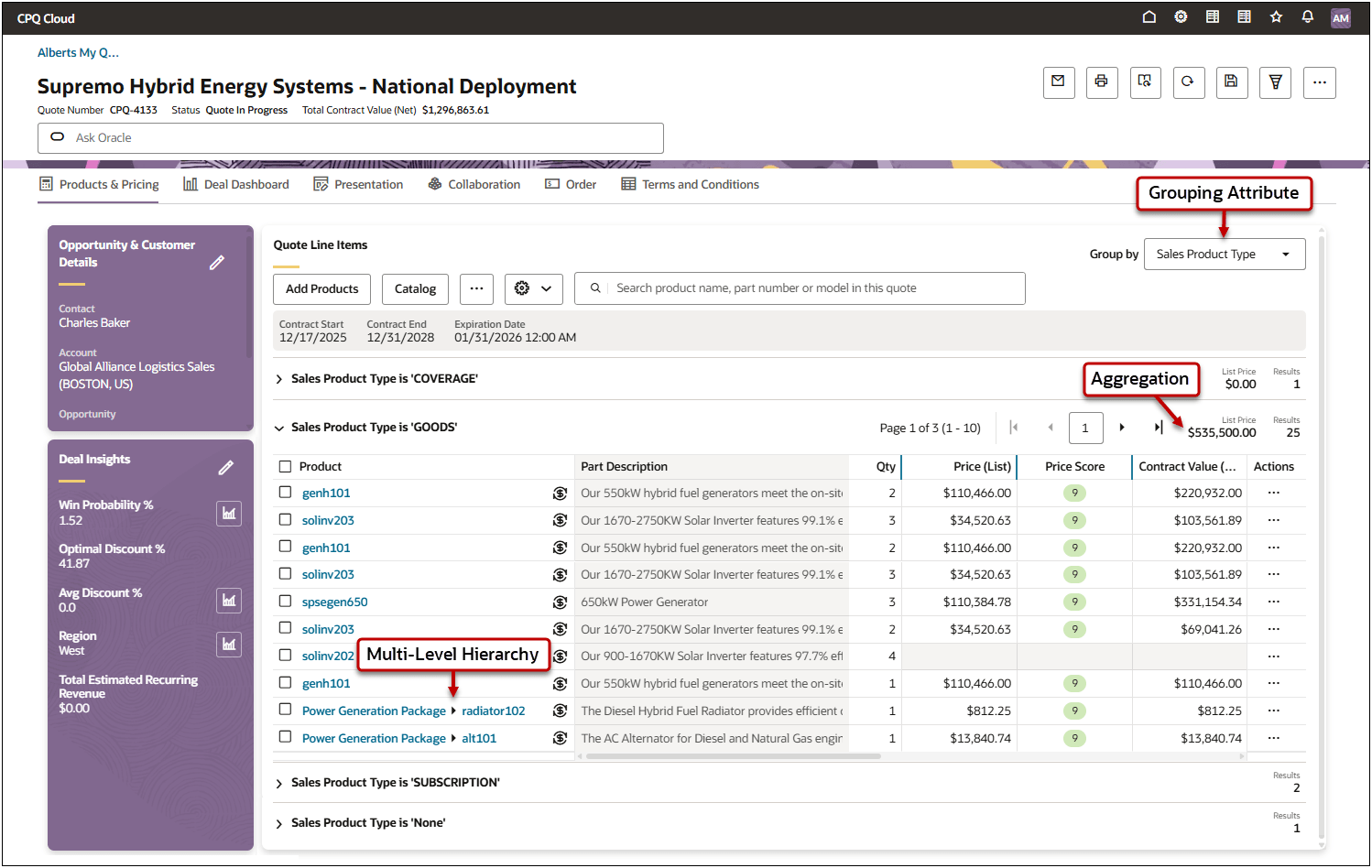
Redwood Quote Designer Line Item Grid Group By Options
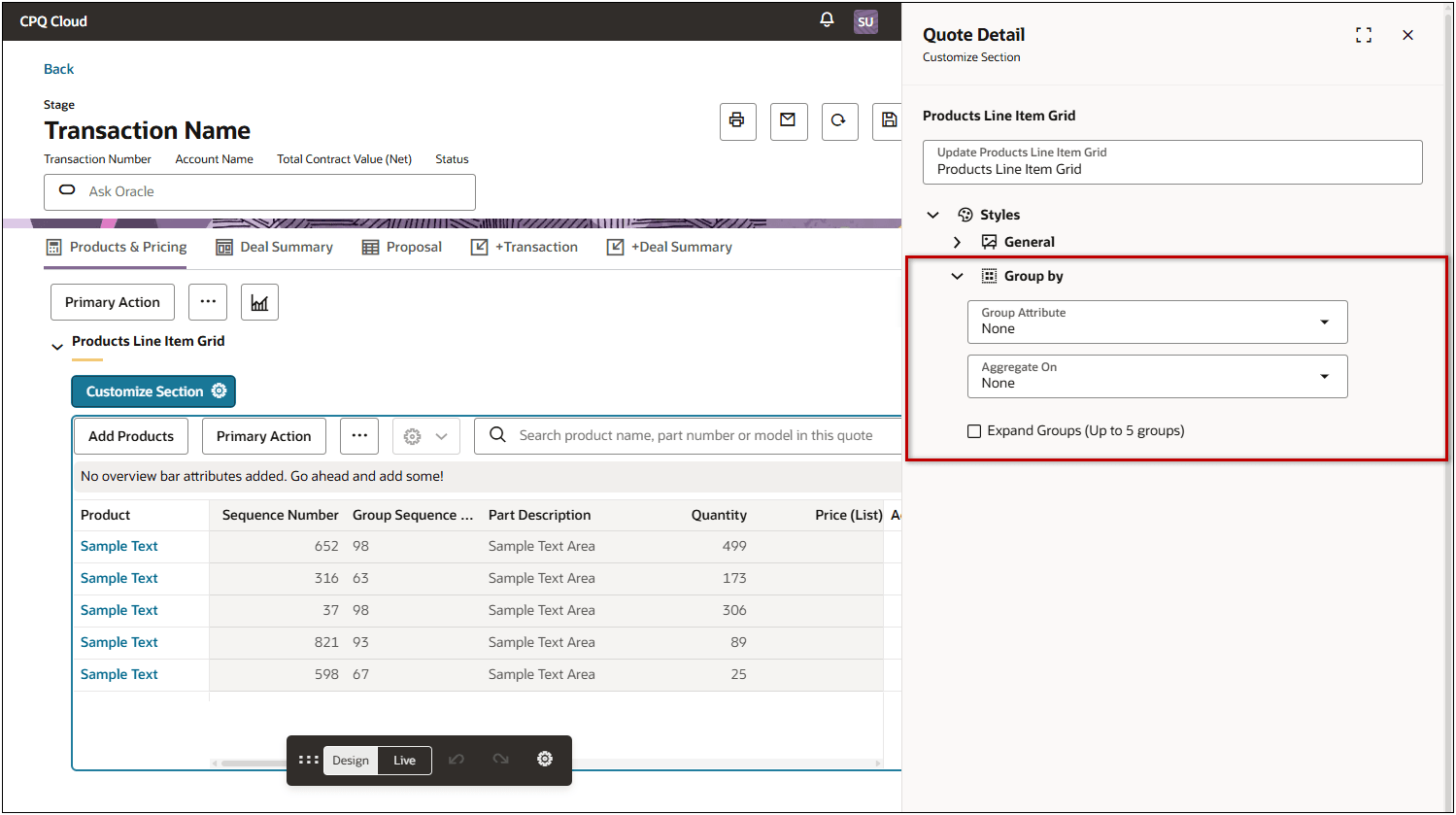
Administrators can manage the Line Item Grid Group By behavior in Quote Designer.
- Group Attribute: Select a default Menu or Boolean grouping attribute
- Aggregate On: Select a default attribute to aggregate
- Expand Groups: Enable this option to automatically expand grouped sections (max 5 groups).
The feature is particularly useful for large or intricate quotes where tracking individual items without context can be challenging.
Steps to enable and configure
You don't need to do anything to enable this feature.