Merge multiple subscriptions
Beginning in 26C, Organization Buyers can now merge multiple subscriptions and align end dates. The experience provides a clear summary of the merged subscription, including the resulting end date and any prorated charges, helping buyers make informed decisions before checkout.
Capability Highlights
- Allow Organization Buyers to merge existing subscriptions into one new subscription
- Provide a summary of the merged subscriptions, highlighting the new end date and any prorated charges
- Automatically take the end date of the longest contract when merging subscriptions, or allow buyers to set a custom end date
- Ensure compliance by preventing the sale of subscriptions with a shorter period than allowed
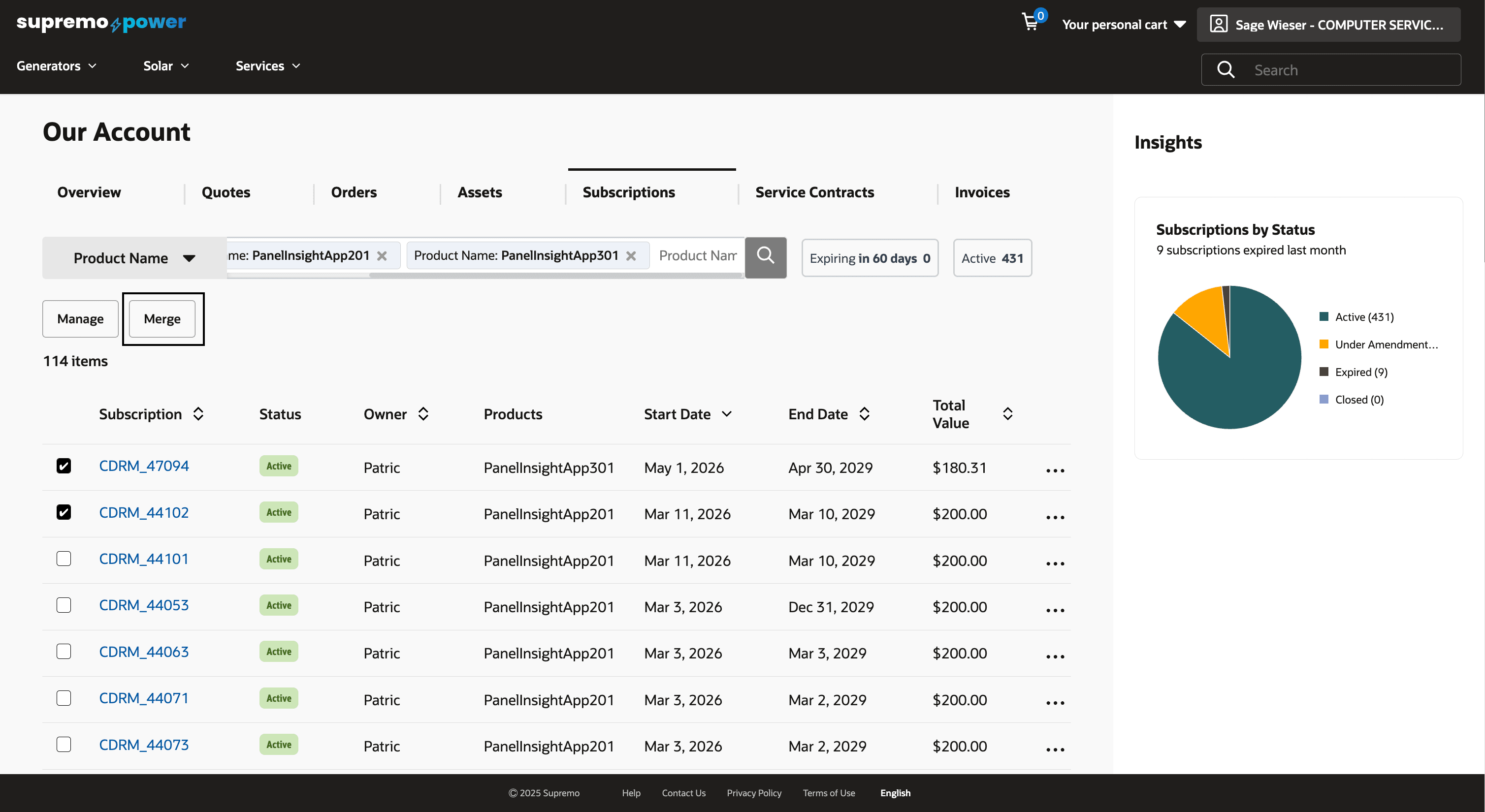
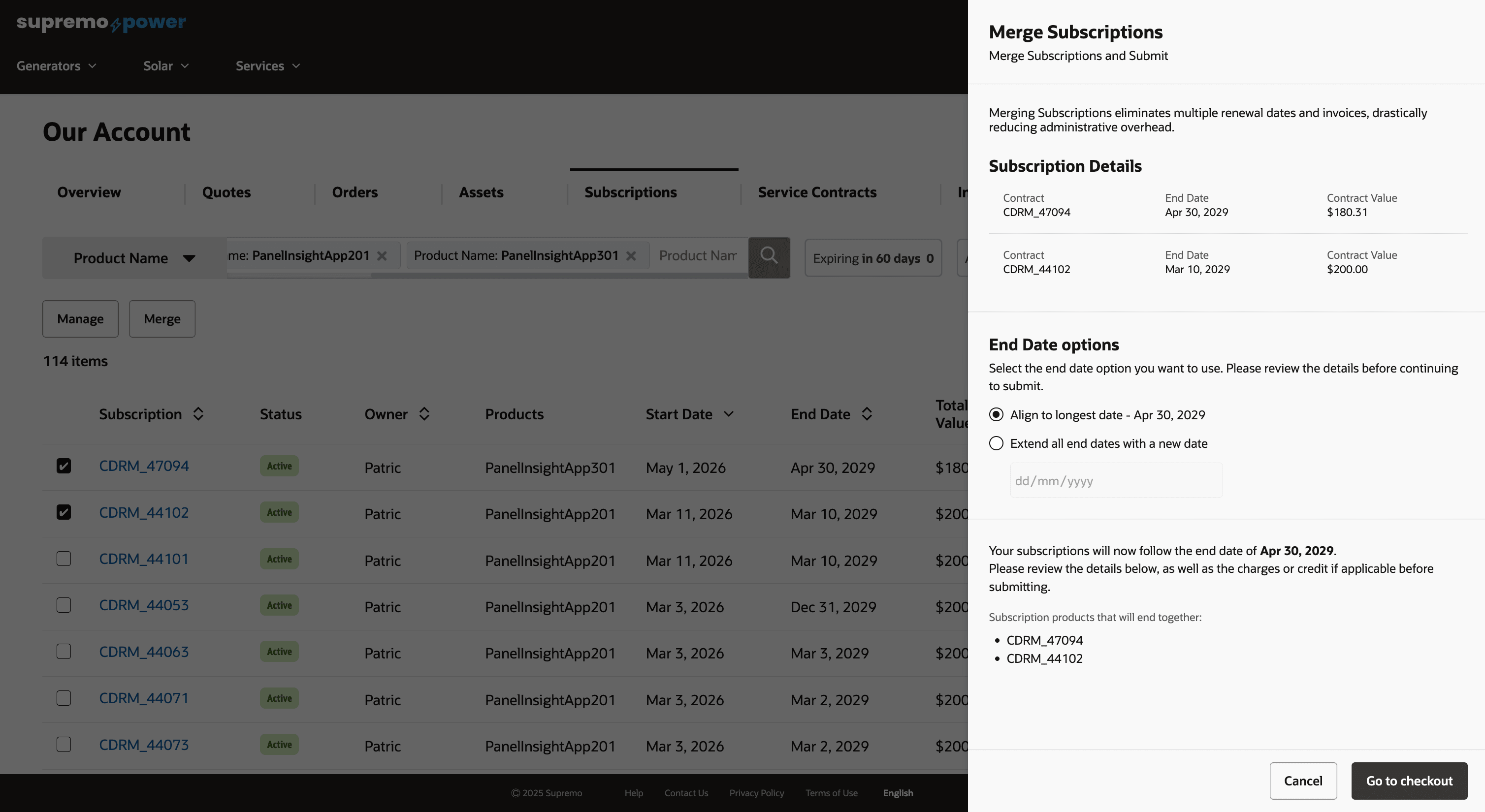
Subscription merge options
This feature for merging subscriptions offers significant benefits to Organization Buyers by streamlining subscription management. By allowing users to consolidate multiple subscriptions into one, it simplifies billing and reduces administrative overhead. The feature enhances clarity by providing a summary of merged subscriptions, including new end dates and prorated charges, ensuring buyers have a clear understanding of their financial commitments. Finally, by enforcing compliance with subscription terms, the feature safeguards against unauthorized sales, fostering trust and reliability in the subscription management process.
Steps to enable and configure
- In the Administration Console, navigate to Settings > Oracle Integrations. Select Self Service CPQ from the drop down and configure the integration settings. Please refer to the section 'Set Up the Integration of OCC and Oracle CPQ for Self Service' of the Self Service Setup guide for more information.
- In Self Service CPQ settings, set CPQ Rest API Version to 19. Publish the changes.
- Enable CPQ Pricing:
URI: PUT /ccadmin/v1/priceSettings
Payload:{
"enabled": true
} - Enable Standard Asset-Based Ordering feature in Oracle CPQ. For more information on Standard ABO, refer to this documentation.
Tips and considerations
- Existing Package ABO merchants who want to move to Standard ABO will need to be on the Standard Commerce Process. This may involve moving transactions from the existing Commerce process to the Standard Commerce Process or sunsetting the existing Commerce process.
- Existing customers looking to use this functionality must refer to Oracle CPQ Administration Online Help > Integrations > Oracle Integrations > Commerce Cloud > Self-Service Portal: Administration section. Ensure to perform steps documented in the Enable Self-Service Cart to CPQ Transaction Synchronization for Oracle Commerce Cloud Orders section.
- This feature is only available when merchants use native order integration with Oracle CPQ.
- Ensure the subscription products in the subscriptions being merged exist in OCC and the Sales Product Type property on the product is set to SUBSCRIPTION.
- Only contacts with Organization Buyer role will be able to use this feature.
- This feature is built-in on the htim-reference-store. Please make sure to upgrade to the latest version of this reference storefront.
- This feature is applicable only for Commerce on CPQ customers.