Redwood Migration Tool for Modernizing Configurator UI
Oracle CPQ 26C introduces the Redwood Migration Tool for Modernizing Configurator UI, enabling administrators to accelerate their transition from the previous Configurator layouts (Legacy/JET) to the modern Redwood experience. The migration tool provides streamlined import and migration capabilities that give administrators a jumpstart toward Redwood adoption, with the flexibility to further configure and tailor migrated layouts as needed.
This feature provides the following benefits:
- One-click import of layouts from Legacy to Redwood
- Migrate layouts individually at model or product line level
- One-click migration of all layouts within a product family
Steps to enable and configure
This capability is intended for administrators who manage and maintain configuration layout for Oracle CPQ.
Complete the following steps to use the Redwood Migration Tool:
- Navigate to CPQ Admin > Configuration.
- Select the Product Family/Line/Model (where the current layout is defined).
- Navigate to Configuraton Flows > Actions > Redwood Layout.
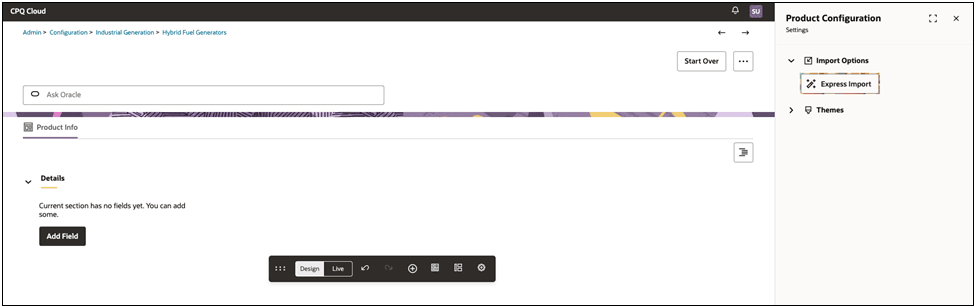
- Select the Gear icon in the floating toolbar.
- Click Express Import.
Tips and considerations
- Individual layouts can be migrated at the model or product line level.
- Migrating at the product family level automatically migrates all product line and model-level layouts within that family.