Redwood: Use Additional Capabilities for Receipt Delivery Carts
Receipt delivery carts provide an effective way to logically group deliveries that are pending for processing. In larger organizations with multiple delivery carts, each cart is usually assigned to a specific route, allowing deliveries to be grouped by their final destination. To search for all deliveries managed by a particular cart is helpful for investigating any issues.
You can now search receipt deliveries by the delivery cart name to view the associated receipt deliveries and their status. For example, you may want to view the deliveries in pending status for a specific delivery cart.
Additionally, if you use robotic material handling equipment for automated deliveries, you may need to track extra details about certain carts to ensure proper identification. You can now capture additional information for each cart using Descriptive Flexfields.
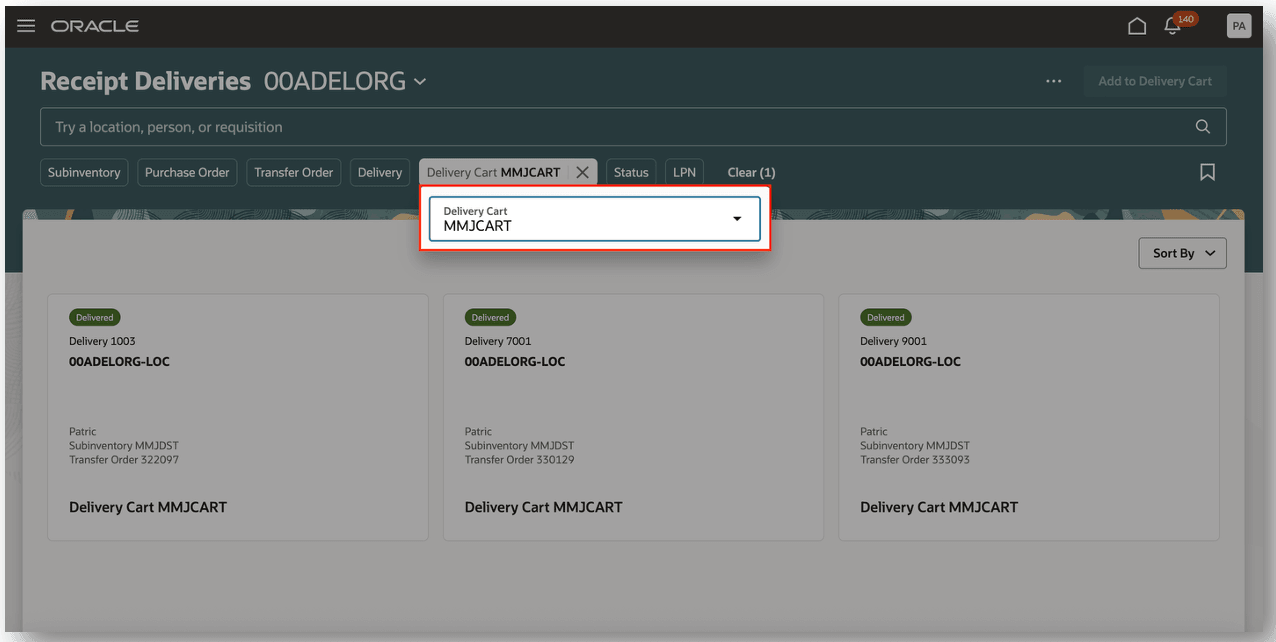
Delivery Cart Search
You can capture additional information about a delivery cart for a seamless integration with robotics providers. For example, you may want to capture specific characteristics associated with the delivery cart, such as capacity, cart type, and so on.
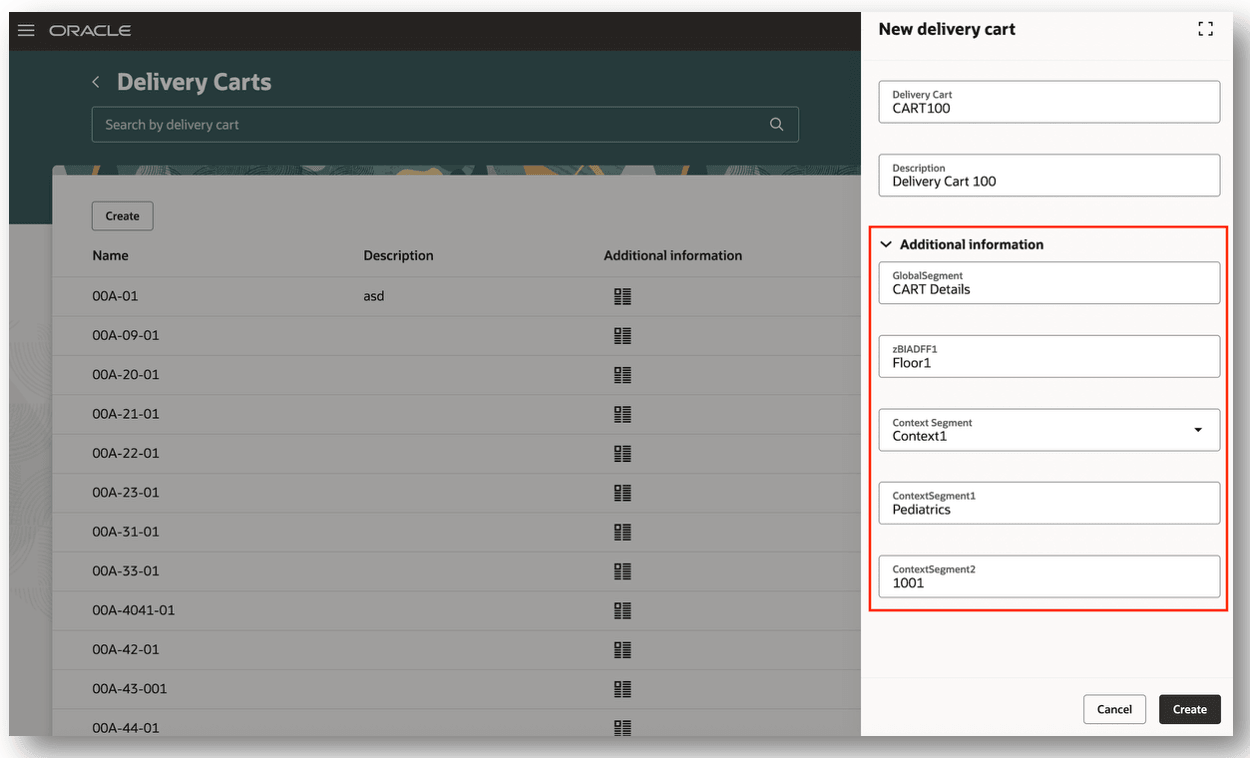
Delivery Cart Additional Information
This feature makes it easier to find specific deliveries based upon their assigned carts and ensures seamless integrations with robotic material handling equipment.
Steps to enable and configure
Follow these steps to enable this feature:
- In the Setup and Maintenance work area, search for and select the Manage Receiving Descriptive Flexfields task.
- On the Manage Receiving Descriptive Flexfields page, search for and select the Receiving Delivery Cart descriptive flexfield name.
- Click Edit.
- On the Edit Descriptive Flexfield page, select Manage Contexts.
- On the Manage Contexts page, click the Add icon.
- Click Save and Close.
- Click Deploy Flexfield.
When you click Deploy Flexfield, the changes are compiled and a process runs showing the deployment. After the process completes, the Deployment Status checkbox is selected for the flexfield.
Key resources
- Oracle Fusion Cloud SCM: Using Inventory Management guide, available on the Oracle Help Center.
- Oracle Fusion Cloud SCM: Using Receiving guide, available on the Oracle Help Center.
- Oracle Fusion Cloud SCM: Implementing Manufacturing and Supply Chain Materials Management guide, available on the Oracle Help Center.
- Oracle Fusion Cloud SCM: Security Reference for Manufacturing and Supply Chain Materials Management on the Oracle Help Center.
Access requirements
Users who are assigned a configured job role that contains these duty roles can access this feature:
- Monitor Receipt Deliveries Using Responsive Receiving Duty (ORA_RCV_MONITOR_RECEIPT_DELIVERIES_PWA_DUTY)
This duty role was available prior to this update.