 Redwood: Configure Document Output Preferences for Receiving Documents
Document output preferences allow you to automatically route documents to a designated delivery method, such as a specific printer or email address based on user name, job role, organization, or subinventory. Efficient management of receiving documents is critical for smooth warehouse and inventory operations.
Now, you can use document output preferences to automatically route receiving documents to a selected printer, email, or fax. This feature allow organizations to define how receiving documents, for example, receipt traveler reports, are automatically routed to designated delivery methods. It ensures that printed or emailed documents reach the right place at the right time, minimizing manual intervention and improving process efficacy.
This feature is available by default and doesn’t require any additional steps. You can access and configure this feature using Receiving Document Output Preferences task from the Setup and Maintenance work area. However, it becomes functional after you configure it.
Using the new Receiving Document Output Preferences page, you can:
- Search for and view receiving document output preferences.
- Create receiving document output preferences that allows you to define options, such as email, fax, and printer.
- Update or delete existing receiving document output preferences.
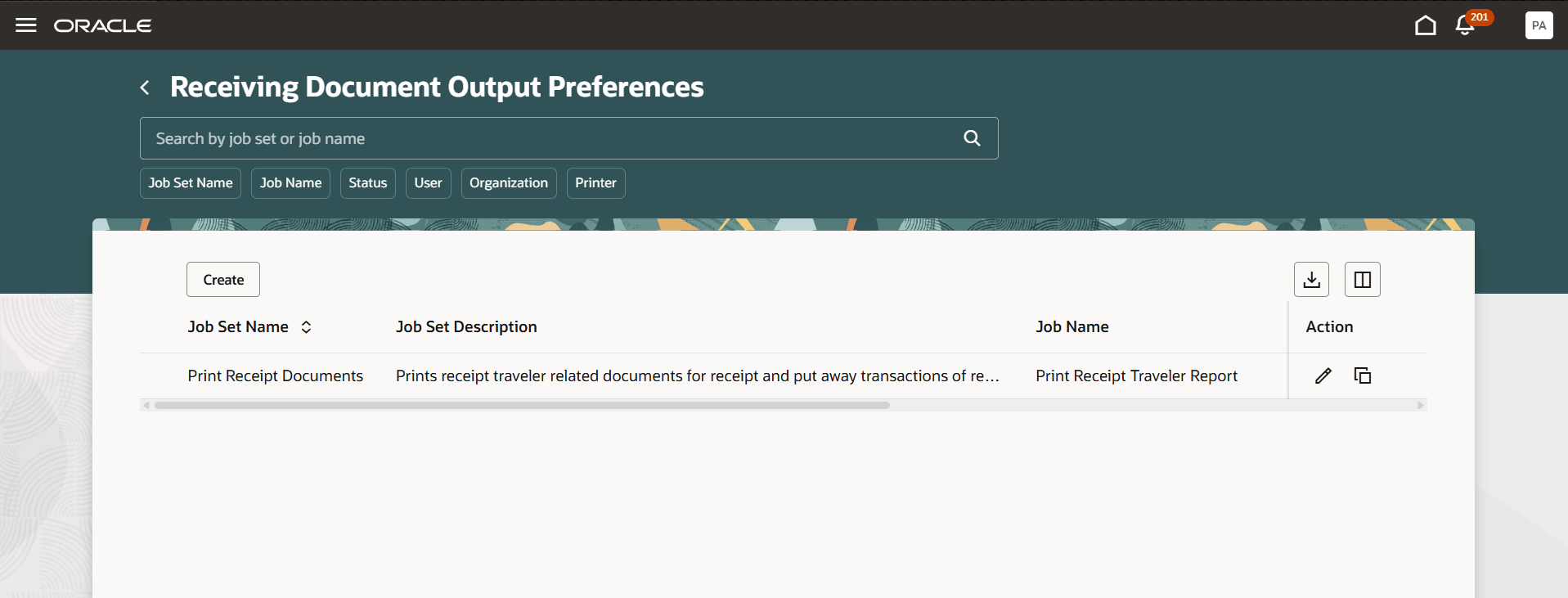
Receiving Document Output Preferences
You can define output preferences either at the job set level and set it up to add documents to the receipt as attachments.
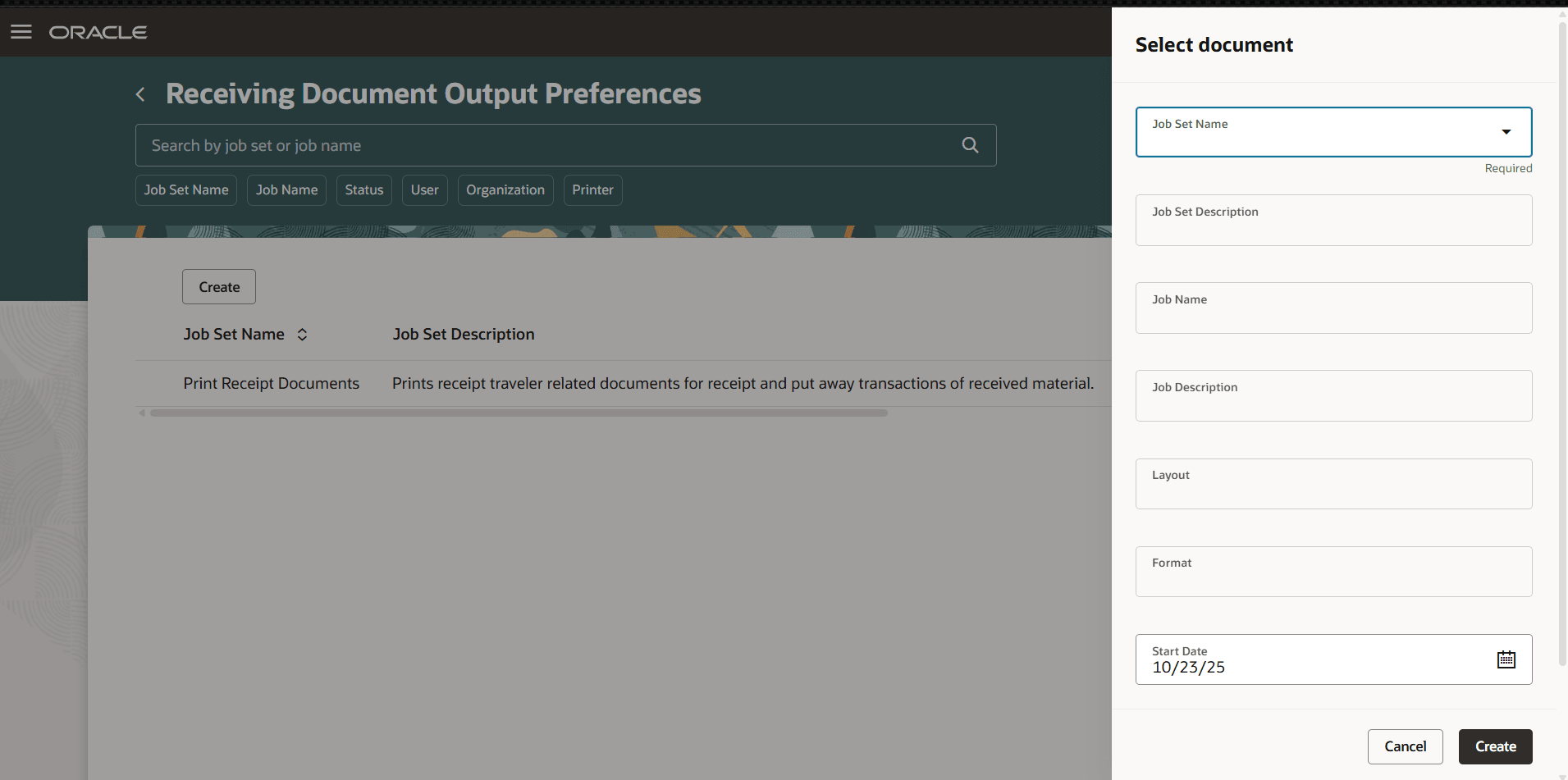
Select Document for the Output Preference
You can configure output preferences based on user, job role, organization, and subinventory.
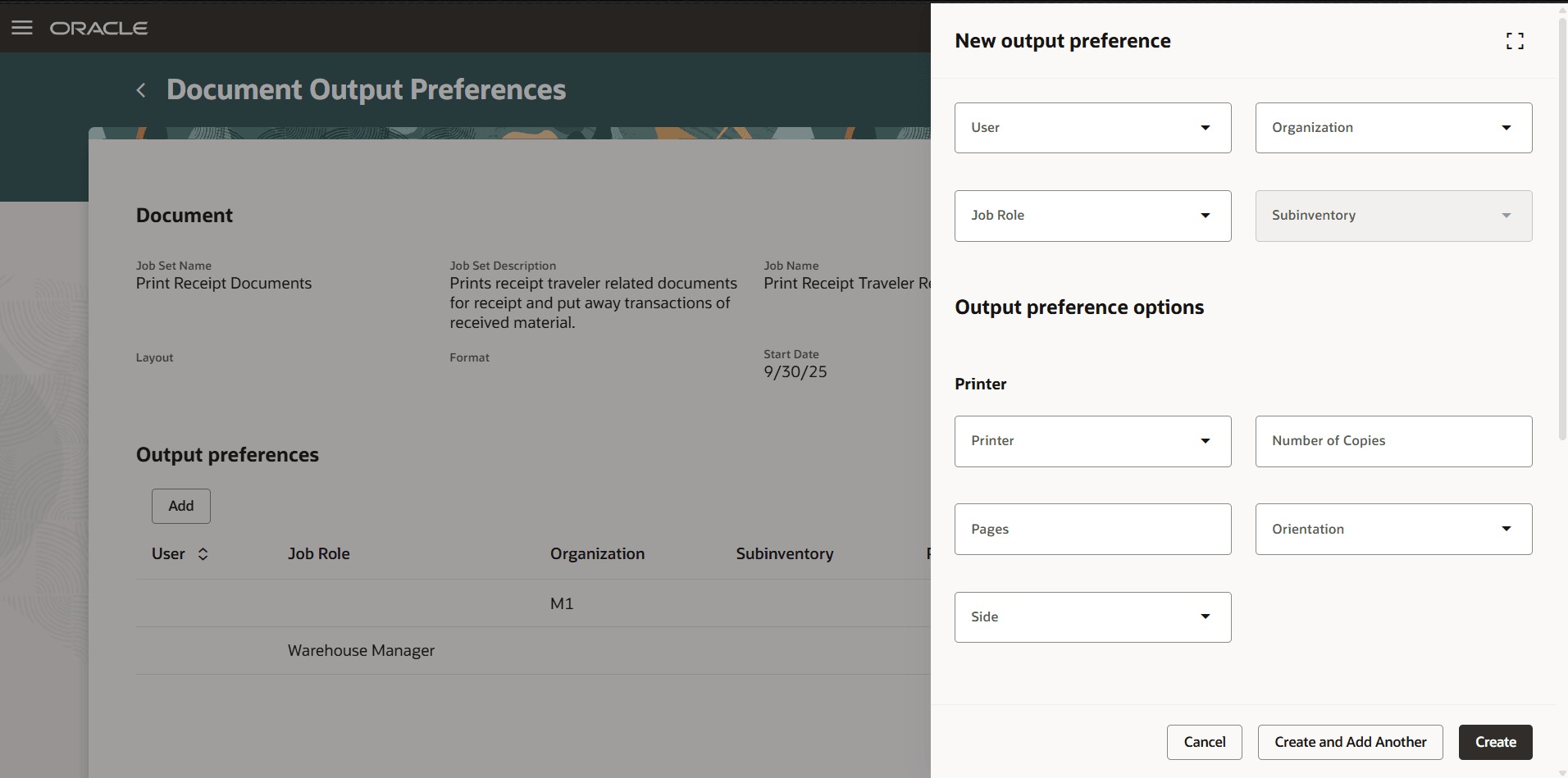
Add Output Preference
Select Print Receipt Traveler and Print Using Document Output Preferences checkbox under Printing, then select the relevant Job Set to enable output preferences for the inventory organization.
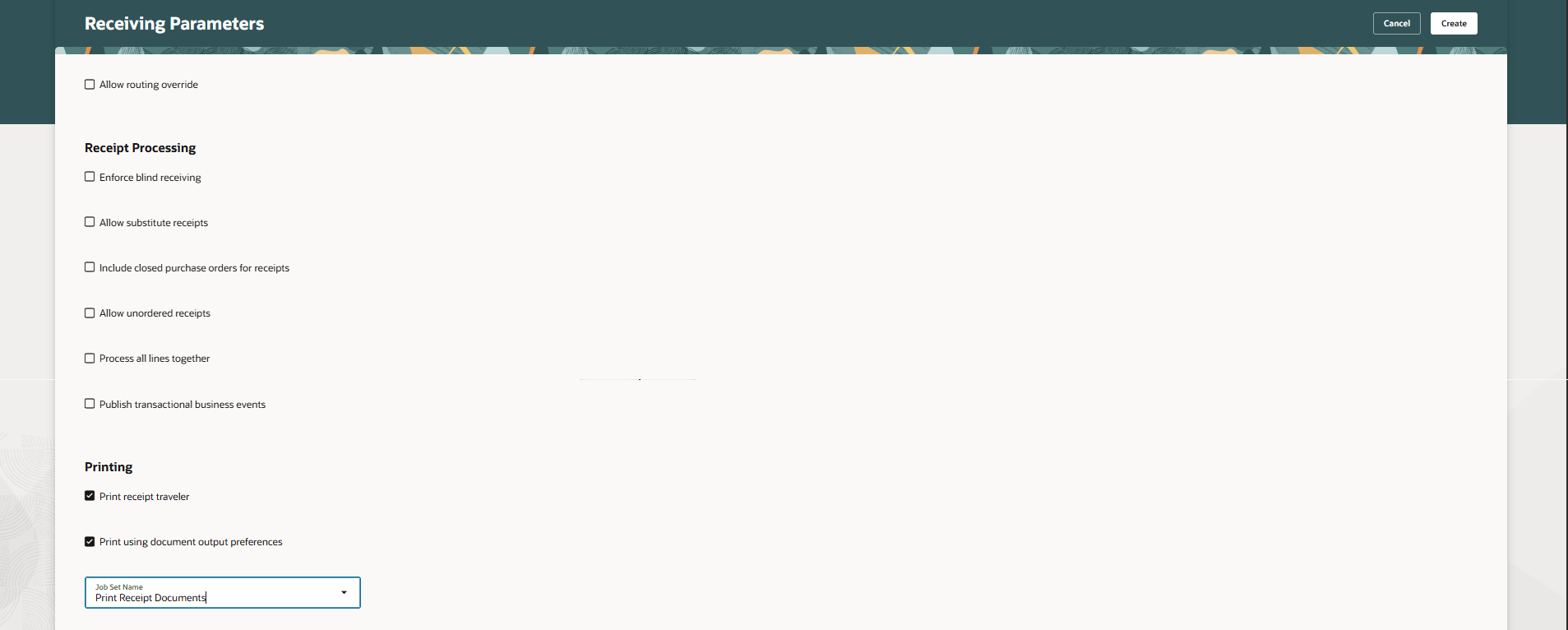
Update Receiving Parameter
NOTE: You can set up output preferences for inventory documents using the Inventory Document Output Preferences task.
You can set up output preferences for Label printing using the Label Output Preferences task.
You can set up output preferences for Shipping documents using the Shipping Document Output Preferences task.
- This feature offers greater flexibility and improves operational efficiency by enabling automatic routing of your receiving documents to the chosen delivery method, eliminating the need for manual intervention.
Steps to enable and configure
You don't need to do anything to enable this feature.
Tips and considerations
- Put away transactions created from mobile devices will be excluded from this job, and receipt travelers will not be printed for them.
- If the user selects only Print Receipt Traveler in the receiving parameters, the system will spawn the Print Receipt Traveler scheduled process but will not print the document automatically.
Key resources
- Oracle Fusion Cloud SCM: Implementing Manufacturing and Supply Chain Materials Management guide, available on the Oracle Help Center.
Access requirements
Users who are assigned a configured job role that contains these duty roles can access this feature:
- Receiving Administration (ORA_RCV_RECEIVING_ADMINISTRATION_DUTY )
These duty roles were available prior to this update.