 Redwood: Capture Lot and Serial Numbers During Receiving Only
Capturing lot and serial numbers during the receiving process is essential to streamline operations for industries dealing with lot and serial tracked products. When goods are delivered to your receiving dock, the receiving agents collect the item details, such as received quantity and the condition of the items. Having lot and serial number information along with these details would be handy to store items efficiently.
Now, you can capture lot and serial number details when items are delivered at your receiving dock so that warehouse operators don't have to spend extra time and effort to collect them during put away.
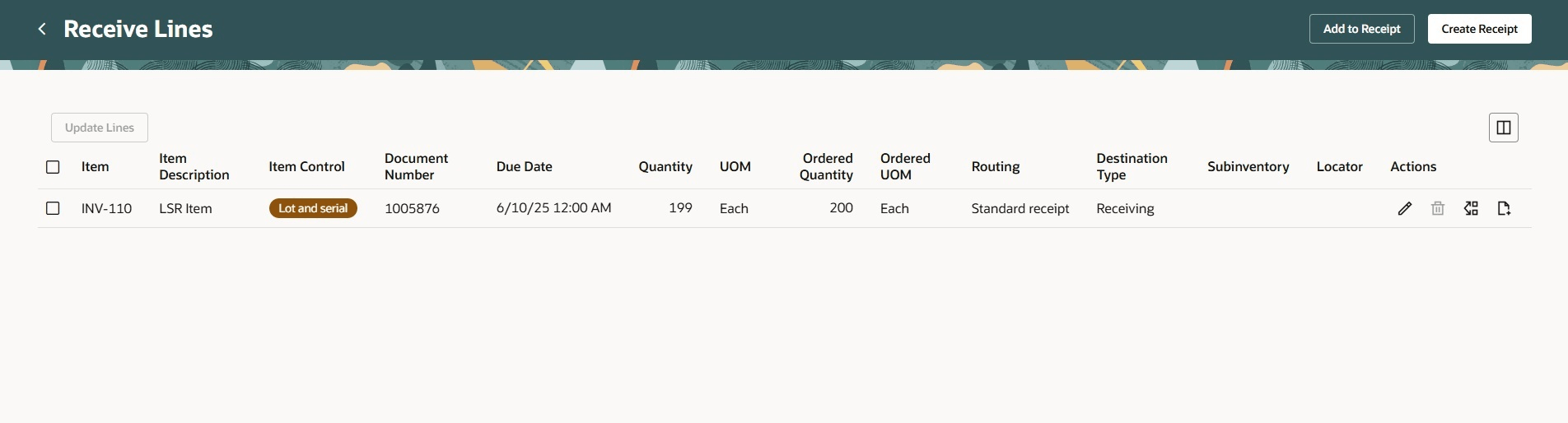
Record Lots and Serial Numbers action available for all receipt routings during receiving
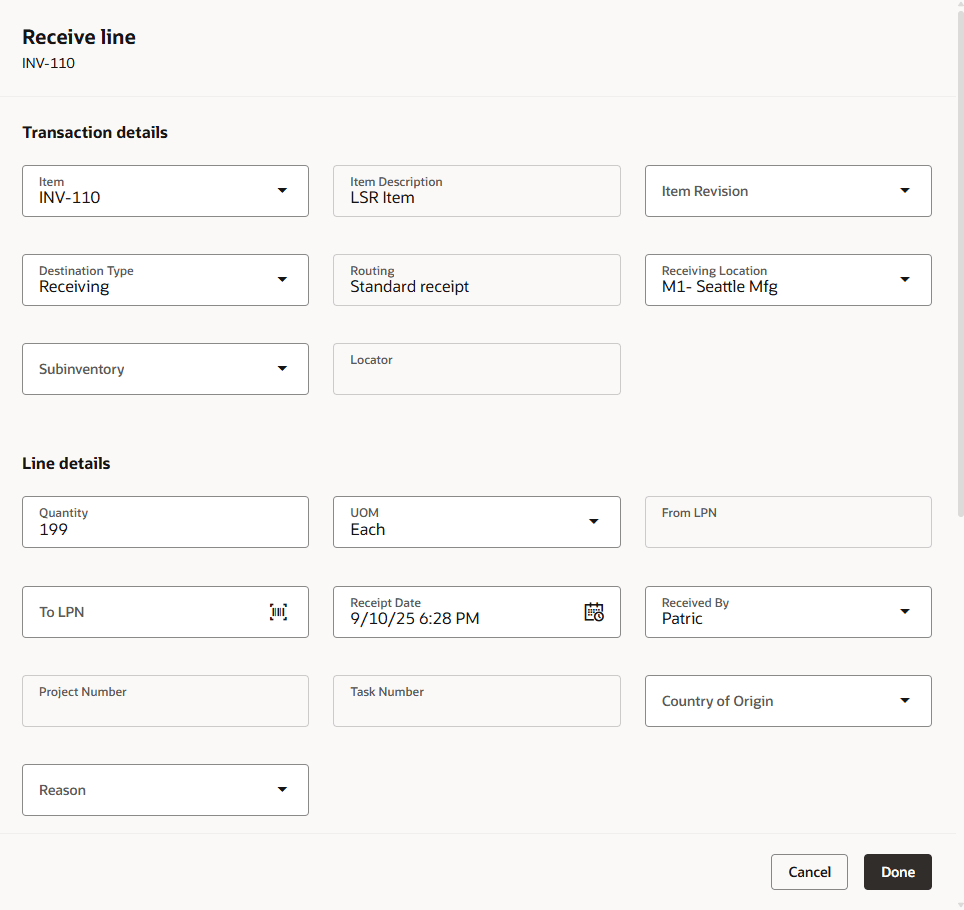
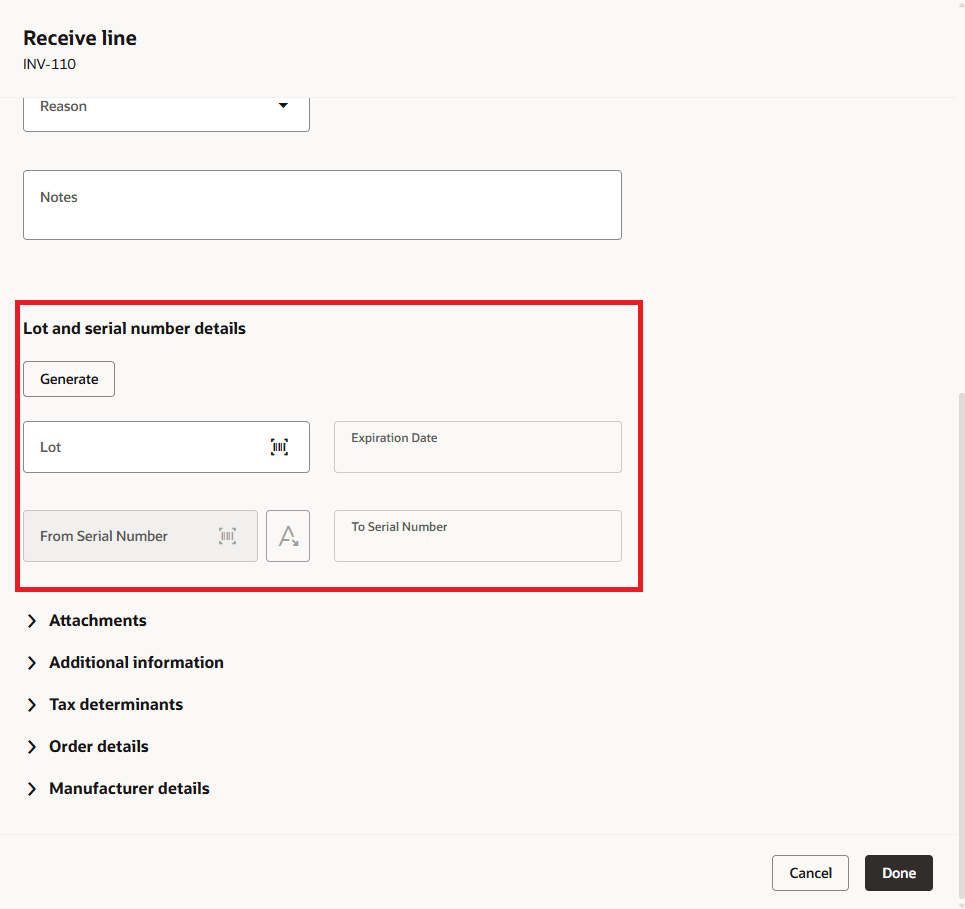
Lot and serial number details section available in the Receive line drawer
Additionally, compliance with specific regulations, such as the Drug Supply Chain Security Act (DSCSA), mandates to capture lot and serial number details during receiving for reporting purposes, even if your organization does not typically manage goods by lot and serial numbers.
Now you can designate items as lot and serial control exclusively during receiving activities. This ensures that lot and serial number details are collected for reporting, and to allow these items to be managed like non lot control inventory after the receiving process is complete.
For any receipt transactions that involves lot and serial control items, It's mandatory to capture lot and serial number details at the time of receiving. This ensures that lot and serial control items can be delivered through receipt delivery.
This feature enhances efficiency by reducing the time spent on extra handling during the put away stage to record lot and serial numbers. Additionally it aids in compliance with specific regulations like the Drug Supply Chain Security Act.
Steps to enable and configure
To capture lots and serial numbers for all the receipt routings during receiving, in the Receiving Parameters task, select the Capture lots and serial numbers at receipt checkbox for the selected organization.
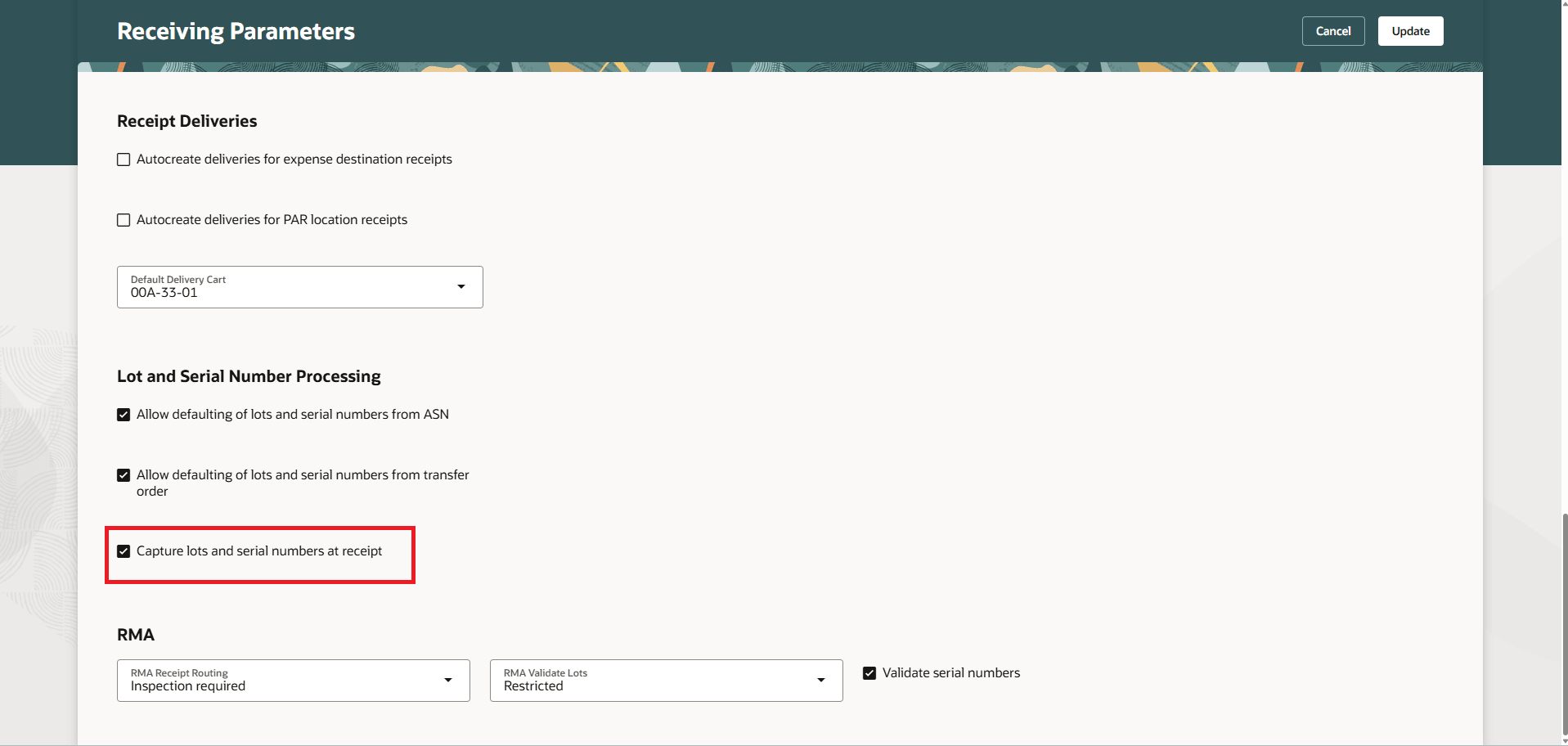
Receiving Parameters - Capture lots and serial numbers at receipt
To designate an item as lot and serial control exclusively during receiving, set lot control or serial generation attributes in the item definition to Entry for tracking in receiving only.
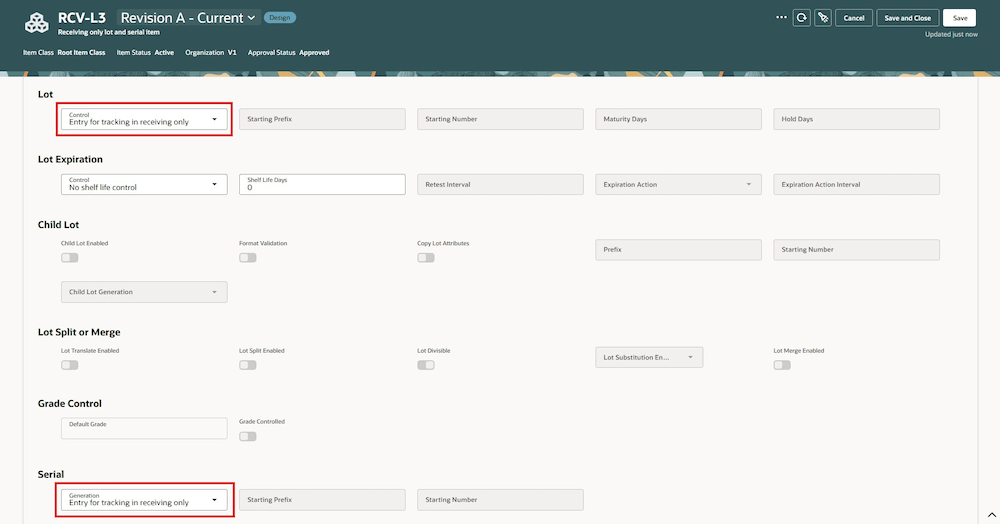
New value in lot control and serial generation attributes
Tips and considerations
-
After you capture the lot and serial number details during receiving for a lot and serial number control item, you must specify lot and serials numbers during return or correction on the receipt or inspection transaction.
-
Lot and serial number details must be entered during receiving for items when lot control and serial number generation attribute is set to Entry for Tracking in Receiving Only, even if the Capture lots and serial numbers at receipt checkbox is unchecked.
-
Lot and serial number details must be entered during receiving for lot and serial number control items when receipt results in creation of a delivery, even if the Capture lots and serial numbers at receipt checkbox is unchecked.
-
For a lot and serial control item, if an order line has multiple distributions and the receipt routing is a standard receipt, deliveries will not be created upon receipt even if delivery creation is enabled for the destination. The user must perform a put away instead.
-
You must use Redwood pages to perform receiving transactions after you check the Capture lots and serial numbers at receipt attribute for an organization.
Key resources
- Oracle Fusion Cloud SCM: Using Inventory Management guide, available on the Oracle Help Center.
Access requirements
Users who are assigned a configured job role that contains these privileges or duty roles can access this feature:
- Receive Receiving Shipment Line (RCV_RECEIVE_RECEIVING_SHIPMENT_LINE_PRIV)
- Inspect Receipts Using Responsive Receiving (RCV_INSPECT_RECEIPTS_USING_RESPONSIVE_RECEIVNG_PWA_PRIV)
- Put Away Receiving Receipt (RCV_PUT_AWAY_RECEIVING_RECEIPT_PRIV)
- Return using Responsive Receiving (RCV_RETURN_RECEIVING_RECEIPT_PWA_PRIV)
- Correct Receipts using Responsive Receiving (RCV_CORRECT_RECEIPTS_USING_RESPONSIVE_RECEIVING_PWA_PRIV)
- View Receipt Summary and Transaction History using Responsive Receiving (RCV_VIEW_RECEIPT_SUMMARY_TXN_HISTORY_PWA_PRIV)
- Receive Goods Using Responsive Receiving (ORA_RCV_RECEIVE_GOODS_PWA_DUTY)
- Put Away Goods Using Responsive Receiving (ORA_RCV_PUT_AWAY_GOODS_PWA_DUTY)
- Inspect goods using the responsive receiving application (ORA_RCV_INSPECT_GOODS_PWA_DUTY)
These privileges and duty roles were available prior to this update.