AI Agent: Receipt Creation Assistant
To receive inbound shipments quickly and efficiently, it's critical to keep your warehouse or stockroom operations running smoothly, and a quick way to create a receipt without manually entering information in the application. For example, you order some promotional items that you are expensing for a conference event and have them delivered directly to the venue. After the delivery is complete, you receive a delivery confirmation email with all the information required to create a receipt. Instead of manually creating the receipt, you want to quickly copy and paste the information from the delivery confirmation email to instantly create a receipt.
Now, with the Receipt Creation Assistant AI agent, you can copy and paste the essential details from the delivery confirmation email into the AI agent's chat box. The AI agent then automatically generates a receipt, saving time, effort, and manual intervention.
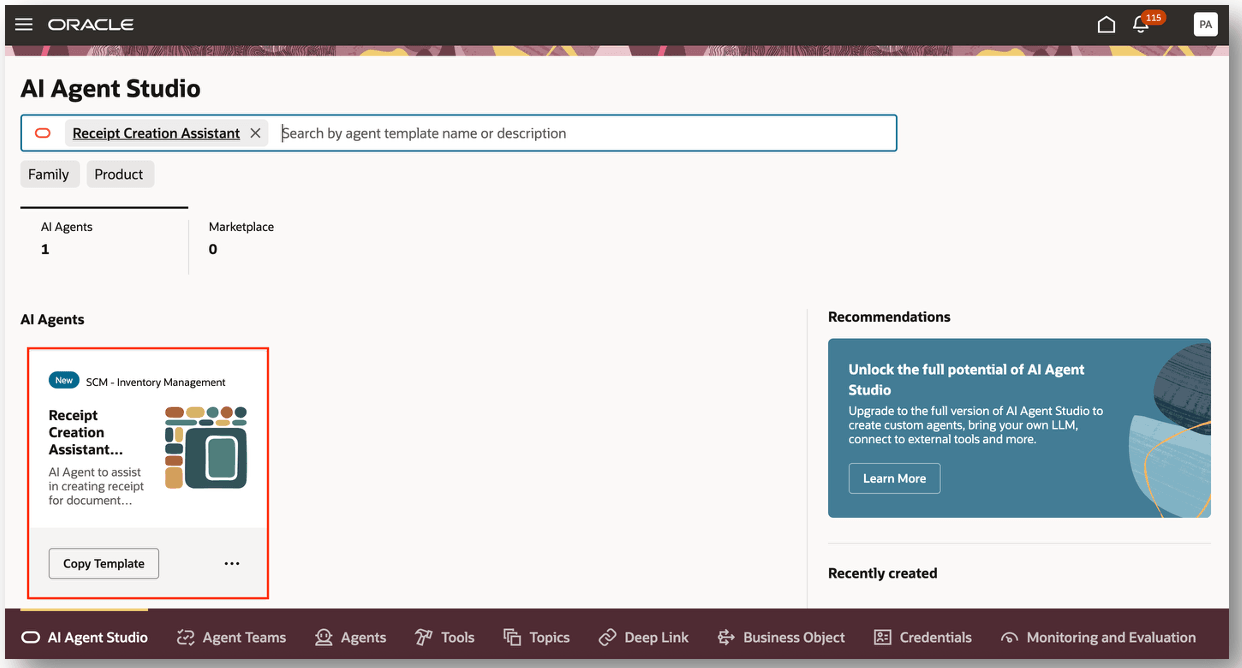
AI Agent Studio
You can create receipts for document types, such as purchase orders, transfer orders, in transit shipments, Advance Shipment Notices (ASNs), and Return Material Authorizations (RMAs). Additionally, you can create receipts for various types of items including plain items, lot control items, serial number control items, and items that are both lot and serial number control.
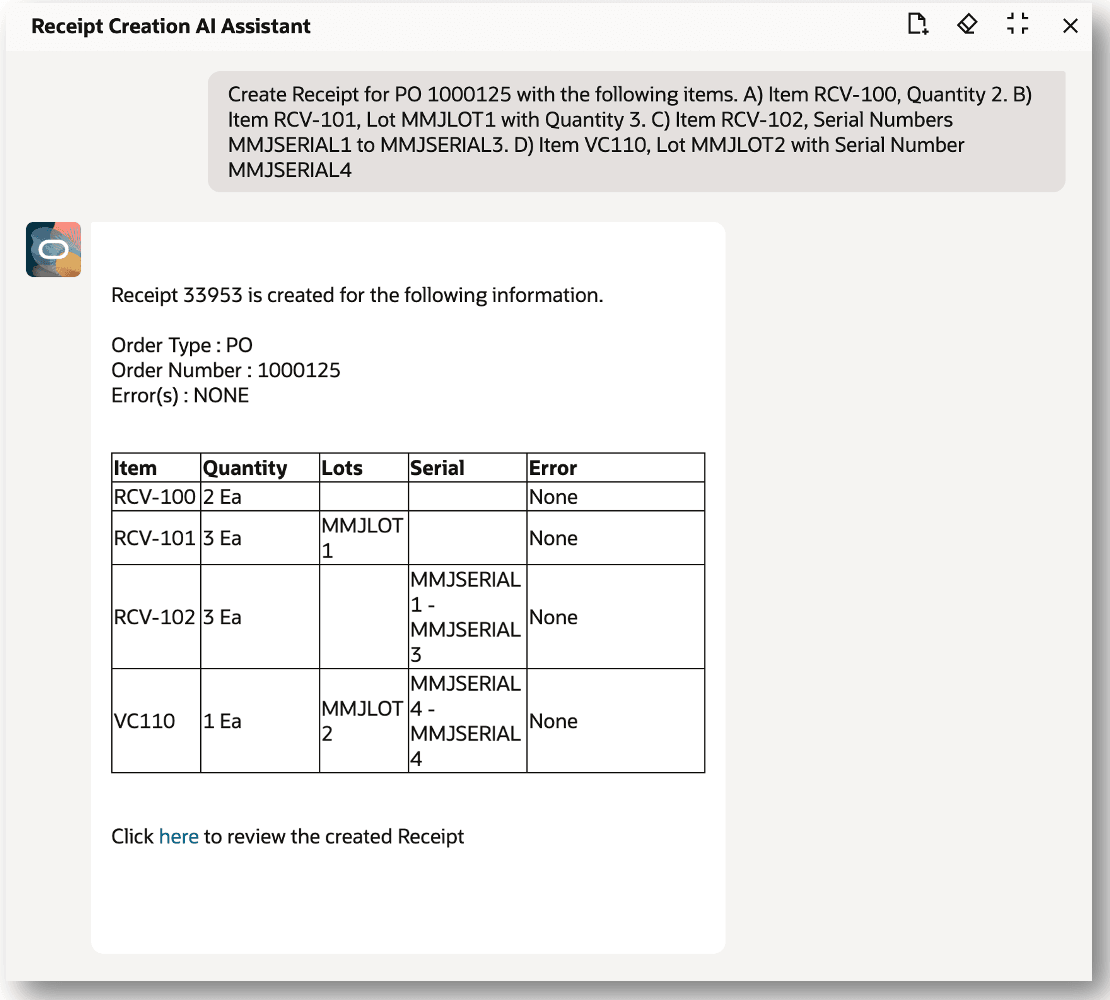
In this example, a receipt is created for a purchase order that includes a plain item, lot control item, serial number control item, and an item that is both lot and serial number control.
After the receipt has been successfully created, the receipt details are displayed, such as the order type and order number. Additionally, receipt line level details are displayed, such as item, quantity, lot, and serial number details. If the receipt couldn't be processed, an appropriate error message will be displayed.
You can navigate to the Received Lines page from Click here to review the created Receipt confirmation message.
Receipt Creation Assistant
You can review the receipt details in the Received Lines page to confirm that the receipt is successfully created. Additionally, you can navigate to the receipt summary and receiving transaction history pages.
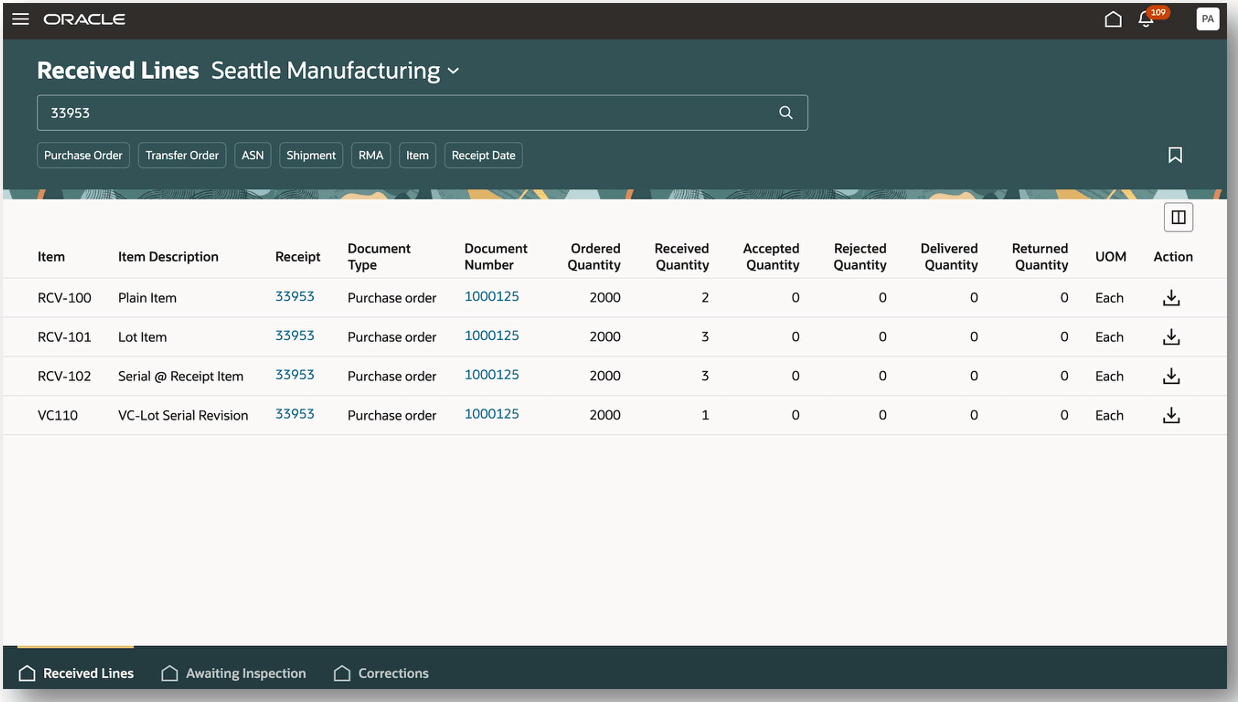
Received Lines
This functionality boosts efficiency by reducing the time and effort it takes to create a receipt.
Steps to enable and configure
Steps to enable permission groups for roles:
- In the Setup and Maintenance work area, search for the Manage Administrator Profile Values task using the search link in the Tasks panel tab.
- Search for and select the Enable Security Console External Application Integration (ORA_ASE_SAS_INTEGRATION_ENABLED) profile option and set the Site profile level to Yes.
You can use AI Agent Studio to use or copy the preconfigured agent template to create Agents for your business processes. To automatically add a suffix to all artifacts in your agent team, you can Copy Template instead of Use Template. When you copy a template, you're directly taken to the agent team canvas where you can edit the agent team settings, agents, tools, and topics. The Use Template option takes you through a step-by-step process for configuring each artifact in the agent team.
Agent Template: Receipt Creation Assistant
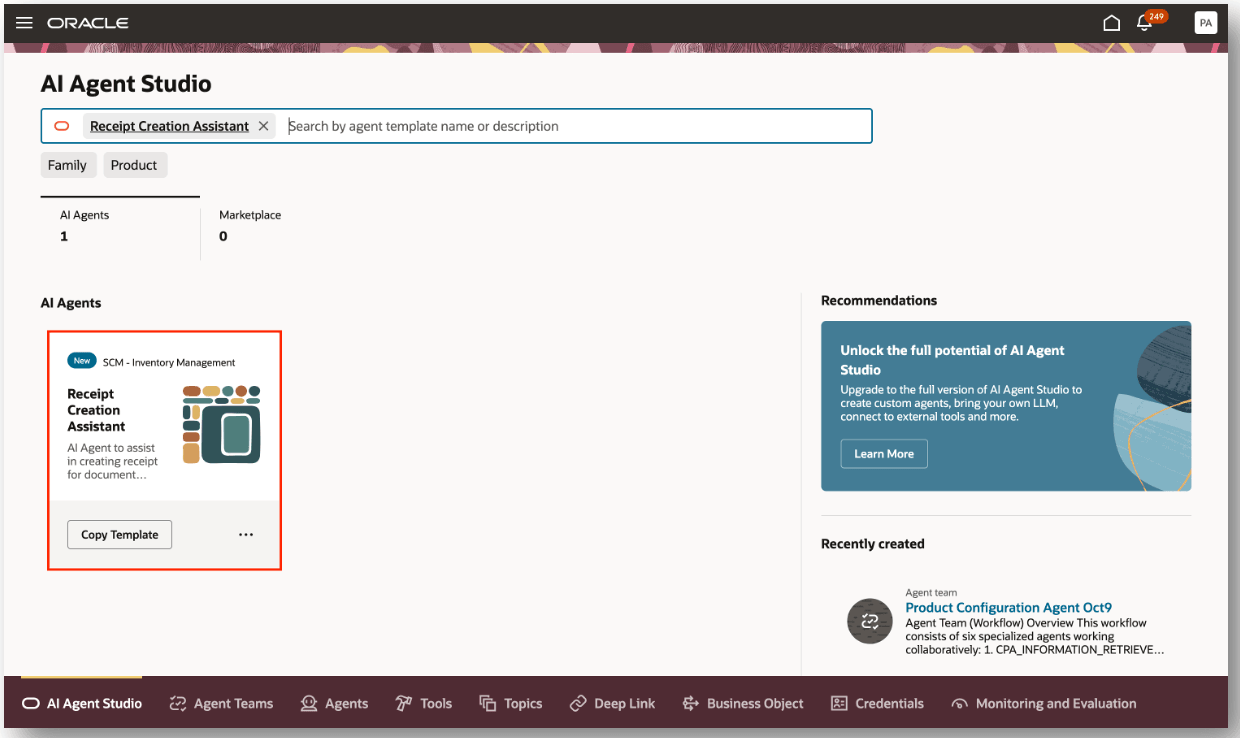
Receipt Creation Assistant Template
For information on using AI Agent Studio, see How do I use AI Agent Studio?
Tips and considerations
After publishing your agent, you can add it to a page by including it in the guided journey of that page. To do this, create an Agent task of type Workflow Agent for the agent, and add it to the guided journey.
Key resources
- Oracle Fusion Cloud SCM: Using Receiving guide, available on the Oracle Help Center.
- Oracle Fusion Cloud SCM: Implementing Manufacturing and Supply Chain Materials Management guide, available on the Oracle Help Center.
- Oracle Fusion Cloud SCM: Security Reference for Manufacturing and Supply Chain Materials Management on the Oracle Help Center.
- Access Requirements for AI Agent Studio
- How can I give users access to AI agents?
- Create AI Agents
Access requirements
To access the Oracle AI Agent Studio for Fusion Applications and manage SCM AI agents, users must be assigned a configured job role that contains these duty roles:
- SCM Intelligent Agent Management Duty (ORA_RCS_SCM_AI_AGENT_MANAGEMENT_DUTY)
- SCM Intelligent Agent Management Duty (ORA_RCS_SCM_AI_AGENT_MANAGEMENT_DUTY_HCM)
- Fai Genai Agent SCM Administrator Duty (ORA_DR_FAI_GENERATIVE_AI_AGENT_SCM_ADMINISTRATOR_DUTY)
To interact with AI agents in product pages, users must be assigned a configured job role that contains this duty role:
- Fai Genai Agent Runtime Duty (ORA_DR_FAI_GENERATIVE_AI_AGENT_RUNTIME_DUTY)
To allow users to interact with agents, you must also enable permission groups in the Security Console on those users' configured job roles that contain the Fai Genai Agent Runtime Duty role. You can enable permission groups when you manage the basic information of your configured job roles.
Users' configured job roles must also contain privileges that allow access to the pages where AI agents are enabled.
- Receive Receiving Shipment Line (RCV_RECEIVE_RECEIVING_SHIPMENT_LINE_PRIV)
- Receive Goods Using Responsive Receiving (RCV_RECEIVE_GOODS_USING_RESPONSIVE_RECEIVING_PWA_PRIV)
- Put Away Receiving Receipt (RCV_PUT_AWAY_RECEIVING_RECEIPT_PRIV)
- Create Receiving Receipt by Web Service (RCV_CREATE_RECEIVING_RECEIPT_WEB_SERVICE_PRIV)
- Create Receipt with the Responsive Self Service Receiving Application (RCV_CREATE_RECEIPT_WITH_PWA_PRIV)
See Access Requirements for AI Agent Studio (for administrators) and How can I give users access to AI agents (for end-users) for more information.