AI Agent: Supplier Accruals Assistant
At period close, users often spend hours manually reviewing and clearing receipt accruals, checking each one against policy and verifying details across multiple screens.
The Supplier Accrual Assistant AI agent simplifies this process with AI-powered guidance. Using this agent, you can:
- Review accruals by supplier, amount, age, or purchase order for quick analysis.
- Check accruals against policy thresholds using retrieval-augmented generation (RAG) for automatic validation.
- Instantly view key insights, such as total accrual balance, PO counts, and the top 10 suppliers contributing to accruals, all displayed in descending order for easy prioritization.
- Mark accruals for review directly in the agent and also take immediate action by navigating to the Open Accruals page in the application by using the deep link provided by the agent.
What previously took hours of manual work across Excel worksheets and multiple reports is now simplified into one guided, intelligent experience.
Some of the benefits of this feature include:
- Faster period close: Reduce time spent on manual accrual analysis and policy validation.
- Policy compliance: Ensure accrual clearing aligns with defined corporate thresholds.
- Instant insights: View key supplier and purchase order details without manual calculations.
- Streamlined actions: Mark accruals for review and directly access the Open Accruals page by using the deep link.
- Higher accuracy: Minimize human error with automated data review and policy checks.
Steps to enable and configure
To enable permission groups for roles, take these steps:
- In the Setup and Maintenance work area, search for the Manage Administrator Profile Values task using the search link in the Tasks panel tab.
- Search for the Enable Security Console External Application Integration (ORA_ASE_SAS_INTEGRATION_ENABLED) profile option and set the Site profile level to Yes.
You can use AI Agent Studio to use or copy a preconfigured agent template to create agents for your business processes. To automatically add a suffix to all artifacts in your agent team, you can use the Copy Template instead of Use Template button. When you copy a template, you're taken directly to the agent team canvas where you can edit the agent team settings, agents, tools, and topics. The Use Template option takes you through a step-by-step process for configuring each artifact in the agent team.
For information on using AI Agent Studio, see How do I use AI Agent Studio?
Tips and considerations
- After publishing the AI agent, you can add it to the Open Accrual Balances page using a guided journey:
- Enable the profile option ORA_PER_GUIDED_JOURNEYS_ENABLED and set it to Y.
- Create an agent task of the Workflow Agent type and link it to your published agent.
- In Visual Builder Studio, enable the guided journey on the desired Redwood page by setting the Guided Journeys Code and Guided Journeys Task Codes properties.
- You can mark accruals for review. You can also directly access the page in the application to clear accruals by using the deep link provided by the agent.
- To use the AI agent to apply your organization’s write-off policy, you can upload a simple policy document. Here is a sample format that you can use, which lists the sections you can include in the policy document.
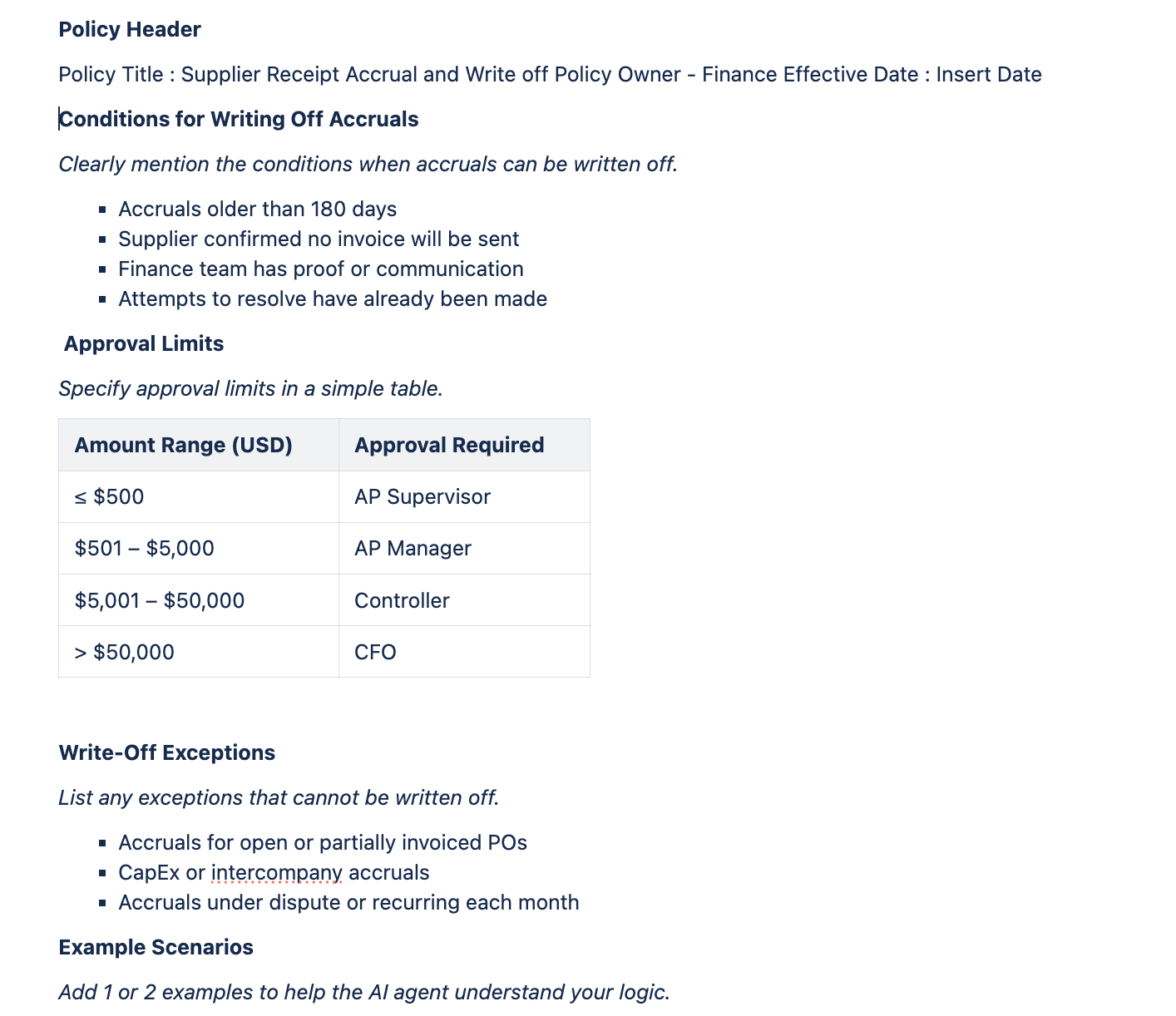
Sample format for policy document
Key resources
- Oracle Fusion Cloud SCM: Using Supply Chain Cost Management guide, available on the Oracle Help Center.
- Oracle Fusion Cloud SCM: Implementing Manufacturing and Supply Chain Materials Management guide, available on the Oracle Help Center.
- Oracle Fusion Cloud SCM: Security Reference for Manufacturing and Supply Chain Materials Management guide, available on the Oracle Help Center.
- Access Requirements for AI Agent Studio
- How can I give users access to AI agents?
- Create AI Agents
Access requirements
To access the Oracle AI Agent Studio for Fusion Applications and manage SCM AI agents, users must be assigned a configured job role that contains these duty roles:
- SCM Intelligent Agent Management Duty (ORA_RCS_SCM_AI_AGENT_MANAGEMENT_DUTY)
- SCM Intelligent Agent Management Duty (ORA_RCS_SCM_AI_AGENT_MANAGEMENT_DUTY_HCM)
- Fai Genai Agent SCM Administrator Duty (ORA_DR_FAI_GENERATIVE_AI_AGENT_SCM_ADMINISTRATOR_DUTY)
To interact with AI agents in product pages, users must be assigned a configured job role that contains this duty role:
- Fai Genai Agent Runtime Duty (ORA_DR_FAI_GENERATIVE_AI_AGENT_RUNTIME_DUTY)
To allow users to interact with agents, you must also enable permission groups in the Security Console on those users' configured job roles that contain the Fai Genai Agent Runtime Duty role. You can enable permission groups when you manage the basic information of your configured job roles.
Users' configured job roles must also contain privileges that allow access to the pages where AI agents are enabled.
See Access Requirements for AI Agent Studio (for administrators) and How can I give users access to AI agents (for end-users) for more information.